Best Dash Cam Purchase Guide
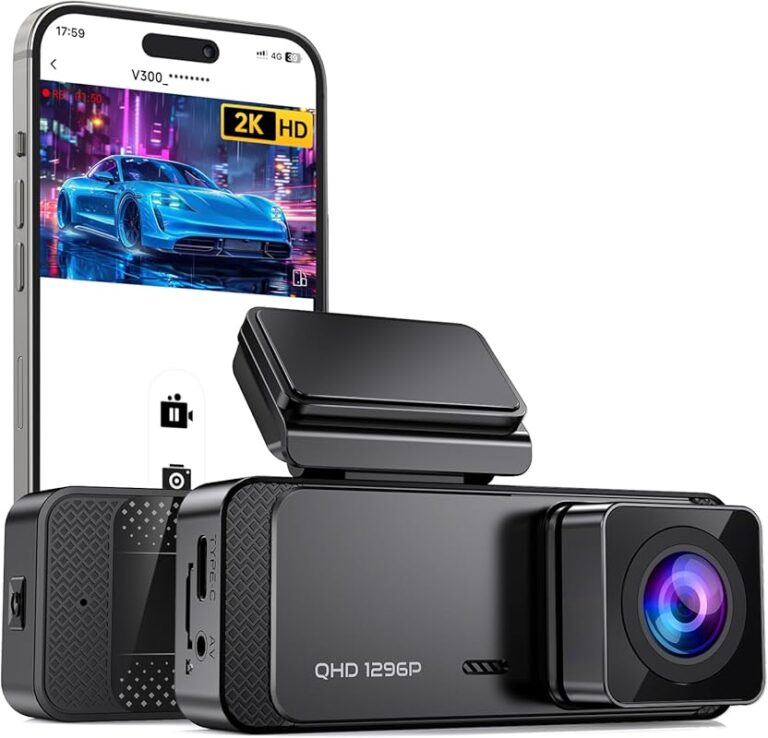
When it comes to protecting your vehicle and ensuring peace of mind on the road, a dash cam has become an essential automotive accessory. Whether you’re dealing with insurance claims, parking incidents, or simply want to document your daily drives, having reliable dash cam footage can make all the difference. This comprehensive guide will walk you through everything you need to know about purchasing the best dash cam, specifically focusing on options available at Costco and other retailers.
You’ll learn how to evaluate different models based on key performance indicators like video resolution, recording capabilities, build quality, and smart features. We’ll explore the various types of dash cams available in today’s market, from basic single-camera systems to advanced dual-channel setups with parking monitoring. You’ll also discover common pitfalls to avoid when making your purchase decision and understand how different price points correlate with features and reliability.
The automotive aftermarket is flooded with dash cam options, ranging from budget-friendly models under $50 to premium systems costing over $300. With so many choices available both online and in stores like Costco, it’s easy to feel overwhelmed. That’s why this guide breaks down complex technical specifications into actionable insights you can use to find the perfect dash cam for your specific needs and budget constraints.

What to Look for When Buying Dash Cams
1. Video Resolution & Recording Quality
Video resolution serves as the foundation of any dash cam’s effectiveness. The higher the resolution, the clearer your footage will be, which is crucial for identifying license plates, vehicle details, and road conditions during critical moments. Most modern dash cams offer at least 1080p Full HD recording, but many newer models now support 4K Ultra HD resolution.
Look for dash cams that provide at minimum 1920×1080 resolution, though 4K models (3840×2160) are becoming increasingly common even in mid-range options. Higher resolution means more detail capture, but it also requires more storage space and processing power. Consider whether your dash cam supports HDR (High Dynamic Range) technology, which helps maintain visibility in challenging lighting conditions like direct sunlight or nighttime driving.
Another important aspect is frame rate – most dash cams record at 30 frames per second (fps), but some premium models can handle 60 fps for smoother motion capture. Additionally, check if the device offers loop recording functionality, which automatically overwrites the oldest footage when storage fills up, ensuring continuous recording without manual intervention.
2. Field of View & Lens Specifications
The field of view (FOV) determines how much of the road ahead your dash cam can capture. A wider angle provides broader coverage but may introduce distortion near the edges of the frame. Most reputable dash cams offer between 120° and 170° horizontal FOV, with 140° being a sweet spot for balancing coverage and image quality.
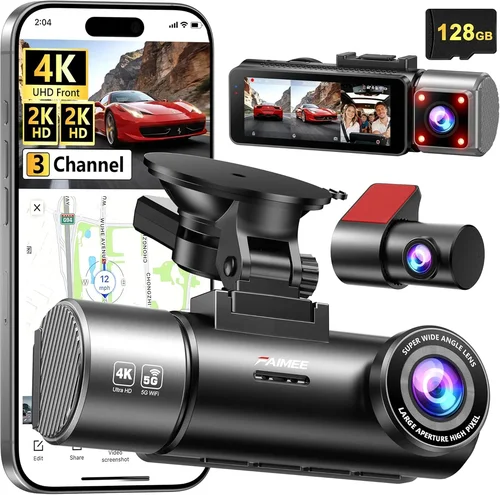
Consider what type of lens configuration works best for your needs. Single-lens dash cams typically offer 140-150° FOV, while dual-lens systems can provide front and rear coverage simultaneously. Some advanced models feature three-lens setups that include interior cabin monitoring. Pay attention to whether the lens is fixed or adjustable, as this affects how easily you can position the camera for optimal coverage.
Modern dash cams often incorporate wide-aperture lenses with f/1.8 or lower numbers, allowing better light gathering for improved low-light performance. G-sensor technology helps detect impacts and automatically lock relevant footage to prevent accidental deletion, while WDR (Wide Dynamic Range) processing balances exposure in high-contrast situations like tunnels or bright headlights.
3. Storage Capacity & Memory Card Compatibility
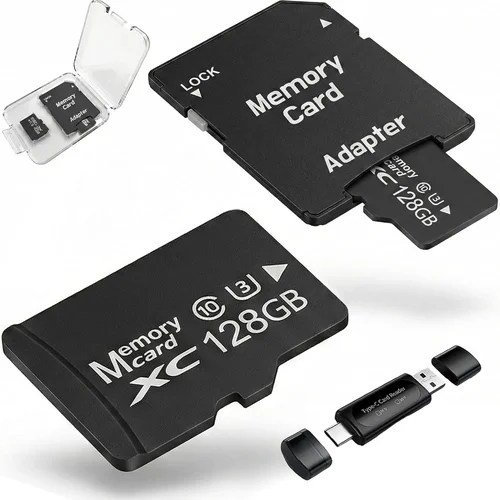
Storage requirements vary significantly depending on your usage patterns and video quality settings. Entry-level dash cams might only require 32GB cards, while 4K models with high bitrates can consume storage rapidly – potentially needing 128GB or even 256GB cards for extended recording sessions.
Most dash cams use microSD cards rather than built-in storage, giving you flexibility to upgrade or replace them as needed. Look for devices that support Class 10 or UHS-I/UHS-II cards for reliable performance. Some manufacturers recommend specific brands due to compatibility issues with certain card controllers.
Built-in cloud storage represents another option, though this typically comes with subscription fees and data usage considerations. Many dash cams support Wi-Fi connectivity for wireless file transfer, making it easier to review footage on your smartphone without physically removing the memory card. Consider whether your chosen model offers GPS logging, which records location data alongside your video for enhanced incident documentation.
4. Parking Mode & Battery Backup Features
Parking mode functionality varies widely between dash cam models and can significantly impact their usefulness for long-term vehicle protection. Basic parking modes simply continue recording while parked, but advanced systems offer motion detection, impact alerts, and even cellular connectivity for real-time notifications.
Motion-activated recording helps conserve battery life by only capturing relevant events, though this approach risks missing slow-moving vehicles or subtle incidents. Impact detection using built-in accelerometers automatically locks footage when significant vibrations occur, ensuring critical moments aren’t overwritten during loop recording cycles.
Some premium dash cams include super capacitors instead of traditional batteries, offering better temperature tolerance and longer operational life. Others come equipped with hardwired kits that connect directly to your vehicle’s electrical system, providing continuous power without draining your car battery. Consider whether your chosen model includes voltage protection to prevent damage from power surges or incorrect installation.
5. Build Quality & Weather Resistance
The physical durability of your dash cam matters greatly since it will be exposed to extreme temperatures, moisture, dust, and potential impacts. Look for models constructed with robust materials like aluminum alloy or reinforced plastic housing that can withstand harsh conditions.
Water resistance ratings help determine how well your device will perform in rainy conditions or during car washes. While most dash cams aren’t fully waterproof, they should have adequate sealing to protect internal components from splashes and humidity. Check whether the device includes protective features like anti-glare coatings or polarized filters that reduce reflections from dashboard surfaces.
Installation quality also contributes to overall durability – consider whether your dash cam comes with sturdy mounting brackets that won’t detach during sudden stops or accidents. Some models feature flexible mounting systems that allow repositioning without leaving residue, while others use permanent adhesive that provides maximum stability but makes removal more difficult.
6. Smart Features & Connectivity Options
Modern dash cams increasingly incorporate smart technologies that enhance usability and functionality beyond basic recording capabilities. Wi-Fi connectivity enables wireless file transfer and remote viewing through companion mobile apps, allowing you to check footage without physically accessing the device.
Bluetooth integration simplifies pairing with smartphones for voice commands or hands-free operation, while GPS modules track your vehicle’s location and speed throughout recordings. Some advanced models offer lane departure warnings, forward collision alerts, or blind spot monitoring – essentially transforming your dash cam into a partial ADAS (Advanced Driver Assistance System).
Cloud storage integration provides automatic backup of your footage to secure servers, protecting against loss from theft, damage, or accidental deletion. Subscription-based services often include additional features like real-time traffic updates, emergency assistance hotlines, or community-sourced hazard reporting. Consider whether your chosen model supports over-the-air firmware updates, which help maintain security and add new features without requiring physical access to the device.
7. Installation Complexity & Maintenance Requirements
Ease of installation varies significantly between dash cam models and can affect both initial setup time and ongoing maintenance needs. Simple plug-and-play systems require minimal tools and technical knowledge, while hardwired installations demand basic electrical skills and potentially professional assistance.
Consider whether your dash cam includes clear instructions, mounting hardware, and all necessary cables out of the box. Some models feature magnetic mounts that simplify positioning and removal, while others require adhesive strips or screw-based brackets for permanent placement. Evaluate the length and routing of included cables to ensure they won’t interfere with airbag deployment zones or create tripping hazards.
Maintenance considerations include how frequently you’ll need to clean lenses, replace batteries, or update firmware. Models with removable covers or easy-access compartments simplify cleaning and component replacement, while sealed units may require specialized tools for servicing. Think about whether your chosen dash cam includes self-diagnostic features that alert you to potential issues before they become serious problems.
8. Brand Reputation & Customer Support
The manufacturer’s reputation plays a crucial role in determining product reliability, software stability, and post-purchase support quality. Established brands with years of experience in automotive electronics typically offer better customer service, more comprehensive warranties, and greater confidence in long-term performance.
Research each brand’s track record for addressing common issues like firmware bugs, hardware failures, or compatibility problems with specific memory cards or vehicle models. Check whether the company provides timely software updates, responsive technical support channels, and transparent return policies. Online forums and user reviews can reveal real-world experiences that official marketing materials might omit.
Consider warranty terms carefully – look for coverage that extends beyond standard one-year periods and includes protection against manufacturing defects, water damage, and accidental drops. Some manufacturers offer extended warranty programs for additional cost, while others provide lifetime warranties on select models. Evaluate whether the warranty covers international use if you plan to travel abroad regularly.
Different Types of Dash Cams

Common Buying Mistakes to Avoid
❌ Mistake: Prioritizing Price Over Quality
Why it’s bad: Choosing the cheapest available option often leads to disappointment when the device fails within weeks or months. Low-cost dash cams frequently suffer from poor image quality, unreliable recording, and inadequate build materials that can’t withstand normal driving conditions.
What to do instead: Set a realistic budget based on your needs rather than simply seeking the absolute lowest price. Research thoroughly to find the best value within your price range, considering factors like warranty length, customer support reputation, and verified user reviews rather than just upfront cost.
❌ Mistake: Ignoring Storage Requirements
Why it’s bad: Underestimating storage needs results in constant low-storage warnings, automatic deletion of recent footage, or the need for frequent memory card replacements. High-resolution recordings consume storage rapidly, especially when using features like GPS logging or extended parking mode.
What to do instead: Calculate your expected storage consumption based on recording duration, resolution, and feature usage. Choose a memory card with sufficient capacity (typically 64GB minimum for most users) and consider whether your dash cam supports multiple card slots for seamless switching without data loss.
❌ Mistake: Overlooking Installation Complexity
Why it’s bad: Assuming all dash cams install identically leads to frustration, improper mounting, or attempts to modify cables that void warranties or create safety hazards. Complex installations may require professional assistance, adding unexpected costs.
What to do instead: Review installation instructions thoroughly before purchasing and assess whether you possess the necessary tools and skills. If uncertain, choose models with simpler plug-and-play designs or budget for professional installation services.
❌ Mistake: Neglecting Power Management
Why it’s bad: Using dash cams without proper power solutions causes battery drain, prevents parking mode functionality, or creates electrical system issues in older vehicles. Improper wiring can lead to fuse blows, alternator strain, or even fire hazards.
What to do instead: Invest in appropriate power accessories like hardwiring kits or cigarette lighter adapters that match your vehicle’s electrical system. Consider whether your dash cam includes voltage protection circuits to prevent damage from power fluctuations.
❌ Mistake: Disregarding Software Updates
Why it’s bad: Failing to update firmware leaves your dash cam vulnerable to bugs, security vulnerabilities, or compatibility issues with newer memory cards. Outdated software may also limit available features or cause recording interruptions.
What to do instead: Regularly check manufacturer websites for firmware updates and follow provided instructions carefully. Enable automatic update notifications if available, and maintain internet connectivity during updates to ensure complete installations.
❌ Mistake: Assuming All Dash Cams Are Equal
Why it’s bad: Treating all dash cams as interchangeable products overlooks significant differences in build quality, feature sets, and reliability. Generic or no-name brands often cut corners on critical components like image sensors, processors, or power management.
What to do instead: Research specific models extensively rather than relying solely on brand names or marketing claims. Compare technical specifications objectively and read independent reviews from trusted sources that test performance under real-world conditions.
❌ Mistake: Forgetting About Privacy Concerns
Why it’s bad: Installing dash cams without considering privacy implications can lead to unintended recording of private areas, violation of local laws regarding audio recording, or misuse of recorded data. Some jurisdictions have strict regulations about where and how dash cams can operate.
What to do instead: Check local laws and regulations regarding dash cam usage, particularly concerning audio recording and data privacy. Ensure your chosen model allows disabling microphone functions if required, and never share or distribute footage without proper authorization.
Budget Guidelines: How Much Should You Spend?
Entry-Level Dash Cams ($30 – $70)
For occasional drivers or those testing dash cam functionality, entry-level models offer basic recording capabilities at very affordable prices. These devices typically provide 1080p resolution, 120-140° field of view, and simple loop recording functionality. While suitable for general use, expect limitations like smaller screens, fewer smart features, and less robust build quality compared to higher-end options.
Key considerations for entry-level purchases include ensuring adequate storage capacity for your typical driving patterns and verifying that the device includes essential safety features like G-sensor for impact detection. Many budget models rely on traditional lithium batteries rather than super capacitors, which may require more frequent charging and offer shorter operational lifespans in extreme temperatures.
Mid-Range Dash Cams ($70 – $200)
This sweet spot represents the best value for most drivers seeking reliable performance without excessive complexity. Mid-range models typically feature 1080p or 4K resolution, wider fields of view (140-160°), advanced parking modes, and improved build quality. Many include Wi-Fi connectivity for wireless file transfer and companion mobile apps for convenient footage management.
Investment in this tier pays dividends through better image quality, more durable construction, and expanded functionality like GPS logging, motion detection, and impact alerts. You’ll also benefit from more comprehensive warranty coverage and responsive customer support compared to budget options. Consider whether features like HDR processing, WDR technology, or night vision enhancements justify the price increase over entry-level models.
Premium Dash Cams ($200 – $400)
Enthusiasts and drivers who prioritize maximum reliability and cutting-edge features will appreciate premium dash cam offerings. These devices often boast 4K Ultra HD resolution, sophisticated parking surveillance capabilities, superior low-light performance, and advanced driver assistance features. Premium models frequently include multiple recording modes, enhanced audio recording, and professional-grade mounting solutions.
Additional benefits include cloud storage integration, real-time GPS tracking, automatic incident alerts, and robust build materials designed to withstand extreme conditions. Some premium systems offer subscription-based services that provide additional security features, emergency response capabilities, or community-sourced hazard mapping. While the higher price point reflects these advanced capabilities, it also ensures greater peace of mind during critical situations.
Luxury Dash Cam Systems ($400+)
At the top end of the market, luxury dash cams deliver professional-grade performance with extensive customization options and unparalleled reliability. These systems often feature multiple camera angles, AI-powered analytics, cellular connectivity for real-time monitoring, and enterprise-level management software suitable for fleet operations.
Luxury features include advanced incident reconstruction capabilities, compliance reporting tools, encrypted data storage, and integration with existing vehicle telematics systems. While primarily targeting commercial operators, individual consumers may appreciate the highest level of protection, convenience, and technological sophistication available today. Consider whether the added expense justifies your specific needs before committing to this investment level.
Expert Tips for Getting the Best Deal
Timing Your Purchase Strategically
The best time to buy dash cams isn’t necessarily when you need them immediately. Retailers often discount older models when new versions launch, particularly around major holidays like Black Friday, Cyber Monday, or back-to-school seasons. Electronics manufacturers typically refresh their dash cam lines annually, creating opportunities to save 20-30% on previous-generation models.
Consider seasonal patterns too – spring and early summer see increased demand for automotive accessories as weather improves, potentially leading to higher prices. Late fall and winter months usually offer better deals as retailers clear inventory for new year releases. Sign up for email newsletters from major retailers like Costco, Best Buy, or Amazon to receive exclusive promotions and early access to sales events.
Comparing Retailer Advantages
While Costco offers competitive pricing and excellent return policies, compare their selection against specialized automotive retailers like AutoZone, Advance Auto Parts, or Crutchfield. Online marketplaces like Amazon provide broader model availability and customer review aggregation, while big-box stores often include professional installation services.
Evaluate total ownership costs rather than just initial purchase price. Factor in shipping fees, installation charges, warranty terms, and return policies when comparing options. Some retailers offer bundle deals that include mounting hardware, memory cards, or extended warranties at discounted rates.
Identifying Authentic Deals vs. Bait-And-Switch Tactics
Be wary of “too good to be true” pricing that may indicate counterfeit products or misleading specifications. Verify seller credibility through third-party review platforms and check for consistent pricing across multiple retailers. Watch for fine print that reveals additional fees for essential accessories like memory cards or installation services.
Compare advertised features against independently verified specifications from manufacturer websites or trusted review sites. Some retailers list outdated models as new inventory or misrepresent product capabilities to justify inflated prices. Always confirm exact model numbers and production dates before committing to a purchase.
Maximizing Warranty Benefits
Read warranty terms carefully to understand coverage limits, exclusions, and claim procedures. Extended warranty programs can provide additional protection beyond standard manufacturer coverage, but evaluate whether the cost justifies potential benefits. Some retailers offer price-matching guarantees that effectively extend warranty periods through competitor comparisons.
Keep detailed records of purchase receipts, serial numbers, and communication with customer service representatives. Document any pre-existing issues before installation to prevent disputes during warranty claims. Register your product with the manufacturer promptly to activate warranty benefits and receive update notifications.
Leveraging Return Policies Effectively
Take advantage of generous return windows to test dash cam performance under real driving conditions. Many retailers offer 30-90 day return periods for electronics, allowing time to evaluate recording quality, ease of use, and compatibility with your vehicle’s electrical system. Don’t hesitate to return products that don’t meet expectations – this trial period protects your investment while ensuring satisfaction.
Package returns properly with original boxes and accessories to maintain resale value if needed. Test all included features before returning items to confirm functionality matches descriptions. Keep packaging materials until you’re completely satisfied with your purchase to avoid restocking fees or damaged goods penalties.
Testing Performance Before Committing
Whenever possible, request demonstration units or schedule in-store testing before making purchases. Observe video quality in various lighting conditions, check menu navigation intuitiveness, and verify mounting system stability. Ask store staff about current promotions, bundle deals, or upcoming model releases that might affect your decision.
If shopping online, prioritize sellers with generous return policies and positive customer feedback. Read detailed product descriptions and technical specifications rather than relying solely on promotional images. Contact seller representatives directly to clarify ambiguous information or request additional photos/videos demonstrating key features.
Negotiating Better Terms
Don’t assume fixed pricing – many retailers including Costco accept reasonable counteroffers on select items, especially during clearance events or when purchasing multiple accessories together. Mention competing offers from other stores or websites to encourage price adjustments. Bundle related purchases like memory cards, mounting hardware, or installation services to qualify for volume discounts.
Build relationships with knowledgeable sales associates who can provide insider information about upcoming deals or factory-refurbished units with full warranties. Politely inquire about unadvertised promotions available to loyalty program members or special interest groups that might not appear on public marketing materials.
Utilizing Loyalty Programs & Membership Perks
Costco’s membership structure provides access to exclusive deals, bulk pricing, and priority customer service that can significantly reduce dash cam ownership costs. Take advantage of annual membership fee reimbursements through cashback programs or credit card rewards that offset ongoing expenses. Monitor quarterly coupon books and digital promotions for additional savings opportunities.
Consider joining manufacturer loyalty programs that offer rebates, early access to new products, or exclusive bundles unavailable elsewhere. Some companies provide free software upgrades or complimentary accessories for registered customers, enhancing value beyond initial purchase price.
Considering Certified Refurbished Options
Manufacturer-certified refurbished dash cams represent an excellent way to access premium features at reduced prices while still receiving full warranty coverage. These units undergo rigorous testing, replacement of worn components, and cosmetic refurbishment to meet original specifications. Refurbished models often include upgraded accessories or bonus items not available with new products.
Verify certification status through official manufacturer websites or authorized resellers to avoid counterfeit “refurbished” products that may lack proper servicing. Compare refurbished pricing against current new models to ensure genuine savings rather than merely deferred maintenance costs. Many manufacturers offer extended warranty periods specifically for certified refurbished units.
Planning for Future Upgrades
Anticipate evolving needs by selecting dash cam systems that support modular upgrades rather than requiring complete replacements. Modular designs allow incremental improvements like adding rear cameras, upgrading memory cards, or integrating additional sensors without discarding functional components. This approach reduces long-term costs and environmental impact while accommodating changing requirements.
Choose models with standardized interfaces and universal mounting systems that work across multiple vehicle types or future generations. Select dash cams with expandable storage options and backward-compatible firmware updates that protect your investment as technology advances. Plan for regular maintenance like lens cleaning, cable inspections, and software updates to maximize product lifespan.

Frequently Asked Questions
Q: Do I really need a dash cam if my insurance already covers me?
A: While insurance provides financial protection after accidents, dash cam footage offers crucial evidence that can expedite claims processing, prevent fraudulent accusations, and resolve disputes quickly. Many insurance companies actually offer premium discounts for policyholders with dash cam footage, recognizing its value in accident verification and prevention.
Q: Can dash cams record audio, and is it legal?
A: Most modern dash cams include microphone functionality for audio recording, though legal restrictions vary significantly by location. Some states prohibit recording conversations without consent, while others allow unrestricted audio capture. Always research local laws before enabling audio recording and consider disabling microphones in areas with stricter regulations.
Q: How much storage space do I actually need for my dash cam?
A: Storage requirements depend on recording quality, duration, and feature usage. As a general guideline, 32GB handles approximately 4-6 hours of 1080p recording, while 64GB supports 8-12 hours. High-bitrate 4K recordings consume storage 2-4 times faster than standard 1080p files. Include extra capacity for GPS logs, parking mode footage, and incident clips that shouldn’t be overwritten.
Q: Will installing a dash cam void my car’s warranty?
A: In the United States, federal law prohibits automakers from voiding warranties solely because aftermarket electronics were installed, provided the installation didn’t cause the warranty issue. However, poorly installed dash cams that interfere with safety systems like airbags or sensors could invalidate related warranties. Use professional installation services and avoid blocking critical vehicle components.
Q: What happens if my dash cam runs out of battery while parked?
A: Modern dash cams with proper hardwiring draw minimal power during parking mode, typically consuming less than 0.5 watts. Most vehicles’ alternators maintain sufficient charge to keep dash cams operational indefinitely when correctly wired. Voltage protection circuits prevent damage from electrical surges or incorrect installations that could drain batteries excessively.
Q: Are cloud-connected dash cams secure from hacking?
A: Reputable manufacturers implement encryption protocols and security measures to protect cloud-stored footage, but no system is completely immune to cyber threats. Regularly update firmware, use strong passwords for associated accounts, and monitor data usage to detect unusual activity. Consider local storage alternatives if privacy concerns outweigh cloud convenience benefits.
Q: Can I use any memory card with my dash cam?
A: While most dash cams accept standard microSD cards, some models have specific compatibility requirements or performance limitations. Manufacturers often recommend Class 10 or UHS-I cards for reliable operation, particularly with high-resolution recordings. Avoid counterfeit cards marketed as compatible when they may fail unexpectedly or cause data corruption during critical recording sessions.
Q: How do I know if my dash cam is recording properly?
A: Visual confirmation includes checking the red LED indicator lights during operation and reviewing recorded footage after trips. Most dash cams display recording status through blinking lights or on-screen icons. Test recording quality in various lighting conditions and verify that loop recording automatically overwrites old files without manual intervention unless locked by impact detection.
Q: Should I mount my dash cam above or below the windshield?
A: Optimal placement depends on your vehicle’s design and desired coverage area. Mounting slightly above the dashboard centerline typically provides the best balance of forward visibility and reduced glare, while avoiding airbag deployment zones. Experiment with positioning to minimize reflections from instruments or windows while maintaining clear sightlines to the road ahead.
Q: What’s the difference between a capacitor and a battery in dash cams?
A: Super capacitors store electrical energy without chemical reactions that degrade over time like traditional lithium batteries. Capacitor-powered dash cams handle wider temperature ranges (-20°C to 85°C) and last significantly longer between charges or replacements. However, capacitors typically provide less total energy storage, making them better suited for short-term parking mode operations rather than extended unattended recording.
Our Final Recommendations
Best for Budget-Conscious Buyers: Viofo A119 V3
The Viofo A119 V3 represents exceptional value for drivers seeking reliable 1080p recording without breaking the bank. Priced competitively at Costco and other retailers, this single-lens dash cam delivers crisp video quality with a 140° field of view that captures ample road detail. Its compact design fits seamlessly into most vehicle interiors while including essential features like G-sensor impact detection and loop recording functionality.
What sets this model apart is its robust build quality despite the affordable price point, featuring a sturdy aluminum casing that withstands typical automotive environments. The included parking mode with motion detection provides peace of mind when your vehicle is unattended, while the wide dynamic range processing maintains visibility in challenging lighting conditions. Though lacking advanced smart features, the A119 V3 performs consistently well enough to justify its reputation as a favorite among budget-savvy drivers who refuse to compromise on core functionality.
Best Overall Value: Garmin Dash Cam 67W
Garmin’s Dash Cam 67W strikes an impressive balance between affordability, reliability, and smart capabilities that make it suitable for virtually any driver. Available through Costco’s automotive electronics section, this model offers premium features typically found in higher-priced competitors including voice control, incident detection, and surprisingly intuitive interface design.
The 67W delivers solid 1080p recording with excellent color reproduction and minimal distortion at its 130° field of view. What truly distinguishes this dash cam is its integration with Garmin’s ecosystem – pairing effortlessly with compatible smartphones for wireless file transfer and real-time traffic updates. The included premium warranty and responsive customer support further enhance the overall value proposition, making this an outstanding choice for drivers who appreciate thoughtful engineering without extravagant price tags.
Best Premium Option: Nextbase 522GW
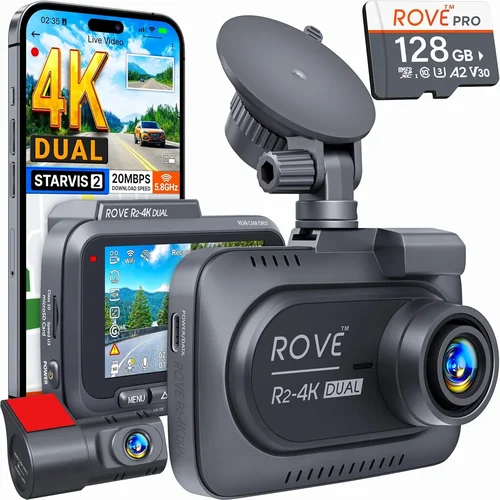
For those willing to invest in top-tier performance, the Nextbase 522GW represents the pinnacle of consumer dash cam technology currently available at Costco locations. This 4K Ultra HD model captures breathtaking detail with its Sony STARVIS sensor, delivering crystal-clear footage even in low-light conditions that would challenge lesser cameras.
Beyond resolution superiority, the 522GW impresses with advanced features like Alexa voice control, emergency SOS button, and First Alert collision detection that automatically saves critical footage. The inclusion of GPS logging and speed alerts transforms this dash cam into a comprehensive driving companion that goes far beyond mere recording. While priced at the higher end of the market, the 522GW’s combination of cutting-edge technology, military-grade build quality, and extensive feature set justifies its premium positioning for discerning drivers who demand nothing less than excellence.
Best for Beginners: Rexing V1P
Newcomers to dash cam ownership will appreciate the Rexing V1P’s straightforward operation and generous feature inclusion at an accessible price point. Available through Costco’s electronics department, this model simplifies the learning curve with its intuitive touchscreen interface and clearly labeled controls that eliminate guesswork during setup and operation.
Despite its beginner-friendly approach, the V1P doesn’t skimp on performance essentials like 1080p recording, 140° wide-angle lens, and reliable loop recording functionality. The included parking mode with impact detection provides valuable protection without overwhelming users with complicated settings or confusing menus. What truly makes this ideal for novices is the comprehensive instruction manual and responsive customer support that patiently guides first-time owners through installation, maintenance, and troubleshooting processes.
Best for Advanced Users: BlackVue DR970X-2CH
Power users and tech enthusiasts seeking maximum flexibility and professional-grade capabilities will find the BlackVue DR970X-2CH unmatched in its class. While positioned at the higher price point, this dual-lens system delivers exceptional value for experienced drivers who demand granular control over recording parameters and advanced connectivity options.
The DR970X-2CH features simultaneous front and rear 4K recording with superior low-light sensitivity thanks to its Sony STARVIS imaging sensor technology. Cloud connectivity enables remote viewing, live streaming, and automatic backup to secure servers, while the robust Android-based operating system allows extensive customization through third-party applications. Professional-grade mounting hardware and military-specification build quality ensure reliable performance in the harshest environments, making this the ultimate choice for serious drivers who treat their dash cam as both security equipment and performance monitoring tool.
Conclusion: Making the Right Choice
Selecting the best dash cam for your vehicle ultimately comes down to aligning available features with your specific needs, budget constraints, and driving habits. Rather than chasing the latest technological trends or blindly following recommendations, take time to evaluate how each specification impacts your daily usage patterns and peace of mind requirements.
Remember that dash cams serve as both protective devices and potential evidence collectors in stressful situations, so prioritize reliability over flashy extras when making your final decision. Consider whether you need basic recording capabilities or advanced smart features, how frequently you drive, and what level of parking protection matters most to you.
Costco’s selection offers excellent value for money across all price tiers, but don’t hesitate to explore other retailers if they provide better models for your circumstances. Whatever your choice, ensure proper installation, regular maintenance, and familiarization with your device’s operation before relying on it for critical protection. With careful consideration and informed decision-making, your dash cam investment will deliver lasting benefits far exceeding its initial cost.