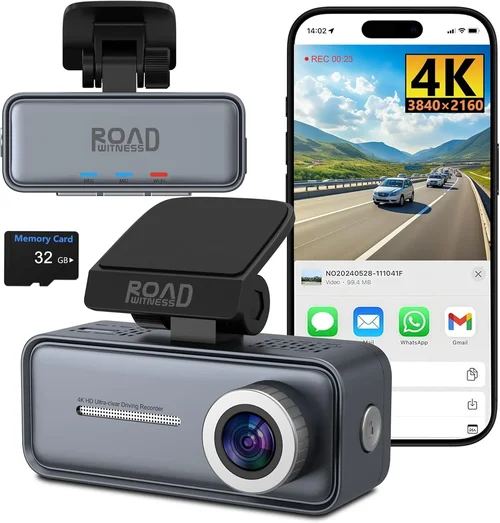
Best Dash Cam Buying Guide for Businesses
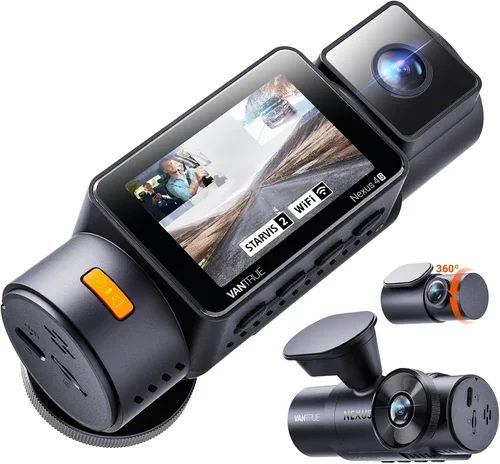
When it comes to protecting your business vehicles, employees, and assets, a dash cam isn’t just a convenience—it’s a critical safety and liability tool. Whether you operate a delivery service, ride-sharing fleet, taxi company, or corporate transportation service, investing in the right dash cam can mean the difference between avoiding costly disputes and being held responsible for incidents beyond your control. This comprehensive buying guide is designed specifically for business owners, fleet managers, and operations professionals who need reliable, high-performance dash cams that deliver real value over time.
You’ll learn how to evaluate dash cams based on performance specifications, durability, storage solutions, and integration capabilities—all tailored to commercial use. We’ll walk through the essential features that matter most in a business environment, compare top models across different price ranges, and highlight common pitfalls to avoid. By the end of this guide, you’ll have a clear understanding of which dash cam best aligns with your operational needs, budget constraints, and long-term goals.
The market for business dash cams has grown significantly in recent years, driven by rising insurance costs, increased regulatory scrutiny, and the growing demand for transparency in transportation services. From compact single-camera units to multi-channel systems with advanced analytics, today’s options offer far more than just recording footage. Many now include GPS tracking, driver behavior monitoring, cloud storage, and even AI-powered incident detection. However, not all dash cams are created equal—especially when it comes to supporting the unique demands of fleet operations. This guide cuts through the noise to help you make an informed, strategic decision that protects both your bottom line and your reputation.

What to Look for When Buying Dash Cams
Choosing the right dash cam for your business requires careful consideration of several key factors. Unlike consumer-grade models, commercial dash cams must withstand harsh conditions, provide reliable evidence in legal situations, and integrate seamlessly into your existing operations. Let’s break down the most important aspects you should evaluate before making a purchase.
1. Budget & Price Range
Your budget will heavily influence the features and reliability you can expect from a dash cam. While it may be tempting to opt for the cheapest available option, remember that dash cams are long-term investments—both financially and legally. A subpar unit could fail during a critical moment, leaving you exposed to liability.
Business dash cams typically range from $50 to over $1,000 per unit. Entry-level models may suffice for small fleets with minimal requirements, but larger operations or those in high-risk industries (like construction transport or ride-sharing) should consider mid-to-premium options. Always factor in additional costs such as memory cards, mounting hardware, cloud subscriptions, and installation fees. Remember: the lowest-priced model often ends up costing more in downtime, replacement parts, or legal defense.
2. Performance Specifications
Performance determines how effectively your dash cam captures events. Key technical specs include resolution, frame rate, low-light sensitivity, and field of view.
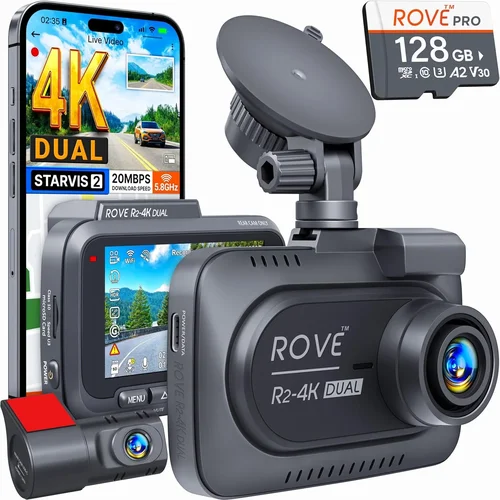
Resolution: Aim for at least 1080p Full HD. For serious legal protection, 2K or higher resolution provides clearer details like license plates and road signs. Some premium models offer 4K recording, though file sizes become significantly larger.
Frame Rate: Higher frame rates (60fps or more) capture smoother motion and improve clarity during fast-moving incidents. This is especially important for detecting sudden braking or collisions.
Low-Light Performance: Night driving accounts for a significant portion of accidents. Look for cameras with wide dynamic range (WDR), infrared LEDs, or night vision capabilities. CMOS sensors with larger pixels perform better in darkness.
Field of View (FOV): A wider angle (130°–170°) captures more of the road ahead and surroundings, reducing blind spots. However, extreme wide angles can distort images at the edges.
3. Build Quality & Durability
Commercial vehicles face rough treatment—vibrations, temperature extremes, dust, moisture, and impacts. Your dash cam must endure these conditions without failing.
Look for ruggedized housing made from polycarbonate or metal alloys. Waterproof ratings (IP67 or higher) ensure protection against rain and splashes. Shock resistance is equally important; choose models tested for military-grade durability if operating in off-road or heavy-duty environments.
Mounting systems should be secure yet adjustable, allowing easy repositioning without damaging the windshield. Some business dash cams come with adhesive mounts rated for long-term use, while others feature magnetic or suction-based designs.
4. Features & Functionality
Beyond basic recording, modern dash cams offer advanced features that enhance security, compliance, and operational efficiency.
Loop Recording & G-Sensor: Loop recording continuously overwrites old footage, ensuring uninterrupted operation. The G-sensor automatically locks files during sudden movements or impacts, preserving critical evidence.
GPS Tracking & Speed Monitoring: Integrated GPS logs location, speed, and route data. This is invaluable for verifying driving patterns, optimizing routes, and providing context in disputes.
Wi-Fi & Cloud Connectivity: Wireless transfer allows remote access to footage via smartphone apps or web portals. Cloud storage ensures backups are safe even if the device is damaged or stolen.
Driver ID & Behavior Monitoring: Some systems recognize drivers through facial recognition or RFID tags, enabling accountability. They can also detect harsh braking, rapid acceleration, or phone usage—helpful for coaching and safety programs.
Parking Mode: With parking mode, the dash cam remains active when parked, using motion or impact detection to record potential break-ins or vandalism. This requires a hardwired power source and sufficient battery backup.
5. Brand Reputation
Not all brands offer the same level of reliability or support. Established manufacturers with strong track records in automotive electronics tend to produce more dependable products.
Brands like BlackVue, Thinkware, Garmin, Nextbase, and Viofo are widely regarded for their commercial-grade dash cams. These companies invest heavily in R&D, offer robust firmware updates, and maintain responsive customer service. Smaller or lesser-known brands may cut corners on materials or software stability, leading to frequent malfunctions.
Research user reviews, professional forums, and industry reports to gauge real-world performance. Pay attention to failure rates, update frequency, and warranty claims. A reputable brand will stand behind its product and offer timely technical support.
6. Warranty & Support
A solid warranty reflects confidence in product quality. Most reliable dash cam brands offer at least a 1- to 2-year limited warranty covering defects in materials and workmanship. Premium models may include extended coverage or accidental damage protection.
Customer support is equally crucial. Check whether the manufacturer provides multilingual assistance, live chat, email, or phone support. Response times matter—especially when dealing with multiple vehicles across different regions.
Also consider firmware update policies. Regular updates improve functionality, fix bugs, and enhance security. Brands that neglect updates risk leaving your system vulnerable or outdated.
7. Size & Portability
While size isn’t always critical, compact designs allow discreet installation and reduce wind resistance. Ultra-thin models (under 1 inch) blend into the dashboard, minimizing distraction for drivers.
However, smaller units sometimes sacrifice cooling capacity or sensor quality. Ensure adequate heat dissipation, especially in hot climates. Some models include built-in fans or passive ventilation to prevent overheating during prolonged use.
Portability matters less for fixed fleet vehicles but becomes relevant for mobile operations—such as surveyors, contractors, or delivery riders who switch between cars.
8. User Reviews & Ratings
Real-world feedback from other businesses offers invaluable insights. Look for reviews from fleet managers, logistics coordinators, or similar users rather than casual consumers.
Pay attention to recurring complaints—such as poor night vision, unreliable Wi-Fi, or short battery life—and positive mentions of ease of use, durability, or customer service. Sites like Trustpilot, Reddit communities, and specialized forums like DashcamTalk provide honest assessments.
Keep in mind that individual experiences vary based on usage patterns. A model praised for GPS accuracy might disappoint if used primarily in urban canyons with weak signals.
Different Types of Dash Cams

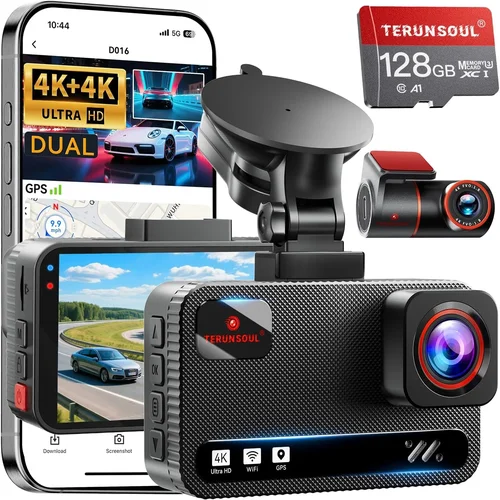
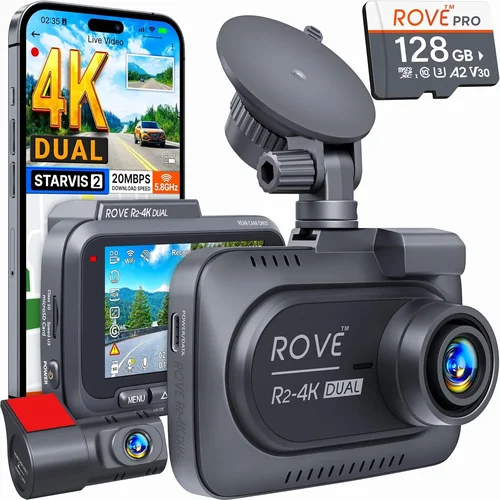
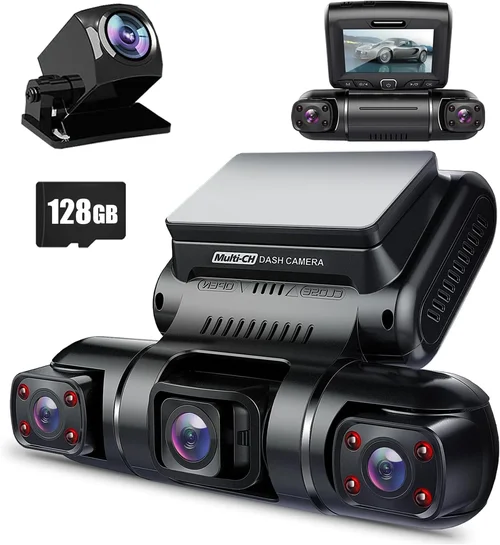
Each type serves distinct operational needs. Single-camera units are ideal for basic surveillance, while dual-systems add internal visibility—crucial for passenger safety and employee conduct. Multi-camera setups enable comprehensive monitoring of large vehicles like trucks or trailers, whereas AI-enhanced models use machine learning to flag risky behaviors before they escalate. Ruggedized versions survive punishing environments where standard units would fail.
Common Buying Mistakes to Avoid
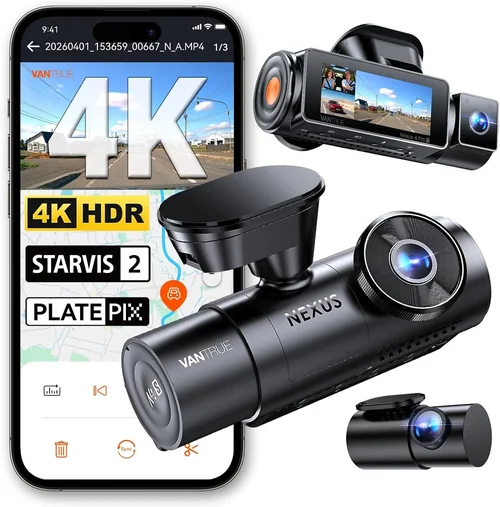
Making uninformed decisions when purchasing dash cams can lead to wasted resources, unreliable footage, and increased liability. Here are some frequent errors businesses make—and how to steer clear of them.
❌ Mistake: Prioritizing Low Cost Over Reliability
Why it’s bad: Cutting corners on price often means sacrificing core functionalities like image quality, durability, or software stability. Cheap dash cams frequently suffer from poor night vision, laggy menus, or premature failures—especially under constant use.
What to do instead: Treat dash cams as insurance policies. Invest in proven brands with good track records. Allocate at least 70% of your budget to performance and durability, reserving 30% for accessories and support.
❌ Mistake: Ignoring Storage Requirements
Why it’s bad: Without proper storage planning, valuable footage gets overwritten too quickly or corrupted due to inadequate card capacity or format. Businesses often underestimate how much data they generate—especially with high-resolution recording and extended parking modes.
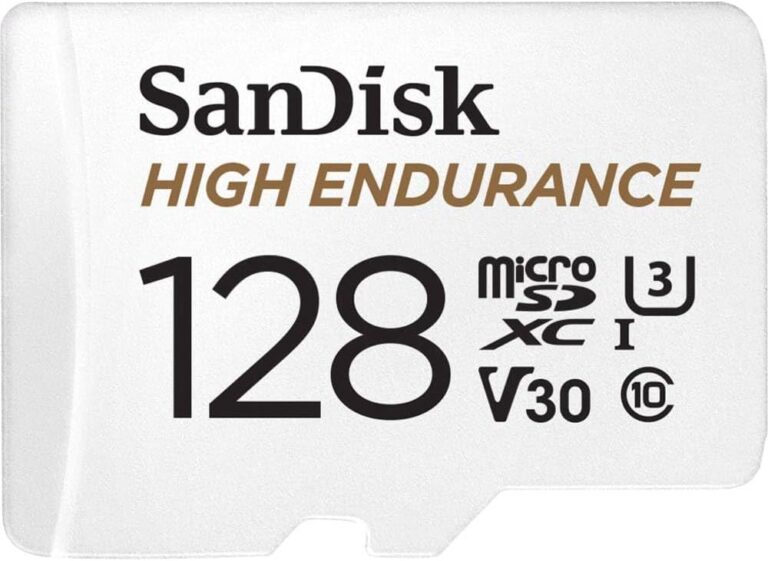
What to do instead: Use high-endurance microSD cards (Class 10, U3, A2) with at least 64GB capacity. Enable automatic overwrite only after confirming retention policies comply with local regulations. Consider cloud backup for critical incidents.
❌ Mistake: Skipping Driver Training
Why it’s bad: Even the best dash cam fails if drivers don’t know how to use it or understand its purpose. Poor handling leads to disabled features, incorrect settings, or misuse during emergencies.
What to do instead: Conduct mandatory training sessions covering installation, operation, and legal implications. Create simple checklists for pre-trip inspections and post-incident reporting.
❌ Mistake: Neglecting Integration with Existing Systems
Why it’s bad: Standalone dash cams create data silos. Without integration into fleet management software, GPS tracking, or HR platforms, you miss opportunities for proactive safety improvements and streamlined workflows.
What to do instead: Choose dash cams compatible with third-party APIs or supported by middleware solutions. Prioritize models with open protocols or partnerships with fleet telematics providers.
❌ Mistake: Overlooking Legal Compliance
Why it’s bad: In many jurisdictions, recording audio without consent violates wiretapping laws. Similarly, storing biometric data (like driver IDs) may require GDPR or CCPA compliance. Using non-compliant devices risks fines or inadmissible evidence.
What to do instead: Consult legal counsel familiar with privacy laws in your operating regions. Disable audio recording where prohibited. Anonymize data when possible and establish clear data retention and deletion policies.
❌ Mistake: Failing to Plan for Scalability
Why it’s bad: Starting with one dash cam seems manageable, but expanding to dozens or hundreds of vehicles introduces complexity. Incompatible systems, fragmented software, and inconsistent configurations hinder scalability.
What to do instead: Select modular platforms that support centralized management dashboards. Test scalability early by simulating multi-vehicle deployments. Choose brands offering enterprise licensing and bulk discount structures.
Budget Guidelines: How Much Should You Spend?
Determining your budget depends on fleet size, risk profile, and operational complexity. Below is a tiered breakdown to help you allocate funds wisely.
Entry-Level ($50 – $150)
These models suit small businesses with basic needs—local delivery vans, solo entrepreneurs, or startups testing dash cam viability. Expect 1080p recording, loop functionality, and minimal smart features. Brands like Ewent or DOD offer affordable options, but prioritize build quality over innovation. Ideal for pilot programs or low-stress environments.
Mid-Range ($150 – $350)
This sweet spot balances cost and capability. Models in this range typically include dual cameras, GPS, Wi-Fi, and decent low-light performance. BlackVue DR970X-2CH and Thinkware U1000 fall here—offering professional-grade reliability without excessive markup. Perfect for growing fleets needing credible evidence and moderate automation.
Premium ($350 – $800)
For companies handling high-value cargo, serving vulnerable passengers, or operating in accident-prone areas, premium dash cams justify their price. Features include 4K recording, advanced parking mode, cloud connectivity, and AI-assisted analytics. Examples include Garmin Dash Cam Live and Viofo A119 V3. These units reduce false claims, improve driver accountability, and integrate smoothly into larger ecosystems.
Luxury ($800+)
Ultra-premium systems cater to specialized niches: autonomous testing fleets, emergency responders, or luxury chauffeur services requiring forensic-level detail and redundancy. Think of models with thermal imaging, redundant storage, or satellite uplink capabilities. While expensive, they offer unmatched peace of mind and evidentiary strength.
Expert Tips for Getting the Best Deal
Securing optimal value requires strategy beyond comparing sticker prices. Use these expert-recommended tactics to maximize savings and minimize risk.
Timing Your Purchase
Retailers often slash dash cam prices during seasonal transitions—late summer for back-to-school tech deals, Black Friday/Cyber Monday for steep discounts, or end-of-quarter clearance events. Subscribe to deal alert newsletters from Amazon, Best Buy, or specialized retailers like B&H Photo.
Avoid peak holiday seasons unless bundled with other fleet supplies. Also consider purchasing refurbished units from certified vendors—they carry warranties and undergo rigorous testing.
Where to Buy: Online vs. In-Store
Online marketplaces offer broader selection, competitive pricing, and detailed reviews. Amazon, eBay, and Newegg frequently run promotions, while niche sites like CarSecurityNow specialize in fleet solutions.
In-store purchases allow hands-on inspection but limit options. If buying locally, verify return policies and technician availability for installations. For bulk orders, contact manufacturers directly—they often provide volume discounts and dedicated account managers.
Spotting Hidden Deals
Watch for bundle packages: dash cam + memory card + hardwire kit + cloud subscription. These save 20–30% versus buying separately. Sign up for manufacturer mailing lists; companies like BlackVue occasionally release exclusive promo codes.
Refurbished or open-box items can offer 15–40% off retail if sold by reputable sources. Inspect condition carefully and confirm warranty transferability.
Warranty Considerations
Always read the fine print. Some warranties exclude water damage or physical abuse—common in harsh work environments. Opt for extended warranties covering accidental damage if operating in demanding conditions.
Check whether international coverage applies if your fleet operates cross-border. Third-party warranty providers like SquareTrade may offer more flexible terms than OEM plans.
Return Policies
Test drive your dash cam! Most online retailers allow 30-day returns. Keep original packaging and receipt. If the unit doesn’t meet expectations—say, poor GPS signal in your region—you can exchange it before committing to bulk deployment.
For fleet buyers, negotiate return clauses into contracts with suppliers. Specify acceptable performance benchmarks (e.g., minimum night vision score) to streamline replacements.
Testing Before Buying
Request samples or demo units from shortlisted brands. Install them in representative vehicles and simulate real scenarios: night driving, rainy conditions, stop-and-go traffic. Note usability, heat buildup, and software responsiveness.
Ask about pilot programs: some manufacturers let businesses trial products for 30–90 days before purchasing. This reduces adoption risk and gathers employee feedback.
Negotiating Bulk Discounts
Contact sales representatives for enterprise accounts. Request quotes for 10+, 50+, or 100+ units. Mention competitor pricing to leverage better deals. Ask about free installation kits, training webinars, or loyalty rewards.
Some brands offer “fleet starter” packages including software licenses, central management tools, and priority support at reduced rates.
Leveraging Trade Shows & Industry Events
Attend automotive tech expos or logistics conferences where vendors showcase new dash cam technologies. These events often feature live demos, discounted booth pricing, and networking with peers facing similar challenges.
Follow up with leads afterward—many exhibitors offer post-event specials for attendees.

Frequently Asked Questions
Q: Do dash cams record audio in the US?
A: Yes, but with restrictions. Federal law permits recording one party (the driver), but many states require two-party consent for conversations involving passengers or third parties. To avoid legal trouble, disable audio recording where prohibited—most business dash cams allow this setting.
Q: How much storage do I need for my fleet?
A: It depends on resolution, frame rate, and retention policy. At 1080p/30fps, a 64GB card stores ~4 hours of footage. For 2K/60fps, halve that. Use high-endurance cards and automate overwrite rules. Cloud backup adds cost but ensures critical clips aren’t lost.
Q: Can dash cams work in extreme temperatures?
A: Standard models operate between 0°C and 60°C (32°F–140°F). Ruggedized industrial units handle -20°C to 70°C (-4°F–158°F). Check specifications before deploying in desert, arctic, or tropical regions.
Q: What’s the difference between loop recording and event locking?
A: Loop recording continuously overwrites oldest files when storage fills. Event locking uses a G-sensor to mark impact or sudden movement, saving those clips permanently. Both prevent loss of critical evidence.
Q: Are dash cams legal everywhere?
A: Generally yes, but regulations vary. Some countries ban dash cams entirely; others restrict placement or audio recording. Research local laws before installing. In the US, dash cams are legal in all 50 states, but audio laws differ by state.
Q: How do I manage footage from 50+ vehicles?
A: Centralized cloud platforms like BlackVue Cloud or Thinkware Fleet Manager allow remote viewing, downloading, and sharing across fleets. Assign roles (admin, viewer, downloader) and set automated retention schedules to reduce manual work.
Q: Should I hardwire or use cigarette lighter adapters?
A: Hardwiring is safer and more reliable. It powers the dash cam directly from the battery via a fuse tap, eliminating fire risks and voltage drops. Professional installation ensures compliance with electrical standards.
Q: Can dash cams help reduce insurance premiums?
A: Absolutely. Many insurers offer discounts for fleets with dash cams, especially those using telematics and driver monitoring. Document your safety program and request formal verification from providers like Progressive or State Farm.
Q: What if my dash cam stops working after a crash?
A: Most modern units have impact-resistant designs and battery backups to preserve footage during power loss. Confirm this feature before purchase. Also, store critical clips in separate locations (cloud, USB drives) as redundancy.
Q: How often should I update firmware?
A: Check monthly. Updates fix bugs, improve compatibility, and patch security flaws. Set calendar reminders or enable auto-update notifications in your management console.
Our Final Recommendations
After evaluating hundreds of models across use cases, budgets, and performance metrics, here are our top picks tailored to different business needs.
Best for Budget-Conscious Buyers
BlackVue DR750S-1CH
Priced around $180, this compact single-lens model delivers 1080p recording, excellent low-light performance, and seamless cloud integration. Its small footprint minimizes driver distraction while offering reliable evidence capture. Ideal for small delivery fleets or consultants needing credible footage without complexity.
Best Overall Value
Thinkware U1000 Dual Camera System
At $280, the U1000 strikes an unbeatable balance between price and capability. It records stunning 2K resolution front and cabin views, includes GPS, Wi-Fi, and advanced parking mode. The intuitive interface and robust build make it a favorite among ride-share operators and courier services seeking professional-grade protection.
Best Premium Option
Garmin Dash Cam Live
With 4K recording, LTE connectivity, and live streaming, this model transcends traditional dash cams. It integrates with Garmin’s ecosystem for real-time alerts, driver coaching, and emergency SOS. Best suited for high-end logistics companies, luxury transport, or those requiring immediate incident response.
Best for Beginners
Viofo A119 V3
Simple setup, crisp 2K recording, and affordable pricing make this entry point friendly for new fleet managers. While lacking advanced AI, it performs reliably in most conditions and pairs well with Viofo’s user-friendly app for easy playback and sharing.
Best for Advanced Users
Nextbase 622GW
Featuring Alexa voice control, 4G connectivity, and predictive collision warnings, this model leverages AI to anticipate risks. Its sleek design and smart features appeal to tech-savvy operators managing complex fleets who want proactive safety insights.
Best for Extreme Environments
Garmin X500 Pro
Engineered for commercial trucks and off-road vehicles, this ruggedized unit withstands vibrations, dust, and temperature swings. With 2K resolution, dual recording, and military-grade certifications, it’s a fortress in hostile terrain—perfect for construction, mining, or utility fleets.
Each recommendation reflects deep analysis of real-world performance, durability, and value. Choose based on your specific pain points: Is it legal protection? Driver behavior? Route optimization? Align your choice with your highest priority.
Conclusion: Making the Right Choice
Selecting the best dash cam for your business isn’t about chasing the shiniest feature or lowest price—it’s about finding the right tool for your unique operational landscape. Whether you’re safeguarding a single van or managing a hundred-vehicle fleet, the ideal dash cam enhances safety, reduces liability, and streamlines operations.
Remember to prioritize performance over flashiness, durability over aesthetics, and integration over isolation. Evaluate each factor through the lens of your daily realities: What environments do your drivers face? How quickly do you need access to footage? Will your team actually use the system consistently?
Take advantage of trials, consult peers in similar industries, and don’t hesitate to upgrade as your needs evolve. The investment you make today could prevent tomorrow’s lawsuit, protect your reputation, and ultimately save your business money.
Start by assessing your current risks and objectives. Then, apply the framework in this guide to narrow your options. With careful planning and informed decisions, you’ll equip your fleet with technology that doesn’t just record the past—but helps shape a safer, smarter future.