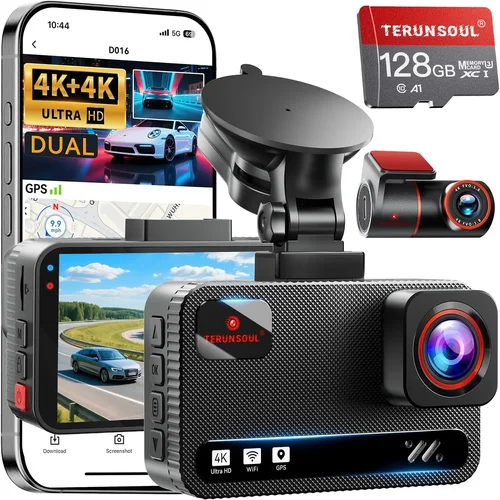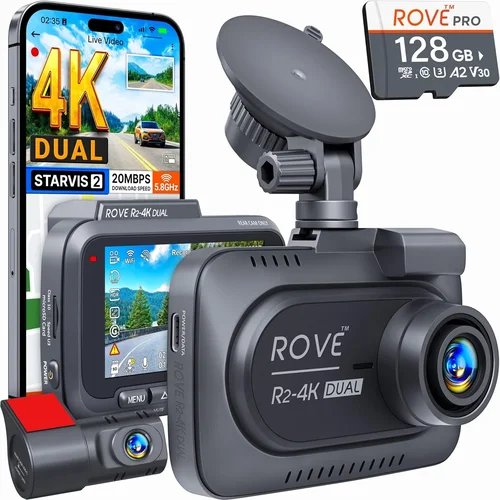
How to Choose the Best Dash Cam for Business
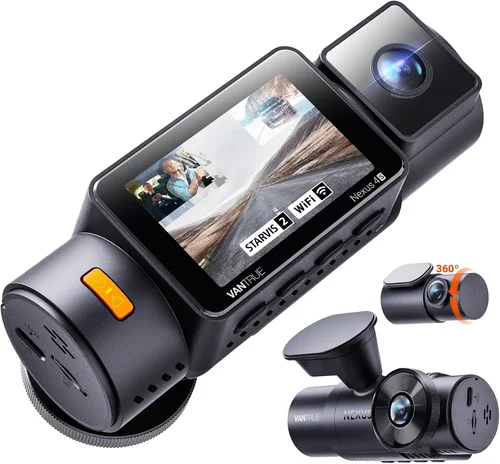
As a business owner or fleet manager, protecting your company’s assets and ensuring driver accountability is more important than ever. Dash cams have evolved from simple security devices to sophisticated tools that can significantly reduce insurance costs, protect against fraudulent claims, and improve overall fleet safety. This comprehensive guide will walk you through everything you need to know about selecting the best dash cam for business use.
Whether you’re managing a single delivery vehicle or operating a large commercial fleet, understanding the key features and capabilities of dash cams will help you make informed decisions that benefit your bottom line. You’ll learn how to evaluate technical specifications, compare different types of dash cams, and identify the most cost-effective solutions for your specific business needs.
The market for business dash cams has expanded dramatically in recent years, offering everything from basic recording devices to advanced AI-powered systems with cloud connectivity. However, with so many options available, choosing the right one can be overwhelming. This guide cuts through the marketing noise to provide practical, actionable advice based on real-world business requirements.
## What to Look for When Buying Dash Cams
### Resolution and Video Quality
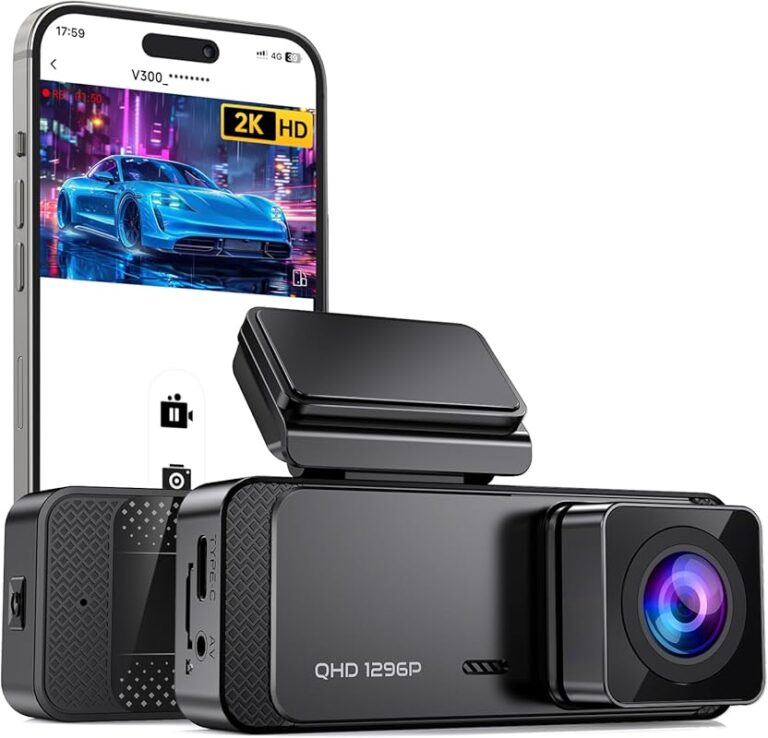
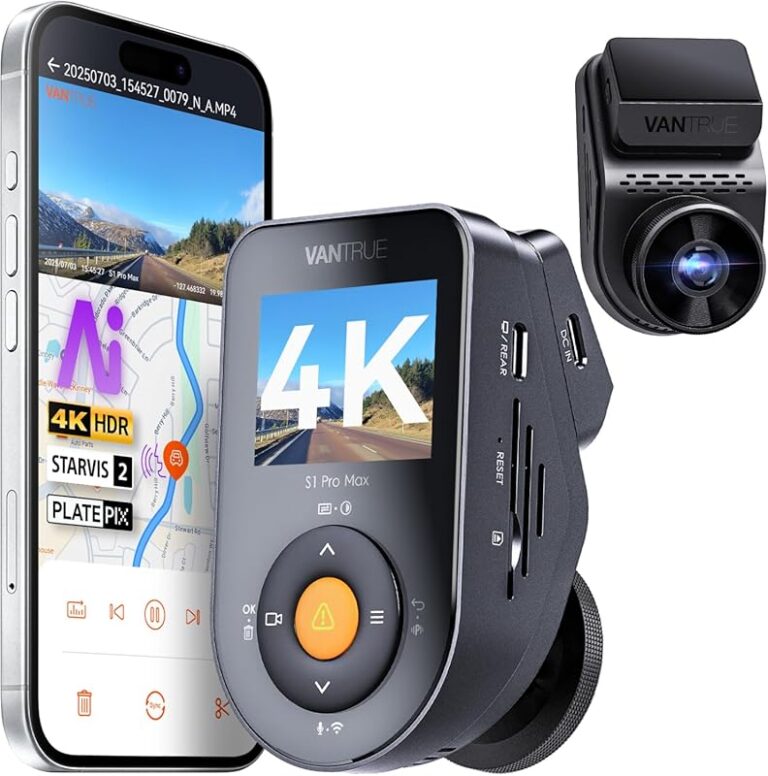
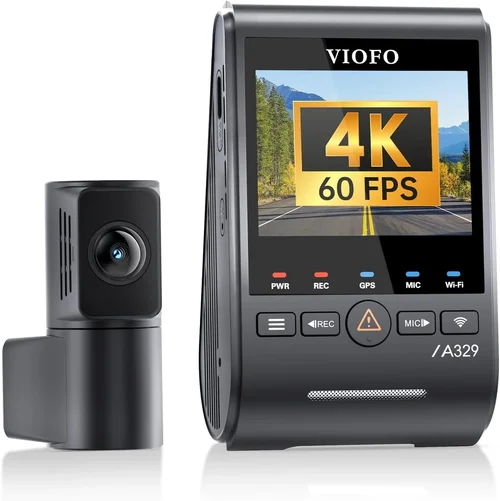
Video resolution is arguably the most critical factor when selecting a dash cam for business use. For commercial applications, you need clear, detailed footage that can withstand legal scrutiny if needed. Most reputable business dash cams offer at least 1080p Full HD resolution, but some premium models now feature 2K or even 4K recording capabilities.
Higher resolution means better detail capture, which is essential for identifying license plates, facial features, and vehicle movements during accidents or incidents. However, keep in mind that higher resolutions require more storage space and processing power. A 4K dash cam might record for 30 minutes before filling up a typical 64GB microSD card, while a 1080p model could last 2-3 hours on the same storage.
When evaluating video quality, also consider the frame rate. Most dash cams operate at 30 frames per second (fps), but some high-end models support 60fps recording. Higher frame rates provide smoother video, especially important for capturing fast-moving vehicles or emergency braking situations.
### Storage Capacity and Management
Storage management is crucial for business dash cams since you’ll likely need to retain footage for extended periods. Unlike consumer-grade dash cams that automatically overwrite old files, business models often offer more sophisticated storage solutions.
Consider dash cams with larger microSD card slots supporting capacities up to 512GB or even 1TB. Some advanced models include built-in cloud storage options where footage is automatically uploaded and stored remotely. This eliminates the risk of losing critical evidence due to physical damage or theft.
Loop recording functionality is standard in business dash cams, but pay attention to how it works. Some models overwrite the oldest files immediately, while others maintain a rolling buffer that preserves the most recent events. The best business dash cams allow you to configure retention periods and set priority recording for specific events like collisions or manual triggers.
Cloud connectivity has become increasingly important for fleet management. Cloud-enabled dash cams automatically upload footage to secure servers, allowing managers to access recordings from anywhere. This is particularly valuable for companies with distributed operations or those needing immediate access to incident footage.
### Night Vision and Low-Light Performance
Night vision capability is essential for comprehensive coverage, as many incidents occur during evening hours or in poorly lit areas. Business dash cams typically use infrared LEDs or enhanced sensors to capture clear footage in low-light conditions.
Look for dash cams with excellent low-light sensitivity measured in lux levels. Professional models often perform well at 0.1 lux or lower, meaning they can produce usable images in near-total darkness. Some advanced units incorporate thermal imaging or night vision modes that significantly improve visibility after sunset.
However, be aware that extremely dark environments may still present challenges. Consider pairing your dash cam with additional interior lighting if you frequently operate vehicles in remote areas without streetlights.
### GPS Tracking and Location Services
GPS functionality adds significant value to business dash cams by providing precise location data alongside video recordings. This information is invaluable for route verification, fuel expense tracking, and establishing timelines during incidents.
Advanced dash cams offer real-time GPS logging that records speed, direction, and exact coordinates throughout each journey. Some models even integrate with mapping services to display routes on digital maps within the accompanying mobile app.
For fleet operators, GPS data enables route optimization, helping reduce fuel consumption and improve delivery times. It also provides concrete evidence of whether drivers are following approved routes or taking unauthorized detours that could increase liability exposure.
### Audio Recording Capabilities
Audio recording can be a double-edged sword for businesses. While it provides additional context during incidents, it may raise privacy concerns depending on your jurisdiction. Many countries and states have strict regulations about recording conversations without consent.
Business dash cams typically offer configurable audio settings, allowing you to enable or disable recording as needed. Some models include voice-activated recording that only captures sound during emergencies, while others provide manual controls through the mobile app.
If you choose to enable audio recording, ensure you comply with local laws regarding privacy and consent. It’s wise to inform drivers about audio recording policies and obtain appropriate consent forms when required.
### Build Quality and Weather Resistance
Commercial dash cams must withstand harsh conditions including extreme temperatures, vibrations, and exposure to moisture. Look for models with IP65 or higher ingress protection ratings, indicating resistance to dust and water jets.
The housing should be made from durable materials like reinforced polycarbonate rather than fragile plastics. Shock-resistant designs with rubberized mounts help prevent damage from sudden impacts or rough handling.
Temperature tolerance is another critical consideration. Business vehicles often operate in diverse climates, from scorching desert heat to freezing winter conditions. Premium dash cams can function reliably in temperatures ranging from -4°F to 140°F (-20°C to 60°C).
Installation hardware should also be robust enough to maintain proper positioning throughout the vehicle’s lifetime. Poor mounting solutions can cause misalignment, leading to obstructed views or inconsistent recording angles.
### Power Source and Installation Options
Power sourcing affects both installation complexity and operational reliability. Most business dash cams connect directly to the vehicle’s electrical system using hardwiring kits that tap into the fuse box or cigarette lighter port.
Hardwired installations provide continuous power but require professional installation. Some models include backup battery systems that maintain operation for several hours after ignition shutdown, ensuring critical events aren’t missed during parking mode.
Wireless charging options are becoming more common, eliminating the need for permanent electrical connections. These systems use inductive charging pads that receive power through the vehicle’s wiring while maintaining wireless convenience.
Consider your installation capabilities and choose a power solution that balances reliability with ease of setup. For fleets, centralized installation services can save time and ensure consistent implementation across all vehicles.
### Advanced Features and Smart Technology
Modern business dash cams incorporate numerous smart features that enhance functionality and user experience. Collision detection uses built-in accelerometers to automatically lock and save footage during impact events. This ensures critical incident footage isn’t lost due to automatic overwriting.
Driver assistance features include lane departure warnings, forward collision alerts, and blind spot monitoring. While these don’t replace traditional safety systems, they provide additional layers of protection and documentation.
AI-powered analytics represent the cutting edge of dash cam technology. Advanced models can detect specific behaviors like distracted driving, phone usage, or erratic lane changes, generating reports for coaching purposes or compliance monitoring.
Cloud-based fleet management platforms allow centralized control of multiple dash cams, enabling bulk configuration updates, remote troubleshooting, and automated reporting. Integration with existing telematics systems creates comprehensive oversight of both vehicle performance and driver behavior.
## Different Types of Dash Cams
## Common Buying Mistakes to Avoid
### ❌ Mistake: Choosing Based Solely on Price
Many business owners make the mistake of selecting the cheapest dash cam available, hoping to minimize upfront costs. While budget considerations are important, focusing exclusively on price often leads to disappointment and additional expenses down the road.
Cheap dash cams typically compromise on critical aspects like video quality, build durability, and reliable performance. They may fail during actual incidents when you need them most, or require frequent replacements that ultimately cost more than premium alternatives.
Instead of chasing the lowest price, calculate the total cost of ownership including installation, maintenance, potential replacement costs, and the value of reduced insurance premiums and improved safety metrics. A slightly more expensive unit with proven reliability might save your business thousands in potential legal fees and operational disruptions.
### ❌ Mistake: Overlooking Storage Requirements
Insufficient storage planning is a common error that results in lost footage and missed opportunities for evidence collection. Many users assume that dash cams automatically manage storage efficiently, but this isn’t always the case.
Without proper storage planning, critical incident footage might be overwritten before you can review it. Conversely, inadequate storage capacity forces you to frequently remove and replace microSD cards, creating logistical headaches and potential data loss during transfers.
Before purchasing, determine your typical recording duration requirements and calculate the necessary storage capacity. Factor in loop recording settings, event file retention policies, and any cloud storage needs. Choose dash cams that offer flexible storage options and clear indicators when capacity is running low.
### ❌ Mistake: Ignoring Compatibility Issues
Compatibility problems can render expensive dash cams useless if they don’t work properly with your existing infrastructure. This includes compatibility with your vehicle models, mobile devices, fleet management software, and other technological systems.
Some dash cams only work with specific smartphone operating systems or require particular versions of mobile apps. Others may not integrate seamlessly with your current telematics or routing software, creating data silos and workflow inefficiencies.
Always verify compatibility before making purchases. Check manufacturer specifications for supported vehicles, operating systems, and integration capabilities. For fleet operations, request compatibility testing with representative vehicles before committing to bulk purchases.
### ❌ Mistake: Neglecting Installation and Maintenance
Poor installation leads to suboptimal performance regardless of how advanced the dash cam technology might be. Many business owners attempt DIY installations only to discover that improper mounting, wiring, or angle adjustments result in poor footage quality or system failures.
Additionally, regular maintenance requirements are often underestimated. Dust accumulation, lens smudges, and worn mounting hardware can degrade performance over time. Without scheduled maintenance, dash cams may develop issues that go unnoticed until they’re needed most.
Invest in professional installation services for critical vehicles or complex setups. Establish a routine maintenance schedule that includes cleaning lenses, checking mounting hardware, and verifying system functionality. Keep spare parts and accessories readily available to minimize downtime.
### ❌ Mistake: Underestimating Privacy and Legal Compliance
Privacy regulations vary significantly by location and industry, yet many businesses overlook compliance requirements when implementing dash cam systems. Improper implementation can result in legal penalties, employee dissatisfaction, and reputational damage.
Issues arise particularly around audio recording, employee monitoring, and data retention practices. Some jurisdictions require explicit consent for recording employees or third parties, while others impose strict limitations on how long footage can be retained.
Before deploying dash cams, research applicable privacy laws and industry regulations. Develop clear policies regarding recording practices, data access protocols, and employee rights. Provide adequate training to drivers and staff about system usage and their rights under privacy regulations.
### ❌ Mistake: Focusing Only on Hardware Specifications
While technical specifications are important, treating them as the sole decision-making criteria represents a significant oversight. Many business buyers become so focused on megapixels, frame rates, and sensor sizes that they neglect usability factors that actually affect day-to-day operation.
User interface design, mobile app functionality, customer support quality, and software update frequency all contribute to the real-world effectiveness of dash cam systems. A technically superior device with confusing controls or unreliable support will frustrate users and reduce adoption rates.
Evaluate dash cams holistically by considering how easy they are to install, configure, and maintain. Test mobile interfaces for intuitive navigation and reliable connectivity. Research customer service responsiveness and software update policies before making purchase decisions.
## Budget Guidelines: How Much Should You Spend?
### Entry-Level Dash Cams ($100 – $250)
Entry-level dash cams represent the most affordable option suitable for small businesses or individual vehicles with basic recording needs. These systems typically offer 1080p recording, basic motion detection, and loop recording functionality. While they lack advanced features found in premium models, they provide essential protection at a reasonable price point.
At this price range, expect solid build quality from established manufacturers, though materials may be less durable than higher-end options. Storage capacity usually ranges from 32GB to 64GB microSD cards, sufficient for several hours of recording depending on compression settings.
Entry-level models work well for businesses with minimal requirements, such as small delivery operations or personal vehicles used for client visits. They’re particularly suitable when budget constraints outweigh the need for advanced features like GPS tracking or driver monitoring.
### Mid-Range Dash Cams ($250 – $500)
Mid-range dash cams strike an excellent balance between affordability and functionality, making them ideal for most small to medium-sized businesses. This category typically includes models with 2K or superior video quality, enhanced low-light performance, and additional smart features like GPS tracking and collision detection.
At this price point, you’ll find dash cams from established brands offering professional-grade construction and reliable performance. Many mid-range models include dual-camera systems that record both front and cabin views, providing comprehensive coverage for fleet operations.
Storage management becomes more sophisticated with larger capacity support and better loop recording algorithms. Some models begin incorporating cloud connectivity options, allowing remote access to footage and centralized fleet management capabilities.
This price range represents the sweet spot for most businesses seeking robust protection without excessive costs. The combination of advanced features and proven reliability makes mid-range dash cams the preferred choice for growing operations needing scalable solutions.
### Premium Dash Cams ($500 – $1000)
Premium dash cams deliver top-tier performance and features designed for demanding commercial applications. These systems typically offer 4K recording, advanced AI analytics, military-grade durability, and comprehensive fleet management integration. They represent the cutting edge of dash cam technology with exceptional build quality and reliability.
At this price level, expect superior image stabilization, enhanced night vision capabilities, and sophisticated driver assistance features. Many premium models include multi-camera configurations that provide complete vehicle coverage from multiple angles simultaneously.
Storage solutions become highly sophisticated with support for massive local storage and robust cloud platforms. Real-time data streaming, automated incident reporting, and predictive analytics transform dash cams from passive recording devices into active fleet management tools.
Premium dash cams suit businesses with complex operational requirements or those seeking maximum protection and operational efficiency. Industries like construction, logistics, and public transportation particularly benefit from the comprehensive capabilities offered by these advanced systems.
### Luxury Dash Cams ($1000+)
Luxury dash cams represent the pinnacle of commercial dash cam technology, featuring experimental capabilities and specialized applications. These systems often incorporate emerging technologies like thermal imaging, advanced AI processing, and proprietary analytics platforms that provide unprecedented insights into vehicle operations.
At this price point, customization options abound, allowing businesses to tailor systems to their specific operational needs. Some luxury models include specialized features like drone integration, satellite connectivity, or advanced biometric monitoring for high-security applications.
While the vast majority of businesses won’t require luxury-level dash cams, certain specialized industries might benefit from these cutting-edge capabilities. Law enforcement agencies, government contractors, or high-value cargo transporters may find the additional investment justified by enhanced security and operational intelligence.
## Expert Tips for Getting the Best Deal
### Timing Your Purchase Strategically
Strategic timing can significantly reduce dash cam costs without compromising quality. Major holidays like Black Friday, Cyber Monday, and back-to-school seasons typically feature substantial discounts on electronics and automotive accessories. Manufacturers often release new models in spring or fall, prompting clearance sales of previous generations.
Consider waiting for product launch cycles when older models receive price reductions. New model introductions usually create openings for discounted previous-generation equipment. Additionally, end-of-year inventory clearance events at dealerships and retailers can yield exceptional deals on discontinued dash cam models.
For fleet operators, coordinating bulk purchases during seasonal slowdowns can maximize savings. Transportation companies often experience reduced activity during holiday periods, making it an ideal time to implement new safety measures without disrupting operations.
### Shopping at the Right Places
Choosing the right retail channels affects both price and support quality. Online marketplaces like Amazon, Best Buy, and specialized automotive retailers often provide competitive pricing and convenient home delivery. These platforms typically include customer reviews and return policies that facilitate informed purchasing decisions.
Automotive specialty stores and warehouse clubs like Costco offer bundled packages that combine dash cams with installation services or extended warranties. These arrangements can provide significant value for businesses needing multiple units installed professionally.
Direct manufacturer websites sometimes offer exclusive discounts, early access to new products, or bundled financing options. Buying directly also ensures authentic products and direct access to technical support and warranty services.
For fleet purchases, consider working with specialized distributors who understand commercial requirements and can provide volume pricing, centralized billing, and coordinated installation scheduling.
### Identifying Hidden Deals and Discounts
Beyond obvious sale prices, several strategies uncover additional savings opportunities. Volume discounts for bulk purchases typically apply when ordering five or more units, with percentage increases as order quantities grow. Some manufacturers offer tiered pricing structures that reward larger commitments.
Corporate discount programs exist for qualified businesses, educational institutions, and non-profit organizations. These programs can provide substantial reductions on commercial-grade equipment and services.
Trade-in programs occasionally accept older dash cam models or similar electronic devices as partial payment toward new purchases. While not universally available, these initiatives can reduce out-of-pocket expenses when upgrading existing systems.
Seasonal promotions tied to specific industries or events can yield unexpected savings. Construction companies might find summer discounts, while delivery services could benefit from holiday-related promotions.
### Evaluating Warranty and Support Terms
Comprehensive warranty coverage provides protection against manufacturing defects and performance issues. Look for warranties lasting at least two years, with options to extend coverage for additional costs. Premium dash cams often include longer warranty periods reflecting manufacturer confidence in product reliability.
Support quality significantly impacts long-term satisfaction and operational continuity. Evaluate customer service response times, technical expertise, and availability of replacement parts before making purchases. Direct manufacturer support typically exceeds third-party provider capabilities.
Remote troubleshooting capabilities represent an important modern support feature, allowing technicians to diagnose and resolve issues without vehicle visits. Cloud-based diagnostic tools can identify problems early and streamline repair processes.
Return policies affect purchasing confidence, especially for businesses making bulk investments. Seek retailers with generous return windows (minimum 30 days) and restocking fee waivers for defective products. Understanding shipping responsibilities for returns prevents unexpected costs.
### Testing Before Committing
Hands-on evaluation helps assess real-world performance beyond marketing specifications. Request loaner units or visit demonstration locations to test installation procedures, interface usability, and recording quality under various conditions. Observe how easily technicians can install and configure systems before purchasing.
Field testing under actual operating conditions reveals performance nuances that lab demonstrations miss. Test dash cams during different times of day, weather conditions, and traffic scenarios relevant to your business operations. Pay particular attention to low-light performance, audio clarity, and system responsiveness during critical events.
For fleet operators, conduct pilot programs with select vehicles before full deployment. Monitor installation quality, user feedback, and technical performance during initial rollout. Use pilot results to refine installation procedures and address any compatibility issues before scaling across the entire fleet.
### Leveraging Professional Services
Professional installation services ensure optimal performance and reduce liability risks associated with improper setup. Certified technicians understand vehicle-specific requirements and can navigate complex wiring scenarios safely and efficiently. Professional installations often include quality assurance testing that verifies proper alignment, secure mounting, and reliable connectivity.
Installation packages frequently bundle additional services like hardwiring kits, backup battery modules, and mounting hardware that simplify future maintenance. These comprehensive solutions reduce ongoing costs and ensure consistent performance across all vehicles.
Regular maintenance contracts provide predictable annual expenses while guaranteeing timely repairs and updates. Scheduled service appointments prevent unexpected downtime and extend equipment lifespan through proactive care.
For large deployments, consider partnering with national installation networks that specialize in commercial dash cam implementations. These providers offer standardized procedures, trained technicians, and centralized project management that ensure consistent quality across multiple locations.
## FAQs Section
### Q: How much do business dash cams typically cost?
A: Business dash cam prices vary significantly based on features and capabilities. Entry-level models start around $100-$150 per unit, while mid-range systems typically cost $250-$500. Premium dash cams with advanced features range from $500-$1000, and luxury models can exceed $1000. Bulk purchases for fleets often qualify for volume discounts that reduce per-unit costs.
### Q: What resolution should I look for in a business dash cam?
A: For business applications, aim for at least 1080p Full HD resolution, though 2K or 4K models provide superior detail for legal documentation. Higher resolutions better capture critical details like license plates and facial features, but require more storage capacity and processing power. Consider your specific documentation needs when selecting resolution levels.
### Q: How much storage do I need for my dash cam?
A: Storage requirements depend on recording duration, compression settings, and retention policies. Basic models typically support 32GB-64GB microSD cards, sufficient for 1-3 hours of recording. Larger fleets may benefit from 128GB-256GB cards or cloud storage solutions. Calculate your needs based on average trip length, desired retention period, and number of vehicles in your fleet.
### Q: Do business dash cams require special installation?
A: Yes, professional installation is recommended for optimal performance and reliability. Hardwiring dash cams to your vehicle’s electrical system ensures continuous power and eliminates battery drain concerns. Professional technicians can properly position cameras, secure mounting hardware, and configure settings for your specific vehicle make and model.
### Q: Can dash cams record audio in business environments?
A: Yes, but audio recording involves important privacy considerations. Many business dash cams offer configurable audio settings allowing you to enable or disable recording as needed. Always comply with local laws regarding privacy and consent, and establish clear policies about when and how audio recording occurs in your organization.
### Q: How do I choose between single and dual camera systems?
A: Single camera systems provide excellent front-view coverage and suit vehicles where driver behavior isn’t a primary concern. Dual camera systems record both front and cabin views, offering comprehensive coverage ideal for fleet operations where driver monitoring and passenger interactions matter. Consider your specific operational requirements when deciding between these configurations.
### Q: Are cloud-connected dash cams worth the investment?
A: Cloud connectivity provides significant benefits for fleet management, including remote access to footage, automated backups, and centralized control. These features justify the additional cost for businesses needing scalable solutions and real-time incident response capabilities. Smaller operations might find local storage sufficient unless they require remote access or extensive data retention.
### Q: How often should I replace my dash cams?
A: Replace dash cams every 2-3 years or according to manufacturer recommendations to ensure optimal performance and reliability. Regular maintenance includes cleaning lenses, checking mounting hardware, and verifying system functionality. Watch for signs of aging like degraded image quality, shortened battery life, or software glitches that indicate replacement time.
## Final Recommendations
### Best for Budget-Conscious Buyers
For businesses prioritizing cost-effectiveness without sacrificing essential functionality, the Thinkware U1000 stands out as an exceptional value proposition. This dual-channel dash cam delivers 2K front recording and Full HD interior monitoring at an accessible price point. Its compact design, reliable performance, and robust feature set make it ideal for small fleets or individual vehicles needing comprehensive coverage.
The U1000 incorporates advanced image stabilization, superior low-light performance, and intelligent parking mode that activates when your vehicle detects motion or impact. Its straightforward interface and reliable operation ensure minimal training requirements and smooth integration into existing workflows.
### Best Overall Value
When balancing features, reliability, and price, the Garmin Dash Cam Pro offers outstanding value for medium-sized fleets requiring professional-grade protection. This single-lens dash cam combines 1440p resolution with advanced driver assistance features, GPS tracking, and seamless smartphone connectivity.
Garmin’s reputation for reliability and user-friendly design translates into exceptional performance for business applications. The Dash Cam Pro includes automatic incident detection, cloud backup capabilities, and comprehensive fleet management integration that streamlines operations and enhances accountability.
Its rugged construction withstands harsh conditions while maintaining consistent performance throughout extended use. The included mounting hardware and wiring kit simplify installation, reducing setup time and minimizing disruption to daily operations.
### Best Premium Option
For businesses seeking the ultimate in protection and functionality, the BlackVue DR970X-2CH Cloud Dash Cam represents the pinnacle of commercial dash cam technology. This dual-lens system delivers stunning 4K front recording and Full HD cabin monitoring with exceptional image quality in all lighting conditions.
BlackVue’s cloud connectivity provides unparalleled remote access to footage, real-time alerts, and centralized fleet management capabilities. Advanced AI features include intelligent parking mode, driver behavior monitoring, and predictive analytics that transform dash cams into proactive safety tools.
Military-grade durability and weather resistance ensure reliable operation in extreme environments, while comprehensive warranty coverage and responsive customer support provide peace of mind for critical business operations.
### Best for Beginners
New businesses entering the dash cam market benefit from the Viofo A119 V3’s straightforward approach and reliable performance. This single-lens dash cam offers 2K recording quality, GPS tracking, and loop recording functionality without overwhelming complexity.
The Viofo A119 V3’s intuitive mobile app interface simplifies setup and playback, while its compact design fits discreetly behind rearview mirrors. Automatic collision detection and impact locking ensure critical footage preservation during incidents, while adjustable sensitivity prevents false positives during normal driving.
Affordable pricing and proven reliability make this model ideal for businesses starting their dash cam journey without breaking the bank or requiring extensive technical knowledge.
### Best for Advanced Users
Experienced fleet managers seeking maximum control and customization will appreciate the Nextbase 522GW’s extensive feature set and professional-grade capabilities. This dual-lens dash cam combines 1440p recording with Alexa integration, emergency SOS button, and sophisticated parking mode functionality.
Nextbase’s cloud platform provides detailed analytics, incident reporting, and customizable alert systems that adapt to your specific operational requirements. Advanced settings allow fine-tuning of recording parameters, notification preferences, and integration options that optimize performance for complex fleet operations.
Its robust build quality and comprehensive warranty support make the 522GW a trusted choice for businesses with demanding dash cam requirements and sophisticated management needs.
## Conclusion: Making the Right Choice
Selecting the best dash cam for your business requires careful consideration of multiple factors including budget constraints, operational requirements, and long-term goals. By understanding the fundamental differences between dash cam categories and evaluating your specific needs objectively, you can make informed decisions that deliver maximum value and protection.
Remember that the most expensive option isn’t always the best fit, nor does the cheapest model necessarily provide inadequate protection. Instead, focus on finding the right balance between essential features and available resources that aligns with your business objectives.
Prioritize reliability, ease of use, and comprehensive coverage while considering scalability for future growth. Whether you’re protecting a single delivery van or managing a large fleet, the right dash cam system will provide tangible benefits including reduced insurance costs, enhanced driver accountability, and improved operational efficiency.
Take time to research thoroughly, test potential solutions when possible, and consult with professionals who understand commercial dash cam requirements. Your investment in proper dash cam selection today will pay dividends through improved safety, reduced liabilities, and greater operational confidence tomorrow.