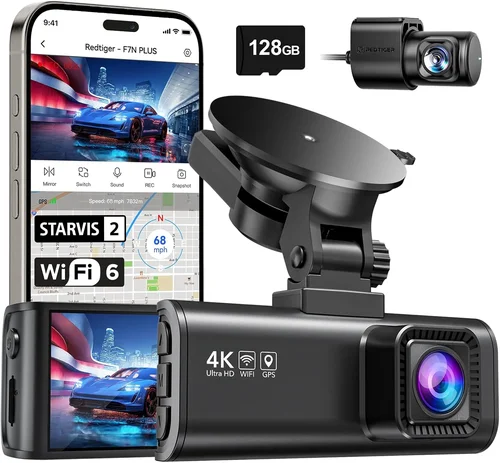
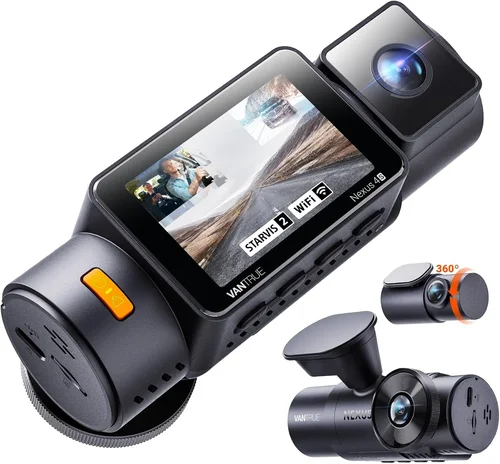
Best Dash Cam for Australian Conditions Purchase Guide
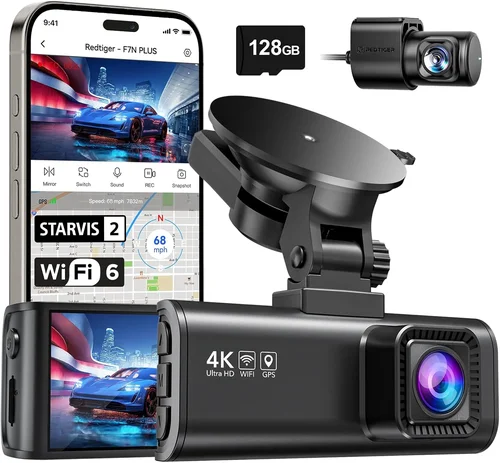
When you’re driving across Australia, the road conditions can be unpredictable. From sudden downpours in Queensland to intense heatwaves in the Outback, your car is exposed to a wide range of environmental challenges that standard electronics aren’t built to handle. That’s why choosing the right dash cam isn’t just about recording footage—it’s about ensuring reliable performance in harsh Australian conditions. Whether you’re commuting daily through Sydney traffic or taking long trips along the Stuart Highway, a high-quality dash cam can protect you from false claims, provide evidence in case of accidents, and give you peace of mind on every journey.
This comprehensive buying guide will walk you through everything you need to know about selecting the best dash cam for Australian roads. We’ll cover key features like weather resistance, storage capacity, night vision, and connectivity options that matter most in this unique climate. You’ll learn how to avoid common pitfalls, understand what different price points offer, and discover expert tips for getting the best value. By the end of this article, you’ll have all the information needed to make an informed decision tailored specifically to Australia’s demanding driving environment.
The market for dash cams has exploded over the past decade, with hundreds of models available from both international brands and local suppliers. While many devices work well in mild climates, few are engineered to withstand Australia’s extreme temperatures, humidity, dust storms, and rapid weather changes. As a result, not every dash cam advertised as “waterproof” or “durable” will perform reliably under real-world Aussie conditions. Our goal here is to cut through the marketing hype and deliver practical, evidence-based advice so you can confidently choose a model that delivers consistent results—rain or shine, day or night.

What to Look for When Buying Dash Cams
1. Weather Resistance & Build Quality
One of the most critical factors when selecting a dash cam for Australian use is its ability to endure the country’s notoriously tough weather conditions. Temperatures in parts of Western Australia and the Northern Territory regularly exceed 45°C (113°F), while sudden thunderstorms in the tropics can bring torrential rain and high humidity within minutes. These extremes demand robust build quality and proper sealing against moisture and heat.
Look for dash cams rated IP67 or higher for ingress protection—this means they’re dust-tight and can survive being submerged in up to 1 meter of water for 30 minutes. Cheaper models often lack adequate seals around buttons and ports, which can lead to internal damage during heavy rain or even condensation buildup inside the lens housing. Additionally, check whether the device uses high-temperature-rated components; some budget units fail after just a few weeks under direct sun exposure.
Another important consideration is the adhesive used for mounting. Many dash cams come with suction cup mounts that lose grip in hot weather due to thermal expansion. Instead, opt for models with strong 3M dual-locking adhesive pads or magnetic mounts designed for consistent hold in extreme heat. Also, ensure the lens cover is made from scratch-resistant glass rather than plastic, as UV exposure over time can degrade cheaper materials.
2. Video Resolution & Recording Quality
Video resolution remains one of the primary determinants of a dash cam’s effectiveness. Most modern units now offer at least 1080p Full HD recording, but true clarity comes from combining high resolution with advanced image processing technologies like HDR (High Dynamic Range) and WDR (Wide Dynamic Range). In Australia, where sunlight can create blinding glare on wet roads or dark asphalt at dawn/dusk, these features help balance bright and shadowed areas in real time.
Resolution alone doesn’t guarantee usable footage. For example, a 4K dash cam may technically record sharper images, but if its sensor is small or lacks good low-light sensitivity, you might get grainy video at night when visibility drops significantly. Conversely, a 1080p camera with excellent noise reduction and infrared LEDs can outperform a higher-resolution model in dim conditions.
When evaluating video specs, also pay attention to frame rates. Standard 30fps is sufficient for general driving, but 60fps captures smoother motion—especially useful when reviewing fast-moving vehicles or sudden braking events. Some premium models support variable frame rate recording based on motion detection, saving storage space without compromising key moments.
3. Storage Capacity & Loop Recording
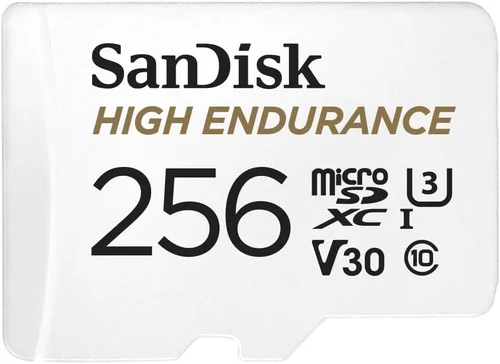
Dash cams rely on loop recording to continuously overwrite old footage once the memory card fills up. This ensures uninterrupted operation but requires regular maintenance unless paired with cloud backup—something still rare in Australia due to inconsistent mobile coverage in remote areas. Most users prefer microSD cards ranging from 32GB to 256GB, depending on how frequently they clean recordings and whether they enable motion-activated saves.
For average commuters, a 64GB card offers about 3–4 hours of continuous HD recording before needing deletion or replacement. Frequent travelers or those who want extended event capture should consider 128GB or larger. Always use Class 10 or UHS-I/UHS-II cards from reputable brands like SanDisk, Samsung, or Lexar, as counterfeit or low-grade cards frequently crash or corrupt data during high-write cycles.
Loop recording settings vary by model: some overwrite oldest files first, others prioritize keeping recent footage longer. Make sure your chosen dash cam allows customization of buffer sizes and triggers such as G-sensor activation (for impact detection). Some advanced systems automatically save clips tagged by sudden deceleration or collisions to a protected folder immune to loop overwriting.
4. Night Vision Capabilities
Nighttime driving accounts for nearly half of all serious crashes in Australia, according to the Australian Transport Safety Bureau. Poor visibility dramatically increases accident risk, making night vision capability essential for any reliable dash cam. Unlike daytime scenes where natural light dominates, nighttime recording depends heavily on artificial illumination from the camera’s own LEDs.
Effective night vision combines several elements: large aperture lenses (f/1.6 or wider), high-sensitivity CMOS sensors, intelligent IR filtering, and powerful built-in LEDs. Avoid models that claim “night vision” without specifying LED output measured in lumens or lux levels—generic marketing terms rarely translate to real performance.
Many entry-level dash cams struggle with overexposure near streetlights or under-filming in pitch-black conditions. Mid-to-high-end units often include adaptive brightness controls that dim LEDs when parked (to avoid battery drain) yet boost sensitivity during active recording. Look for features like starlight-level imaging or BSI (Backside Illumination) technology, which improves pixel light capture efficiency by up to 30% compared to conventional sensors.
5. GPS & Speed Logging
While not strictly necessary, GPS functionality adds valuable context to your recordings. It logs your vehicle’s speed, location, and route directly onto video frames—useful for verifying speed compliance, reconstructing accident timelines, or disputing unfair fines. In Australia, where average speeds on highways exceed 100 km/h and radar traps are common, having timestamped GPS data can be a game-changer.
Most dash cams with GPS sync timestamps with atomic clock accuracy via satellite signals, eliminating drift issues common in software-only solutions. Ensure the unit supports GLONASS alongside GPS for improved signal acquisition in urban canyons or dense forests. Some models also integrate with third-party apps (like Garmin or Strava) for post-drive analysis and route mapping.
Be aware that enabling GPS consumes extra battery power when connected to a cigarette lighter adapter, though newer hardwired models minimize this drain. Also, consider whether the dash cam includes automatic speed limit warnings—a feature increasingly popular among drivers navigating unfamiliar zones.
6. Parking Mode & Battery Protection
Parking mode lets your dash cam monitor your vehicle even when powered off, triggering recording upon detecting motion, vibration, or voltage drops. Given Australia’s vast distances between towns and frequent theft risks, this feature provides crucial security without draining your car battery. However, not all parking modes are created equal.
Passive parking mode (triggered only by impact) conserves power but misses subtle break-ins or scratches. Active parking mode uses a secondary low-power processor to constantly scan surroundings—often requiring a dedicated parking cable or hardwired connection. Without proper setup, constant monitoring can kill your battery overnight, especially in cold snaps or prolonged parkings.
If you plan to use parking mode regularly, invest in a dash cam with smart battery cutoff technology that shuts off safely once voltage hits a preset threshold (usually around 11.6V). Some premium models even include capacitor-based power supplies instead of traditional batteries, offering longer lifespans and better cold-weather performance.
7. Connectivity & App Integration
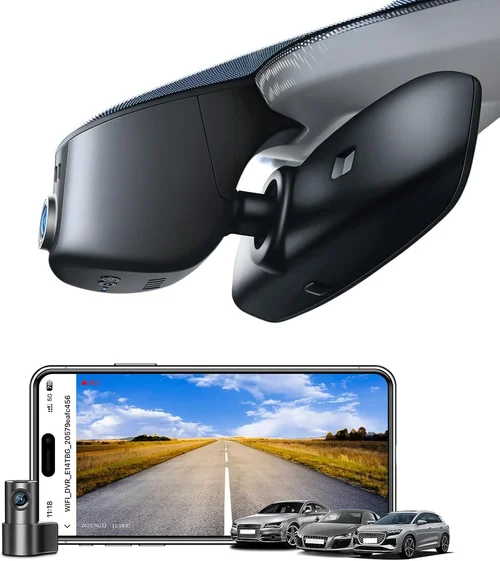
Modern dash cams increasingly support Wi-Fi, Bluetooth, and smartphone apps for easy file transfer and live viewing. While useful, connectivity shouldn’t overshadow core recording reliability. In rural Australia, poor mobile reception means cloud uploads often fail, rendering remote access useless. Still, local Wi-Fi networks at home or work allow quick offloading of footage without removing SD cards.
Apps typically let you view, download, and share clips directly from your phone. Look for intuitive interfaces with search-by-date/motion tags and instant playback. Some brands offer two-way communication via app-controlled voice commands or SOS alerts sent to emergency contacts—features worth considering if you drive solo through isolated routes.
Always verify compatibility with both iOS and Android platforms, and check if updates are provided regularly. Outdated firmware can introduce bugs or security vulnerabilities, particularly in older models lacking long-term manufacturer support.
8. Ease of Installation & User Interface
A complicated installation process defeats the purpose of convenience. The best dash cams require minimal wiring, clear instructions, and plug-and-play setups. Magnetic mounts simplify repositioning, while built-in screens eliminate the need for separate displays. Voice prompts and touch controls make navigation effortless, even for first-time users.
Avoid overly complex menu systems filled with nested submenus. Ideally, critical functions like resolution selection, loop interval adjustment, and parking mode toggles should be accessible within one or two taps. Some models include physical buttons for quick activation, which remain functional even if the screen freezes temporarily.
Professional installations using hardwiring kits offer the cleanest look and safest operation, especially for parking mode. DIY-friendly kits with fuse taps and relay modules let you draw power from headlights or interior lights, avoiding constant drain on the battery. Just remember to consult wiring diagrams specific to your vehicle model to prevent shorts or blown fuses.
9. Warranty & Customer Support
Australia’s diverse climate and rugged roads mean dash cams face constant stress. A solid warranty protects against manufacturing defects and premature failures. Reputable brands typically offer 1–3 years of coverage, including replacement parts and labor. Check whether repairs must be done locally or shipped internationally—the latter adds downtime and cost.
Customer support responsiveness varies widely. Brands with Australian offices (like Thinkware or Viofo) often provide faster assistance than overseas manufacturers relying solely on email tickets. Live chat availability during business hours is a plus, as is detailed troubleshooting guides in English. Community forums can also help resolve common issues before escalating to official channels.
Before purchasing, read warranty terms carefully. Some exclusions apply to water damage, unauthorized modifications, or use beyond specified operating temperatures. If possible, buy from retailers offering extended return windows (at least 30 days) to test real-world performance under Australian conditions.
10. Local Compliance & Legal Considerations
While dash cams themselves are legal in Australia, how you use them matters. Privacy laws prohibit recording audio without consent, and placing cameras facing public sidewalks or private properties may violate trespass or surveillance regulations. Stick to windshield-mounted front-facing views only, and avoid pointing lenses toward pedestrian walkways or neighboring homes.
In court-admissible scenarios, ensure your footage meets evidentiary standards: timestamps must be accurate, footage unaltered, and metadata preserved. Some jurisdictions require dash cam owners to disclose recording capabilities when involved in disputes. Using encrypted storage or write-protecting SD cards helps maintain chain-of-custody integrity if needed later.
Lastly, check state-specific rules regarding rearview mirrors or dashboard obstructions. While most states permit dash cams as long as they don’t impair driver visibility, certain councils restrict reflective surfaces near steering columns. Opt for flush-mounted designs or slim-profile models that blend seamlessly into your vehicle’s interior.
Different Types of Dash Cams

Common Buying Mistakes to Avoid
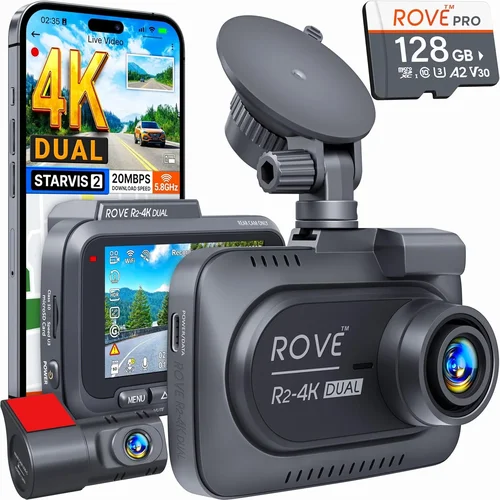
❌ Mistake: Ignoring Heat Resistance
Why it’s bad: Many imported dash cams fail within weeks under Australia’s blistering summer sun. Plastic casings warp, screens flicker, and internal circuits overheat—rendering the device useless despite functioning perfectly in cooler climates.
What to do instead: Prioritize models tested up to 70°C (158°F) and equipped with heat-dissipating metal housings or ventilation slots. Check independent lab reports or user reviews mentioning desert or Outback usage.
❌ Mistake: Skipping Waterproof Ratings
Why it’s bad: Sudden tropical downpours or coastal salt spray can corrode unsealed ports and fog up lenses. Without IP67 certification, moisture seeps in, causing permanent damage to delicate components.
What to do instead: Verify ingress protection ratings and avoid vague claims like “water-resistant.” Look for gaskets around USB ports, microphone holes, and button panels.
❌ Mistake: Choosing Low-Capacity Memory Cards
Why it’s bad: A 16GB card lasts less than an hour in HD mode. Constant reformatting wears out cards prematurely, and lost critical footage during multi-day road trips is irreversible.
What to do instead: Start with 64GB minimum; upgrade to 128GB if recording frequently or using high-bitrate codecs like H.265.
❌ Mistake: Overlooking Night Performance
Why it’s bad: Grainy nighttime footage fails to capture license plates or road signs—rendering the dash cam ineffective when most needed after dark.
What to do instead: Test night samples online or request demo videos. Ensure the model includes true infrared LEDs (not just red glow indicators) and wide apertures (f/1.6+).
❌ Mistake: Not Testing Before Committing
Why it’s bad: Online specs rarely reflect real-world performance. A camera marketed as “all-weather” might freeze in light drizzle or lag during sudden maneuvers.
What to do instead: Visit local electronics stores with demo units. Install temporarily and drive short routes under varied conditions before purchasing.
❌ Mistake: Neglecting Firmware Updates
Why it’s bad: Outdated firmware introduces bugs, limits features, or creates compatibility issues with newer OS versions on smartphones.
What to do instead: Choose brands known for regular updates (e.g., BlackVue, Thinkware). Subscribe to release notes and enable auto-update if available.
Budget Guidelines: How Much Should You Spend?
Entry-Level ($50 – $120 AUD)
This tier suits occasional drivers seeking basic protection without breaking the bank. Expect Full HD recording, loop mode, and simple motion detection. Brands like Ewent or Jme offer decent performance but limited extras like GPS or parking mode. Ideal for city dwellers with short commutes and moderate weather exposure. Avoid ultra-cheap (<$50) imports—they often skimp on sensors and durability.
Mid-Range ($130 – $280 AUD)
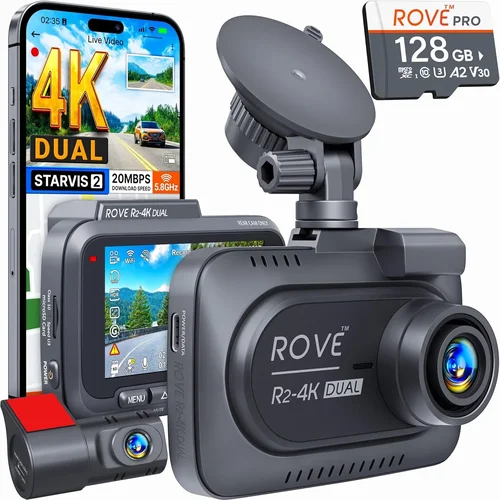
The sweet spot for most Australians. These models deliver 4K/1080p dual-lens setups, GPS logging, and robust weather sealing. Thinkware’s U1000 or Viofo A119 V3 provide excellent value with reliable cloud integration and strong community support. Perfect for families, delivery drivers, and weekend adventurers wanting dependable evidence capture without overspending.
Premium ($290 – $600 AUD)
For professionals, truckers, or enthusiasts demanding top-tier performance. Features include AI collision warning, 360° stitching, thermal imaging, and military-grade construction. BlackVue DR970X-2CH or Nextbase 622GW offer cloud connectivity, voice control, and exceptional low-light handling. Worth the investment if you drive extensively or operate commercial vehicles.
Luxury ($600+ AUD)
Niche products combining robotics, drone integration, or forensic-grade recording. Examples include Garmin VIRB X Ultra or DJI Osmo Action with car mounts. Rarely justified for personal use unless you require courtroom-ready footage or advanced analytics. Focus instead on proven mid-premium models that balance cost and capability.
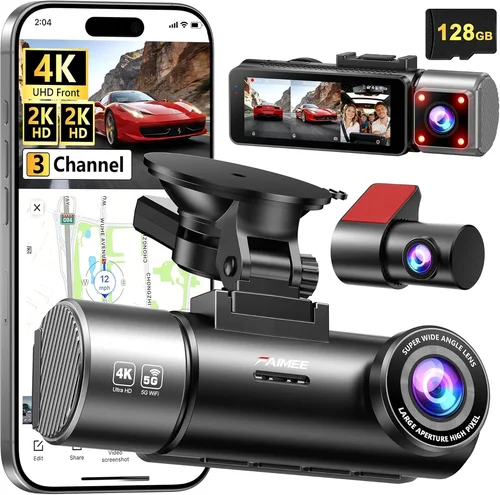
Expert Tips for Getting the Best Deal
- Buy During Sales Cycles: Major discounts appear during Christmas, Boxing Day, and Easter sales. Retailers like Harvey Norman, JB Hi-Fi, and Amazon AU often slash prices by 30–50%.
- Compare Local vs Overseas Sellers: Imported units may be cheaper but lack warranty coverage. Australian retailers offer faster returns and regional support—critical for urgent repairs.
- Check Bundle Offers: Many brands sell starter kits with extra mounts, suction cups, or hardwiring kits. These add significant value without raising individual component costs.
- Read Return Policies Carefully: Prefer stores with 30+ day trial periods. Test parking mode, night vision, and heat tolerance before committing long-term.
- Verify Firmware Compatibility: Ensure the dash cam works with your car’s CAN bus system if you plan to use advanced telematics features.
- Use Rebate Programs: Some insurers offer cashback for installing approved dash cams. Contact your provider (e.g., NRMA, RACQ) for eligible models.

Frequently Asked Questions
Q: Do I need a dash cam if I have car insurance?
A: Yes. Insurance reduces premiums slightly but doesn’t replace evidence in disputes. Dash cams provide irrefutable proof of fault, speeding tickets, or hit-and-runs—common issues in Australian traffic law.
Q: Can I use my dash cam in the Outback with no mobile coverage?
A: Absolutely. Most dash cams store footage locally on SD cards and function offline. Only cloud-dependent features (live streaming, remote access) require cellular/Wi-Fi. Download maps beforehand for navigation.
Q: Will a dash cam drain my car battery?
A: With proper installation, no. Hardwired models draw power only when the ignition is on or use smart cutoff circuits. Avoid leaving parking mode active indefinitely without a capacitor or voltage monitor.
Q: Are dash cam recordings admissible in court?
A: Generally yes, provided they’re unedited, timestamped accurately, and meet chain-of-custody protocols. Courts accept them as supporting evidence but may require expert testimony for technical validation.
Q: Should I buy a front-only or dual-lens dash cam?
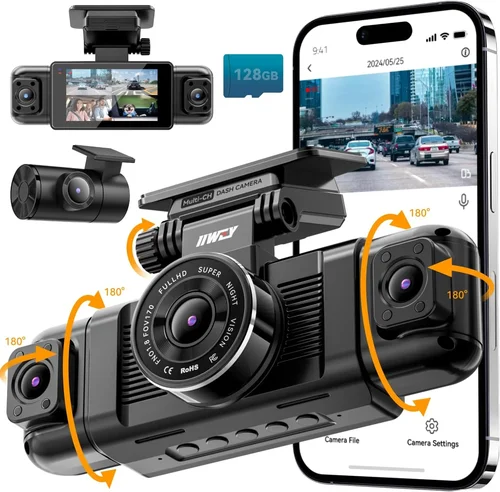
A: Dual-lens covers blind spots and backs out incidents, ideal for city driving. Front-only suffices for highway cruising or rentals. Consider your typical routes and parking environments.
Q: How often should I clean my dash cam lens?
A: Every 2–3 weeks in dusty regions (e.g., Pilbara) or after heavy rain. Use microfiber cloths—never paper towels—and avoid chemical cleaners that leave residue.
Q: Can I mount my dash cam behind the rearview mirror?
A: Yes, but ensure it doesn’t obstruct your view per Australian road rules. Flush-mount designs are safer and less distracting than bulky center-positioned units.
Q: What’s the difference between loop recording and event saving?
A: Loop recording overwrites old files continuously. Event saving locks clips triggered by G-sensors (collisions) or motion, preserving them until manually deleted.
Our Final Recommendations
Best for Budget-Conscious Buyers
Viofo A119 Mini V3 (1080p, GPS, parking mode): Priced around $120 AUD, this compact single-lens model delivers crisp footage, reliable heat resistance, and easy installation. Its magnetic mount simplifies adjustments, and firmware updates keep it current. Ideal for urban drivers needing trustworthy basics without complexity.
Best Overall Value
Thinkware U1000 (4K, dual-lens optional, cloud-ready): At ~$280 AUD, it balances cutting-edge specs with rock-solid reliability. Features include HDR-enhanced visuals, advanced night vision, and seamless integration with Thinkware’s cloud platform. Trusted by thousands of Australian drivers for its consistent performance in all seasons.
Best Premium Option
BlackVue DR970X-2CH (4K front + 2K rear, Wi-Fi, parking guard): Priced at $550 AUD, this professional-grade system offers unmatched durability, AI-assisted safety alerts, and encrypted cloud storage. Its super-capacitor design survives temperature swings common in Australia’s interior, making it perfect for long-haul truckers and expedition travelers.
Best for Beginners
Nextbase 522GW (1080p, Alexa voice control, emergency SOS): With intuitive menus, Alexa integration, and clear instructions, this $220 AUD model removes guesswork. Its built-in GPS and speed warnings simplify setup, while emergency assistance buttons offer peace of mind for solo drivers.
Best for Advanced Users
Garmin Dashcam Mini (ultra-compact, loop recording, voice control): Though smaller than competitors, its ruggedized casing handles rough roads and sudden jolts. Paired with Garmin’s ecosystem, it excels in post-trip analysis and integrates smoothly with other navigation devices.
Conclusion: Making the Right Choice
Selecting the best dash cam for Australian conditions isn’t about chasing the latest tech—it’s about matching your needs to proven reliability under extreme environments. Whether you’re battling monsoon rains in Darwin or cruising the Great Ocean Road, your chosen device must withstand heat, humidity, dust, and unpredictable weather while delivering clear, actionable footage when it matters most.
Focus first on core attributes: weatherproofing, night vision, storage flexibility, and ease of use. Then layer in conveniences like GPS, parking mode, or app integration based on your driving habits. Avoid falling for flashy extras that don’t enhance real-world performance, and always prioritize brands with strong local support and transparent warranties.
Remember, a dash cam is more than a gadget—it’s a silent witness to your journeys. Invest wisely, install correctly, and review footage regularly to maximize its protective potential. With the right tool in place, you’ll drive with confidence knowing every turn, storm, and sunrise is documented securely.