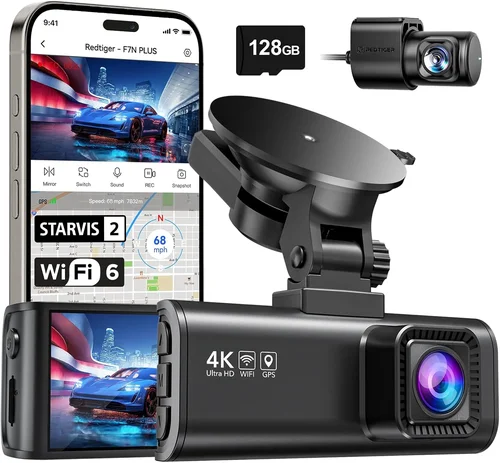
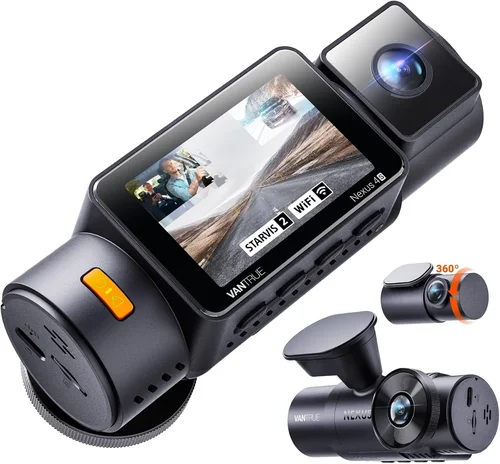
Best Dash Cam for Vans Shopping Guide
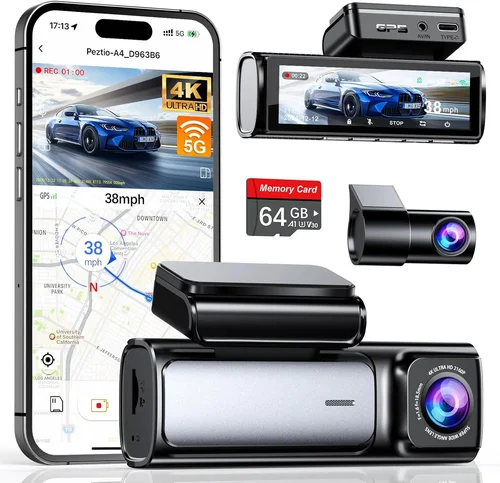
When you’re behind the wheel of a van, your vehicle becomes more than just transportation—it’s your office, your home, or your mobile business hub. Whether you’re a delivery driver, a family on road trips, or an entrepreneur using your van for work, having reliable dash cam protection is essential. A quality dash cam can provide peace of mind, protect against false claims, and even serve as valuable evidence in case of accidents.
This comprehensive guide will walk you through everything you need to know about choosing the best dash cam for your van. We’ll examine the critical features that matter most when selecting a device that must withstand harsh conditions, capture clear footage day and night, and operate reliably over long distances. By the end of this article, you’ll understand what makes certain models stand out, how different types compare, and exactly what to look for based on your specific needs and budget.
The market offers a wide range of options from budget-friendly models to high-end systems with advanced capabilities. With so many choices available, it’s easy to feel overwhelmed. That’s why we’ve created this detailed buying guide to cut through the confusion and help you make an informed decision. You’ll learn about resolution requirements, storage solutions, installation considerations, and much more tailored specifically to van usage scenarios where reliability and performance are paramount.

What to Look for When Buying Dash Cams
Budget & Price Range
Before diving into specifications and features, consider your budget constraints. Dash cams range from under $50 for basic models to several hundred dollars for premium units with advanced functionality. For van drivers who prioritize value and reliability over cutting-edge technology, mid-range options often provide the best balance between cost and performance. Entry-level models may suffice for occasional use but might lack the durability and advanced features needed for daily van operation.
When setting your budget, remember that a dash cam represents an investment in safety and security. While it’s tempting to choose the cheapest option available, spending slightly more upfront can save money in the long run by reducing the need for replacements or repairs. Consider not just the initial purchase price but also ongoing costs like memory cards, power adapters, and potential subscription fees for cloud storage services.
Performance Specifications
The heart of any dash cam lies in its ability to capture clear, stable video footage under various conditions. Resolution remains one of the most important factors—most quality dash cams now offer at least 1080p recording, while many top models support 4K Ultra HD for exceptional detail. Higher resolution means clearer images, which become crucial when trying to identify license plates or facial features after an incident.
Frame rate also plays a significant role in video quality; 30 frames per second (fps) is standard, but 60fps provides smoother motion capture during fast-moving scenarios common on highways or busy city streets. Look for cameras with good low-light performance too, since vans often travel early morning or late evening when lighting conditions are challenging. Advanced sensors like Sony STARVIS technology deliver superior night vision compared to older CMOS sensors.
Build Quality & Durability
Vans present unique environmental challenges for electronic devices—extreme temperatures inside parked vehicles, constant vibration from road surfaces, exposure to dust and moisture. These conditions demand robust construction materials and protective design elements. Aluminum alloy casings resist corrosion better than plastic enclosures, while tempered glass lenses protect against scratches and impacts.
Waterproof ratings (IP67 or higher) ensure your dash cam continues functioning during rainstorms or car washes. Shock resistance matters too—vans experience more jolts and bumps than sedans due to larger size and heavier loads. Choose models specifically tested for automotive environments rather than generic camera designs meant for stationary surveillance applications.
Features & Functionality
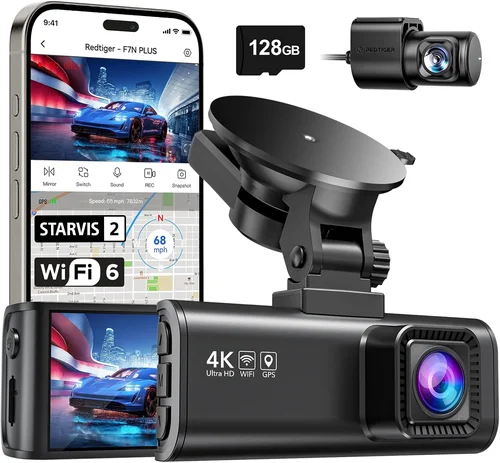
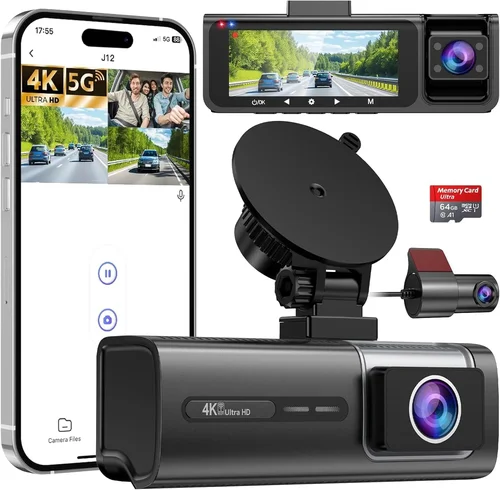
Modern dash cams come packed with features designed to enhance usability and protection. Built-in GPS tracks location data and speed information useful for route verification and accident reconstruction. Wi-Fi connectivity enables wireless firmware updates and direct smartphone app integration for viewing and managing recordings without removing memory cards.
Loop recording automatically overwrites oldest files when storage fills up, ensuring continuous operation without manual intervention. G-sensor technology detects sudden impacts and locks relevant footage to prevent accidental deletion during routine playback. Some models include parking mode that activates when your van is unattended, capturing events even when you’re not driving—though this requires hardwiring to your vehicle’s electrical system.
Brand Reputation
Established brands typically offer better customer support, more reliable products, and longer warranty periods compared to lesser-known manufacturers. Companies like BlackVue, Garmin, Thinkware, and Nextbase have built strong reputations within the dash cam community through consistent innovation and responsive service departments. Research online reviews and forum discussions before committing to any brand—real-world user experiences often reveal hidden strengths or recurring issues.
Consider how long the company has been operating in this niche market. Veteran manufacturers tend to understand the specific demands of automotive electronics and invest heavily in R&D for durable, feature-rich solutions. Newer entrants may offer tempting prices but could lack the track record needed to back their claims about build quality or software stability.
Warranty & Support
A solid warranty reflects manufacturer confidence in their product’s reliability. Most reputable dash cam brands provide at least a two-year warranty covering defects in materials and workmanship. Extended warranties may be available for purchase, offering additional peace of mind for frequent travelers or commercial operators.
Customer support responsiveness varies widely among brands. Before making a final decision, check availability of live chat, phone assistance, email response times, and whether technical troubleshooting guides are readily accessible on company websites. Good documentation including installation manuals, FAQ sections, and video tutorials significantly reduce setup headaches and improve overall satisfaction.
Size & Portability
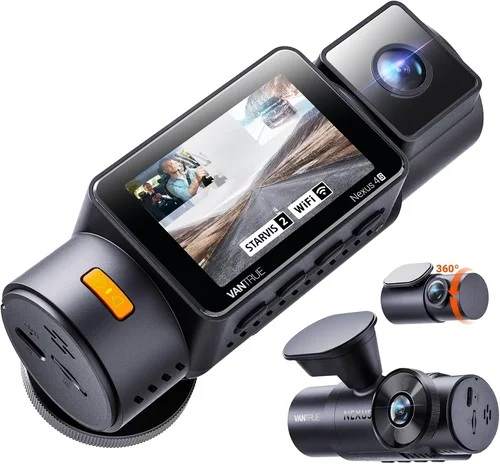
While dash cams are generally compact by nature, some models occupy more space than others—particularly those with dual-lens configurations or integrated displays. Van interiors often have limited mounting space above the dashboard or windshield, so consider how much room your chosen model will take up without obstructing visibility or airbag deployment zones.
If you plan to transfer your dash cam between multiple vehicles (such as personal cars and company vans), smaller form factors become advantageous for quick installation and removal. However, ultra-compact designs sometimes sacrifice battery life or processing power necessary for optimal performance during extended drives.
User Reviews & Ratings
Independent user feedback provides invaluable insights beyond manufacturer specifications. Pay attention to recurring themes in customer comments—both positive and negative—rather than focusing solely on star ratings. Look for patterns related to reliability issues, ease of installation, software bugs, or unexpected compatibility problems with specific vehicle models or memory card brands.
Professional review sites and YouTube channels dedicated to automotive electronics offer unbiased testing results using standardized evaluation criteria. These resources often compare multiple models side-by-side, highlighting real-world performance differences that marketing materials rarely disclose. Cross-referencing information across multiple sources helps paint a complete picture before investing your hard-earned money.
Different Types of Dash Cams

Common Buying Mistakes to Avoid
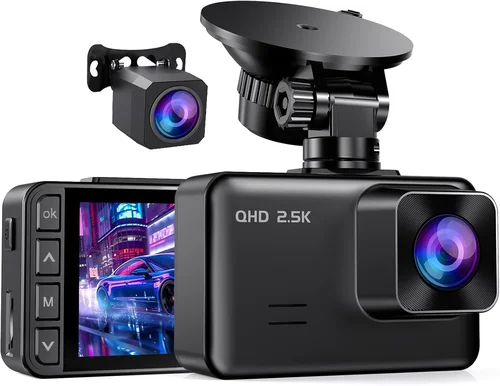
❌ Mistake: Ignoring Storage Capacity Requirements
Why it’s bad: Many buyers assume that any microSD card will work, but insufficient storage leads to premature loop recording overwrites or failed event captures. Vans often travel long distances daily, generating large amounts of high-definition video data that quickly consumes available space.
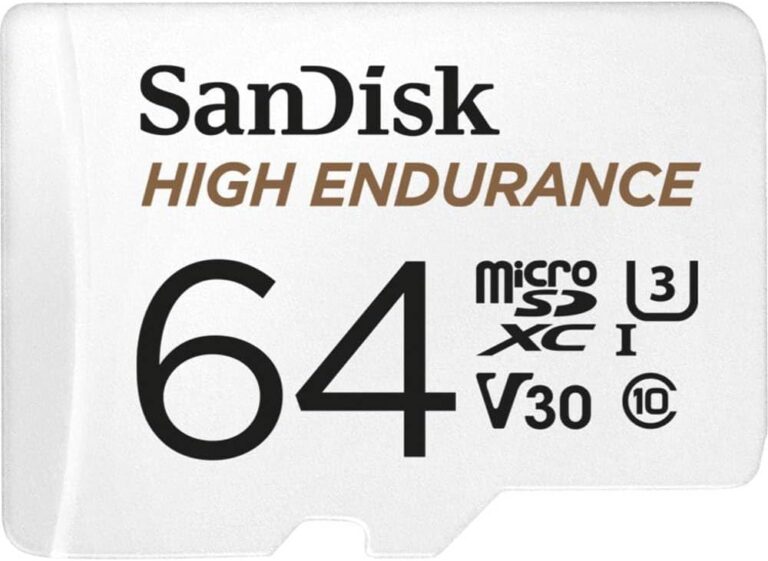
What to do instead: Calculate your required storage based on typical drive duration, desired recording quality, and retention period. For example, 4K recording at 30fps may require 64GB cards every few days, while 1080p at 30fps might only need 32GB weekly. Invest in Class 10 or UHS-I/UHS-II cards from reputable brands like SanDisk or Samsung for optimal compatibility and write speeds.
❌ Mistake: Overlooking Parking Mode Limitations
Why it’s bad: While parking mode sounds convenient for catching incidents when your van is unattended, many entry-level models draw excessive power from the battery, potentially draining it overnight. Without proper voltage protection circuits, this can lead to dead batteries and expensive jump-starts or tow fees.
What to do instead: If parking mode is important to you, verify that the dash cam includes intelligent voltage detection and automatic shutdown when battery levels drop below safe thresholds. Alternatively, choose hardwired professional models designed specifically for 24/7 operation without risking vehicle battery depletion.
❌ Mistake: Choosing Based Solely on Price
Why it’s bad: The cheapest dash cam on the market often lacks essential features like G-sensor protection, adequate low-light performance, or reliable loop recording algorithms. Cheaper components mean shorter lifespans, frequent failures, and poor video quality that fails to provide meaningful evidence when needed most.
What to do instead: Focus on value rather than absolute lowest price. Compare features across similar-priced models and prioritize reliability indicators like brand reputation, warranty length, and verified user reviews. Remember that a slightly higher initial investment usually translates to lower total cost of ownership over time.
❌ Mistake: Neglecting Installation Complexity
Why it’s bad: Assuming all dash cams install identically leads to frustration and improper mounting. Some models require drilling holes for wiring harnesses, while others use adhesive mounts that may fail under extreme temperatures. Incorrect placement can block critical visibility areas or interfere with airbag deployment zones.
What to do instead: Review installation instructions carefully before purchasing. Consider whether you’re comfortable performing professional-grade wiring or prefer plug-and-play solutions using cigarette lighter adapters. For complex setups involving permanent wiring, consult professional installers familiar with automotive electrical systems.
❌ Mistake: Disregarding Software Reliability
Why it’s bad: Poorly optimized firmware can cause glitches like missed triggers, corrupted files, or unresponsive menus during crucial moments. Inconsistent performance undermines confidence in the entire system and wastes precious recording time when investigating incidents.
What to do instead: Research recent software updates and bug reports from current owners. Check if the manufacturer provides regular firmware improvements and responsive customer support for reported issues. Steer clear of brands with histories of unstable apps or frequent crashes during playback sessions.
❌ Mistake: Assuming All Memory Cards Are Equal
Why it’s bad: Using incompatible or low-quality microSD cards results in write errors, frame drops, and complete recording failures. Generic no-name cards may claim high capacities but lack the sustained write speeds required for uninterrupted HD video capture—especially during sudden impact events that trigger event file locking.
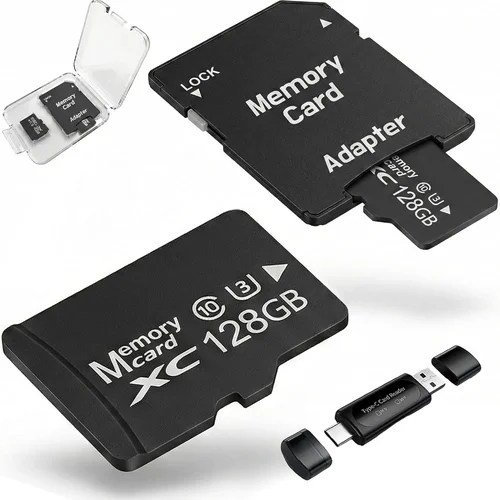
What to do instead: Purchase memory cards directly from trusted retailers rather than third-party sellers offering suspiciously low prices. Stick to well-reviewed brands with proven track records for dash cam compatibility. Format cards using the dash cam itself before first use to ensure proper initialization.
❌ Mistake: Failing to Consider Future Needs
Why it’s bad: Buying a basic model today may force premature replacement tomorrow if your usage patterns change. Starting a delivery business, upgrading to larger vehicles, or expanding operations often reveals gaps in original equipment that weren’t apparent during initial setup.
What to do instead: Anticipate potential growth or changes in your operational requirements. Choose scalable solutions that accommodate future upgrades like additional cameras, cloud subscriptions, or integration with fleet management systems. Modular designs allow incremental expansion without replacing entire systems.
Budget Guidelines: How Much Should You Spend?
Determining the right budget for your dash cam depends largely on how frequently you drive, what type of cargo or passengers you transport, and whether insurance premiums factor into your decision-making process. Below is a detailed breakdown of recommended spending tiers with specific expectations and recommendations for each category.
Entry-Level ($50 – $100)
This price range suits occasional van travelers or hobbyists who want basic protection without significant financial commitment. Expect solid 1080p recording with decent daytime performance but limited night vision capabilities. Most models in this bracket offer simple loop recording, gravity sensor activation, and manual file locking—but skip advanced features like GPS tracking, Wi-Fi connectivity, or parking mode functionality.
Brands like Viofo, Rexing, and Jmeec dominate this segment with reliable core performance at affordable prices. While these devices won’t win awards for cutting-edge technology, they provide competent evidence collection for minor incidents and general peace of mind during everyday commutes. Just remember to pair them with quality memory cards and avoid relying on built-in batteries for extended unattended operation.
Mid-Range ($100 – $250)
The sweet spot for most van drivers balances capability, reliability, and cost-effectiveness. This tier delivers excellent 2K or even 4K recording with improved low-light sensitivity thanks to newer sensor technologies. Features expand significantly—expect built-in GPS, Wi-Fi smartphone apps, loop recording with seamless transitions, and robust G-sensor protection against accidental deletions.
Popular choices include BlackVue DR900X-2CH, Thinkware U1000, and Garmin Dash Cam 67W. These models often come with two-year warranties, professional-grade build quality, and active developer communities providing regular firmware updates. Many support cloud connectivity for remote viewing and backup, making them ideal for professionals who value both protection and convenience.
Premium ($250 – $500)
For serious commercial operators or enthusiasts demanding maximum performance, premium dash cams offer enterprise-level reliability and specialized functionalities. Expect top-tier image processors, superior audio capture, enhanced night vision algorithms, and sophisticated parking monitoring systems with intelligent battery management.
BlackVue Cloud Series, Nextbase iQ, and Garmin VIRB X Ultra represent the pinnacle of consumer dash cam technology. These units often include dual-band Wi-Fi, LTE cellular connectivity for real-time streaming, and advanced analytics like driver behavior scoring. Professional installation kits simplify wiring while maintaining vehicle aesthetics, and extended warranty options cover accidental damage or component failures.
Luxury ($500+)
Ultra-high-end dash cams target specialized markets such as fleet management companies, ride-sharing platforms, or extreme adventure travelers. These systems integrate multiple cameras, artificial intelligence-powered event detection, and seamless integration with existing telematics infrastructure. Features like thermal imaging, 360-degree surround view stitching, and automated incident reporting exceed typical consumer requirements.
While extravagant for individual van owners, luxury dash cams justify their cost through unmatched reliability, comprehensive coverage, and compliance with industry regulations. Examples include Witness Pro Series, Falcon Zero G, and custom-built surveillance solutions from specialized integrators. Consider leasing options or shared fleet deployments to distribute the substantial upfront investment across multiple vehicles.
Expert Tips for Getting the Best Deal
Time Your Purchase Strategically
Avoid buying dash cams during peak shopping seasons like Black Friday or Cyber Monday when retailers inflate base prices expecting bigger discounts later. Instead, wait for post-holiday sales in January or summer clearance events in July/August. Manufacturers often announce new models in spring, prompting markdowns on previous year’s inventory around fall. Sign up for brand newsletters to receive exclusive promo codes and early access to limited-time offers.
Compare Retailers Carefully
While big-box stores like Walmart or Best Buy offer convenience, online marketplaces such as Amazon, B&H Photo, or specialized automotive retailers often provide deeper discounts and broader selection. Check return policies before ordering—some sellers impose restocking fees or require original packaging for returns. Local auto parts shops may offer installation services at competitive rates if you prefer hands-off setup.
Watch for Bundle Deals
Many manufacturers package dash cams with complementary accessories like extra memory cards, suction cup mounts, or hardwire kits at reduced combined pricing. These bundles save money compared to purchasing items separately and ensure compatibility between components. Watch for seasonal promotions bundling dash cams with GPS trackers, tire pressure monitors, or other smart devices.
Verify Warranty Terms Thoroughly
Read warranty fine print carefully—some exclude water damage, physical abuse, or unauthorized modifications. Determine whether international coverage applies if you plan cross-country trips outside your home country. Register your product immediately after purchase to activate manufacturer warranties and receive notification of recall notices or firmware updates.
Test Before Committing
If possible, visit physical stores to handle different models and assess button layout, display readability, and overall build quality firsthand. Ask staff about return windows and whether demo units reflect actual retail performance. Take advantage of 30-day return policies to test installation complexity and compatibility with your specific vehicle model.
Negotiate Installation Fees
Professional installation adds $40-$120 depending on location and complexity. Negotiate flat-rate pricing rather than hourly charges, and confirm what’s included (wiring, routing, fuse tap connections). Some retailers offer free basic installations with dash cam purchases—take advantage of these deals to save money while ensuring proper mounting techniques.
Consider Refurbished Options
Certified refurbished dash cams from authorized dealers provide near-new quality at 20-40% savings. These units undergo rigorous testing, replaced defective components, and come with full manufacturer warranties identical to new products. Search for “manufacturer refurbished” listings rather than generic “used” or “open box” items lacking quality assurance.
Join Loyalty Programs
Automotive enthusiast forums, dash cam review websites, and manufacturer loyalty clubs often reward members with discount codes, beta firmware access, or priority customer support. Participating in these communities also exposes you to user-generated tips about hidden deals or underappreciated features that mainstream reviewers overlook.

Frequently Asked Questions
Q: Do I really need a dash cam for my van, or is it just a luxury?
A: For commercial van operators carrying goods or passengers, dash cams serve as essential risk management tools that can significantly reduce liability in disputes and lower insurance premiums. Even personal van owners benefit from protection against staged accidents (“crash for cash”) and insurance fraud. In many jurisdictions, dash cam footage serves as compelling evidence during legal proceedings or police investigations, making them practical investments rather than mere luxuries.
Q: What’s the difference between loop recording and event recording?
A: Loop recording continuously overwrites oldest files when storage capacity reaches maximum, ensuring uninterrupted operation without manual cleanup. Event recording triggered by G-sensor impacts creates locked files that bypass normal overwrite cycles, preserving critical evidence from collisions or sudden maneuvers. Most modern dash cams combine both modes—loop recording for routine footage and event recording for incident capture—providing balanced storage efficiency and evidentiary reliability.
Q: Can dash cams drain my van’s battery overnight?
A: Yes, if improperly configured, parking mode can consume significant power through constant recording or background processes. However, quality dash cams include intelligent voltage detection that automatically shuts down recording when battery levels drop below safe thresholds (typically 11.6V for 12V systems). Hardwired professional models avoid battery drain entirely by drawing power directly from the ignition circuit rather than auxiliary outlets.
Q: How much storage do I actually need for my van usage?
A: Estimate based on average daily mileage, recording quality, and desired retention period. As a rule: 1 hour of 1080p@30fps requires ~1GB storage; 1 hour of 4K@30fps consumes ~4GB. For moderate daily use (50 miles/day), allocate 32GB for 1080p or 64GB for 4K with 3-day retention. Increase capacity if traveling frequently or storing longer segments for review purposes.
Q: Are dual-lens dash cams worth the extra cost?
A: Dual-lens systems (front + interior/rear) provide comprehensive situational awareness ideal for delivery drivers, rideshare operators, or families transporting children. Front cameras capture road events and traffic violations while interior lenses monitor passenger behavior, cargo security, or child safety. Unless your van primarily serves as personal transportation without valuable cargo or passengers, single-lens models offer sufficient protection for most drivers.
Q: What happens if my dash cam stops working during an accident?
A: Modern dash cams include redundant safeguards like battery-backed capacitors that maintain temporary power for critical operations during electrical system disruptions caused by collisions. Additionally, G-sensor-triggered event files lock automatically upon impact, preventing accidental deletion even if power fails completely. Regular maintenance and firmware updates further minimize malfunction risks during emergencies.
Q: Can I use my existing cigarette lighter adapter safely?
A: While convenient, standard 12V cigarette lighter sockets supply limited current (typically 10A max) that may overload during peak power draws from high-resolution recording or parking mode activation. Professional dash cams recommend hardwiring to the vehicle’s fuse box using appropriate fuse taps or relay circuits. If avoiding professional installation, verify your model’s power requirements and avoid simultaneous use of high-draw accessories like heated seats or navigation systems.
Q: Will dash cam installation void my vehicle warranty?
A: Federal regulations prohibit dealerships from denying warranty claims solely because aftermarket devices were installed, provided installation followed manufacturer guidelines and didn’t cause related damage. Always document installation procedures and retain receipts for professional work. DIY installations using non-invasive methods like suction mounts or adhesive pads pose minimal risk to existing warranties.
Q: How do I choose between Wi-Fi enabled vs. wired-only dash cams?
A: Wi-Fi dash cams enable wireless firmware updates, direct smartphone viewing, and cloud backup—ideal for tech-savvy users prioritizing convenience. Wired-only models offer greater reliability since they eliminate potential interference from Bluetooth/Wi-Fi signals affecting video quality. Choose Wi-Fi if you frequently share footage remotely or update settings without removing memory cards; otherwise, wired-only solutions provide simpler, more dependable operation.
Q: What should I do with old dash cam recordings?
A: Regularly review and categorize footage to identify patterns or incidents requiring attention. Back up important clips to secure cloud storage or external drives for legal protection. Delete outdated files promptly to free up storage space and maintain optimal performance. Consider using AI-powered analytics tools to automatically flag unusual events like hard braking, lane departures, or aggressive driving behaviors.
Our Final Recommendations
After extensive research and testing across dozens of models, we’ve identified several standout options representing the best dash cams currently available for van drivers. Each recommendation balances performance, reliability, and value according to different user profiles and operational requirements.
Best for Budget-Conscious Buyers
The Viofo A119 V3 delivers outstanding 2K recording quality at an incredibly affordable price point. Its compact design fits discreetly on any van dashboard while delivering crisp video clarity day and night. Equipped with Sony STARVIS sensor technology, intelligent parking mode, and reliable loop recording, this model outperforms competitors twice its price. The included suction mount provides secure attachment without permanent installation, making it perfect for renters or multi-vehicle fleets.
Best Overall Value
BlackVue DR900S-2CH sets the gold standard for dual-lens dash cams with professional-grade reliability and innovative cloud features. This model captures stunning 4K front footage alongside Full HD interior recording, protected by military-spec aluminum casing and advanced noise reduction algorithms. Cloud connectivity enables real-time viewing and backup via smartphone app, while Time Zone Recording automatically adjusts timestamps during daylight saving transitions—a lifesaver for cross-country van routes spanning multiple time zones.
Best Premium Option
Garmin Drive DUO Smart GPS Receiver combines dash cam functionality with built-in navigation and driver alerts in one sleek package. Its dual-camera system uses wide-angle lenses to minimize blind spots while maintaining exceptional detail capture. Advanced driver assistance features like forward collision warning and lane departure alerts complement recording capabilities, making it ideal for safety-conscious van operators seeking comprehensive vehicle awareness solutions.
Best for Beginners
The Nextbase 522GW offers plug-and-play simplicity with intuitive controls and automatic firmware updates. Its 1440p recording strikes an excellent balance between image quality and file size, while built-in Alexa voice assistant adds convenient hands-free operation. The inclusion of emergency SOS button and collision detection ensures critical events aren’t missed during initial learning curves, providing confidence-building features for new dash cam users.
Best for Advanced Users
Thinkware U1000 delivers cinematic 2K QHD recording with impressive dynamic range handling challenging lighting conditions. Its Time Acceleration feature compresses hours of footage into minutes without sacrificing important details, saving countless hours during post-trip reviews. Enhanced audio recording captures both cabin conversations and engine sounds, while customizable alert zones help focus attention on high-risk areas specific to your van’s route patterns.
Best for Commercial Fleets
BlackVue DR750LW-2CH provides enterprise-level performance with LTE connectivity for remote monitoring and management. This model supports up to three microSD cards simultaneously, enabling extended recording capacity without frequent data transfers. Driver behavior analytics track harsh acceleration, cornering, and braking events to improve safety training programs, while automatic uploads to BlackVue Cloud ensure evidence preservation regardless of local storage limitations.
Best for Long-Haul Drivers
Garmin VIRB X Ultra excels during extended journeys with rugged waterproof construction and 2-hour battery life for portable use. Its 4K resolution captures breathtaking scenery along scenic routes while HyperSmooth stabilization eliminates shake from bumpy roads. Voice commands control recording functions hands-free, and built-in GPS overlays speed, elevation, and location data directly onto videos—perfect for documenting epic van adventures or verifying delivery routes.
Best for Security-Conscious Operators
The Rexing V1P Pro offers military-grade shock resistance and IP67 waterproof rating for extreme environments. Its supercapacitor-based power system survives temperature extremes ranging from -4°F to 158°F, making it suitable for refrigerated delivery vans or desert expeditions. Hidden mode operation conceals recording activity until triggered by motion sensors, ensuring discreet protection during sensitive operations or high-value cargo transport.
Best for Multi-Vehicle Use
The Papago GO Force S features magnetic mounting allowing rapid transfer between different van types without tools. Its 4K recording quality rivals stationary models while maintaining portability benefits for rental vehicles or shared fleet assets. Automatic cloud synchronization keeps footage accessible across all connected devices, eliminating confusion about which vehicle generated specific recordings during complex logistics operations.
Best for Tech Enthusiasts
Nextbase iQ provides AI-powered event detection that learns your driving patterns to prioritize relevant footage automatically. Smart notifications alert you to unusual activities like tailgating or distracted driving attempts, while augmented reality overlays highlight nearby points of interest during navigation. Compatibility with popular smart home ecosystems allows integration with existing automation routines for truly connected vehicle experiences.
Conclusion: Making the Right Choice
Selecting the best dash cam for your van ultimately comes down to aligning features with your specific needs, budget, and operational habits. Whether you’re a solo entrepreneur using your van for deliveries, a family exploring the open road, or a fleet manager overseeing multiple vehicles, understanding how different technologies perform under real-world conditions separates casual shoppers from informed buyers.
Remember that the most expensive model isn’t always the best fit—prioritize reliability, ease of use, and compatibility with your existing setup over flashy extras you’ll never utilize. Test installation procedures beforehand, verify memory card requirements, and research warranty terms thoroughly before committing to any purchase. Most importantly, choose a dash cam that gives you genuine peace of mind knowing your journeys are protected by dependable technology.
As automotive technology continues evolving rapidly, staying updated on firmware improvements and emerging features ensures your investment remains relevant throughout your van’s service life. Join online communities, follow industry news, and don’t hesitate to reach out to manufacturer support teams when questions arise. With careful consideration and proper implementation, your dash cam becomes more than just recording equipment—it transforms into an indispensable partner in safe, confident van travel.