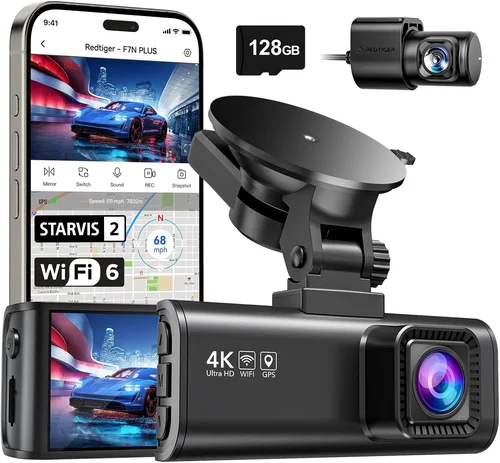
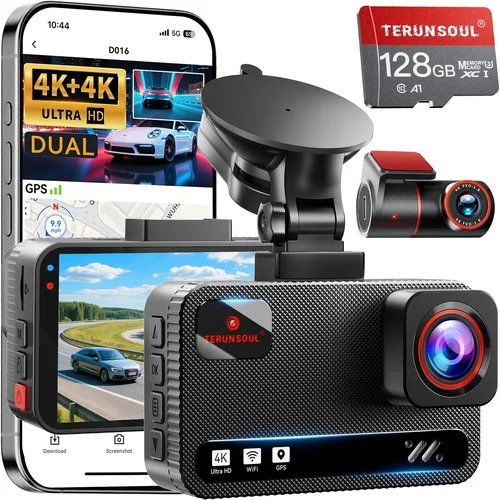
Best 4×4 Dash Cam Buying Guide
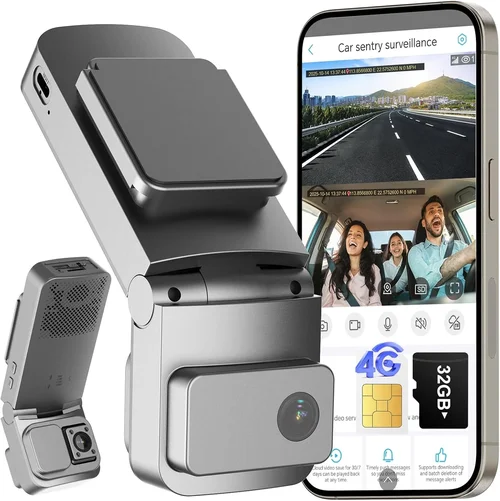
When you’re out on the trail, in remote areas or navigating challenging terrains, having reliable gear isn’t just a convenience—it’s essential. A dash cam designed for 4×4 use goes beyond standard recording; it must withstand extreme temperatures, resist dust and moisture, and deliver clear footage when you need it most. Whether you’re an off-road enthusiast, a weekend explorer, or someone who drives rugged terrain regularly, choosing the right dash cam can mean the difference between capturing critical evidence and facing costly disputes.
This guide is your comprehensive roadmap to finding the best dash cam for 4×4 vehicles. We’ll walk through every important feature, explain what truly matters in harsh environments, and help you avoid common pitfalls. By the end, you’ll know exactly what to look for—and why—so you can make a confident, informed decision that matches your needs, budget, and adventure style.
The market today offers everything from basic loop-recording models to advanced systems with GPS, Wi-Fi, and emergency backup power. But not all dash cams are built for rough conditions. Many fail under prolonged exposure to sun, rain, or vibrations. That’s why we’ve focused this guide specifically on performance, durability, and reliability—the pillars of a truly capable 4×4 dash cam.

What to Look for When Buying Dash Cams
1. Weather Resistance & Build Quality
The number one priority for any 4×4 dash cam is how well it holds up in extreme conditions. Off-road driving exposes equipment to dirt, water, temperature swings, and constant vibration. A subpar build will fog up, crack, or stop working after just a few months of use.
Look for models rated IP65 or higher for dust and water resistance. This means they can handle splashes, light rain, and dusty trails without internal damage. The lens should be scratch-resistant, preferably with an oleophobic coating to repel grease and fingerprints—especially useful when cleaning after muddy runs.
Additionally, consider the housing material. Polycarbonate or reinforced plastic is common, but some premium units use aluminum or magnesium alloy for extra toughness. Check user reviews for real-world feedback: does the screen stay clear in direct sunlight? Does condensation form inside during cold nights?
2. Video Resolution & Low-Light Performance
While 1080p may have sufficed five years ago, modern dash cams now offer 2K, 4K, and even dual-lens setups. For 4×4 use, higher resolution isn’t just about bragging rights—it’s about clarity. You need sharp details when reviewing footage after an incident or identifying license plates in low-light mountain passes.
But resolution alone doesn’t guarantee good video. Equally important is the camera sensor quality and low-light sensitivity (measured in lux). A dash cam that records grainy, dark footage at dusk is nearly useless when visibility drops below 50 feet.
Many top-tier 4×4 dash cams now include HDR (High Dynamic Range) technology, which balances bright skies and shadowy roads. Night vision modes with infrared LEDs also help, though these are more common in security cameras than automotive units.
For serious off-roaders, consider dual-channel cams that record both front and cabin views. This gives context during incidents and helps document passenger behavior or wildlife encounters.
3. Storage Capacity & Loop Recording
Dash cams use microSD cards (typically Class 10 or U3), and capacity directly affects how long you can record before overwriting old files. Most recommend at least 64GB, but 128GB or 256GB is better for extended trips where you don’t want to constantly swap cards.
Loop recording is standard—it continuously overwrites the oldest footage—but some models let you lock clips manually or automatically during sudden braking or impact (G-sensor trigger). Without this, critical moments might get erased.
Also check if the dash cam supports exFAT formatting, which allows larger files (over 4GB) needed for high-bitrate 4K recordings. FAT32 limits you to smaller clips and forces frequent formatting.
4. Power Source & Backup Options
In remote areas, access to electricity is rare. Standard cigarette lighter adapters work fine, but they draw power from your battery and can drain it over time—especially if you leave the dash cam on while parked.
Hardwiring kits solve this by connecting directly to your fuse box, but they require installation skills unless you hire a professional. Some dash cams come with built-in supercapacitors instead of lithium batteries, offering longer lifespan and stability in extreme heat.
Advanced models now include parking mode features: motion detection, time-lapse recording, or battery-saving “sleep” modes. However, true always-on parking surveillance requires a stable power source or an external battery pack like those from BlackVue or Garmin.
5. Field of View & Lens Quality
A wide-angle lens captures more of the road ahead, reducing blind spots—but too wide introduces distortion. Optimal FOV ranges from 130° to 170°, depending on mounting position and windshield curvature.
Curved windshields can cause fish-eye effects even with premium lenses. Look for models with adjustable lens angles or software correction. Some brands use multiple wide-angle lenses in dual-cameras to minimize warp.
6. Software & App Integration
Modern dash cams sync with smartphone apps via Wi-Fi, letting you view live feeds, download clips, and configure settings remotely. This is especially handy when checking footage immediately after a trip or adjusting sensitivity while parked.
However, app reliability varies. Poor connectivity, laggy interfaces, or frequent disconnections can frustrate users. Stick to well-reviewed platforms like BlackVue Cloud, Thinkware U1000+, or Garmin DriveLuxe.
7. Mounting & Installation Flexibility
Rough terrain demands secure mounts. Suction cups can fail on heated glass or loose surfaces. Adhesive mounts last longer but risk leaving residue or failing in cold weather.
Some dash cams come with magnetic mounts for quick removal—ideal if you switch vehicles often. Others offer flexible gooseneck arms for angled positioning around curved dashboards.
Different Types of Dash Cams

Common Buying Mistakes to Avoid
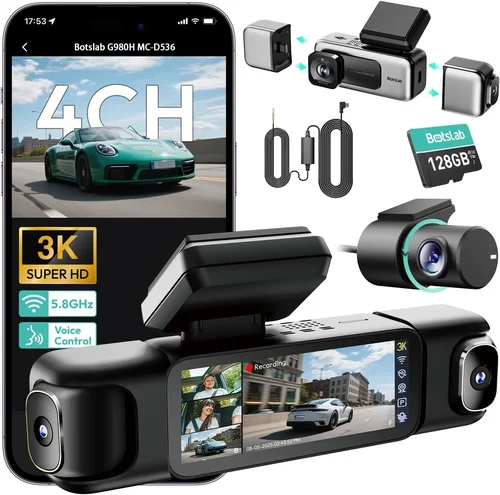
❌ Mistake: Ignoring Weatherproofing
Why it’s bad: Many buyers assume all dash cams can handle outdoor use. In reality, cheap models crack in winter heat or fog up during rainy descents. Without proper sealing, moisture enters and corrupts circuits.
What to do instead: Always check IP ratings and read field-test reviews. Ask other off-roaders about their experiences in similar climates before purchasing.
❌ Mistake: Overlooking Parking Mode Requirements
Why it’s bad: Wanting 24/7 surveillance but forgetting that continuous parking recording drains your car battery. Without hardwiring or a backup power module, you could strand yourself miles from help.
What to do instead: Invest in a compatible hardwire kit or external battery. Confirm the dash cam supports motion-triggered or time-lapse parking modes to conserve energy.
❌ Mistake: Choosing Based Solely on Price
Why it’s bad: The cheapest dash cam might save money upfront but fail within weeks. Poor image quality, short warranty, or flimsy mounts negate any savings when replacements are needed.
What to do instead: Compare total cost of ownership—not just sticker price—including installation fees, SD card costs, and potential repairs.
❌ Mistake: Not Testing Before Long Trips
Why it’s bad: Buying online without seeing how the device performs on bumpy trails or in bright sunlight leads to disappointment. Settings may need adjustment, or the screen might be unreadable.
What to do instead: Visit local electronics stores or ask fellow enthusiasts to demo units. Test mounting options and button layout under real driving conditions.
❌ Mistake: Skipping Firmware Updates
Why it’s bad: Manufacturers release updates to fix bugs or improve performance. Ignoring them leaves your dash cam vulnerable to glitches or compatibility issues with new SD cards.
What to do instead: Enable automatic updates in the app or periodically check the brand’s website for patches. Keep notes on firmware versions used during trips.
Budget Guidelines: How Much Should You Spend?
Entry-Level ($50–$100)
This range includes basic 1080p dash cams with decent daytime performance but limited night vision and minimal build quality. Ideal for occasional trail use or secondary vehicles. Expect plastic housings, average FOV, and no advanced parking features. Brands like Viofo A119 or Rexing V1P fall here.
While affordable, these often lack weather sealing and may struggle in sub-zero temps or heavy rain. Still, they’re acceptable if you only drive paved roads occasionally.
Mid-Range ($100–$250)
The sweet spot for most 4×4 owners. You’ll find 2K resolution, better sensors, improved durability, and sometimes dual-lens support. Models like the Blackvue DR970X-2CH offer excellent value with cloud connectivity and robust construction.
This tier usually includes G-sensor triggers, loop recording, and reliable parking modes when paired with a hardwire kit. Most warranties last 1–2 years, and customer service tends to be responsive.
Premium ($250–$400)
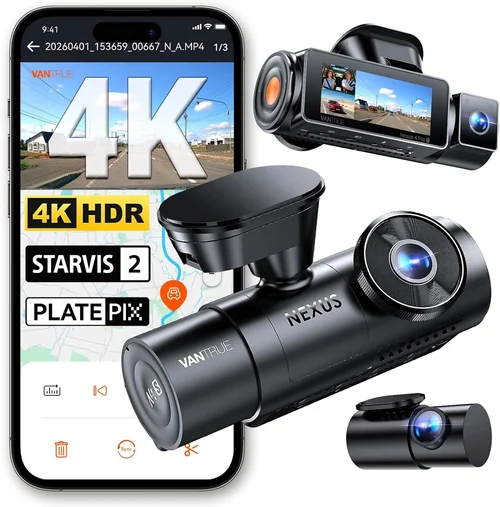
Designed for serious adventurers or professionals. Features include 4K recording, HDR, superior low-light capture, military-grade enclosures, and advanced app integration. The Garmin Dashcam Mini or Nextbase 622GW stand out with their compact designs and intuitive interfaces.
Expect longer warranties (2–3 years), free cloud storage, and compatibility with third-party accessories like external batteries or dash cams for motorcycles.
Luxury ($400+)
Top-tier systems reserved for extreme environments or fleet operators. These combine everything—ultra-wide lenses, AI-powered alerts, encrypted cloud backups, and modular designs. Examples include the Thinkware U1000+ or Owlstone Pro.
While expensive, they justify the cost through unmatched reliability and forensic-grade evidence quality. Often used by search-and-rescue teams or expedition guides.
Expert Tips for Getting the Best Deal
Shop During Holiday Sales: Black Friday, Cyber Monday, and Amazon Prime Day often slash prices by 30–50%. Sign up for deal alerts from retailers like B&H Photo, Best Buy, or Newegg.
Buy Refurbished Wisely: Certified refurbished units from reputable sellers (Apple, Dell, or manufacturer sites) can save 20–40% with full warranties. Inspect return policies carefully.
Bundle Accessories: Hardwire kits, extra SD cards, and suction mounts frequently go on sale together. Buying as a package reduces shipping costs and ensures compatibility.
Check Return Windows: Most electronics allow 30 days to test functionality. Use this period to verify performance in real-world conditions before committing.
Read Regional Reviews: What works in Arizona deserts might not suit Alaskan winters. Search forums specific to your region (e.g., “4×4 dash cam Canada” or “offroad dash cam Australia”).
Verify Compatibility: Ensure your vehicle’s dashboard shape fits the mount. Curved panels may require angle adjustments or alternative placements.

Frequently Asked Questions
Q: Can I install a dash cam myself, or do I need a professional?
A: Simple single-lens models with suction mounts can be installed in minutes. Dual-lens or hardwired systems benefit from professional help, especially if routing wires through door panels or accessing fuse boxes. YouTube tutorials exist for common vehicles like Jeep Wranglers or Ford Raptors.
Q: Will a dash cam drain my car battery?
A: Only if left in parking mode without proper setup. Hardwired kits with voltage cutoffs prevent deep discharge. Alternatively, use external batteries or disable parking mode during long trips. Most modern dash cams enter low-power sleep states when idle.
Q: How much storage do I really need?
A: For 1080p, 32–64GB suffices for 1–2 hours of footage. At 2K or 4K, opt for 128GB+. Always carry a spare card labeled with date/time for emergencies. Format cards monthly to avoid corruption.
Q: Are dual-lens dash cams worth it for 4×4 use?
A: Absolutely. Front-only cams miss cabin context—critical when documenting passengers, gear, or wildlife near your rig. Dual-lens systems also double recording redundancy in case one lens gets obscured by mud or snow.
Q: Do dash cams work in cold weather?
A: Yes, but performance drops below -10°C (14°F). Lithium batteries lose capacity in cold, and LCD screens may freeze. Supercapacitor-based models perform better. Store dash cams indoors when possible.
Q: Can I use a dash cam while camping without running the engine?
A: With an external battery pack (like those from Nexpeak or BlackVue), yes. Ensure the pack has enough capacity (at least 10,000mAh) and proper connectors. Monitor voltage levels to avoid shutdowns.
Q: How do I protect my dash cam from theft or damage?
A: Use locking mounts, park in secure areas, and enable password protection on the device. Some apps let you locate lost units via GPS. Consider insurance coverage for expensive models.
Q: Should I choose wired or wireless connectivity?
A: Wired (USB or Ethernet) offers faster transfer speeds and fewer dropouts. Wireless (Wi-Fi) adds convenience for mobile viewing but consumes more power. For remote areas, prioritize wired or offline-capable models.
Our Final Recommendations
Best for Budget-Conscious Buyers
Rexing V1P Pro Max: Priced under $120, this 4K dash cam delivers impressive clarity with a 150° FOV and strong night vision. Its aluminum casing resists heat, and loop recording prevents overwrites. While lacking cloud features, it’s ideal for trail runners wanting quality without breaking the bank.
Best Overall Value
Blackvue DR970X-2CH: At around $300, this dual-lens system offers 2K front/rear recording, HDR, and military-grade durability. Paired with Blackvue’s cloud platform, it enables remote monitoring and automatic backup—perfect for multi-day expeditions where every detail counts.
Best Premium Option
Garmin Dashcam Mini: Compact yet powerful, this 4K unit fits discreetly behind rearview mirrors. With voice control, collision warnings, and seamless Garmin ecosystem integration, it’s favored by serious off-roaders who demand reliability and ease of use.
Best for Beginners
Viofo A119 V3: User-friendly interface, solid 1080p performance, and compatibility with most accessories make this a favorite among new adopters. The included suction mount and clear menus simplify setup, while its compact size avoids obstructing views.
Best for Advanced Users
Thinkware U1000+: Boasting 4K resolution, superior low-light handling, and optional Wi-Fi hotspot functionality, this professional-grade cam excels in demanding conditions. Its robust build and extensive customization options satisfy tech-savvy adventurers who demand perfection.
Conclusion: Making the Right Choice
Choosing the best dash cam for your 4×4 isn’t about grabbing the shiniest gadget—it’s about matching capability to your lifestyle. Whether you’re tackling muddy trails, crossing rivers, or simply seeking peace of mind on winding mountain roads, prioritize durability, image quality, and practicality over flashy extras.
Remember: a dash cam is your silent witness on the road. It documents your journey, protects your interests, and provides clarity when disputes arise. Invest wisely, test thoroughly, and don’t hesitate to upgrade as your adventures evolve.
Now go forth with confidence—your next epic off-road story deserves to be recorded clearly, safely, and forever.