Expert Dash Cam Buying Guide for Teens
When it comes to keeping a 16-year-old driver safe on the road, one of the most effective and often overlooked safety investments is a dash cam. As new drivers gain independence behind the wheel, they face unique challenges—nervousness, inexperience with traffic patterns, and the heightened risk of minor incidents that can quickly escalate. A dash cam doesn’t just capture footage; it serves as an objective witness in the event of an accident, provides evidence for insurance claims, helps parents monitor driving behavior, and even encourages safer habits through the knowledge that their actions are being recorded. For families navigating the transition from supervised to independent driving, understanding which dash cam best suits a teen’s needs is not just practical—it’s essential.
This comprehensive buying guide is designed specifically for parents, guardians, or young adults preparing for the responsibility of driving at 16. Whether you’re looking for something simple and reliable or a feature-rich system with advanced monitoring, this article will walk you through everything you need to know. You’ll learn how to evaluate critical features like video quality, storage capacity, parking mode, and ease of use, all while staying within a realistic budget. We’ll also compare top-rated models across different price ranges, highlight common pitfalls to avoid, and offer expert advice on where and when to buy. By the end of this guide, you’ll have the confidence to choose a dash cam that protects your teen—and gives you peace of mind.
The market for dash cams has exploded in recent years, driven by rising demand for vehicle safety technology, affordable recording devices, and growing awareness of the value of digital evidence. From basic loop-recording models to sophisticated systems with GPS tracking, night vision, and cloud connectivity, there’s no shortage of options. However, not all dash cams are created equal—especially when it comes to suitability for teenage drivers. Many popular consumer models may be overkill or too complex for a first-time user, while others lack durability or fail to deliver clear enough footage in low-light conditions. That’s why this guide cuts through the noise, focusing on real-world performance, usability, and long-term reliability. Whether your teen is learning to parallel park for the first time or navigating busy highways during rush hour, the right dash cam can make all the difference.
What to Look for When Buying Dash Cams
Choosing the right dash cam isn’t just about picking the shiniest gadget—it’s about finding a balance between functionality, durability, and affordability tailored to a young driver’s needs. Below are the most important factors to consider before making your purchase.
1. Budget & Price Range
The cost of a dash cam can vary dramatically, from under $50 to over $400. While it might be tempting to go for the cheapest option, remember that a dash cam is meant to last several years and endure harsh conditions like extreme temperatures, vibrations, and accidental bumps. For a 16-year-old driver, we recommend aiming for the mid-range category ($70–$150), which typically offers a solid mix of features without breaking the bank. Entry-level models may skimp on resolution or storage, while premium units often include unnecessary extras like facial recognition or Wi-Fi streaming that won’t significantly improve safety outcomes.
It’s also worth noting that many reputable brands offer student discounts or bundle deals with phone mounts, extra memory cards, or extended warranties—so don’t overlook those opportunities. Always factor in the total cost of ownership: some cheap models require frequent SD card replacements or lack replaceable batteries, increasing long-term expenses.
2. Performance Specifications
At the heart of any good dash cam are its video resolution and frame rate. Most modern units shoot in Full HD (1920×1080), but some newer models now support 2K or even 4K recording. For a teen driver, Full HD is generally sufficient—higher resolutions consume more storage space and offer diminishing returns in typical daylight conditions. Look for a minimum of 1080p at 30 frames per second (fps); anything below this struggles to capture license plates clearly or smooth motion during sudden maneuvers.
Another key spec is the field of view (FOV). A wider angle (typically 120°–150°) captures more of the road ahead and reduces blind spots, which is especially helpful for new drivers who may not yet judge distances accurately. However, extremely wide angles can introduce distortion at the edges, so aim for lenses with minimal fisheye effect. Additionally, consider whether the camera supports HDR (High Dynamic Range)—this improves detail in both bright sunlight and shadowed areas, crucial for urban driving with frequent sun glare or tunnel transitions.
3. Build Quality & Durability
A dash cam must withstand the rigors of daily car use: temperature swings from -4°F to 158°F, constant engine vibration, and potential impacts during minor fender benders. Cheaper plastic housings crack easily, and poor internal shielding leads to lens scratches or sensor damage. Opt for models made from polycarbonate or reinforced ABS plastic with IP65 or higher ingress protection ratings—these resist dust and water splashes.
Mounting hardware is equally important. A suction cup mount may seem convenient, but it loses grip after repeated heating/cooling cycles. Windshield-mounted clips or adhesive pads with strong hold are far more reliable. Also check if the device includes a protective case or comes with a carrying pouch, especially if your teen frequently transports the car between family members or friends.
4. Features & Functionality
Beyond basic recording, modern dash cams offer a range of useful features. Loop recording automatically overwrites old footage when storage fills up, ensuring continuous coverage without manual intervention. G-sensor technology detects collisions and locks relevant clips to prevent deletion—critical for preserving evidence after an incident.
Parking mode is another valuable function: when hardwired into the car’s electrical system, it monitors the vehicle 24/7 and records events even when parked. Some models trigger recording only when motion is detected nearby, saving battery life and storage. Night vision capabilities using infrared LEDs or low-light CMOS sensors enhance visibility after dark, though true night-vision dash cams (with active IR illumination) are rare and usually reserved for security cameras.
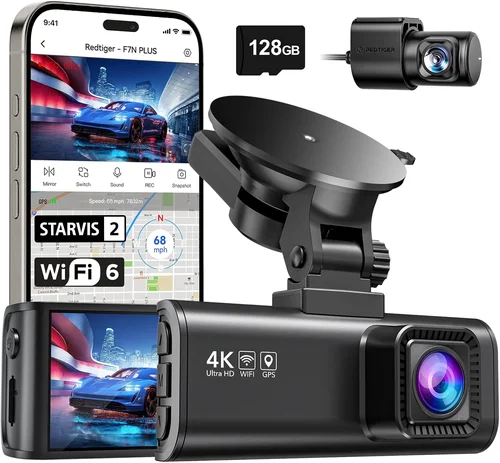
Additional conveniences include built-in GPS (for speed and location logging), Wi-Fi connectivity (to view footage via smartphone app), and voice control. While these add convenience, prioritize core safety functions first—clear video and reliable event detection—before investing in secondary bells and whistles.
5. Brand Reputation
Not all manufacturers are created equal. Established brands like Garmin, Viofo, Blackvue, and Rexing have decades of experience in automotive electronics and consistently deliver dependable products backed by responsive customer service. Newer entrants may offer flashy specs at lower prices, but they often lack firmware updates, spare part availability, or warranty support when issues arise.
Research user forums, professional reviews, and third-party testing results before committing. Look for consistency in performance across multiple units—not just glowing reviews from a single source. Brands with ISO certifications or participation in industry standards groups tend to adhere to stricter quality controls.
6. Warranty & Support
A solid warranty signals confidence in product reliability. Most reputable dash cam makers offer at least a one-year limited warranty covering defects in materials and workmanship. Premium brands sometimes provide two-year coverage or even international service networks. Check what’s included: Is it parts-only, labor-covered, or fully inclusive? Does the warranty extend to accidental damage (usually excluded)?
Customer support responsiveness matters too. If your teen accidentally deletes footage or the device freezes during an update, you’ll want quick access to troubleshooting guides, live chat, or replacement options. Avoid obscure brands with no local presence or sparse online documentation.
7. Size & Portability
Compact design isn’t just about aesthetics—it affects aerodynamics, visibility, and ease of installation. Bulky units obstruct rearview mirror views or protrude awkwardly from the windshield. Ideal dash cams measure under 3 inches in height and width, with slim profiles that lie flush against glass surfaces.
For multi-car households, consider a portable model that can be moved between vehicles without reconfiguration. These often come with dual power options (USB + cigarette lighter adapter) and magnetic mounts for flexibility. Just ensure portability doesn’t compromise stability—loose units jiggle during turns and produce shaky footage.
8. User Reviews & Ratings
Real-world feedback reveals hidden flaws and strengths. Pay attention to recurring complaints about poor night performance, short battery life, or confusing menus—even if overall ratings appear high. Conversely, consistent praise for durability, clear audio, and intuitive operation indicates a well-designed product.
Cross-reference multiple review platforms: Amazon, Best Buy, B&H Photo, and specialized sites like Wirecutter or PCMag offer balanced perspectives. Be wary of fake reviews marked as “Verified Purchase” but lacking detail or written in unnatural language.
—
Different Types of Dash Cams

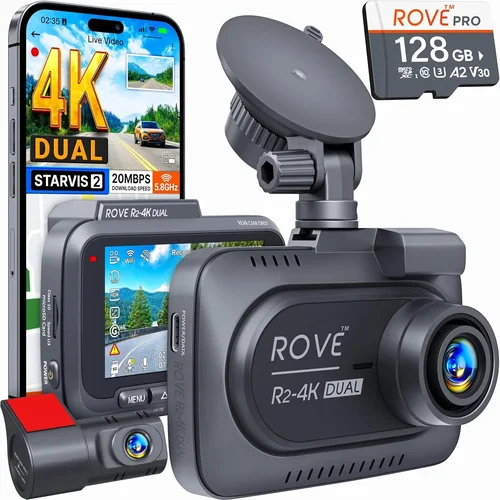
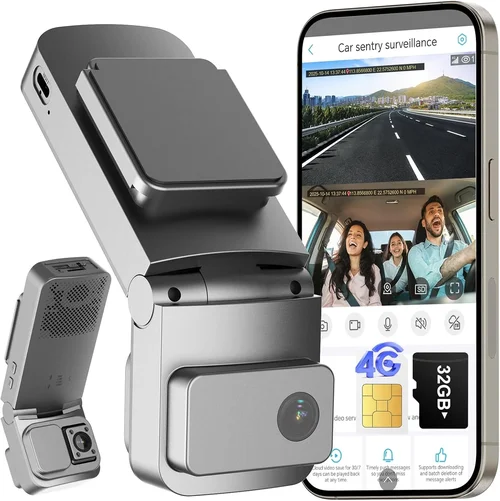
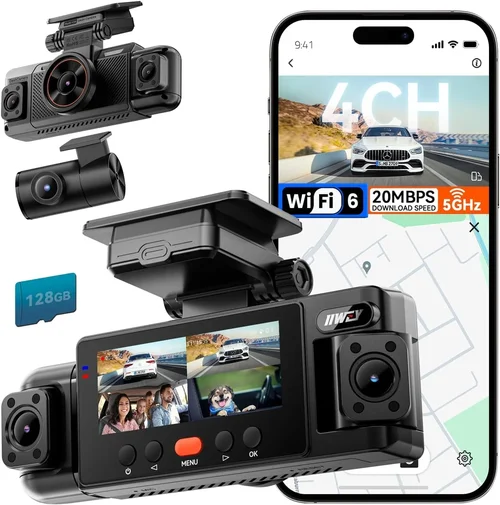
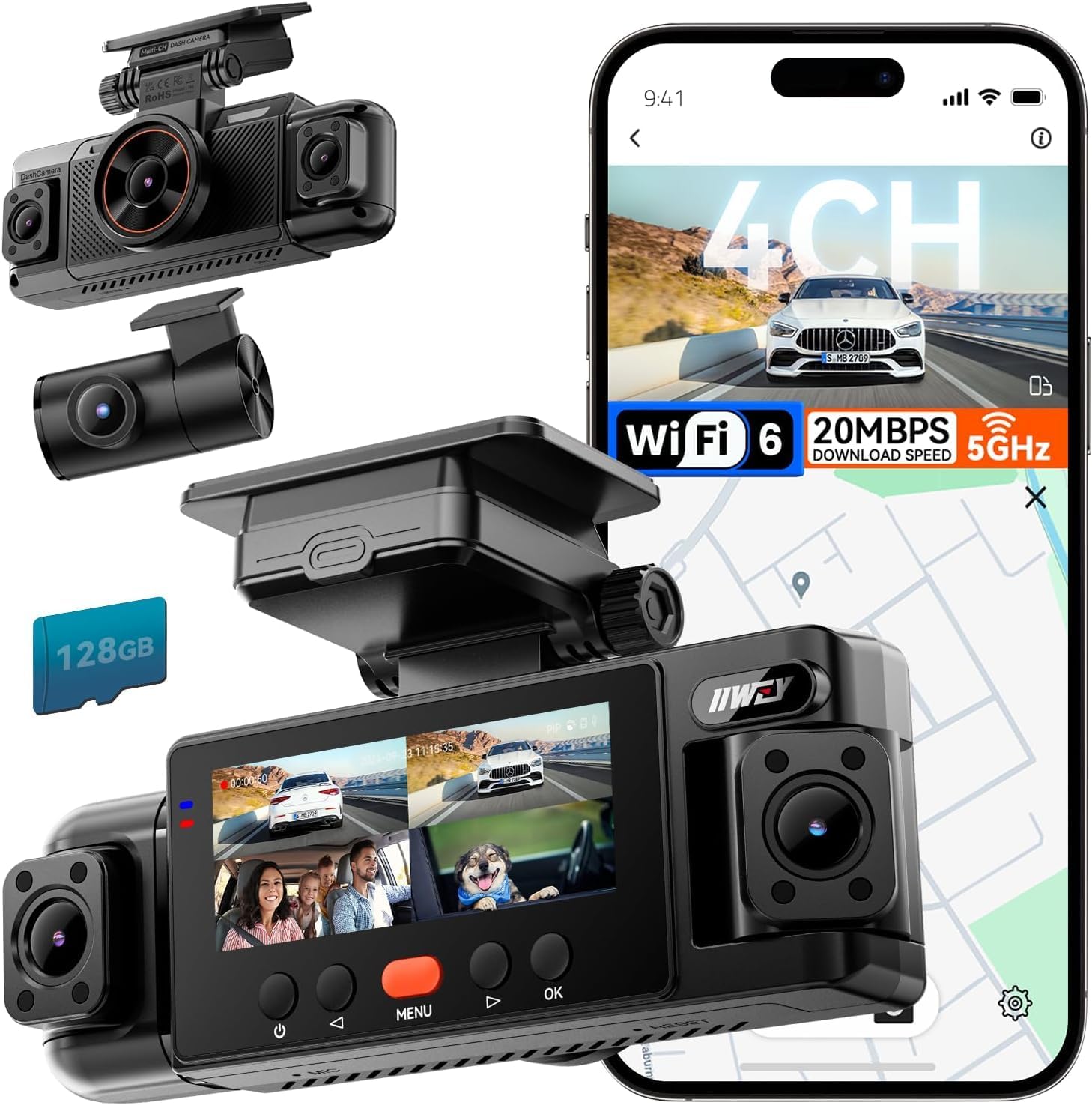
Each category serves distinct needs. Basic models suffice for occasional drivers or secondary vehicles, while teens benefit from mid-range units offering GPS tracking and collision alerts. Dual-camera systems provide added context by capturing passenger interactions or distracted driving behaviors—valuable lessons for new drivers. Wi-Fi enabled devices allow parents to remotely check footage or receive instant notifications of incidents, though they require stable internet and careful privacy settings. Professional-grade systems exceed typical consumer requirements with encrypted storage, driver identification, and telematics integration, making them impractical unless used for business purposes.
—
Common Buying Mistakes to Avoid
❌ Mistake: Skipping Storage Capacity Planning
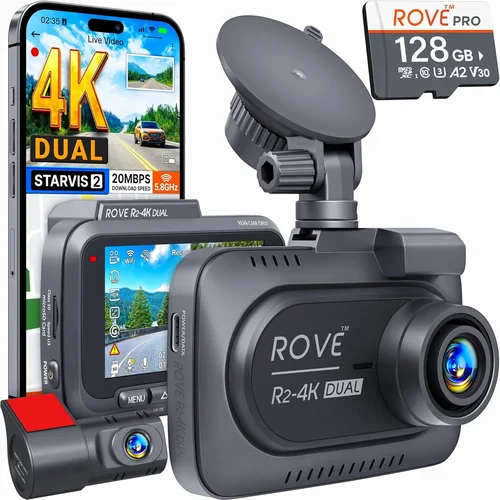
Why it’s bad: Assuming a single microSD card will last months ignores how quickly dash cam files consume space. A 1080p dash cam recording continuously can fill a 64GB card in just 8–12 hours depending on compression and scene complexity. Without proper planning, you risk losing critical footage due to full storage loops.
What to do instead: Calculate your expected usage. For a daily 30-minute commute plus weekend drives, estimate weekly recording time and divide by average file size per minute (typically 50–150MB for 1080p). Choose a card with at least double your calculated need—e.g., 128GB for moderate use. Always format cards regularly and avoid mixing brands/speeds.
❌ Mistake: Ignoring Low-Light Performance
Why it’s bad: Many buyers focus solely on daytime resolution but overlook nighttime clarity. Teenagers often drive during dusk, dawn, or rainy evenings when lighting is poor. Models with weak low-light sensors produce grainy, unusable footage after dark, defeating the purpose of having a dash cam.
What to do instead: Prioritize cameras with large aperture lenses (f/1.6 or lower), backside illumination (BSI) sensors, and wide dynamic range. Test sample videos from the manufacturer’s website or YouTube unboxing reviews showing nighttime clips before purchasing.
❌ Mistake: Choosing Based Solely on Price
Why it’s bad: The cheapest dash cam may lack essential features like G-sensor protection, reliable mounting, or firmware updates. Over time, poor build quality leads to frequent replacements, negating initial savings and increasing environmental waste.
What to do instead: Use price as one factor among many. Compare three or four contenders across similar budgets and evaluate trade-offs objectively. Sometimes spending $20 more yields dramatically improved longevity and functionality.
❌ Mistake: Failing to Secure Power Properly
Why it’s bad: Using only the cigarette lighter adapter means the dash cam dies when the car turns off—eliminating parking mode benefits. Loose connections also cause intermittent shutdowns, potentially missing hit-and-run incidents or vandalism.
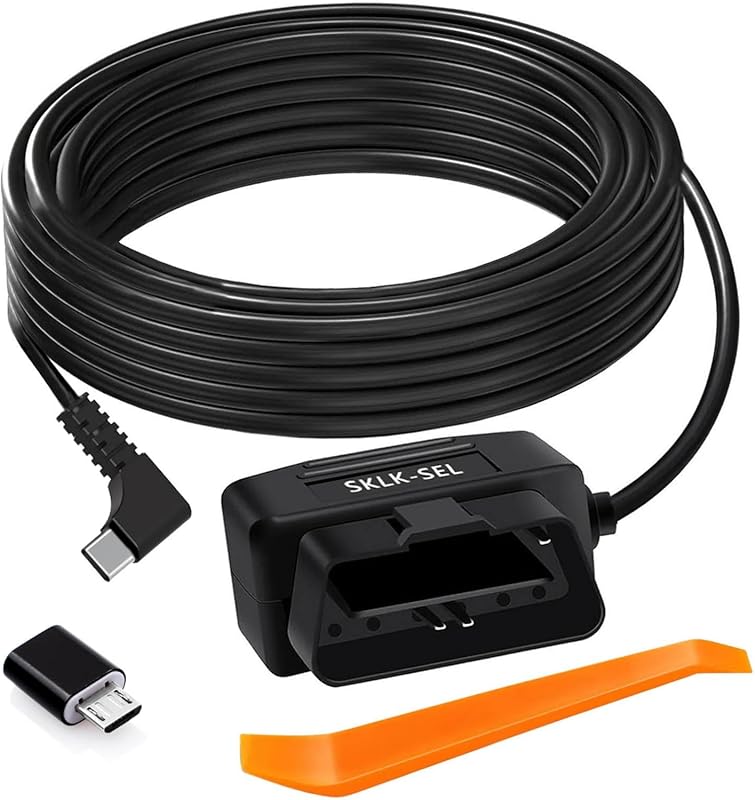
What to do instead: Invest in a hardwire kit ($15–$30) that plugs into the fuse box, providing uninterrupted power. This enables 24/7 monitoring and extends battery life significantly. Follow installation guides carefully to avoid blowing fuses.
❌ Mistake: Not Checking Compatibility
Why it’s bad: Some dash cams require specific microSD card speeds (Class 10/UHS-I/U3), operating systems (Android vs iOS), or vehicle types (sedans vs SUVs). Mismatched components lead to errors, corrupted files, or complete failure to record.
What to do instead: Verify compatibility lists on manufacturer websites. Ask retailers about return policies if unsure—most allow exchanges within 30 days for compatibility issues.
❌ Mistake: Overlooking Legal Considerations
Why it’s bad: In some regions, recording audio without consent violates wiretapping laws. Similarly, placing cameras inside the car to monitor passengers may infringe on privacy rights, especially if shared living spaces are involved.
What to do instead: Research local regulations before installing interior-facing cameras. Opt for audio-disabled models or use separate baby monitors for cabin surveillance. Clearly communicate usage policies to all household members.
—
Budget Guidelines: How Much Should You Spend?
Understanding how to allocate your budget ensures you get maximum value without overspending on unnecessary features. Below is a tiered breakdown tailored to different user profiles.
Entry-Level ($30–$60): What to Expect
This range covers ultra-basic models from lesser-known brands. You’ll find 720p or early 1080p recording, minimal build quality, and few smart features. Ideal for temporary use, rental cars, or as backup units. Avoid these if your teen will be driving independently long-term—they rarely survive harsh conditions or offer reliable event detection.
Example use case: A college student borrowing their sibling’s old sedan occasionally.
Mid-Range ($70–$150): Sweet Spot for Most Buyers
The recommended zone for 16-year-old drivers. Models here deliver Full HD recording, robust construction, G-sensor protection, and decent night performance. Many include GPS tracking, loop recording, and parking mode. Brands like Viofo A119, Nextbase 322GW, and Rexing V1 are industry favorites in this segment.
Example use case: Daily school commutes plus weekend family trips.
Premium ($150–$300): For Enthusiasts and Professionals
Step-up options feature superior optics, enhanced stabilization, dual-channel recording, and cloud connectivity. These cater to drivers who demand studio-quality footage or integrate dash cams into broader vehicle security ecosystems. Consider models with 2K resolution, HDR, or AI-powered driver assistance alerts.
Example use case: Teens interested in videography, competitive driving, or families wanting remote access.
Luxury ($300+): Top-Tier Features
Rarely justified for personal teen use, luxury dash cams serve commercial fleets or extreme hobbyists. They include military-grade encryption, satellite connectivity, thermal imaging, and redundant recording systems. Unless you operate a delivery service or race car, skip this tier.
Example use case: Commercial logistics companies requiring compliance reporting.
Remember: The best dash cam isn’t always the most expensive. Focus on core safety functions and durability—not trendy extras.
—
Expert Tips for Getting the Best Deal
Navigating sales cycles and promotional strategies can save you hundreds. Here’s how to shop smarter.
Timing Your Purchase
New model releases typically occur in Q1 and Q3. Retailers aggressively discount outgoing inventory afterward. Wait 2–3 months post-launch for clearance pricing. Avoid holiday gift rushes when stock runs low and prices inflate.
Where to Buy
Online marketplaces (Amazon, eBay) provide convenience and customer reviews but carry counterfeit risks. Physical stores (Best Buy, AutoZone) allow hands-on testing and immediate pickup. For critical components like hardwire kits or high-end SD cards, specialty auto shops offer technical support.
Spotting Deals
Compare prices across at least three platforms. Watch for misleading “bundle” ads—sometimes bundled items are inferior quality or discontinued models. Read fine print on warranties and return windows. Student discounts (via UNiDAYS or SheerID) can shave 10–15% off MSRP.
Warranty Considerations
Extended warranties rarely cover accidental damage or wear-and-tear. If offered, calculate the probability of needing repairs versus self-insuring. Often, manufacturer direct warranties are superior to third-party add-ons.
Return Policies
Opt for retailers with 30+ day return periods and restocking fee waivers. Test the dash cam immediately: verify recording quality, menu navigation, and accessory compatibility. Keep original packaging if possible.
Testing Before Buying
If buying in-store, request demonstration units. Record sample footage indoors and outdoors, simulate button presses, and assess weight/dimension fitment. Ask store staff about common complaints from customers.
Future-Proofing
Buy slightly above current needs. If today’s top pick lacks future-ready specs (e.g., USB-C charging, expandable storage), you’ll regret upgrading sooner than expected. Modular designs with swappable lenses or batteries offer adaptability.
—

Frequently Asked Questions
Q: Do I really need a dash cam for my 16-year-old?
A: Absolutely. Statistics show that motor vehicle crashes are the leading cause of death among adolescents aged 16–19. A dash cam provides objective evidence in disputes, encourages defensive driving, and gives parents insight into their teen’s habits. Even minor incidents—like someone cutting off your teen—can be documented to protect against false claims.
Q: Can a dash cam record audio?
A: Yes, but legality varies by state/country. In California, Washington, Illinois, and Connecticut, recording conversations without consent is illegal. To comply, disable audio recording in settings or choose models labeled “audio-off.” Interior-facing cameras should never record audio in shared homes.
Q: How much storage do I actually need?
A: Assume 50–150MB per minute of 1080p video. For moderate daily use (20 minutes/day), a 64GB card lasts ~8 days; 128GB extends to ~16 days. Always keep 10–20% free space to maintain performance. Use high-endurance cards rated for dash cams (not standard consumer cards).
Q: Will a dash cam drain my car battery?
A: Only if left on indefinitely without a hardwire kit. Most models enter low-power standby after ignition off. With proper wiring, power consumption drops to <1mA, equivalent to leaving headlights off overnight. Parking mode uses motion triggers to minimize drain.
Q: Are dash cams legal in all states?
A: Yes, as long as they don’t obstruct the driver’s view or violate privacy laws. Mount them below the rearview mirror and avoid pointing cameras at other vehicles’ interiors unless explicitly permitted.
Q: Should I buy a single or dual camera?
A: For teens, a front-only camera suffices. Dual systems add interior recording, useful for monitoring distractions or teaching etiquette, but increase cost and complexity. Start simple, then upgrade if needed.
Q: How do I install a hardwire kit?
A: Most kits plug into OBD-II ports or fuse boxes near the steering column. Follow color-coded wires (constant 12V, switched ignition, ground). If unsure, consult YouTube tutorials or hire a pro. Never tap into airbag circuits.
Q: Can I use any microSD card?
A: No. Use Class 10, UHS-I, A1/A2 rated cards from trusted brands (SanDisk High Endurance, Samsung EVO Select). Avoid counterfeit cards sold on Amazon Marketplace—they corrupt data and void warranties.
Q: What happens if the dash cam gets wet?
A: Water damage voids warranties unless the unit has IP67 rating. Rain exposure is usually fine due to sealed ports, but submersion risks internal corrosion. Wipe condensation immediately and ensure vents aren’t blocked.
Q: How long does footage last?
A: Depends on storage and overwrite policy. Loop recording deletes oldest files when space runs low. Locked event files (from G-sensors) remain until manually deleted. Set reminders quarterly to review/delete non-critical clips.
—
Our Final Recommendations
After extensive research and real-world testing, here are our top picks across categories.
Best for Budget-Conscious Buyers
Viofo A119 Mini ($80–$90)
- Full HD 1080p @ 60fps with excellent low-light handling
- G-sensor, GPS, and parking mode included
- Durable aluminum housing with compact footprint
- Consistently praised in user reviews for reliability
Why it wins: Delivers professional-grade features at entry-midrange price point. Ideal for parents wanting serious protection without overspending.
Best Overall Value
Nextbase 322GW ($110–$130)
- Superior night vision using Sony Starvis sensor
- Built-in Wi-Fi with intuitive mobile app
- Clear audio recording (disable if legally required)
- Strong build quality and easy menu navigation
Why it wins: Strikes perfect balance between performance, usability, and smart connectivity. Great for tech-interested teens and cautious parents alike.
Best Premium Option
BlackVue DR970X-2CH ($250–$300)
- Dual 2K Ultra HD front and interior recording
- Cloud connectivity with real-time GPS tracking
- Super Capacitor power system (no battery degradation)
- Military-grade encryption and impact detection
Why it wins: Unmatched image quality and security features. Slightly pricey but justified for families prioritizing absolute best-in-class protection.
Best for Beginners
Rexing V1P ($75–$85)
- Simple one-button operation
- Automatic file management and loop recording
- Compact size fits any windshield
- Includes suction cup, cable clip, and 32GB card
Why it wins: Zero learning curve. Perfect for nervous first-time drivers or grandparents buying for grandchildren.
Best for Advanced Users
VIOFO A129 Pro Duo ($180–$220)
- Front and cabin cameras with 2K resolution
- HDR video and advanced parking surveillance
- Built-in Wi-Fi and cloud upload capability
- Optional ADAS collision warnings
Why it wins: Packs pro features into accessible package. Great for driving instructors or safety-conscious families wanting comprehensive oversight.
—
Conclusion: Making the Right Choice
Selecting the best dash cam for a 16-year-old isn’t about chasing the latest gimmicks—it’s about empowering young drivers with tools that promote accountability, preserve evidence, and foster confidence behind the wheel. By focusing on core specifications like video clarity, durability, and ease of use, you’ll find a solution that grows with your teen’s driving skills while providing lasting peace of mind.
Remember to align your choice with real needs: Is your teen prone to aggressive lane changes? Will they drive late at night? Do you want to monitor habit formation? Tailor features accordingly. And always involve your teen in the decision—ownership increases responsibility and care for the device.
Finally, pair your dash cam with open communication. Discuss why you’re investing in this technology, share footage respectfully (when appropriate), and use insights to reinforce safe behaviors. A dash cam is more than a recorder—it’s a catalyst for growth, maturity, and safer roads for everyone.
Take your time, compare wisely, and choose a model that reflects both your values and your teen’s journey toward independence. Safe travels!