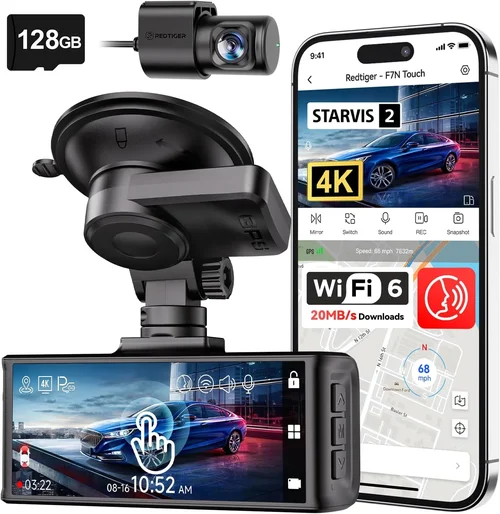
Complete 2026 Sienna Dash Cam Buying Guide
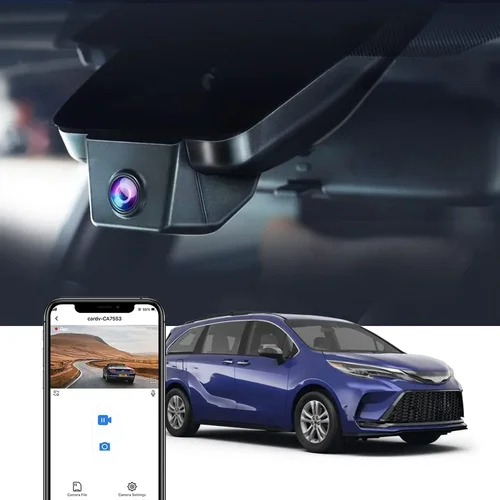
Why choosing the right dash cam for your 2026 Sienna matters more than you might think. With increasing insurance premiums, rising vehicle theft rates, and the growing concern about liability in accidents, having reliable dash cam footage can be a game-changer. Whether you’re commuting through busy city streets, navigating winding mountain roads, or simply want peace of mind on long family road trips, the right dash cam provides crucial evidence that can protect you in disputes, validate insurance claims, and even deter potential criminals.
This comprehensive guide will walk you through everything you need to know about selecting the perfect dash cam for your Toyota Sienna. We’ll cover essential features, compare top models specifically suited to the Sienna’s cabin layout and electrical system, discuss budget considerations, and provide expert advice to help you make an informed decision. By the end of this article, you’ll understand exactly what to look for and why certain features matter more for Sienna owners than others.
The market has evolved significantly in recent years, with modern dash cams offering capabilities that were once unimaginable. From advanced parking surveillance modes to cloud connectivity and AI-powered incident detection, today’s best dash cams combine reliability with cutting-edge technology. However, with so many options available, it’s easy to get overwhelmed by marketing claims and technical specifications that may not actually benefit your specific driving situation.

What to Look for When Buying Dash Cams
1. Budget & Price Range
When considering a dash cam for your 2026 Sienna, start by establishing your budget. Entry-level models typically range from $50-100 and offer basic recording capabilities, while mid-range options ($100-200) provide better build quality and additional features like GPS tracking and loop recording. Premium models ($200-300) include advanced features such as dual cameras, superior image stabilization, and enhanced night vision. Luxury models ($300+) often feature professional-grade sensors, cloud storage integration, and sophisticated parking monitoring systems.
Your budget should align with how frequently you drive, the types of roads you typically travel, and whether you need the extra protection for business use or personal convenience. For most Sienna owners who commute regularly but don’t need extreme performance, the $150-200 sweet spot offers excellent value without breaking the bank.
2. Performance Specifications
Resolution is arguably the most critical performance factor. Full HD (1920×1080) remains the minimum standard for clear license plate recognition, while 4K Ultra HD provides exceptional detail for identifying faces and vehicle details. Frame rate matters too – 30fps is standard, but 60fps delivers smoother motion capture during high-speed scenarios.
The sensor size and quality directly impact low-light performance, which is crucial since many accidents occur at dawn, dusk, or in poorly lit areas. Look for models with larger CMOS sensors (at least 1/2.7″) for better light sensitivity. Night vision capabilities should include wide dynamic range (WDR) technology to handle challenging lighting conditions like tunnels, streetlights, and direct sunlight.
3. Build Quality & Durability
Given that your dash cam will be exposed to temperature extremes, vibrations, and potential impacts, build quality cannot be overlooked. The housing should be made of robust materials capable of withstanding heat buildup in hot summers and cold temperatures in winter. Water resistance ratings (IP65 or higher) ensure protection against rain, snow, and accidental spills.
Mounting hardware must securely attach to your Sienna’s windshield without interfering with visibility or airbag deployment zones. Some models offer flexible mounting systems that adapt to different windshield angles, which is particularly useful given the Sienna’s relatively steep windshield angle compared to other vehicles.
4. Features & Functionality
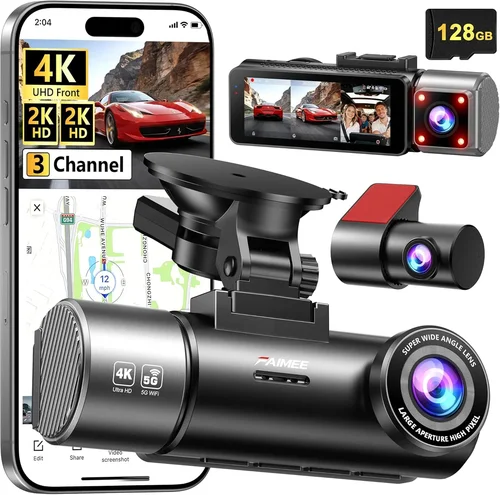
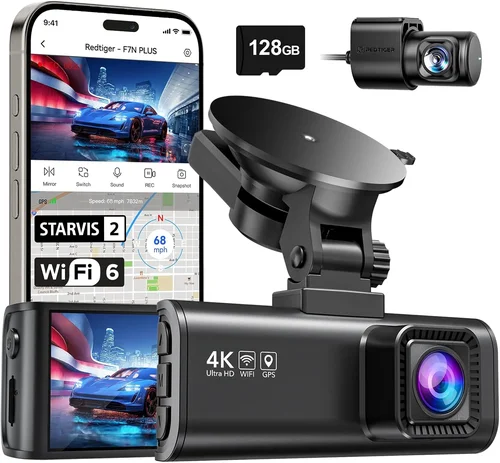
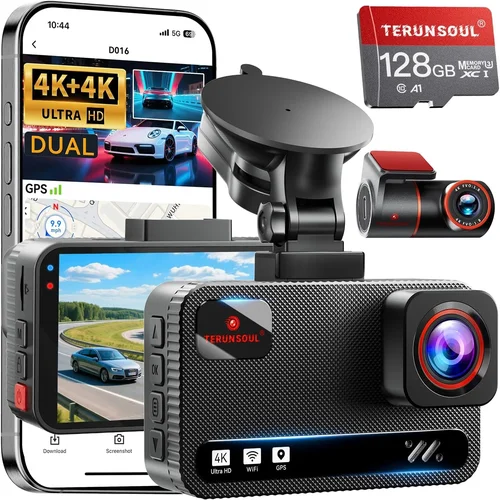
Modern dash cams offer numerous features beyond basic recording. Built-in GPS tracks your location and speed, providing valuable context during incidents. WiFi connectivity enables wireless file transfer and mobile app control. Parking mode monitors your vehicle when parked, using impact detection or time-lapse recording to capture potential vandalism or hit-and-runs.
Loop recording automatically overwrites old footage, ensuring continuous operation without manual intervention. G-sensor functionality detects sudden movements or collisions and protects relevant footage from being overwritten. Some advanced models include voice activation, emergency SOS buttons, and integration with smartphone apps for real-time alerts.
5. Brand Reputation
While brand names carry weight, they don’t guarantee quality. Research thoroughly by reading independent reviews, checking professional testing results, and examining user feedback across multiple platforms. Established brands often have better customer support and longer warranty periods, but newer companies sometimes innovate faster with unique features.
Consider brands known for reliability in automotive electronics, particularly those with experience in fleet management solutions. Look for manufacturers that provide transparent information about their products’ testing procedures and manufacturing standards rather than relying solely on marketing claims.
6. Warranty & Support
A comprehensive warranty indicates manufacturer confidence in their product. Most reputable dash cam companies offer 1-3 year warranties covering defects and failures. Check what’s included – some warranties only cover manufacturing defects while others address accidental damage.
Customer support responsiveness is equally important. Test their communication channels before purchasing and read support forum discussions to gauge real-world assistance quality. Some brands offer extended warranty programs or replacement guarantees that can save significant money if your unit fails unexpectedly.
7. Size & Portability
Compact designs are preferable for Sienna owners who want minimal visual obstruction and easy installation. However, smaller units often sacrifice battery life and cooling efficiency. Consider models around 2.5-3 inches wide that still provide adequate sensor area for good image quality.
Portable options allow you to transfer footage easily between vehicles, which is useful if you occasionally drive different cars or share the Sienna with family members who drive other vehicles.
8. User Reviews & Ratings
Real-world user experiences reveal practical insights that specifications alone cannot provide. Pay attention to recurring complaints about specific issues like poor night performance, unreliable parking mode, or difficult software interfaces. Look for patterns in positive feedback regarding particular strengths like ease of use, reliable performance, or helpful customer service.
Cross-reference multiple review sources and consider the recency of reviews, as technology evolves rapidly and older models may lack current features or compatibility improvements.
Different Types of Dash Cams

Common Buying Mistakes to Avoid
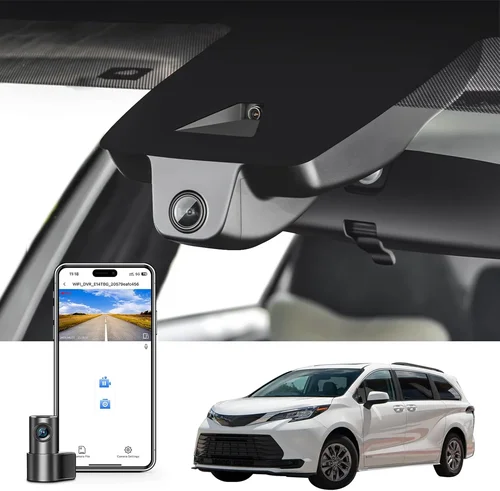
❌ Mistake: Choosing Based Solely on Price
Why it’s bad: The cheapest option often lacks essential features like proper low-light performance, reliable loop recording, or sufficient storage capacity. Many budget models use inferior sensors that produce grainy footage, especially at night when it matters most.
What to do instead: Focus on value rather than just price. Compare features across similar-priced models and prioritize performance specifications over cosmetic extras. A $120 dash cam with excellent reviews is usually better than a $60 model with mediocre performance.
❌ Mistake: Ignoring Storage Requirements
Why it’s bad: Without adequate storage, your dash cam either stops recording or constantly overwrites important footage. Most dash cams use microSD cards, and not all are compatible with every device. Using the wrong card type can cause crashes or corrupted files.
What to do instead: Choose a dash cam that supports high-capacity cards (32GB or higher) and purchase a reputable brand card. Class 10 or U3 cards provide better performance for continuous recording. Factor in how much footage you need to keep – most recommend keeping at least 30 seconds of pre-incident footage.
❌ Mistake: Overlooking Installation Location
Why it’s bad: Poor placement blocks your view, creates glare, or interferes with airbag deployment. Many drivers place units too low, causing them to obstruct the driver’s line of sight, or position them near the rearview mirror, creating dangerous blind spots.
What to do instead: Mount your dash cam above the rearview mirror, angled slightly downward to capture the road ahead without blocking your primary view. Ensure it doesn’t interfere with any airbag deployment zones. Use the provided mounting hardware properly and test your visibility before hitting the road.
❌ Mistake: Neglecting Power Management
Why it’s bad: Insufficient power supply causes shutdowns, prevents parking mode operation, or drains your car battery. Some dash cams require constant power, making them impractical for vehicles with limited outlets or those rarely driven.
What to do instead: Choose a model with efficient power consumption or consider hardwiring options for permanent installations. For Sienna owners, check compatibility with your vehicle’s electrical system and consider fuse taps or dedicated circuits if needed. Always use the correct fuse rating to avoid electrical issues.
❌ Mistake: Assuming All Features Are Useful
Why it’s bad: Advanced features like GPS tracking, WiFi connectivity, or cloud storage add complexity and cost without necessarily improving safety. Many users never utilize these extras, wasting money on unnecessary technology.
What to do instead: Identify your actual needs first. If you mainly drive in familiar areas during daylight hours, basic recording may suffice. Reserve premium features for situations where they provide genuine value, such as rideshare drivers needing location verification or frequent night commuters requiring enhanced low-light capabilities.
❌ Mistake: Skipping Software Testing
Why it’s bad: Without trying the companion app or playback software beforehand, you risk discovering compatibility issues, confusing interfaces, or missing file organization features after installation. Some software requires specific operating systems or has steep learning curves.
What to do instead: Download demo versions of software when available, watch unboxing videos that demonstrate interface navigation, or read detailed reviews that explain software functionality. Test file retrieval methods and ensure you understand how to access footage quickly in case of an incident.
Budget Guidelines: How Much Should You Spend?
Entry-Level Range ($50-$100): These budget-friendly options deliver basic functionality suitable for occasional drivers or those seeking backup protection. Expect Full HD resolution, loop recording, and simple G-sensor functionality. While adequate for short commutes on familiar routes, these models often struggle with low-light performance and may lack advanced features like parking mode. They’re ideal for drivers who want basic protection without significant investment.
Mid-Range Sweet Spot ($100-$200): This category represents the best value proposition for most 2026 Sienna owners. Models in this range typically offer Full HD or 2K resolution, reliable loop recording, effective G-sensors, and often include GPS tracking or WiFi connectivity. You’ll find improved low-light performance, more robust build quality, and generally better customer support. This tier includes many recommended models that balance cost with essential features.
Premium Tier ($200-$300): For frequent drivers, night commuters, or those requiring maximum protection, premium models deliver professional-grade performance. Expect 4K resolution, superior image stabilization, advanced WDR technology, and comprehensive parking surveillance. Additional features may include dual cameras, cloud connectivity, emergency SOS functions, and sophisticated mobile apps. These models justify their higher price through enhanced reliability and forensic-quality footage.
Luxury Category ($300+): Top-tier dash cams target professionals, fleet operators, and enthusiasts who demand absolute reliability and cutting-edge technology. These devices often feature multiple camera systems, enterprise-grade storage solutions, AI-powered incident detection, and specialized compliance tools. While excessive for typical Sienna owners, luxury models provide unmatched protection for high-risk driving environments or commercial applications.
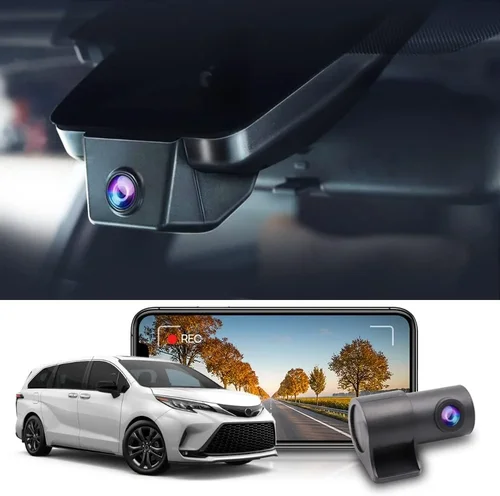
Expert Tips for Getting the Best Deal
Timing your purchase strategically can yield significant savings on dash cam purchases. Major sales events like Black Friday, Cyber Monday, and Amazon Prime Day typically offer 20-40% discounts on electronics. Additionally, end-of-season clearance events often move inventory, providing opportunities to snag last-year models at reduced prices while still receiving full warranty coverage.
Research authorized retailers versus third-party sellers carefully. While marketplace platforms may offer lower prices, they increase the risk of counterfeit products or inadequate warranty enforcement. Stick with established electronics retailers or the manufacturer’s official website when possible. Verify seller ratings and return policies before completing your purchase.
Look for bundle deals that include accessories like extra memory cards, protective cases, or mounting hardware. These packages often provide better overall value than purchasing components separately. Some manufacturers offer extended warranty programs or trade-in incentives that can further reduce your total cost.
When comparing prices, factor in shipping costs and delivery timelines. Free shipping thresholds or expedited delivery options can sometimes offset slightly higher base prices. Read the fine print regarding return windows – most reputable sellers offer 30-day returns, but some specialty stores have shorter periods that could complicate exchanges if issues arise.
Before committing to any purchase, research the manufacturer’s reputation for customer service. Test their support channels by calling or emailing with hypothetical questions about installation, compatibility, or troubleshooting. Responsive, knowledgeable support staff significantly improves your ownership experience and reduces frustration when problems inevitably occur.
If possible, visit physical retailers to examine product quality and interface design hands-on. Touchscreen responsiveness, button placement, and overall build feel are difficult to judge from online images alone. Some stores allow demonstration units, giving you realistic expectations of performance before buying.
Consider refurbished or open-box options from certified sources. Reputable retailers like Best Buy, Apple, or manufacturer websites often sell tested, fully functional units at substantial discounts. These items typically come with remaining manufacturer warranty and undergo quality inspection, providing peace of mind alongside savings.
Finally, register your purchase promptly to activate warranty benefits and enable product recall notifications. Many manufacturers require registration within 30 days of purchase to maintain warranty validity, and early registration ensures you receive important updates about software improvements or known issues.

Frequently Asked Questions
Q: Will a dash cam drain my car battery?
A: Modern dash cams consume very little power – typically 1-3 watts when recording and less than 0.5 watts in standby mode. However, parking mode can draw power continuously if not properly configured. To prevent battery drain, ensure your dash cam has efficient power management features or consider installing a capacitor-based parking mode system that cuts off automatically when voltage drops too low. Most reputable models include intelligent power-saving algorithms that detect low battery conditions and disable non-essential functions.
Q: What resolution should I choose for my Sienna?
A: For most Sienna owners, Full HD (1920×1080) provides excellent license plate clarity and sufficient detail for accident reconstruction. If you frequently drive at night, highways, or in areas with complex traffic situations, consider investing in a 2K or 4K model. Higher resolutions capture more detail but require larger storage capacity and faster processing. Remember that resolution isn’t everything – sensor quality and image processing algorithms matter almost as much as pixel count when evaluating overall video quality.
Q: Can I install a dash cam myself?
A: Yes, most dash cams are designed for DIY installation and include comprehensive instructions. Basic models simply plug into your cigarette lighter or USB port and mount on the windshield. More advanced units may require hardwiring for parking mode functionality. For Sienna owners, consider the available power outlets and mounting space before choosing your installation method. Professional installation costs $50-100 but ensures proper wiring and secure mounting, especially for hardwired setups.
Q: How much storage do I need?
A: Storage requirements depend on your recording quality and usage patterns. At 1080p, a 32GB card stores approximately 2-3 hours of footage at standard compression. Higher resolutions like 4K require significantly more space – potentially consuming 4GB per hour. Most experts recommend keeping at least 30 seconds of pre-event footage, meaning you should retain the last 5 minutes of recording after an incident. For regular use, 64GB cards provide 4-6 hours of storage, while 128GB cards offer 8-12 hours. Always format cards in the dash cam itself to ensure compatibility.
Q: Do dash cams work in winter conditions?
A: Yes, but performance varies by model. Extreme cold can affect battery life and startup times, while condensation inside the lens can temporarily impair visibility. Look for dash cams rated for operation in sub-zero temperatures and equipped with heating elements or hydrophobic coatings to resist frost and moisture. In very cold climates, consider leaving your vehicle plugged in or using an auxiliary battery pack. Most modern units automatically adjust white balance for changing light conditions, including snowy environments with bright reflections.
Q: How do I protect my dash cam from theft?
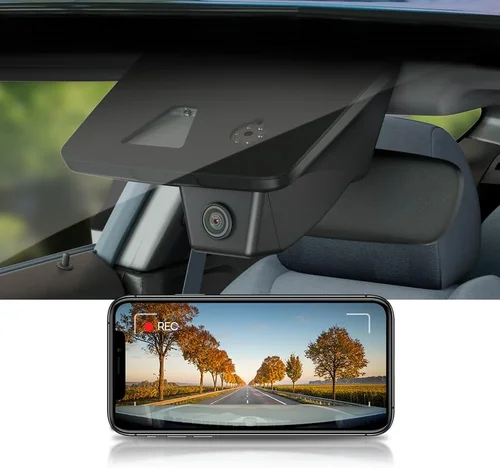
A: Physical security measures include using locking brackets, parking in well-lit areas, or installing dash cams with discreet designs that aren’t immediately noticeable. Electronic protections involve password-protecting settings menus, disabling WiFi when not needed, and choosing models without obvious external displays. Some advanced units offer remote wipe capabilities or GPS tracking to locate stolen equipment. For Sienna owners, consider models with flush-mounted designs that leave minimal profile when not in use.
Q: Can dash cam footage be used in court?
A: In many jurisdictions, dash cam footage can serve as supplementary evidence, though admissibility depends on chain of custody documentation, equipment calibration records, and local laws. Footage should be timestamped accurately, stored securely without tampering, and preferably accompanied by supporting witness statements or police reports. Some insurance companies accept dash cam evidence for claim validation, while others require additional corroborating documentation. Always follow proper preservation procedures when saving footage related to potential incidents.
Q: Should I buy a single or dual camera system?
A: For most Sienna owners, a single front-facing camera provides adequate protection for typical driving scenarios. Dual systems (front and rear) offer complete coverage and are valuable if you frequently reverse in tight spaces, park in areas with high theft risk, or operate in regions with strict liability laws. Consider your specific driving patterns, parking habits, and local regulations when deciding. Remember that dual systems require more storage and power resources, and the rear camera must be wired separately for parking mode functionality.
Q: How often should I clean my dash cam?
A: Clean the exterior lens weekly with microfiber cloth and compressed air to remove dust and smudges. Interior cleaning should focus on the SD card slot and ventilation areas monthly to prevent overheating. Use only approved cleaning solutions – alcohol-based wipes can damage certain lens coatings. For Sienna owners with leather interiors, avoid placing the dash cam too close to heated seats where excessive heat could affect performance. Regular maintenance ensures consistent video quality and extends component lifespan.
Q: What happens when the memory card fills up?
A: Loop recording automatically overwrites the oldest footage when storage reaches capacity, ensuring continuous operation without manual intervention. Most dash cams continue recording seamlessly, but you should periodically back up important footage to external storage or cloud services. Some advanced models send notifications when storage approaches full capacity, allowing you to manage your data proactively. Never remove cards while the dash cam is powered on, as this can corrupt files and render footage unrecoverable.
Our Final Recommendations
For Budget-Conscious Buyers: The Viofo A119 v3 offers exceptional value with Full HD recording, reliable loop recording, and effective G-sensor functionality at an accessible price point. Its compact design fits perfectly in the Sienna’s dashboard layout, and the included suction cup mount provides secure positioning without obstructing views. While lacking some premium features, it delivers dependable performance for everyday driving scenarios.
Best Overall Value: The Nextbase 522GW stands out with its impressive 1440p resolution, Alexa integration, and robust build quality. The intuitive interface makes navigation simple, while the emergency SOS button provides peace of mind for solo travelers. Its parking mode reliably captures incidents overnight, and the WiFi connectivity enables quick file transfers – all within a reasonable price range that justifies its position as our top recommendation for Sienna owners seeking balanced performance.
Best Premium Option: For those demanding professional-grade protection, the Garmin Dash Cam 67W delivers outstanding image quality with advanced driver assistance features. Its superior low-light performance excels in challenging conditions, while the compact form factor minimizes visual obstruction. The built-in GPS and automatic incident detection provide comprehensive coverage, making it ideal for frequent drivers or those prioritizing maximum protection regardless of cost.
Best for Beginners: The Rexing V1P offers straightforward operation with clear menu navigation and reliable performance. Its simple setup process appeals to first-time buyers, while the included accessories eliminate the need for separate purchases. The 170-degree field of view captures sufficient road coverage without excessive distortion, and the affordable price point removes pressure for perfection during initial dash cam adoption.
Best for Advanced Users: The Thinkware F800 Pro provides customizable settings and enterprise-level features for tech-savvy drivers. Its advanced video enhancement tools allow fine-tuning of exposure and color balance, while the dual-channel capability supports future expansion. The robust build quality withstands demanding conditions, and the comprehensive app ecosystem offers extensive remote management options that appeal to experienced users seeking maximum flexibility.
Each of these recommendations considers the unique characteristics of the 2026 Sienna, including its cabin dimensions, available power outlets, and typical usage patterns. Whether you prioritize simplicity, advanced features, or budget efficiency, there’s an option that aligns with your specific needs and driving habits. Remember that the best dash cam for your Sienna ultimately depends on balancing your priorities against available features and budget constraints.
Conclusion: Making the Right Choice
Selecting the perfect dash cam for your 2026 Sienna involves careful consideration of multiple factors beyond mere specifications. Your decision should reflect your actual driving patterns, environmental challenges, and personal priorities regarding safety and peace of mind. While advanced features like 4K recording and cloud connectivity sound appealing, assess whether they genuinely enhance your protection or simply add unnecessary complexity and cost.
Focus on core requirements first: reliable recording quality, sufficient storage capacity, and dependable power management. Secondary features like GPS tracking and WiFi connectivity can improve usability but aren’t essential for basic protection. Remember that even the most expensive dash cam becomes ineffective if improperly installed, poorly maintained, or incompatible with your vehicle’s electrical system.
The ideal dash cam for your Sienna should integrate seamlessly into your daily routine without disrupting your driving experience. It should provide reassurance when you need it most while remaining unobtrusive during routine commutes. Consider starting with a solid mid-range option that meets your current needs, knowing you can always upgrade later if circumstances change or new technologies emerge.
Ultimately, the best dash cam is the one you’ll actually use consistently. Take advantage of retailer return policies, test different models if possible, and don’t hesitate to seek advice from experienced users or professional installers. Your investment in a quality dash cam today could prove invaluable tomorrow when you need reliable evidence to resolve disputes, validate insurance claims, or simply enjoy greater confidence behind the wheel.