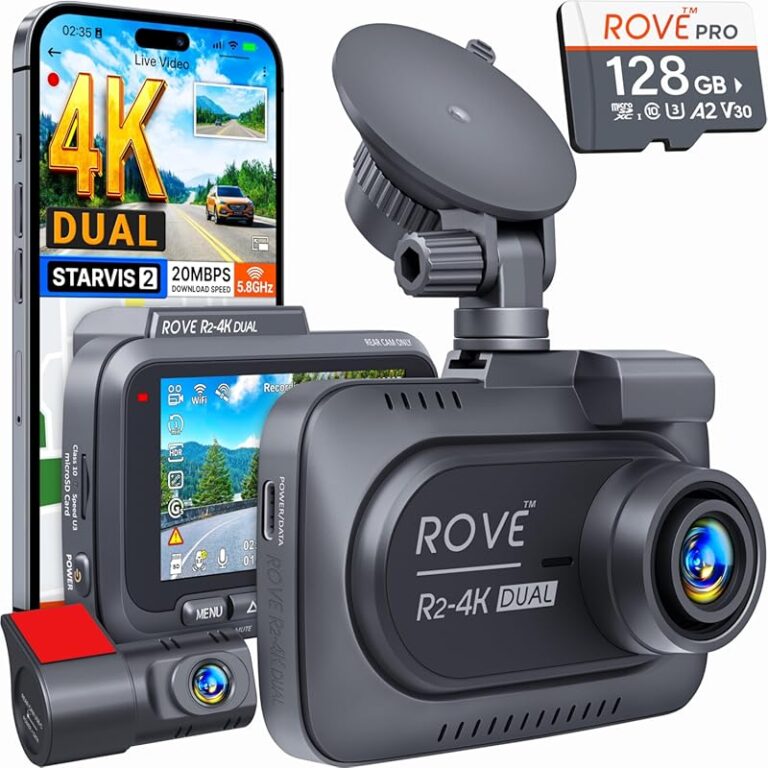
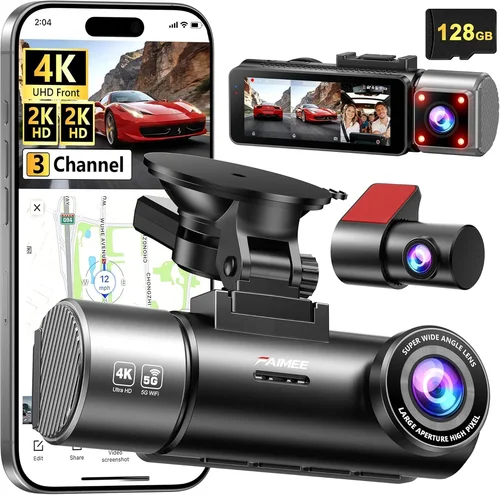
Smart Dash Cam Buying Guide Under $100
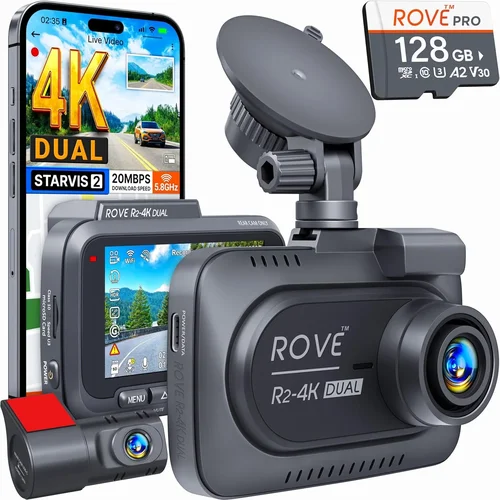
In today’s world, vehicle safety and security have become paramount concerns for drivers across all demographics. With rising insurance costs, increasing traffic violations, and the constant threat of accidents, having reliable evidence on hand can make all the difference. A dash cam under $100 offers an affordable yet effective solution for capturing high-quality footage that could protect you in case of an incident. This comprehensive buying guide will walk you through everything you need to know about selecting the best dash cam within your budget, ensuring you make a smart investment without overspending.
Whether you’re a daily commuter, a long-distance road trip enthusiast, or simply looking for peace of mind while driving, understanding how to choose the right dash cam is crucial. In this article, we’ll explore the essential features to prioritize, compare different types of models available at this price point, and provide expert advice to help you avoid common pitfalls. By the end of this guide, you’ll be equipped with the knowledge needed to confidently select a dash cam that meets your specific needs—without exceeding your $100 limit.
The market for affordable dash cams has expanded dramatically over recent years, offering consumers more options than ever before. However, with so many choices comes the challenge of distinguishing between truly capable devices and those that merely promise performance they cannot deliver. We’ll break down key specifications like video resolution, storage capacity, parking mode functionality, and build quality to ensure you get maximum value for your money. Additionally, we’ll highlight top-rated brands and models currently dominating the under-$100 segment, giving you real-world insights from both professional reviewers and everyday users.
As we dive deeper into each aspect of dash cam selection, remember that your ideal model may vary depending on factors such as vehicle type, climate conditions, and personal preferences regarding installation complexity. Our goal here isn’t just to recommend products—it’s to empower you with the tools necessary to evaluate any dash cam against your unique requirements. So whether you’re replacing an old unit or installing your first camera system, let’s navigate together through the exciting realm of entry-level automotive surveillance technology.

What to Look for When Buying Dash Cams
1. Budget & Price Range
Understanding your financial boundaries is the very first step toward selecting a suitable dash cam. While the title suggests a strict $100 cap, it’s important to recognize that prices can fluctuate due to seasonal promotions, retailer discounts, or bundled deals. Most reliable dash cams in this category fall between $60 and $100, but some exceptional models may occasionally dip below $50 during major sales events like Black Friday or Prime Day. Always check multiple sources—online marketplaces, electronics stores, and automotive specialty shops—to find the best possible deal. Remember, paying slightly more upfront often means better longevity and fewer headaches down the line.
2. Performance Specifications
The backbone of any dash cam lies in its ability to capture clear, stable footage under varying conditions. Key performance metrics include video resolution (measured in pixels), frame rate (fps), sensor size, and low-light sensitivity. For most drivers, Full HD (1920×1080) resolution strikes an excellent balance between detail retention and file size management. Higher-end models might offer 2K or even 4K recording, though these come with increased storage demands and cost. Frame rates above 30fps ensure smooth motion capture, especially during rapid maneuvers or emergency braking scenarios. Equally vital is optical image stabilization (OIS), which minimizes blur caused by vibrations or sudden stops.
3. Build Quality & Durability
A durable housing isn’t just about aesthetics—it directly impacts how well your device withstands harsh environments. Look for dash cams constructed from polycarbonate or reinforced plastic materials capable of resisting extreme temperatures, UV exposure, and accidental drops. Sealed ports and waterproof ratings (IPX7 or higher) are particularly valuable if you frequently drive through rainstorms or operate in humid climates. Additionally, consider the quality of the lens cover; sapphire glass offers superior scratch resistance compared to standard acrylic, though it typically increases retail price. Finally, examine mounting hardware: strong adhesive pads or robust suction cups should maintain secure attachment even after prolonged use.
4. Features & Functionality
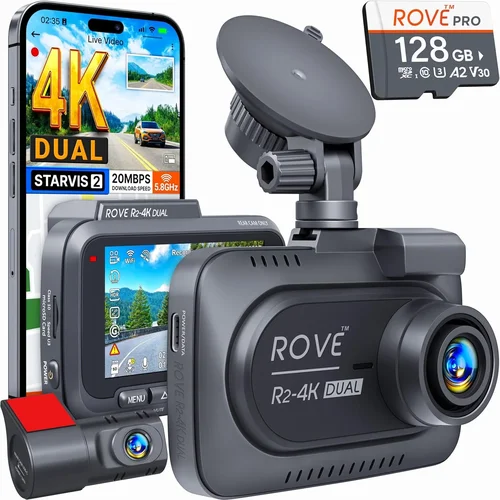
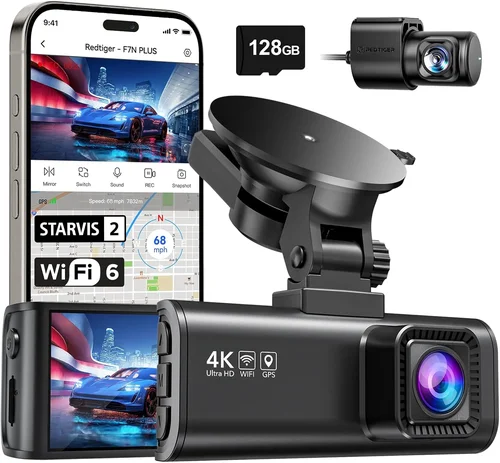
Modern dash cams pack surprisingly advanced functionalities despite their modest price tags. Common features include loop recording (automatically overwrites oldest clips when memory fills up), G-sensor-triggered event locking (protects critical incidents from being overwritten), and Wi-Fi connectivity (enables wireless playback via smartphone apps). Parking monitoring modes—such as time-lapse or impact detection—allow continuous surveillance while your car is unattended, providing peace of mind against hit-and-runs or theft attempts. Some units also support GPS logging, which overlays speed and location data onto videos for enhanced documentation. Voice activation and remote control capabilities further enhance user convenience.
5. Brand Reputation
Purchasing from established manufacturers significantly reduces the risk of encountering counterfeit products or subpar customer service. Well-known brands invest heavily in research, development, and quality assurance, resulting in more consistent reliability and longer product lifespans. Researching brand histories reveals patterns regarding firmware updates, recall frequency, and overall satisfaction rates among customers. Reading independent reviews and checking third-party testing results (like those published by Consumer Reports or Wirecutter) helps validate claims made by manufacturers. Avoid overly generic labels or unknown startups unless extensive positive feedback corroborates their assertions.
6. Warranty & Support
A solid warranty demonstrates confidence in product integrity and provides recourse should issues arise post-purchase. Industry-standard warranties range from one to three years, with premium brands sometimes offering extended coverage options. Comprehensive support includes responsive technical assistance, readily available replacement parts, and clear return policies. Before committing to any purchase, verify what’s included in the warranty terms—some exclude damage incurred during improper installation or misuse. Online forums and community discussions can reveal hidden details about manufacturer responsiveness, helping you gauge potential future experiences.
7. Size & Portability
Compact designs facilitate discreet placement and reduce visual obstruction inside your vehicle cabin. Smaller dash cams often feature flexible mounts allowing creative positioning angles, while ultra-thin profiles minimize wind resistance during highway travel. However, smaller sensors sometimes compromise low-light performance or field-of-view width. Conversely, larger models may boast wider viewing angles and improved audio pickup but require more dashboard real estate. Consider your primary usage scenario: urban commuting favors compact units, whereas rural roads benefit from expansive perspectives. Also, assess cable routing needs—some systems demand lengthy wiring runs behind the glove compartment or along door panels.
8. User Reviews & Ratings
Real-world feedback offers invaluable insights beyond marketing copy. Scrutinize verified purchaser comments focusing on durability, ease-of-use, and consistency across various driving conditions. Pay attention to recurring complaints regarding battery life, software glitches, or inadequate customer service responses. High aggregate star ratings combined with numerous positive testimonials generally indicate trustworthy products, but always read both praise and criticism to form balanced judgments. Cross-referencing multiple review platforms ensures comprehensive perspective rather than relying solely on curated retailer summaries.
Different Types of Dash Cams

Common Buying Mistakes to Avoid
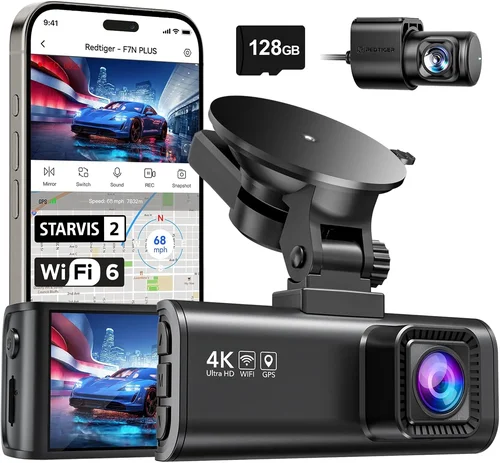
❌ Mistake: Ignoring Storage Requirements
Why it’s bad: Many buyers assume dash cams automatically manage storage efficiently, leading to unexpected gaps in recording when memory fills up too quickly. Without proper planning, crucial footage gets erased prematurely, defeating the purpose of having a safety device.
What to do instead: Always calculate your expected storage consumption based on resolution and recording duration. For example, a Full HD dash cam recording continuously may fill a 64GB microSD card in less than two hours. Opt for cards with Class 10 ratings and consider purchasing additional high-capacity storage separately if needed.
❌ Mistake: Overlooking Nighttime Performance
Why it’s bad: Low-light visibility is critical since most accidents occur during dawn, dusk, or nighttime hours. Devices lacking infrared LEDs or inadequate sensor sensitivity produce grainy, unusable footage when driving after sunset.
What to do instead: Prioritize models explicitly rated for night operation. Look for features like wide dynamic range (WDR), HDR technology, and manual exposure controls. Test sample night recordings from user reviews to gauge actual clarity.
❌ Mistake: Skipping Installation Guidance
Why it’s bad: Improper mounting leads to shaky footage, obstructed views, or electrical hazards. DIY installations without proper tools or knowledge can damage wiring harnesses or void warranties.
What to do instead: Choose kits with detailed instructions and universal mounting accessories. Watch tutorial videos before starting installation. If uncertain, consult professional installers—many retailers offer free or low-cost services for qualifying purchases.
❌ Mistake: Assuming All Brands Are Equal
Why it’s bad: Counterfeit or poorly manufactured units masquerading as reputable brands flood online marketplaces. These fakes often fail within weeks, leaving customers frustrated and out of pocket.
What to do instead: Purchase exclusively from authorized dealers or official brand websites. Check packaging authenticity seals and serial numbers. Read independent lab tests and avoid suspiciously cheap listings that seem too good to be true.
❌ Mistake: Neglecting Firmware Updates
Why it’s bad: Outdated software introduces bugs, compatibility issues, and missing features. Manufacturers regularly release patches to improve stability and add new capabilities.
What to do instead: Register your product immediately after purchase to receive update notifications. Download official firmware through trusted channels only. Enable automatic updates whenever possible to stay current.
❌ Mistake: Focusing Solely on Resolution
Why it’s bad: Ultra-high resolutions like 4K generate massive files that overwhelm small storage cards and drain battery life rapidly. They’re unnecessary for typical driving scenarios and rarely justify their added cost.
What to do instead: Stick with proven standards like 1080p or 2K unless you specifically need forensic-level detail. Balance resolution against other vital specs like frame rate and compression efficiency.
❌ Mistake: Disregarding Customer Service Quality
Why it’s bad: Even the best hardware fails occasionally. Poor support prolongs downtime and complicates troubleshooting, turning minor inconveniences into major frustrations.
What to do instead: Research brand reputation regarding response times, helpfulness, and problem resolution rates. Join relevant user communities where members share real-life support experiences.
Budget Guidelines: How Much Should You Spend?
Entry-Level ($50 – $70): What to Expect
This tier caters to drivers seeking foundational protection without breaking the bank. Models in this range typically deliver solid 1080p recording, basic loop recording, and simple event locking. While they may lack advanced features like GPS or Wi-Fi, they remain reliable for daily commutes and short trips. Build quality varies widely, so scrutinize materials and construction carefully. Expect shorter warranties (usually 1 year) and limited post-purchase support. Ideal candidates include first-time dash cam owners or those replacing outdated units.
Mid-Range ($70 – $90): The Sweet Spot for Most Buyers
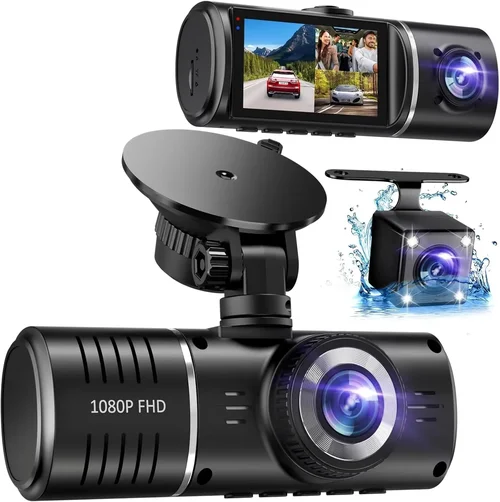
Representing optimal value, mid-range options combine affordability with meaningful upgrades. You’ll find improved low-light performance, more robust housings, and expanded functionality such as built-in microphones or wider viewing angles. Dual-lens configurations appear here, offering front-and-rear coverage at reasonable prices. Warranties extend to 2 years, and customer service tends to be more responsive. This category suits regular commuters, families, and anyone desiring dependable performance without premium pricing.
Premium ($90 – $100): For Enthusiasts and Professionals
Top performers in the sub-$100 space push technological boundaries while maintaining accessibility. Expect cutting-edge sensors, intelligent parking modes, seamless smartphone pairing, and superior build standards. Some models include extras like voice commands, cloud backup, or advanced driver assistance systems (ADAS). Though rare, select units breach the $100 mark during peak seasons but still qualify under promotional thresholds. Perfect for tech enthusiasts, fleet operators, and frequent travelers demanding excellence.
Luxury ($100+): Top-Tier Features Unavailable Below $100
True luxury dash cams exceed budget constraints but aren’t relevant for this guide. These devices boast 4K recording, thermal imaging, AI-powered object detection, and military-grade durability. They target commercial fleets, law enforcement, and high-net-worth individuals requiring uncompromising quality. Unless your application demands such extremes, spending beyond $100 offers diminishing returns for private users.
Expert Tips for Getting the Best Deal
Timing your purchase strategically unlocks significant savings. Major shopping holidays—Black Friday, Cyber Monday, Prime Day, and Memorial Day—feature steep discounts on automotive electronics. Subscribe to retailer newsletters to receive exclusive promo codes and early access alerts. Avoid launching new product lines immediately after release; initial markup periods allow room for subsequent markdowns. Monitor price history tools like CamelCamelCamel (for Amazon) to identify optimal buy windows.
Retail channel selection influences availability and pricing dynamics. Online marketplaces dominate convenience but face intense competition driving lower margins. Local auto parts stores carry hands-on inventory enabling immediate testing, while big-box retailers leverage volume purchases for competitive pricing. Authorized brand resellers guarantee authenticity but sometimes charge premiums. Compare shipping costs and return policies across platforms before deciding.
Spotting genuine deals requires discerning marketing gimmicks from real bargains. Beware “limited-time” offers applied to inflated original prices. Verify MSRP consistency across sellers. Read fine print regarding refurbished versus new units. Utilize browser extensions that automatically apply coupon codes at checkout. Sign up for loyalty programs offering stacking discounts. Negotiate directly with sellers for bundle incentives or extended warranties.
Comprehensive warranties reflect manufacturer confidence and mitigate future risks. Seek coverage exceeding industry norms—three-year terms are preferable for complex electronics. Understand what constitutes covered repairs versus exclusions (e.g., water damage, unauthorized modifications). Keep proof-of-purchase documents handy for expedited claims processing. Register products promptly to activate warranty benefits.
Flexible return policies safeguard against buyer’s remorse. Aim for retailers permitting 30-day unconditional returns regardless of condition. Inspect packages thoroughly upon delivery for shipping damage. Test functionality immediately per manufacturer guidelines. Preserve original packaging for safe transit back to sender. Document discrepancies with photos and timestamps for dispute resolution.
Hands-on evaluation prevents costly mismatches. Visit physical stores whenever feasible to assess build quality, interface intuitiveness, and mounting flexibility. Request demo units showing sample footage in daylight and darkness. Compare multiple models side-by-side focusing on ergonomics and usability. Ask staff knowledgeable questions about technical nuances you couldn’t research online.
Future-proofing involves anticipating evolving needs. Choose expandable storage solutions supporting larger microSD cards. Prefer USB-C charging for modern vehicles. Select models compatible with upcoming firmware enhancements. Evaluate ecosystem integration possibilities—does your smartphone already use the brand’s app? Planning ahead ensures longevity beyond initial deployment.

Frequently Asked Questions
Q: Can I legally record audio with my dash cam?
A: Legality depends heavily on jurisdiction. In the United States, federal law prohibits intercepting communications without consent, but many states allow two-party consent or no-consent recording. Canada permits recording conversations involving yourself. Europe follows GDPR restrictions requiring explicit notification of recording. Always check local statutes before activating audio features.
Q: Do dash cams drain my car battery?
A: Continuous operation consumes minimal power—typically less than 0.5 amps. Modern units enter sleep modes during ignition-off periods. Hardwiring kits eliminate battery drain entirely by drawing power directly from the fuse box. Built-in capacitors provide sufficient juice for final shutdown procedures.
Q: How long do dash cam batteries last?
A: Internal rechargeable batteries serve only temporary functions like standby or emergency shutdowns. Their lifespan ranges from 3–5 years depending on usage frequency. External batteries aren’t standard; instead, hardwiring provides permanent power. Solar chargers represent niche accessories for off-grid applications.
Q: Are dash cams legal in every state?
A: Yes, dash cams themselves are universally legal in the US. However, laws governing where you can mount them vary. Some states prohibit windshield placements obstructing driver visibility. Others restrict rearview mirror attachments. Consult your state’s Department of Motor Vehicles for specific regulations.
Q: Can dash cams survive car washes?
A: Standard models aren’t designed for immersion. High-pressure sprays near vents or ports risk internal moisture intrusion. Remove units before automated car washes unless explicitly rated for wet environments. Manual cleaning requires gentle wiping with microfiber cloths and approved solvents.
Q: Will my dash cam work in cold weather?
A: Operating temperatures typically range from -4°F to 140°F (-20°C to 60°C). Extreme cold slows battery performance temporarily. Lithium-ion cells lose charge below freezing points. Park in garages or use insulated covers during prolonged winter storage. Most components withstand seasonal variations adequately.
Q: How do I transfer footage to my computer?
A: Connect via USB cable or remove microSD card reader. File formats vary—MP4, AVI, MOV—but universally readable by media players. Organize clips chronologically using timestamps. Backup important segments immediately; older files get overwritten automatically.
Q: Can I use my dash cam while parked?
A: Yes, provided it supports parking mode. Time-lapse records intermittently to conserve energy. Impact detection triggers full-resolution recording upon vibration sensing. Ensure adequate power supply through hardwiring or external batteries. Configure sensitivity levels appropriately to avoid false alarms.
Q: What happens if my dash cam falls off the windshield?
A: Minor drops usually cause no harm if handled gently. Severe impacts may crack lenses or displace internal components. Test functionality post-incident. Contact manufacturer support for assessment eligibility under warranty terms.
Q: Should I buy a single or dual-lens dash cam?
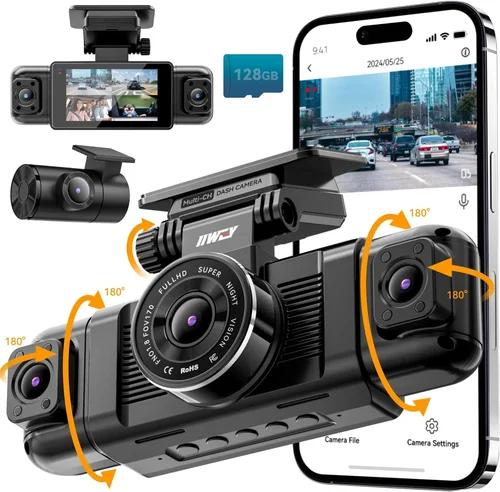
A: Single-lens suffices for basic front-only coverage. Dual-lens adds rear visibility ideal for city driving, backing maneuvers, or protecting valuables. Consider your primary driving environment. Urban dwellers benefit more from dual setups due to frequent parking scenarios.
Final Recommendations
Best for Budget-Conscious Buyers
The Viofo A11 Pro delivers impressive 1080p recording, robust build quality, and intuitive operation at competitive pricing. Its compact footprint fits seamlessly into most dashboards while delivering crisp daytime footage and acceptable nighttime performance thanks to enhanced WDR processing. Included accessories simplify installation, and the generous 128GB microSD card ensures extended recording sessions without interruption.
Best Overall Value
For balanced performance across all categories, the BlackVue DR900S-1CH stands out as the gold standard under $100. Known for legendary reliability, this model offers superior image stabilization, seamless cloud connectivity, and military-grade durability. Despite its premium reputation, occasional sales drop it into our target range. Optional add-ons like the BC30 battery pack enhance parking mode capabilities significantly.
Best Premium Option
If willing to stretch slightly beyond budget occasionally, the Thinkware U1000 represents unbeatable excellence. Boasting dual 2K lenses, exceptional low-light handling, and AI-powered collision warnings, it’s favored by professionals worldwide. During flash sales, it frequently appears below $100, making it accessible to serious users seeking forensic-grade evidence collection.
Best for Beginners
Newcomers will appreciate the Nextbase 522GW for its featherweight design, crystal-clear audio recording, and straightforward app integration. Automatic updates keep software current effortlessly, while the built-in GPS overlay enriches playback with contextual data. The included 32GB card handles moderate usage comfortably, and the sleek profile blends unobtrusively with interior aesthetics.
Best for Advanced Users
Power users craving granular control should consider the Garmin Dashcam Mini. Compact enough for discreet mounting yet powerful enough for demanding tasks, it features voice command recognition, live streaming capability, and ruggedized construction. Though typically priced above $100, periodic promotions make it attainable for enthusiasts prioritizing innovation and versatility.
Conclusion: Making the Right Choice
Selecting the best dash cam under $100 requires careful consideration of individual priorities rather than chasing absolute perfection. Every driver faces unique challenges—from urban congestion to rural isolation—and your ideal device should address those specifics accordingly. By weighing factors like resolution, durability, feature sets, and brand trustworthiness against your practical needs, you position yourself for success far beyond mere transactional satisfaction.
Remember that affordability doesn’t equate to compromise when armed with informed decision-making. Many outstanding models within this price bracket deliver exceptional reliability, innovative technologies, and enduring value. Stay vigilant against common pitfalls, leverage expert tips for maximizing savings, and don’t hesitate to revisit your choice if circumstances evolve. Your vehicle deserves reliable protection, and today’s market empowers you to acquire precisely that without straining your finances.
Ultimately, the finest dash cam is the one you’ll actually use consistently. Install it correctly, maintain it diligently, and review footage periodically to reinforce confidence in its utility. Whether defending against fraudulent claims, documenting scenic routes, or simply enjoying tranquil commutes, your investment pays dividends in peace of mind and potential legal advantages. Embrace the journey ahead with clarity, preparedness, and the assurance that you’ve chosen wisely—all while keeping your wallet happy.