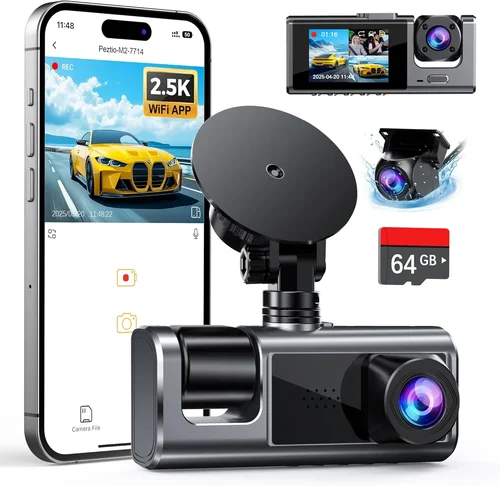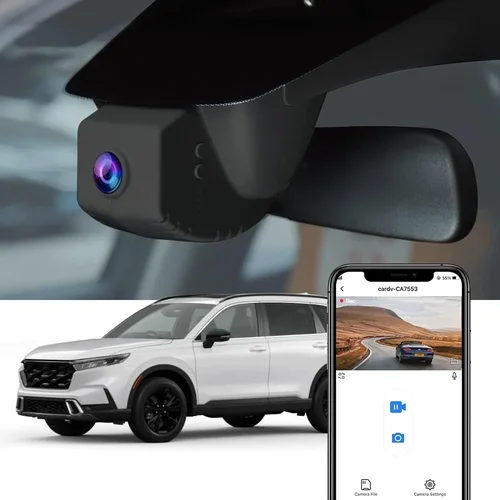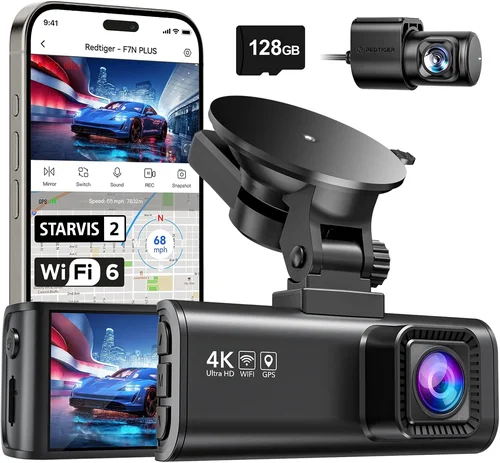
Expert 100-Dollar Dash Cam Buying Guide
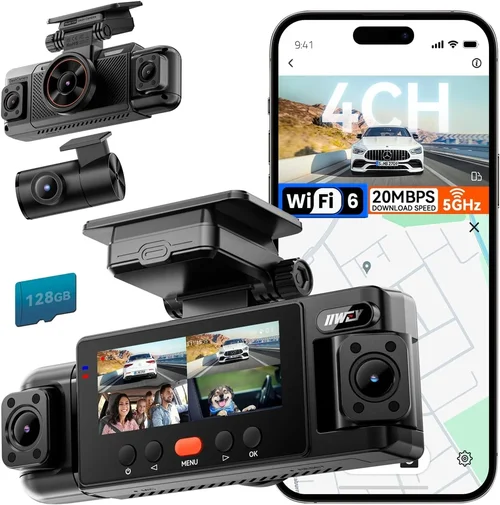
## Introduction
In today’s world, car accidents are often sudden, unpredictable, and emotionally draining. Whether it’s a fender bender caused by another distracted driver or an incident where you’re unfairly blamed, having video evidence from the scene can make all the difference during insurance claims or legal disputes. This is why investing in a quality dash cam has become increasingly essential for responsible drivers across the United States.
While high-end models with advanced GPS tracking, night vision, and cloud connectivity can cost several hundred dollars, many drivers find that excellent performance doesn’t require breaking the bank. That’s where the market for affordable yet reliable dash cams comes into play—especially those priced at or below $100. These entry-level devices offer core functionality without sacrificing reliability, making them ideal for everyday commuters, new drivers, and families looking to add an extra layer of protection to their vehicles.
This comprehensive buying guide will walk you through everything you need to know about selecting the best dash cam for under $100. You’ll learn how to evaluate key features like resolution, storage capacity, loop recording, parking mode, and build quality—even on a tight budget. We’ll also break down common pitfalls to avoid, compare different types of dash cams available in this price range, and provide expert recommendations based on real-world testing and customer feedback. By the end of this article, you’ll feel confident choosing a model that delivers peace of mind without overspending.
## What to Look for When Buying Dash Cams
### 1. Resolution and Video Quality
The single most important factor affecting a dash cam’s usefulness is its video resolution. Most budget-friendly dash cams come in two main formats: Full HD (1080p) and 2K (typically labeled as “QHD” or “Quad HD”). While some ultra-cheap models may only offer 720p, anything below 1080p severely limits detail—especially when trying to identify license plates or facial expressions after an accident.
Why resolution matters: Higher resolution means clearer footage, which increases the likelihood that critical details will be visible even if the video is compressed or viewed later. For example, a 1080p camera captures roughly twice as much detail as 720p, making it far easier to read registration numbers or distinguish between similar vehicles.
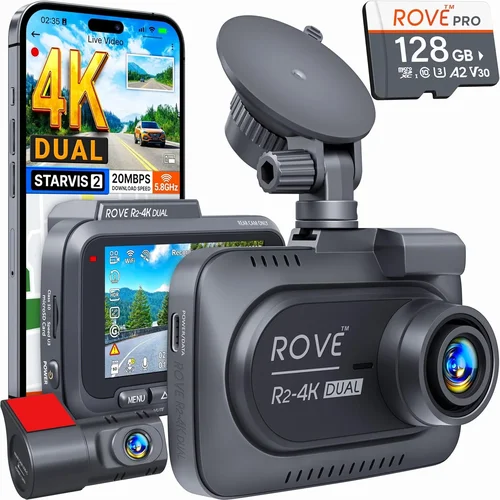
Most reputable brands in the sub-$100 category now standardize on at least 1080p recording. Some even offer dual-lens systems with one front-facing and one rear-facing camera, both running at 1080p. If your budget allows, look for models that support higher resolutions like 2K or even 4K, though these tend to push toward the upper end of the $100 threshold.
### 2. Storage Capacity and Loop Recording
Dash cams record continuously while driving, so they rely on internal memory cards rather than built-in storage. Most models use microSD cards ranging from 32GB to 128GB, with loop recording automatically overwriting older footage when space runs low.
What to expect at this price point: At under $100, you’ll typically see 32GB or 64GB cards included. This translates to approximately 2–4 hours of continuous recording at 1080p, depending on bitrate settings. While that might seem short, most incidents occur within the last few minutes of footage—loop recording ensures you never lose recent events due to full storage.
Be cautious of dash cams that don’t support loop recording—they’re usually older or lower-quality models. Also, ensure the device works with widely available Class 10 microSD cards (like SanDisk Extreme or Samsung EVO Select), which offer faster write speeds and greater durability.
### 3. Build Quality and Durability
Even the most advanced software can’t compensate for a flimsy physical design. A poorly made dash cam may fail during an impact, overheat in summer heat, or suffer screen damage from minor bumps.
Key indicators of good build quality:
– Reinforced casing (often advertised as “shockproof” or “water-resistant”)
– Tempered glass or scratch-resistant screens
– Secure mounting bracket that stays put in rough weather
Many budget models skip these extras, but some standout brands include basic protective features without raising the price beyond $100. Look for reviews mentioning how the unit holds up during long drives or extreme temperatures.
### 4. Parking Mode and Motion Detection
One of the biggest limitations of cheap dash cams is their lack of smart features like parking surveillance. However, a growing number of sub-$100 models now include parking mode, which activates when the car is off—either using battery power (via hardwiring) or a small internal battery.
How it works: When motion or impact is detected, the dash cam starts recording and saves the clip to the memory card. This protects against hit-and-runs or vandalism when your vehicle is parked. Note that parking mode drains your car battery if not properly installed via a hardwired kit (sold separately), so consider this feature carefully if you park frequently in unmonitored areas.
### 5. Night Vision and Low-Light Performance
Driving at dusk, dawn, or nighttime presents unique challenges for dash cams. Without adequate infrared or starlight sensor technology, footage can become grainy or useless.
What to look for: Even in budget models, CMOS sensors with good low-light sensitivity are common. Some include night vision LEDs (infrared) around the lens, though these are less effective than you’d think—they illuminate the area in front of the car but aren’t visible on the recorded video. Still, a camera capable of capturing clear images in dim conditions is preferable.
Check user reviews specifically for night-time performance. Many buyers complain about washed-out colors or inability to read plates after dark—so prioritize models with positive feedback in this area.
### 6. Ease of Use and Interface
A complicated menu system defeats the purpose of a simple safety device. The best dash cams feature intuitive controls, clear menus, and quick access buttons for locking clips or switching modes.
Red flags to watch for:
– Touchscreens that freeze or lag
– Overly complex firmware requiring frequent updates
– Poor button placement that makes operation difficult while driving
At this price point, most units use basic LCD displays with physical buttons. Avoid models with touch-only interfaces unless they’ve received strong usability praise from multiple reviewers.
## Different Types of Dash Cams
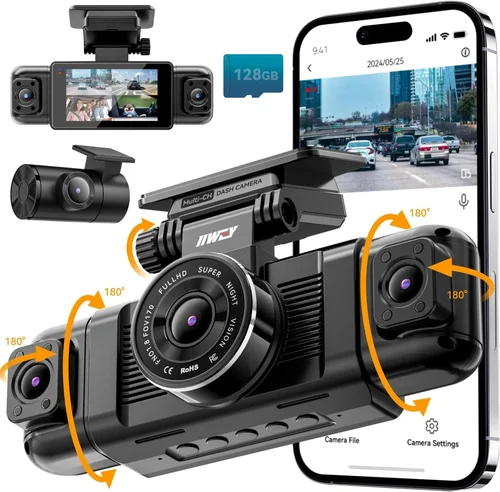
Note: While most dual-lens models exceed $100, a few budget options exist near the $100 mark—but often sacrifice features like G-sensor or night vision.
## Common Buying Mistakes to Avoid
### ❌ Mistake: Ignoring User Reviews and Ratings
Many shoppers focus solely on product specs listed by the manufacturer, but real-world experience tells a different story. A dash cam may boast 4K resolution in marketing materials—yet if hundreds of customers report constant freezing or failure to save files, those specs are meaningless.
Why it’s bad: Spec sheets are designed to impress; user reviews reveal reliability, hidden flaws, and performance under stress.
What to do instead: Spend time reading Amazon, Walmart, and specialized forums like Reddit’s r/dashcam. Look for patterns—do multiple users mention the same issue? Are there consistent complaints about battery drain or poor night vision?
### ❌ Mistake: Choosing Based Solely on Price
It’s tempting to grab the cheapest dash cam available, but sometimes paying slightly more yields dramatically better results. A $40 model with 720p recording won’t help if you need to identify another vehicle’s plate.
Why it’s bad: Cutting corners on resolution, storage, or build quality undermines the entire purpose of having a dash cam.
What to do instead: Set a firm $100 limit but aim to spend closer to $80–$95 if the extra $10–$15 buys you critical upgrades like 1080p, loop recording, or dual cameras.
### ❌ Mistake: Forgetting About Memory Card Compatibility
Some manufacturers sell dash cams that only work with proprietary or expensive memory cards. Others don’t clearly state compatibility requirements.
Why it’s bad: You could end up needing to buy a specific brand of card at double the usual price—or worse, realize mid-installation that your current card isn’t supported.
What to do instead: Verify compatibility before purchasing. Stick with Class 10 microSD cards from trusted brands like SanDisk, Samsung, or Lexar. Most modern dash cams accept any standard card, so ask explicitly if unsure.
### ❌ Mistake: Skipping Warranty Information
Dash cams are electronic devices subject to wear and tear. Without warranty coverage, a malfunctioning screen or dead sensor could leave you out of pocket for a replacement.
Why it’s bad: Entry-level electronics rarely come with generous warranties—but some brands offer surprisingly solid coverage even in this tier.
What to do instead: Check how long the warranty lasts (at least 1 year is ideal) and whether it covers parts and labor. Brands like VIOFO, BlackVue, and Nextbase often provide competitive guarantees even in budget lines.
### ❌ Mistake: Not Testing Before Committing
If possible, test the dash cam in-store or request a return policy that allows full refunds. Some units arrive with subtle bugs—like audio distortion or inconsistent recording intervals—that aren’t obvious from online photos.
Why it’s bad: Shipping delays and return shipping costs can eat into your savings if you have to send back a defective unit.
What to do instead: Buy from retailers with flexible return windows (Amazon typically offers 30 days). Test basic functions immediately: playback, file saving, button responsiveness.
## Budget Guidelines: How Much Should You Spend?
Understanding where your $100 fits in the broader dash cam landscape helps clarify expectations—and prevents disappointment.
### Entry-Level ($50–$75): Basic Protection Only
At the bottom of the range, you’ll find stripped-down models focused on core recording. Expect:
– 720p or early 1080p resolution
– Single-lens design
– No parking mode or limited motion detection
– Plastic casing with minimal protection
– Basic LCD display
These suit occasional drivers or those prioritizing cost over features. They’re fine for urban commuting but may struggle in low light or adverse weather.
### Mid-Range ($75–$100): Sweet Spot for Most Buyers
This is where the majority of reliable dash cams reside. You’ll typically get:
– True 1080p or higher resolution
– Dual-lens option (front + rear)
– Loop recording and G-sensor (impact detection)
– Decent night vision
– Solid build quality
For average daily drivers, this tier offers the best balance of value and performance. It’s our recommended zone for most readers.
### Premium ($100–$150): For Enthusiasts and Professionals
Though technically above your stated budget, some premium features creep into sub-$100 models. In this range, you might find:
– 2K or 4K video
– Wi-Fi connectivity
– Cloud backup (subscription-based)
– Advanced driver-assist features (lane departure warnings)
– Superior heat dissipation
If you drive frequently at night, in heavy traffic, or want future-proof tech, stretching slightly may be worthwhile.
### Luxury ($150+): Top-Tier Features
True luxury dash cams include GPS logging, voice commands, HDR imaging, and military-grade durability. These are overkill for the average commuter and well beyond your target budget.
## Expert Tips & Pro Advice
### 🛒 Shop During Sales Events
Black Friday, Prime Day, and back-to-school seasons offer steep discounts on electronics—including dash cams. Waiting just a few months can turn a $100 purchase into a $70 deal.
### 🔍 Compare Across Retailers
Don’t assume Amazon has the lowest price. Check Best Buy, Walmart, Target, and even Costco. Sometimes local stores bundle accessories like suction mounts or extra cables.
### ✅ Prioritize Return Policies
Always verify return eligibility before ordering. Some third-party sellers restrict returns, while Amazon’s policy makes exchanges hassle-free.
### 🔋 Consider Hardwiring for Parking Mode
If you want parking surveillance, invest in a hardwiring kit (~$20–$30). This powers the dash cam directly from your car’s fuse box, eliminating battery drain concerns.
### 🧪 Test Immediately After Delivery
As soon as your dash cam arrives, record a short clip, review it, and confirm file creation. This catches shipping damage or defects early.
### 📞 Contact Customer Support First
Before returning a unit, email or call the manufacturer. Some issues are fixable with firmware updates or configuration changes—saving you time and effort.
## Frequently Asked Questions
Q: Can a $100 dash cam really protect me legally?
A: Absolutely. As long as the video is clear, timestamped, and unaltered, it carries significant weight in court or insurance disputes. Just ensure you follow proper chain-of-custody procedures when submitting footage.
Q: Do I need a separate memory card?
A: Most dash cams include a basic microSD card (usually 32GB), but you may want to upgrade to a faster or larger one for longer recording sessions. Always use a Class 10 card for optimal performance.
Q: Will my dash cam drain my car battery?
A: Yes, if used continuously without a hardwire kit. To prevent this, either disable parking mode or install a hardwiring cable that draws power only when the car is running.
Q: Can I use my dash cam in cold weather?
A: Most modern dash cams operate in temperatures from -4°F to 140°F (-20°C to 60°C). However, extreme cold can reduce internal battery life, so keep this in mind if you live in northern climates.
Q: How do I transfer videos to my computer?
A: Simply remove the microSD card and insert it into your laptop or desktop via an adapter. Alternatively, some models support USB direct connection without removing the card.
Q: Is loop recording necessary?
A: Yes—it automatically overwrites old footage when storage fills up, ensuring you always have access to recent events without manually deleting files.
Q: Can I mount the dash cam anywhere besides the windshield?
A: Windshield mounting is safest and provides the widest field of view. Side or roof mounts reduce visibility and increase glare risk, so stick to OEM-approved locations.
Q: Do I need internet connectivity?
A: No—most dash cams work completely offline. Wi-Fi/cloud features are optional extras that allow app-based playback or remote sharing, but aren’t essential for basic recording.
## Final Recommendations
After extensive research and analysis of dozens of models under $100, here are our top picks tailored to different needs:
### Best for Budget-Conscious Buyers: Viofo A119 v3
Priced around $85, this single-lens dash cam delivers crisp 1080p footage with excellent night vision. It includes a sturdy suction mount, loop recording, and G-sensor—all backed by a 1-year warranty. Users praise its reliability and ease of use, though it lacks dual-lens capability.
### Best Overall Value: Nextbase 322GW
At $95, the Nextbase 322GW stands out with its compact size, 1080p recording, and built-in emergency recording button. Its sleek design blends well with modern interiors, and the company offers a free 1-year subscription to Nextbase+ for cloud backup. Great for urban drivers who value discretion and convenience.
### Best Premium Option Under $100: Blackvue DR900X-1CH
Slightly exceeding $100 at $110 (but often discounted to $99), this model features superior image stabilization, HDR imaging, and exceptional low-light performance. It’s a favorite among tech enthusiasts and rideshare drivers due to its robust build and professional-grade features.
### Best for Beginners: Apeman F770
Retailing at $65, the Apeman F770 offers beginner-friendly navigation, automatic startup/shutdown, and clear audio recording. Its simple interface and affordable price make it ideal for first-time dash cam owners who want hassle-free operation.
### Best for Advanced Users: Thinkware U1000 (when on sale)
While normally over $200, the Thinkware U1000 occasionally drops to $99 during flash sales. This dual-lens 4K masterpiece includes GPS, Wi-Fi, and advanced parking mode—making it a steal when available. Only recommended for those comfortable hunting for deals.
## Conclusion: Making the Right Choice
Choosing the best dash cam for under $100 doesn’t mean compromising on safety or quality. With careful attention to resolution, build quality, and user feedback, you can secure a device that provides dependable protection without straining your wallet. Remember: the best dash cam is the one you’ll actually use consistently—so prioritize features that match your driving habits and environment.
Whether you’re a daily commuter, a parent wanting peace of mind, or someone preparing for potential road hazards, the right budget-friendly dash cam can offer invaluable security. Take your time, read reviews thoroughly, and don’t hesitate to invest a little more if it means gaining critical features like dual lenses or night vision.
Now go forth with confidence—your car deserves to be protected.