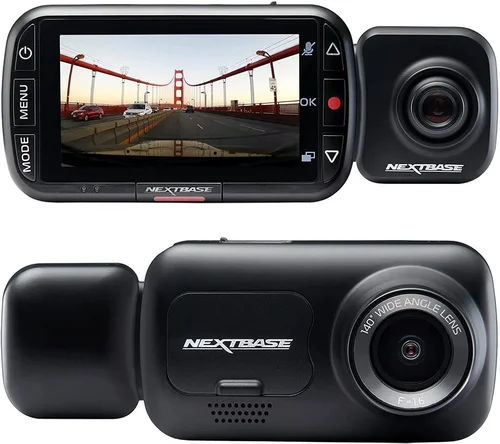
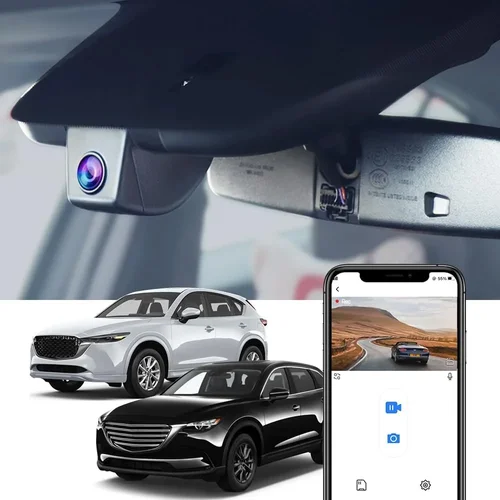
Best Dash Cam 2026 Buying Guide
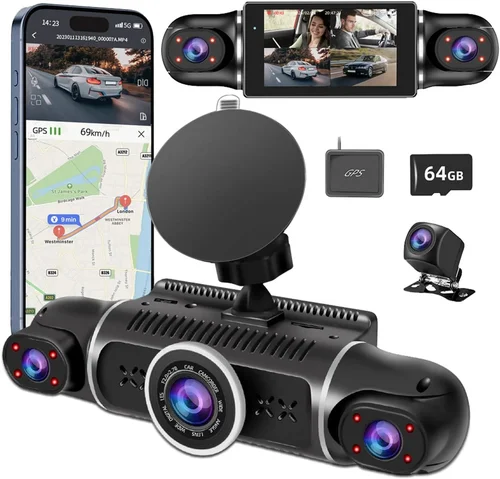
For RV owners, a dash cam isn’t just a convenience—it’s a critical layer of protection and peace of mind. Whether you’re cruising the open highway or parked at a scenic campsite, unexpected incidents can happen in an instant. A reliable dash cam records every moment, offering evidence in case of accidents, theft, or disputes, while also helping drivers stay alert on long journeys. With the rapid advancement of camera technology and connectivity features, the market for dash cams in 2026 offers more options than ever. But with so many models claiming superior performance, how do you choose the best one for your RV?
This comprehensive buying guide is designed to cut through the noise and help you make an informed decision. You’ll learn about the essential features that matter most for RV use, from wide-angle lenses and night vision to GPS tracking and cloud storage. We’ll break down different types of dash cams, compare top models based on real-world performance, and highlight common pitfalls to avoid. By the end, you’ll have a clear understanding of what to prioritize—whether it’s durability, ease of installation, or smart integration—and how to find the perfect dash cam that fits your lifestyle, budget, and driving habits.
—

What to Look for When Buying Dash Cams
1. Video Resolution & Image Quality
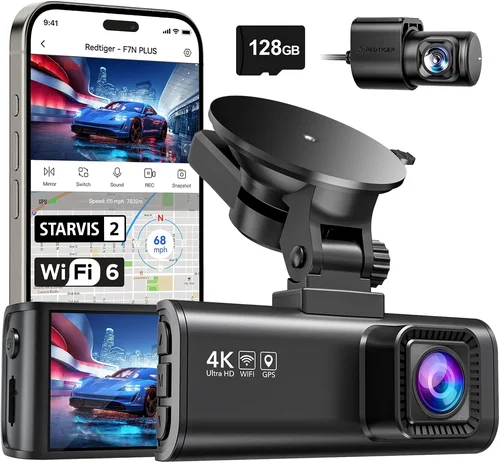
The foundation of any dash cam is its ability to capture clear, detailed footage. In 2026, most reputable models offer at least 1080p Full HD resolution, but many now feature 2K or even 4K recording. For RVs, where vehicles are larger and travel faster, higher resolution ensures license plates, road signs, and potential hazards are clearly visible.
Look for cameras with high dynamic range (HDR) technology, which balances bright skies and dark shadows, especially important during sunrise or sunset drives. Additionally, frame rates matter: 30 frames per second (fps) is standard, but 60fps provides smoother motion, crucial for capturing fast-moving traffic or sudden braking events.
2. Field of View (FOV)
A wider field of view captures more of the road ahead and surroundings, reducing blind spots. For RVs, which often require more space to maneuver, a FOV of 130° to 170° is ideal. Cameras with ultra-wide lenses (up to 170°) help document lane changes, intersections, and parking maneuvers more comprehensively.
3. Night Vision & Low-Light Performance
Driving at dusk, dawn, or through tunnels means your dash cam must perform well in low-light conditions. Modern dash cams use enhanced CMOS sensors and infrared (IR) LEDs to improve visibility at night. However, IR-only systems don’t work well through glass, so many models now rely on improved sensor sensitivity and software enhancements instead.
Opt for cameras with f/1.8 or lower aperture values, as they let in more light. Also, check if the model includes WDR (Wide Dynamic Range) to prevent overexposed headlights from washing out the image.
4. Storage Capacity & Loop Recording
Dash cams typically use microSD cards (Class 10 or UHS-I recommended) ranging from 32GB to 256GB. For RVs, where trips can last days or weeks, larger storage helps retain longer footage without constant overwriting. Most models support loop recording, where old files are automatically replaced when the card fills up—but only if you set recording intervals properly.
Consider whether the dash cam supports automatic event tagging (G-sensor triggered clips) so you can easily review critical moments without sifting through hours of footage.
5. GPS & Location Tracking
GPS functionality logs speed, location, and route data alongside video—valuable for accident reconstruction or insurance claims. Some dash cams sync with apps to display your journey on a map. This is especially useful for RVers who frequently change routes or camp in remote areas.
Ensure the GPS module is accurate and doesn’t interfere with the camera’s internal Wi-Fi or Bluetooth. Dual-channel setups (front and rear cameras with separate GPS units) are becoming more common but add complexity.
6. Parking Mode & Motion Detection
This feature keeps your dash cam powered on when the engine is off, recording activity around your vehicle while conserving battery. For RVs, where theft or vandalism risks exist at campsites or rest stops, motion-activated parking mode is essential.
Look for models with built-in capacitors or supercapacitors instead of lithium batteries, as they handle temperature extremes better—critical for summer heat or winter cold. Some advanced systems support time-lapse recording or impact detection that triggers alerts via smartphone.
7. Build Quality & Weather Resistance
RVs face extreme weather conditions—from scorching desert sun to freezing mountain passes. Your dash cam must withstand temperature swings, humidity, and vibrations. Aluminum alloy housings are more durable than plastic, and lenses coated with anti-reflective and hydrophobic layers resist glare and rain.
Check IP ratings if available; while few consumer dash cams have formal ingress protection ratings, ruggedized models often feature sealed ports and shock-resistant mounts.
8. Ease of Installation & Mounting Options
Most dash cams use suction cup or adhesive mounts. Suction cups work well on smooth RV surfaces but may fail in high heat. Adhesive mounts are more permanent but risk damaging paint if removed carelessly. Magnetic mounts are gaining popularity for their flexibility and reusability.
Consider dual-camera systems that allow front and rear setups without running extra cables through walls or ceilings—ideal for larger RVs with limited interior access.
9. Smart Features & Connectivity
In 2026, Wi-Fi and Bluetooth integration dominate. These enable live viewing, firmware updates, and cloud backup directly from your phone. Some models support voice commands, parking assist notifications, or integration with smart home systems.
However, always weigh convenience against privacy concerns. Cloud storage requires stable internet, which isn’t always available at campsites. Local storage via SD card remains the most reliable option for off-grid RVers.
10. Brand Reputation & Customer Support
Purchase from established brands known for reliability—such as Garmin, BlackVue, Nextbase, or Viofo—who offer responsive customer service, regular firmware updates, and accessible warranties. Avoid obscure brands that disappear overnight or lack repair networks.
Read user reviews not just for star ratings, but for recurring issues like overheating, poor app performance, or inconsistent recording quality.
—
Different Types of Dash Cams

—
Common Buying Mistakes to Avoid
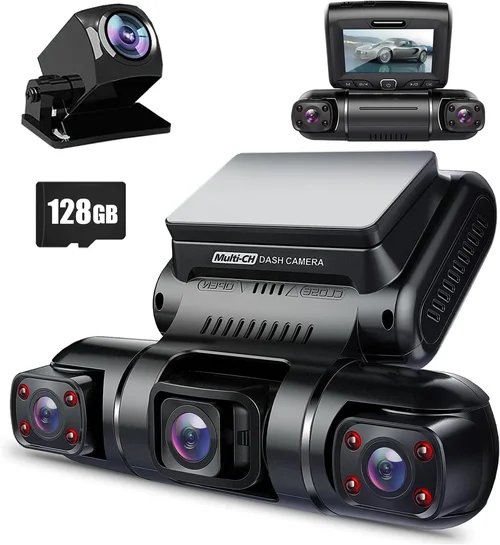
❌ Mistake: Ignoring Parking Mode Capabilities
Why it’s bad: Many buyers overlook parking mode, assuming the dash cam only works while driving. Without this feature, your RV remains vulnerable when parked—especially at rest stops or campsites where break-ins are possible.
What to do instead: Always verify that the dash cam supports continuous parking monitoring with motion or impact detection. Prioritize models with capacitor-based power systems over those relying solely on the car battery.
❌ Mistake: Choosing Based Solely on Price
Why it’s bad: The cheapest dash cam may lack essential features like G-sensor, loop recording, or decent night vision. Over time, poor image quality or frequent failures cost more due to replacement or lost evidence.
What to do instead: Set a realistic budget and compare value across brands. Spend slightly more for reliability—it pays off in peace of mind and legal protection.
❌ Mistake: Not Checking Compatibility with RV Electrical Systems
Why it’s bad: Standard dash cams draw power from the ignition circuit. In RVs, especially older models, this can drain the house battery or fail to turn on when the engine is off—defeating the purpose of parking mode.
What to do instead: Use a hardwiring kit that connects to the fuse box, or opt for a 12V DC adapter compatible with auxiliary power sources. Some models include built-in voltage monitors to warn of battery drain.
❌ Mistake: Skipping Firmware Updates and App Reliability
Why it’s bad: Outdated firmware can cause crashes, poor connectivity, or missing features. If the companion app is buggy, you might miss critical alerts or struggle to retrieve footage.
What to do instead: Choose brands with active development teams. Check forums or Reddit threads for ongoing issues. Subscribe to update notifications if available.
❌ Mistake: Assuming All Wide-Angle Lenses Are Equal
Why it’s bad: A 170° lens sounds great, but without proper calibration, it distorts corners and makes distant objects appear closer than they are. This can mislead viewers during accident investigations.
What to do instead: Read professional reviews that test distortion levels. Look for models with multiple FOV settings (narrow/wide/normal) so you can adjust based on driving conditions.
❌ Mistake: Forgetting About Legal Considerations
Why it’s bad: Recording audio in some states or countries violates wiretapping laws. Even video-only recording may be restricted in private areas or inside other vehicles.
What to do instead: Research local privacy laws before purchasing. Opt for dash cams with physical microphone mute buttons or software toggles to disable audio capture when needed.
—
Budget Guidelines: How Much Should You Spend?
Entry-Level ($50 – $120): What to Expect
This tier covers basic models with 1080p recording, 120° FOV, and loop recording. While functional for occasional use, these cams often sacrifice build quality, night performance, or smart features. Ideal for short-term rentals or secondary vehicles.
Examples: Ewent EW100, Apeman C450B. Pros: Affordable, easy setup. Cons: Limited storage, no GPS, weaker low-light performance.
Mid-Range ($120 – $250): Sweet Spot for Most Buyers
The sweet spot includes 2K resolution, dual-channel options, HDR, and robust parking modes. Brands like Viofo, Nextbase, and Rexing dominate this space with balanced specs and reliable software.
Examples: Viofo A119 v3, Nextbase 522GW. Pros: Excellent image quality, app integration, durable design. Cons: Slightly higher price, occasional app bugs.
Premium ($250 – $450): For Enthusiasts and Professionals
These models deliver 4K recording, cloud connectivity, advanced AI alerts, and superior build materials. They’re engineered for heavy-duty use—perfect for full-time RVers or commercial fleets.
Examples: BlackVue DR970X-2CH, Garmin Dash Cam Mini 2. Pros: Top-tier performance, strong support, future-proof features. Cons: Higher cost, complex setup.
Luxury ($450+): Top-Tier Features
Luxury dash cams offer everything: multi-camera ecosystems, satellite-linked tracking, military-grade shielding, and AI-driven driver assistance. Rarely necessary for casual RVers but invaluable for safety-critical operations.
Examples: Thinkware U1000, Owlstone Pro. Pros: Unmatched capabilities, enterprise support. Cons: Overkill for most users, expensive maintenance.
—
Expert Tips for Getting the Best Deal
Shop During Peak Travel Seasons: April–June and September–October see fewer discounts, but Black Friday and Amazon Prime Day offer deep cuts on mid-range models. Sign up for retailer newsletters to catch early deals.
Buy from Authorized Retailers: Avoid third-party sellers on marketplaces unless verified. Official stores guarantee genuine products, full warranty coverage, and access to customer support.
Test Before Committing: If possible, visit an electronics store to hold models. Check button responsiveness, screen clarity, and mounting stability under simulated conditions.
Extend Warranty Coverage: Most brands offer 1–3 year warranties. Consider extended plans for peace of mind, especially if you’re a full-time traveler exposed to harsh environments.
Use Rebate Apps: Apps like Honey or Rakuten provide cashback on eligible purchases. Combine these with credit card rewards for maximum savings.
Prioritize Return Policies: Choose retailers with 30+ day return windows. Dash cams are technical products—what looks good online may not fit your vehicle perfectly.
Upgrade Gradually: Start with a solid mid-range model, then add a rear camera or external GPS later. This avoids overspending upfront while allowing flexibility.
—

Frequently Asked Questions
Q: Can I install a dash cam myself?
A: Yes, most dash cams come with detailed instructions and universal mounts. Basic installation takes 10–15 minutes. For hardwiring, consult a professional or follow YouTube tutorials specific to your RV make and model.
Q: Will a dash cam drain my RV battery?
A: Only if used improperly. Continuous parking mode can drain batteries over days. Use a hardwired kit with fuse protection or enable time-limited parking monitoring. Some models auto-shutoff after 24 hours.
Q: Do I need a rear camera for my RV?
A: Absolutely. Rear cameras help monitor backing maneuvers, detect tailgaters, and capture incidents from behind. Dual-channel systems are strongly recommended for RVs due to their size and blind spots.
Q: How much storage do I need?
A: For 2K recording, 64GB suffices for ~8 hours of footage. At 1080p, 32GB lasts ~4 hours. Factor in event-triggered clips and parking recordings. Always carry a spare card or enable cloud backup if supported.
Q: Are dash cams legal everywhere?
A: Generally yes for video-only recording in the U.S. and EU. However, audio recording laws vary by state/country. Disable the microphone or purchase a video-only model if concerned.
Q: Can I view footage remotely?
A: Many modern dash cams support Wi-Fi and smartphone apps for live streaming and playback. Ensure your RV has cellular signal or Wi-Fi hotspot capability for reliable access.
Q: What happens if the SD card fills up?
A: With loop recording enabled, old files are overwritten automatically. Organize your system by setting shorter recording intervals (e.g., 1 minute instead of 3) and regularly backing up important clips.
Q: Should I get a dash cam with GPS?
A: Yes, GPS adds valuable context—speed, location, and route data—to your recordings. It’s particularly useful for insurance claims or verifying alibis in disputes.
—
Our Final Recommendations
Best for Budget-Conscious Buyers: Viofo A119 Lite – Offers 2K recording, 140° FOV, and decent night vision at under $150. Simple interface, reliable performance, and strong community support.
Best Overall Value: Nextbase 522GW – Features Alexa integration, emergency SOS button, 2K recording, and robust parking mode. Winner of multiple awards in 2025 for reliability and innovation.
Best Premium Option: BlackVue DR970X-2CH – 4K front/rear recording, cloud connectivity, impact detection, and military-grade durability. Ideal for serious travelers needing maximum protection.
Best for Beginners: Garmin Dash Cam Mini 2 – Compact, easy-to-use, and integrates seamlessly with other Garmin devices. Great starter model with solid core features.
Best for Advanced Users: Thinkware U1000 – Combines 4K recording, ADAS (Advanced Driver Assistance Systems), and AI-powered alerts. Overkill for casual use but unmatched in intelligence.
—
Conclusion: Making the Right Choice
Choosing the best dash cam for your RV in 2026 isn’t about grabbing the shiniest gadget—it’s about finding a tool that aligns with your lifestyle, protects your investment, and brings confidence to every mile. Prioritize image quality, parking safety, and ease of use above all else. Don’t skimp on build quality or customer support; these will save you headaches down the road.
Remember, technology evolves quickly, but your needs remain constant. Whether you’re a weekend warrior or a full-time nomad, the right dash cam becomes an invisible guardian on the road. Take your time, research thoroughly, and invest wisely—because when life throws a curveball, you’ll be glad you did.