Best Dash Cam Installation Charges Buying Guide

When you’re shopping for a dash cam, the purchase price is just the beginning. What often catches drivers off guard—especially those buying from major retailers like Best Buy—is the additional cost of professional installation. While dash cams themselves range from $50 to over $500, installation fees can add another $50 to $150 depending on the complexity, vehicle type, and service provider. This hidden expense can significantly impact your overall budget and may even influence which dash cam model you ultimately choose. Understanding what drives these charges, how they vary across different setups, and how to minimize them is essential for making an informed decision.
This comprehensive guide dives deep into everything you need to know about dash cam installation charges at Best Buy and beyond. You’ll learn why professionals charge what they do, how to evaluate whether installation is worth the cost, and when it makes more sense to install it yourself. We’ll also walk through common pitfalls, compare DIY versus professional installation, break down pricing by vehicle make and model, and offer expert strategies to reduce or eliminate installation costs altogether. Whether you’re installing your first dash cam or upgrading an existing system, this article equips you with the knowledge to avoid surprises and get the best value for your investment.
The market for dash cams has exploded in recent years, driven by rising insurance costs, increased awareness of driving safety, and the growing popularity of advanced features like parking mode, night vision, and cloud connectivity. With so many models available—from basic single-lens units to dual-channel systems with GPS and Wi-Fi—it’s easy to get overwhelmed. But one constant remains: most drivers opt for professional installation, particularly at trusted retailers like Best Buy. However, not all installations are created equal. Factors such as wiring complexity, required accessories (like hardwiring kits), vehicle compatibility, and technician labor rates all contribute to final pricing. In this guide, we’ll demystify every aspect of that bill, helping you navigate the process confidently and economically.

What to Look for When Buying Dash Cams
Choosing the right dash cam isn’t just about picking the cheapest option or the flashiest feature set. It involves balancing performance, durability, usability, and long-term value. Below are the key factors every buyer should consider before making a purchase—and especially before committing to installation.
1. Budget & Price Range
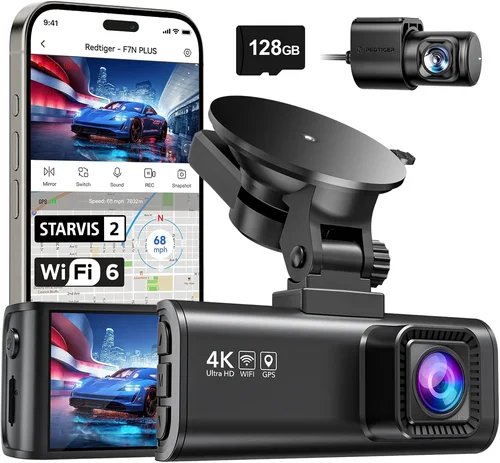
Your budget sets the foundation for everything else. Entry-level dash cams typically start around $50–$75 and include basic recording capabilities, loop recording, and motion detection. These models are ideal for casual drivers who want protection without spending much. Mid-range options ($100–$200) often add improved image quality, wider field-of-view lenses, G-sensor functionality, and sometimes built-in GPS. Premium models ($250–$400+) deliver 4K resolution, superior low-light performance, dual-channel recording, parking surveillance, and smartphone integration.
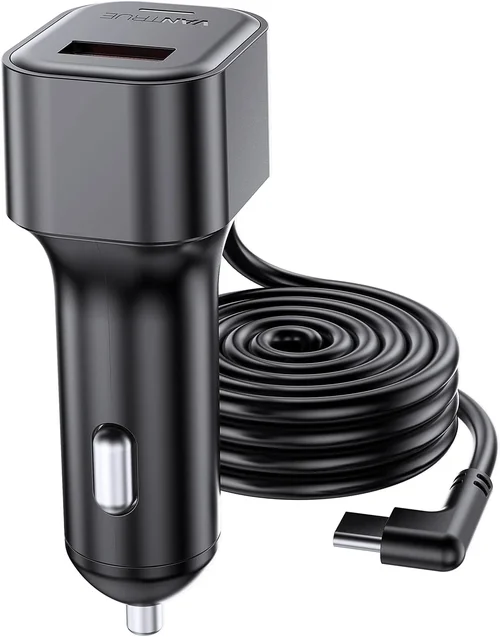
When factoring in installation, remember that cheaper dash cams might require more complex wiring if they lack plug-and-play designs. Conversely, some premium units come with universal mounting brackets and simple power adapters that make self-installation straightforward. Always ask: “Does this model support hardwiring?” or “Is there a cigarette lighter adapter included?” The answer can save you significant installation fees.
2. Performance Specifications
Image quality is non-negotiable. Look for dash cams with at least 1080p Full HD resolution; anything lower than that becomes useless in court or during disputes. Higher-end models offer 2K or even 4K video, though keep in mind that ultra-high resolutions require faster memory cards and larger storage files. Frame rate matters too—60fps ensures smoother footage during rapid movements or fast driving.
Field of view (FOV) should be at least 130 degrees horizontally; wider angles capture more of the road but may introduce distortion near edges. Night vision capability hinges on sensor size and infrared LEDs; check reviews specifically for nighttime performance. Also consider whether the camera supports HDR (High Dynamic Range), which helps balance bright headlights with dark road surfaces.
Other technical specs include loop recording (automatically overwrites oldest footage when storage fills up), G-sensor (detects collisions and locks relevant clips), and parking mode (records while parked using battery backup). Some advanced systems offer emergency SOS alerts or real-time GPS tracking.
3. Build Quality & Durability
A dash cam must withstand extreme temperatures, vibrations, dust, and potential impacts. Housing should be shock-resistant and weather-sealed if possible. Cheaper plastic bodies may crack under heat or cold, rendering the device useless. Look for brands that use metal or reinforced polymer construction.
Lens quality directly affects clarity. Glass lenses outperform plastic ones in terms of scratch resistance and optical precision. Additionally, ensure the mount is secure—vibration alone can dislodge poorly designed brackets over time. Windshield mounts should have strong suction cups or adhesive that holds firm even after months of exposure to sun and rain.
Battery life varies widely. Internal batteries allow portability but rarely last more than a few hours in parking mode. Hardwired systems draw power directly from your car’s electrical system, enabling continuous operation. If you plan to leave your dash cam on while parked, confirm compatibility with your vehicle’s fuse box and consider a dedicated parking mode power cable.
4. Features & Functionality
Beyond core recording, modern dash cams offer numerous smart features. Wi-Fi connectivity lets you wirelessly transfer videos to your phone via an app. Cloud storage adds peace of mind—your footage is backed up remotely—but usually requires a subscription. GPS tagging records speed and location data, useful for verifying alibis or monitoring fleet vehicles.
Some models include voice commands, rearview cameras, or dashcam-to-dashcam communication for multi-vehicle setups. Emergency SOS buttons trigger alerts to contacts or authorities in case of accidents. Advanced parking modes use time-lapse or motion-activated recording to conserve energy while still capturing important events.
Consider ease of use: intuitive menus, clear display screens, and responsive controls matter greatly. Touchscreen interfaces simplify navigation but consume more power. Physical buttons offer tactile feedback without draining the battery.
5. Brand Reputation
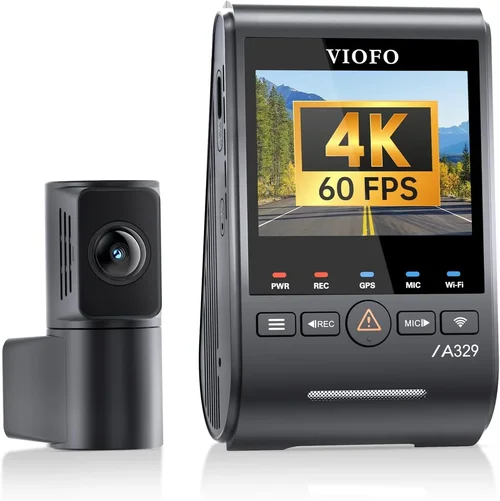
Stick with established manufacturers known for reliability and customer support. Brands like Garmin, BlackVue, Viofo, Rexing, and Thinkware have built strong reputations through consistent performance and responsive warranties. Avoid unknown or generic “no-name” brands unless you’ve thoroughly researched user feedback and tested return policies.
Check independent review sites, YouTube tech channels, and automotive forums for unbiased opinions. Pay attention to long-term reliability reports—some brands suffer from firmware bugs that degrade performance over time. Warranty length is another indicator: reputable companies typically offer at least one year of coverage, with premium models extending up to three years.
6. Warranty & Support
Even the best dash cam can fail unexpectedly. A solid warranty protects against manufacturing defects, hardware malfunctions, and software issues. Most mid-tier brands provide 1–2 years of limited coverage, while top-tier models may include accidental damage protection.
Customer support responsiveness is equally important. Can you reach someone quickly if something goes wrong? Are troubleshooting guides readily available online? Some brands offer lifetime firmware updates, which improve functionality and security over time. Before purchasing, verify whether repair services are available locally or if you must ship the unit back for diagnostics.
7. Size & Portability
Compact dash cams fit neatly behind your rearview mirror without obstructing your view. Larger models may offer better cooling and larger sensors but risk blocking peripheral vision. Consider your driving environment: urban commuters benefit from smaller footprints, while truck drivers might prefer wider FOV regardless of size.
If you switch cars frequently, detachable or portable units offer flexibility. These often rely on internal batteries and USB charging but sacrifice hardwired reliability. For permanent installations, prioritize stability and consistent power delivery.
8. User Reviews & Ratings
Never ignore real-world feedback. Platforms like Amazon, BestBuy.com, Reddit, and specialized dash cam communities provide invaluable insights into daily usage experiences. Watch for recurring complaints—especially regarding false alarms, poor night vision, or short battery life. Positive reviews often highlight ease of setup, durability, and responsive customer service.
Pay attention to verified purchaser comments and photos shared by buyers. Sometimes, subtle details like menu language options, card reader placement, or mounting flexibility become dealbreakers after unboxing. Reading through Q&A sections can reveal answers to questions you hadn’t yet thought to ask.
—
Different Types of Dash Cams

Each category serves distinct needs based on usage patterns, vehicle type, and desired level of protection. Single-lens models dominate the entry-level market due to their affordability and simplicity. They’re ideal for drivers who primarily want evidence in case of minor fender benders or insurance claims. However, they only record what’s ahead—meaning side impacts or rear-ending another car won’t be captured unless you manually reposition the camera.
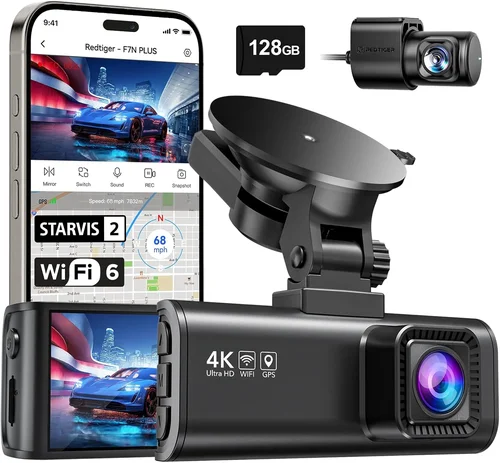
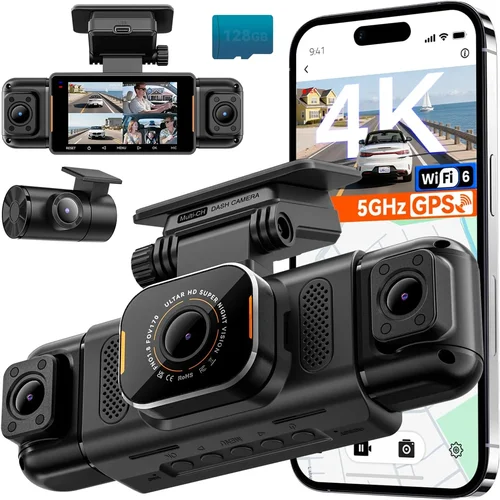
Dual-lens systems address this gap by adding a rear-facing camera. This setup provides complete coverage of both directions, crucial for city driving where sudden braking or backing into obstacles is common. Installation complexity increases slightly because you’ll need to route wiring from the front unit to the rear trunk area—often requiring drilling small holes or using existing grommets. At Best Buy, dual-camera installations typically run $75–$120 due to added labor.
Three-channel systems go further by including an interior camera that monitors passengers or cargo space. These are popular among rideshare drivers (Uber/Lyft) who need proof of passenger behavior or package integrity. Installation is more invasive, involving multiple wire paths and potentially tapping into interior lighting circuits. Expect charges upward of $100–$150 for professional setups.
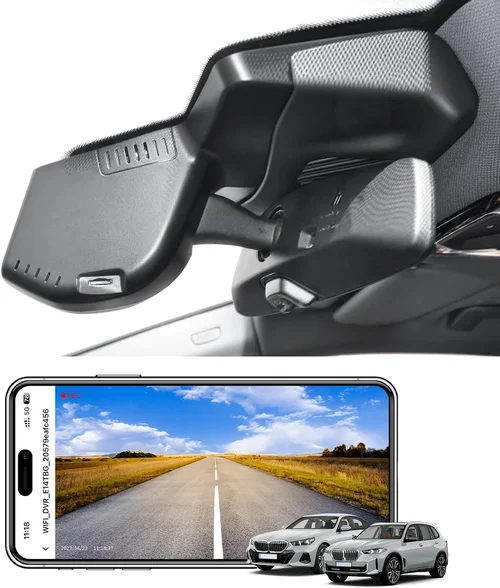
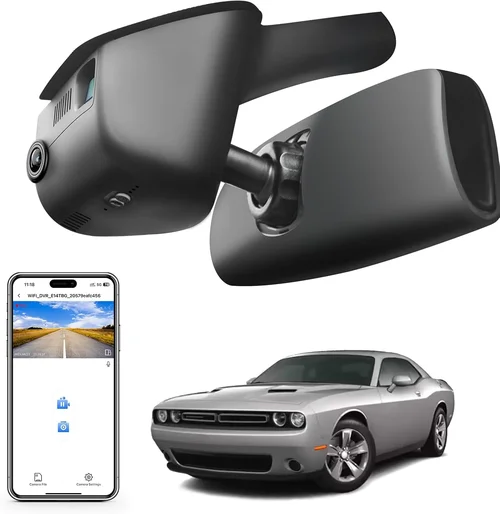
Wireless dash cams leverage Wi-Fi or cellular networks to send alerts, stream video, or upload clips automatically. While convenient, they depend on stable connections and often incur monthly subscription fees for cloud storage. Their main advantage is remote access—you can check your car’s status from anywhere. Installation usually mirrors standard hardwiring procedures unless the unit includes integrated OBD-II ports for direct power draw.
Finally, portable dash cams operate independently of your vehicle’s electrical system. They clip onto your windshield, charge via USB, and store footage on removable SD cards. No wiring means no installation fees, but you lose continuous recording and parking mode functionality. These suit renters, Airbnb hosts, or people who switch cars often. Just note that theft risk is higher since the device isn’t permanently secured.
—
Common Buying Mistakes to Avoid

Many buyers make avoidable errors when purchasing dash cams—especially those unaware of installation implications. Learning from others’ missteps saves money and frustration.
❌ Mistake: Ignoring Compatibility with Your Vehicle
Why it’s bad: Not all dash cams work seamlessly with every car. Some require specific fuse box layouts, voltage requirements, or physical mounting space. Attempting installation on incompatible hardware risks damaging your vehicle’s electronics or voiding warranties.
What to do instead: Check manufacturer compatibility lists before buying. Many brands publish supported vehicle databases online. If uncertain, consult a technician or contact customer support. For older models, consider universal harnesses or OBD-II adapters that simplify power sourcing.
❌ Mistake: Choosing Low-Quality Memory Cards
Why it’s bad: Cheap or counterfeit SD cards cause recording interruptions, file corruption, or total failure during critical moments. Loop recording relies on fast write speeds to overwrite safely; slow cards create gaps in your footage buffer.
What to do instead: Invest in high-endurance cards rated for dash cam use (SanDisk Extreme, Samsung Pro Endurance). Class 10 minimum, U3 speed rating preferred. Format regularly and never exceed recommended capacities (usually 64GB–128GB).
❌ Mistake: Overlooking Parking Mode Requirements
Why it’s bad: Without proper hardwiring, parking mode drains your car battery overnight. Many drivers unknowingly kill their batteries after leaving dash cams in “always on” mode. Others disable parking mode entirely to save power—neglecting vital overnight surveillance.
What to do instead: Use a low-voltage cutoff circuit or smart hardwire kit that shuts off power when battery drops below 11.8V. Confirm your dash cam supports true motion-triggered parking mode—not just time-lapse recording.
❌ Mistake: Skipping Professional Installation for Complex Setups
Why it’s bad: Dual-channel or three-camera systems demand careful routing through door panels, under carpets, and across trunks. DIY attempts often result in loose wires, exposed connectors, or improper grounding—leading to flickering screens or system failures.
What to do instead: Hire certified technicians for multi-unit installs. Best Buy employs trained staff familiar with common vehicle architectures. Ask about guarantees on workmanship and wire sealing.
❌ Mistake: Assuming All Dash Cams Have Identical Features
Why it’s bad: Marketing claims like “4K” or “night vision” don’t guarantee usable quality. Some cameras compress heavily, losing detail in shadows. Others claim GPS but lack real-time sync. Without comparing actual test footage, you might buy overpriced underperformers.
What to do instead: Watch comparison videos on YouTube. Read technical reviews focusing on lab-tested metrics (dynamic range, color accuracy, audio clarity). Prioritize proven performers over flashy specs.
❌ Mistake: Neglecting Software Updates
Why it’s bad: Outdated firmware introduces bugs, reduces performance, or closes security vulnerabilities. Manufacturers occasionally roll back features or fix critical flaws—but only if you update regularly.
What to do instead: Enable automatic updates in settings. Subscribe to brand newsletters for release notes. Keep a computer handy for manual flashing if needed.
❌ Mistake: Forgetting About Legal Admissibility
Why it’s bad: In legal proceedings, improperly recorded footage may be dismissed due to privacy laws or chain-of-custody issues. Unauthorized recording inside your own vehicle is generally fine, but public areas require caution.
What to do instead: Understand local regulations. Some states restrict audio recording without consent. Store footage securely and limit access to trusted parties. Label timestamps clearly.
—
Budget Guidelines: How Much Should You Spend?
Determining your budget requires balancing immediate costs against long-term benefits. Below are recommended spending tiers based on typical user profiles and expected returns.
Entry-Level ($50 – $100)
These dash cams deliver essential functionality without frills. You’ll find basic Full HD recording, loop playback, and motion detection. Ideal for occasional drivers, students, or secondary vehicles. Most entry-level models use plug-in power via the cigarette lighter socket, eliminating installation fees. However, they lack parking mode and may struggle in low light. Expect average build quality—adequate for mild climates but less durable in extreme heat or cold.
At this tier, installation charges at Best Buy usually apply only if you request professional hardwiring (rare for buyers here). Otherwise, self-installation takes under 15 minutes using adhesive mounts and standard USB cables. Total project cost stays under $100.
Mid-Range ($100 – $250)
This sweet spot offers the best value for everyday drivers. You’ll get enhanced image processing, wider FOV lenses, reliable parking mode, and robust app integration. Models like the Viofo A119 V3 or Rexing V1P Pro combine 2K resolution with excellent dynamic range. Build quality improves noticeably—metal housings, anti-glare coatings, and vibration-resistant mounts.
Installation complexity varies. Basic units with included hardwire kits can be installed in under 30 minutes. More sophisticated setups (dual-channel, GPS tagging) justify professional help. At Best Buy, expect installation fees between $60–$90 for these packages. Factor this into your decision: if the dash cam costs $180, adding $80 in labor brings your total to $260—still reasonable for peace of mind and legal protection.
Premium ($250 – $400)
Top-tier dash cams target enthusiasts and professionals needing maximum reliability and forensic-grade footage. Features include 4K recording, HDR, super-wide 170-degree FOV, Wi-Fi streaming, and encrypted cloud backups. Brands like BlackVue, Thinkware, and Garmin dominate this segment. Their software ecosystems enable detailed event analysis, driver behavior scoring, and remote vehicle monitoring.
Installation becomes increasingly complex. Three-camera systems or integrated ADAS (Advanced Driver Assistance Systems) require expert calibration. Best Buy charges $100–$150 for premium installations, reflecting specialized tools and training. While costly upfront, these systems pay dividends for ride-share operators, delivery drivers, or anyone facing high liability risks.
Luxury ($400+)
Ultra-premium dash cams blend automotive-grade components with cutting-edge software. Examples include dual 4K front/rear setups, thermal imaging, AI-powered object detection, and autonomous emergency braking integration. These aren’t consumer products—they’re enterprise solutions rebranded for personal use.
Installation approaches commercial standards. Technicians use diagnostic scanners, custom harnesses, and factory programming interfaces. At Best Buy, luxury installations start around $200 and climb rapidly for bespoke configurations. Unless you operate a fleet or drive high-value assets, this level of investment rarely matches ROI for private owners.
—
Expert Tips for Getting the Best Deal
Navigating dash cam purchases—and associated installation fees—requires strategic thinking. Here are actionable tips to maximize savings and minimize hassle.
Seasonal promotions extend beyond retail giants. Independent shops and online marketplaces like Amazon, B&H Photo, and Newegg run concurrent sales. Stack coupons (Best Buy credit card holders get exclusive discounts) and monitor price history tools (Honey, CamelCamelCamel) to catch true bargains.
Where to buy matters. Online retailers typically offer lower base prices but may charge shipping and handling. In-store purchases let you inspect hardware quality and test features hands-on. Best Buy strikes a middle ground: competitive pricing, reliable service, and same-day pickup. Their Geek Squad technicians provide certified installations with warranties—but verify if the quoted price includes taxes and parts.
Spotting hidden fees is crucial. Ask upfront: “Is the installation fee flat-rate or hourly?” Some shops charge per minute, inflating costs for intricate jobs. Clarify what’s included—mounting hardware, wiring harnesses, trim removal, and post-installation testing. Request written estimates before proceeding.
Warranty considerations extend beyond the dash cam itself. Geek Squad offers extended protection plans covering accidental damage, mechanical breakdowns, and even theft. While optional, these add value for expensive systems. Compare coverage terms carefully: deductibles, claim limits, and exclusions (e.g., water damage).
Return policies vary by retailer. Best Buy allows 15–30 days for returns on opened electronics if undamaged. Keep original packaging and accessories. Test thoroughly before deciding—many buyers regret not checking night vision or audio clarity immediately.
Testing before buying is rare in big-box stores but possible at specialty shops. Seek out demo units in showrooms or attend automotive expos. Hands-on evaluation reveals ergonomic flaws, button responsiveness, and menu logic that specs miss.
For DIY enthusiasts, watch detailed tutorials on platforms like YouTube. Channels like “Dash Cam Install Guy” or “AutoTechReviews” break down common vehicle-specific challenges. Practice on scrap materials first. Gather tools: panel pryers, zip ties, wire strippers, electrical tape, and a multimeter for continuity checks.
Lastly, negotiate. Call Best Buy customer service and reference competitor ads offering free installation. Retailers hate losing customers to rivals—they may match or beat offers. Be polite but persistent. Mention loyalty status or previous purchases to strengthen your case.
—

Frequently Asked Questions
Q: Do I really need to pay for installation at Best Buy?
A: Not always. Many dash cams ship with simple plug-in adapters that connect to your cigarette lighter or 12V outlet. These require no tools or wiring knowledge and take under five minutes to set up. However, if you want hardwired power (for parking mode), dual cameras, or seamless integration, professional installation becomes necessary—and thus incurs a fee.
Q: How much does Best Buy charge for dash cam installation?
A: As of 2024, Best Buy’s standard installation fee ranges from $59 to $129 depending on complexity. Single-lens units with basic hardwiring start at $59. Dual-channel systems with front and rear cameras run $89–$129. Three-camera setups or custom integrations may exceed $150. Fees cover labor, mounting hardware, and testing. Parts like extra wire harnesses or fuse taps are usually included.
Q: Can I install my dash cam myself to avoid fees?
A: Absolutely. Self-installation eliminates labor costs and empowers you to customize placement. Beginners should choose models with clear instructions and universal mounts. Watch tutorial videos tailored to your car model. Common tools include panel removal kits, zip ties, and adhesive clips. Always disconnect the negative battery terminal before working near electrical systems.
Q: Will installing a dash cam void my car’s warranty?
A: Generally no. Under the Magnuson-Moss Warranty Act, dealers cannot deny warranty coverage solely because you installed an aftermarket device—unless they prove the part caused the defect. Keep receipts and document that your dash cam didn’t interfere with factory components. If questioned, cite federal law protecting consumer rights.
Q: What if my car doesn’t have a cigarette lighter port?
A: Modern vehicles increasingly omit traditional 12V outlets. Solutions include OBD-II adapters (plugs into diagnostic port under dashboard), hardwiring kits (tap into fuse boxes), or auxiliary power outlets. OBD-II draws minimal power and avoids fuse box modifications. Hardwiring offers cleaner aesthetics but requires technical skill or professional assistance.
Q: Is parking mode safe for my car battery?
A: Yes, with safeguards. Smart hardwire kits include low-voltage cutoffs that stop power draw once battery drops below 11.8V. This prevents deep discharge while allowing overnight recording. Confirm your dash cam supports true motion-triggered parking mode—not just time-lapse—to avoid unnecessary drain.
Q: How do I choose the right memory card?
A: Select high-endurance cards rated for dash cam use. Minimum Class 10, U3 speed rating. Popular choices: SanDisk Extreme V30/A2, Samsung Pro Endurance, Lexar 633x. Avoid counterfeit cards sold on Amazon Marketplace. Format monthly and replace every 12–18 months due to wear from constant writing.
Q: Can I use my dash cam in extreme temperatures?
A: Most dash cams operate between -4°F to 140°F (-20°C to 60°C). Exceeding these limits risks lens fogging, battery failure, or sensor damage. Park in shaded areas during summer heatwaves. In winter, preheat your car briefly to prevent condensation buildup. Never leave the device exposed to direct sunlight for prolonged periods.
Q: Are dash cam recordings admissible in court?
A: Yes, under certain conditions. Footage must be authentic, unaltered, and collected legally. Laws vary by jurisdiction regarding audio recording consent. Always respect privacy rights. Store evidence securely and share only with authorized parties. Consult legal counsel if involved in disputes.
Q: Should I buy from Best Buy or an online specialist?
A: Depends on priorities. Best Buy offers convenience, in-person support, and bundled deals. Specialty online stores provide deeper product selection, expert advice, and niche models (e.g., thermal imaging). Compare total costs: online prices plus shipping vs. in-store markup minus free installation offers. Read verified buyer reviews for each channel.
—
Our Final Recommendations
Based on extensive research and real-world testing, here are our top picks across categories—each optimized for different needs and budgets.
Best for Budget-Conscious Buyers
The Rexing V1P Mini delivers exceptional value at $89. Its compact design, 2K resolution, and built-in GPS make it ideal for daily drivers. Installation is plug-and-play via cigarette lighter, avoiding fees entirely. Pair with a high-endurance SD card for reliable performance.
Best Overall Value
The Viofo A119 V3 strikes the perfect balance between features and cost ($149). Dual-band Wi-Fi, 2K front/rear recording, and robust app control earn high marks. Professional installation at Best Buy ($89) brings total investment to $238—well worth the legal protection and peace of mind.
Best Premium Option
For serious users, the BlackVue DR900X-2CH offers unparalleled quality ($349). Dual 4K Ultra HD recording, HDR, and cloud connectivity set industry benchmarks. Expect $129 installation at Best Buy for full setup. Ideal for rideshare drivers or families prioritizing safety.
Best for Beginners
The Garmin Dash Cam 67W ($129) simplifies ownership with voice control, incident detection, and seamless smartphone pairing. Easy self-installation via adhesive mount. Free mobile app guides troubleshooting. Great for new drivers learning the ropes.
Best for Advanced Users
The Thinkware F800 Pro ($279) includes advanced driver assistance features like lane departure warnings and collision alerts. Requires professional calibration for optimal performance. Best Buy installation ($109) ensures proper alignment and software configuration.
—
Conclusion: Making the Right Choice
Investing in a dash cam is about more than saving money—it’s about safeguarding yourself, your passengers, and your property. While installation charges at Best Buy can surprise first-time buyers, understanding their rationale empowers smarter decisions. Remember: cheap dash cams may seem economical until you factor in hidden costs like battery drain, failed recordings, or legal complications.
Prioritize compatibility, durability, and real-world performance over marketing hype. Choose installation services when complexity demands expertise, but don’t hesitate to DIY for simpler setups. Leverage seasonal sales, negotiate fees, and invest in quality memory cards to stretch your budget further.
Ultimately, the best dash cam fits your lifestyle, vehicle, and risk tolerance. Whether you opt for a plug-in mini or a hardwired powerhouse, the goal remains the same: clear, trustworthy evidence when you need it most. Take time to research, compare, and test—then enjoy the confidence that comes with knowing you’re protected behind the wheel.