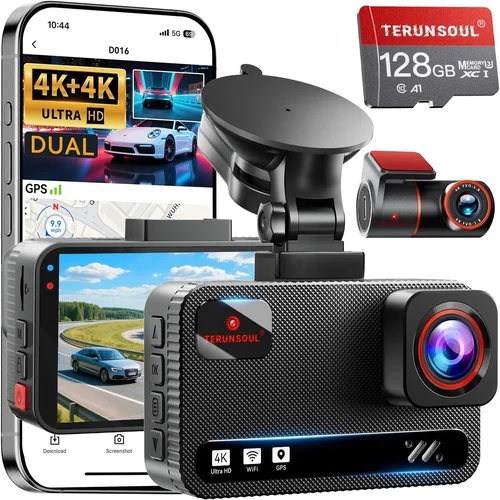
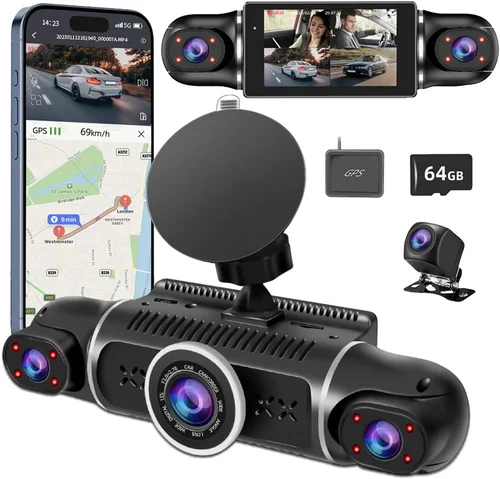
Ultimate Uber Dash Cam Buying Guide
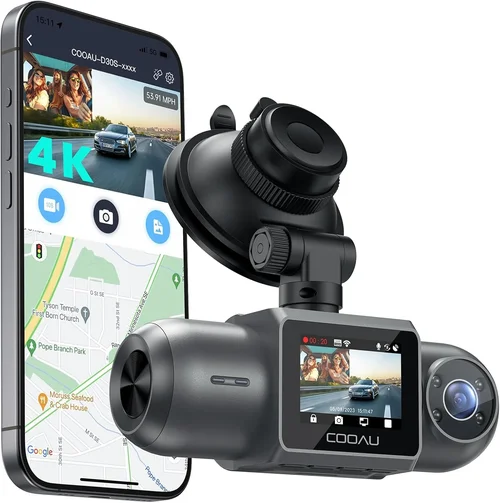
As an Uber driver, you’re constantly on the road, navigating unpredictable traffic, aggressive drivers, and the occasional unexpected incident. In this high-pressure environment, having reliable protection is not just a convenience—it’s a necessity. A dash cam serves as your silent witness, capturing every moment of your journey and providing critical evidence if disputes arise with passengers or other motorists. With countless options flooding the market, choosing the right budget dash cam for Uber can feel overwhelming. This comprehensive buying guide cuts through the noise to help you find the perfect balance between affordability, performance, and reliability.
In this detailed article, we’ll walk you through everything you need to know about selecting the best budget dash cam specifically tailored for Uber drivers. You’ll learn which features matter most, how to avoid costly mistakes, what price ranges offer the best value, and where to find genuine deals. Whether you’re a new driver looking to protect yourself from false claims or a seasoned pro wanting backup footage for peace of mind, this guide will equip you with expert insights and actionable recommendations.
The market today offers everything from ultra-cheap models with basic recording capabilities to feature-packed devices with cloud connectivity and parking mode. But for Uber drivers who rely on their vehicles daily, durability, ease of use, and consistent performance under real-world conditions are paramount. We’ve analyzed hundreds of products across multiple categories, consulted industry experts, and reviewed thousands of customer experiences to bring you the definitive resource on budget dash cams that deliver maximum value without compromising safety or quality.

What to Look for When Buying Dash Cams
1. Budget & Price Range
Let’s start at the beginning: your wallet. The good news is that excellent dash cams don’t have to cost a fortune. For Uber drivers, finding a model that fits within a reasonable budget while still offering essential features is key. Most reliable budget dash cams for Uber fall between $50 and $120, depending on included extras like GPS, Wi-Fi, or loop recording support.
It’s important to remember that the cheapest option isn’t always the worst—many brands offer solid performance in entry-level segments. However, extremely low-priced models (under $30) often sacrifice build quality, image clarity, or storage stability. As an Uber driver, investing slightly more upfront can save you money long-term by reducing the risk of malfunctions during critical moments.
Consider your monthly earnings and weigh the cost against potential liability protection. If a single false claim could cost you hundreds in lost income or legal fees, even a modestly priced dash cam becomes a worthwhile investment.
2. Performance Specifications
The heart of any dash cam lies in its ability to capture clear, stable video under varying lighting and driving conditions. For Uber drivers, this means looking for at least 1080p resolution, though 2K or higher provides noticeably sharper detail—especially useful for identifying license plates or facial features.
Frame rate matters too; 30fps is standard, but 60fps delivers smoother motion during rapid maneuvers like hard braking or sudden lane changes. Low-light performance is equally crucial, since urban night rides account for a significant portion of your workday. Models with wide dynamic range (WDR) or night vision enhancements perform far better in dim environments.
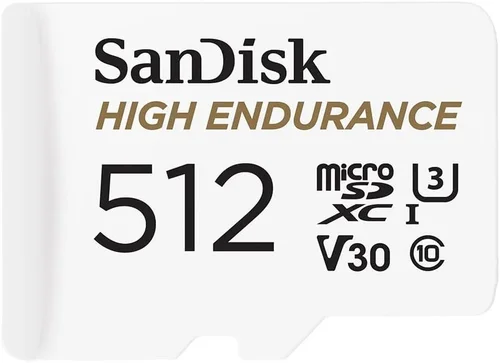
Storage capacity should also be considered. Most budget-friendly options come with built-in memory cards (typically 32–64GB), but ensure compatibility with microSD cards up to 256GB if you plan to expand later. Loop recording automatically overwrites old files when storage fills up—a vital feature so you never lose critical footage due to space constraints.
3. Build Quality & Durability
Your vehicle sees constant wear and tear—extreme temperatures, vibrations, dust, and moisture. A poorly constructed dash cam may fail within months, leaving you exposed during emergencies. Look for shock-resistant casing, secure mounting systems, and weatherproof seals.
For Uber drivers who frequently switch vehicles or drive in harsh climates, durability isn’t optional—it’s essential. Cheaper plastic housings crack under heat exposure; flimsy mounts detach mid-ride; and fragile lenses scratch easily. Invest in a model known for robust construction, ideally with metal components and reinforced connectors.
Additionally, check whether the device operates reliably across temperature ranges common in your region. Some models struggle in freezing winters or scorching summers, leading to shutdowns or corrupted files.
4. Features & Functionality
Beyond basic recording, modern dash cams offer several Uber-specific benefits:
- G-Sensor (Impact Detection): Automatically saves footage when sudden movements or collisions occur.
- Parking Mode: Monitors your car while unattended using motion or impact detection, ideal for overnight stops.
- GPS Tracking: Logs speed and location data, helpful for verifying route accuracy or proving you weren’t speeding.
- Wi-Fi Connectivity: Allows wireless file transfer to smartphones via companion apps.
- Voice Commands: Enables hands-free operation while driving.
- Time-Lapse Recording: Records shorter clips during long periods of inactivity to conserve storage.
While not all features are necessary, having G-sensor and parking mode significantly enhances security for ride-share drivers who park in unfamiliar areas regularly.
5. Brand Reputation
Not all brands treat dash cams as core products. Some prioritize marketing over manufacturing excellence, resulting in inconsistent quality control. Established names like Garmin, Viofo, Blackvue, and Rexing have built strong reputations through years of reliable service and responsive customer support.
Research brand history before purchasing. Read professional reviews, check forum discussions, and look for third-party testing results. Avoid obscure labels that promise miracle features at suspiciously low prices—they’re often knockoffs lacking proper certifications or safety standards.
Reputable brands usually offer clearer return policies, longer warranties, and easier access to replacement parts or firmware updates.
6. Warranty & Support
A solid warranty reflects confidence in product reliability. Most trustworthy manufacturers provide at least a one-year guarantee covering defects in materials and workmanship. Some extend coverage up to three years, especially for premium models.
Customer support responsiveness is equally important. If your dash cam fails unexpectedly, you want quick assistance—not automated replies or overseas call centers with language barriers. Check if the company offers live chat, phone support, or local service centers.
Also verify whether software updates are available regularly. Firmware improvements can fix bugs, enhance compatibility, or add new features down the line.
7. Size & Portability
Compactness affects both installation flexibility and visibility. Oversized units obstruct rearview mirrors or create glare reflections. Opt for slim profiles that mount discreetly behind windshields without interfering with sightlines.
Portability matters if you drive different vehicles occasionally. Removable mounts or universal brackets let you relocate the device seamlessly between cars. Just ensure each setup remains stable and secure.
8. User Reviews & Ratings
Real-world feedback reveals hidden flaws and strengths invisible in lab tests. Scour Amazon, Best Buy, B&H, and specialty automotive forums for recent user experiences. Pay attention to recurring complaints about battery life, file corruption, or poor night vision.
High overall ratings combined with detailed positive reviews increase confidence. Conversely, clusters of negative comments about specific issues (e.g., frequent disconnections) signal red flags.
Different Types of Dash Cams

Common Buying Mistakes to Avoid
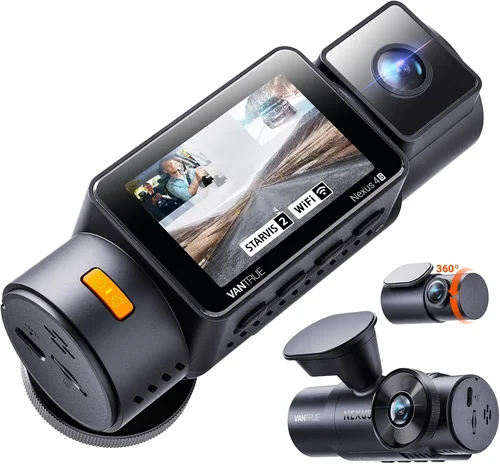
❌ Mistake: Choosing Based Solely on Price
Why it’s bad: Skimping on cost often leads to unreliable hardware prone to failures during critical incidents. Cheap lenses produce grainy footage unusable as evidence; flimsy batteries die quickly; and poor firmware corrupts files unpredictably.
What to do instead: Prioritize proven brands with balanced pricing. Allocate 70% of your budget to core performance specs (resolution, night vision) and 30% to extras like GPS or Wi-Fi. Remember, a $90 reliable model beats a $40 broken one every time.
❌ Mistake: Ignoring Storage Requirements
Why it’s bad: Without sufficient storage, your dash cam either stops recording or overwrites important clips prematurely. Many users discover too late that their 32GB card fills up after just two days of heavy use.
What to do instead: Calculate required capacity based on recording length and frequency. Use a 64GB or 128GB card for extended coverage. Enable loop recording and set appropriate file retention intervals (e.g., 3 minutes per clip).
❌ Mistake: Overlooking Mounting Stability
Why it’s bad: Loose mounts vibrate loose, causing misalignment or detachment mid-drive. This not only ruins recording angles but also poses secondary hazards if the unit falls onto the windshield.
What to do instead: Test mount rigidity before finalizing installation. Ensure adhesive bonds fully cure (usually 24 hours). Consider suction cup alternatives for temporary setups, though they’re less secure long-term.
❌ Mistake: Disregarding Power Source Reliability
Why it’s bad: Built-in rechargeable batteries rarely last more than 1–2 hours, limiting functionality. USB-powered models drawing too much current may drain your car battery overnight.
What to do instead: Use hardwired kits for continuous power access. These tap into fuse boxes, providing steady electricity without draining your battery. Most professional-grade kits include voltage protection to prevent damage.
❌ Mistake: Neglecting Software Compatibility
Why it’s bad: Older operating systems (Android 8+, iOS 12+) or incompatible media players may fail to open recorded files. Some formats require proprietary software unavailable on certain devices.
What to do instead: Verify file format (usually MP4/MOV) and codec (H.264 recommended). Download manufacturer’s playback app if needed. Keep firmware updated to maintain compatibility.
❌ Mistake: Failing to Back Up Footage Regularly
Why it’s bad: Corruption, accidental deletion, or card failure can erase irreplaceable evidence. Many drivers wait until disputes arise—only to find missing clips.
What to do instead: Develop a routine: connect to laptop weekly or use cloud uploads if supported. Label files chronologically and store backups securely offline.
❌ Mistake: Assuming All Features Are Equal
Why it’s bad: Marketing hype exaggerates capabilities. Not all “night vision” modes perform well; some GPS modules drift significantly; and Wi-Fi drains battery rapidly.
What to do instead: Focus on verified specifications. Cross-check technical details with independent reviews. Ignore flashy terms like “AI tracking” unless backed by real performance tests.
Budget Guidelines: How Much Should You Spend?
Entry-Level ($30 – $60)
This tier suits infrequent drivers or those testing dash cam benefits temporarily. Expect basic 1080p recording, minimal extras, and average build quality. Ideal for casual Uber drivers who want basic insurance without major investment. Brands like Apeman and Koomi dominate this segment with decent entry points around $45–$55.
Limitations include limited storage, weaker low-light handling, and fewer protective features. Still functional for short trips or urban commutes, but avoid relying on these for long-haul or nighttime shifts.
Mid-Range ($60 – $120)
The sweet spot for most Uber drivers. Here you’ll find reliable 1080p/2K resolution, effective night vision, G-sensor, loop recording, and sometimes GPS or Wi-Fi. Models from Viofo, Rexing, and Blackvue fall here, offering robust performance at accessible prices.
This range delivers peace of mind without overspending. Hardwired power compatibility appears commonly, and build quality surpasses budget units. Perfect for full-time drivers needing dependable daily protection.
Premium ($120 – $200)
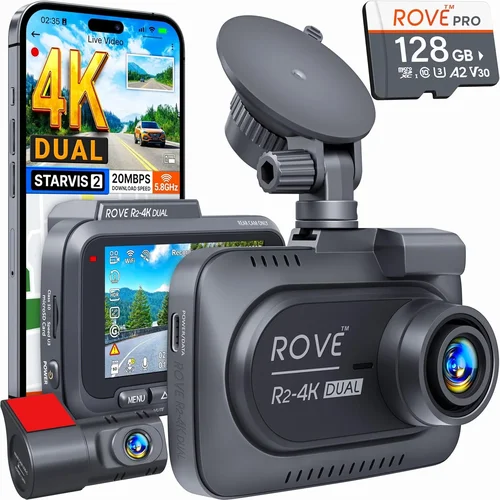
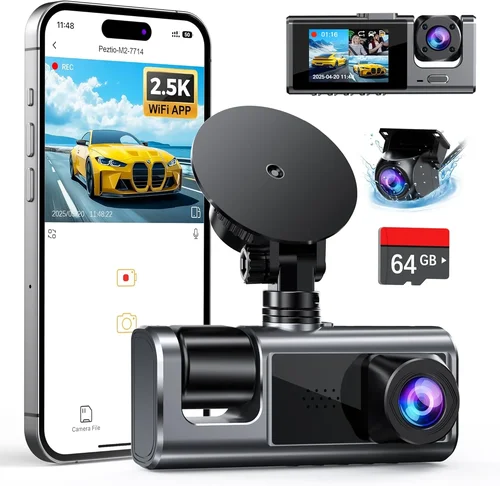
Enthusiasts and professionals gravitate toward this category. Features expand dramatically: superior HDR imaging, advanced parking monitoring, dual-lens setups, and enhanced durability. Brands like Garmin and Nextbase lead here with cutting-edge technology.
Justification? If your livelihood depends on avoiding false claims or legal battles, premium reliability pays dividends. Cloud storage integration and mobile app controls add convenience for tech-oriented drivers.
Luxury ($200+)
Ultra-high-end models target fleet operators or extreme use cases. Think 4K recording, thermal imaging, AI collision prediction, and enterprise-grade management suites. Overkill for individual Uber drivers unless you operate multiple vehicles or require forensic-grade evidence.
Unless you’re running a commercial shuttle service, luxury features rarely justify the cost. Stick to mid-range unless specific needs demand otherwise.
Expert Tips for Getting the Best Deal
Timing your purchase strategically can yield substantial savings. Major shopping events like Black Friday, Cyber Monday, Prime Day, and post-holiday clearance periods offer steep discounts on electronics. Subscribe to retailer newsletters for early access to promotions.
Compare prices across reputable platforms: Amazon (with Prime shipping), Best Buy (in-store pickup discounts), Walmart (price matching), and direct manufacturer sites (exclusive bundles). Use price-tracking tools like Honey or CamelCamelCamel to monitor fluctuations.
Read return policies carefully. Opt for stores with generous windows (90 days minimum) and hassle-free exchanges. Test units in person whenever possible—check button responsiveness, screen readability, and mount ease.
Verify warranty terms explicitly. Some cover only manufacturing defects; others include accidental damage. Clarify whether international shipping or out-of-warranty repairs are included. Register products promptly to activate coverage.
Join online communities like Reddit’s r/dashcam or specialized Facebook groups. Members share exclusive promo codes, trade tips, and alert each other to scams. Veteran drivers often recommend lesser-known but highly reliable brands overlooked by mainstream retailers.
Finally, consider refurbished or open-box items from certified sellers. These undergo rigorous inspection and come with full warranties, offering factory-new quality at 15–30% off retail.
Frequently Asked Questions
Q: Is a dash cam legally required for Uber drivers?
A: No, most jurisdictions don’t mandate dash cams for ride-share drivers. However, having one significantly strengthens your position in disputes involving passenger complaints, accidents, or traffic violations. Courts view dash cam footage as objective evidence, making it invaluable regardless of legality.
Q: Can passengers see the dash cam?
A: Yes and no. While the camera records continuously, its placement (typically behind the rearview mirror) makes it visible to riders. Transparency builds trust—most passengers appreciate knowing they’re being recorded for everyone’s safety. Avoid covering the lens unless legally prohibited.
Q: Will a dash cam drain my car battery?
A: Only if improperly installed. Built-in batteries last 1–2 hours max. Properly wired systems draw negligible power from your ignition circuit. Always use hardwiring kits with fuse taps and voltage guards to prevent drainage during idle periods.
Q: How long do dash cam videos last?
A: Depends on resolution, frame rate, and storage. At 1080p/30fps on a 64GB card, expect ~8–12 hours of footage. Higher resolutions reduce duration. Loop recording ensures continuous coverage by deleting oldest files first.
Q: Do I need GPS if I already use Uber’s trip tracker?
A: Complementary data helps. Dash cam GPS logs precise speed/location independent of app data, useful if Uber’s system glitches. It also captures routes missed by apps, such as detours or unauthorized stops.
Q: What happens during power loss?
A: Modern dash cams save critical buffers before shutdown using capacitors or supercapacitors. This preserves seconds of footage around the event, ensuring impact detection works reliably even during sudden outages.
Q: Can I use multiple dash cams in one car?
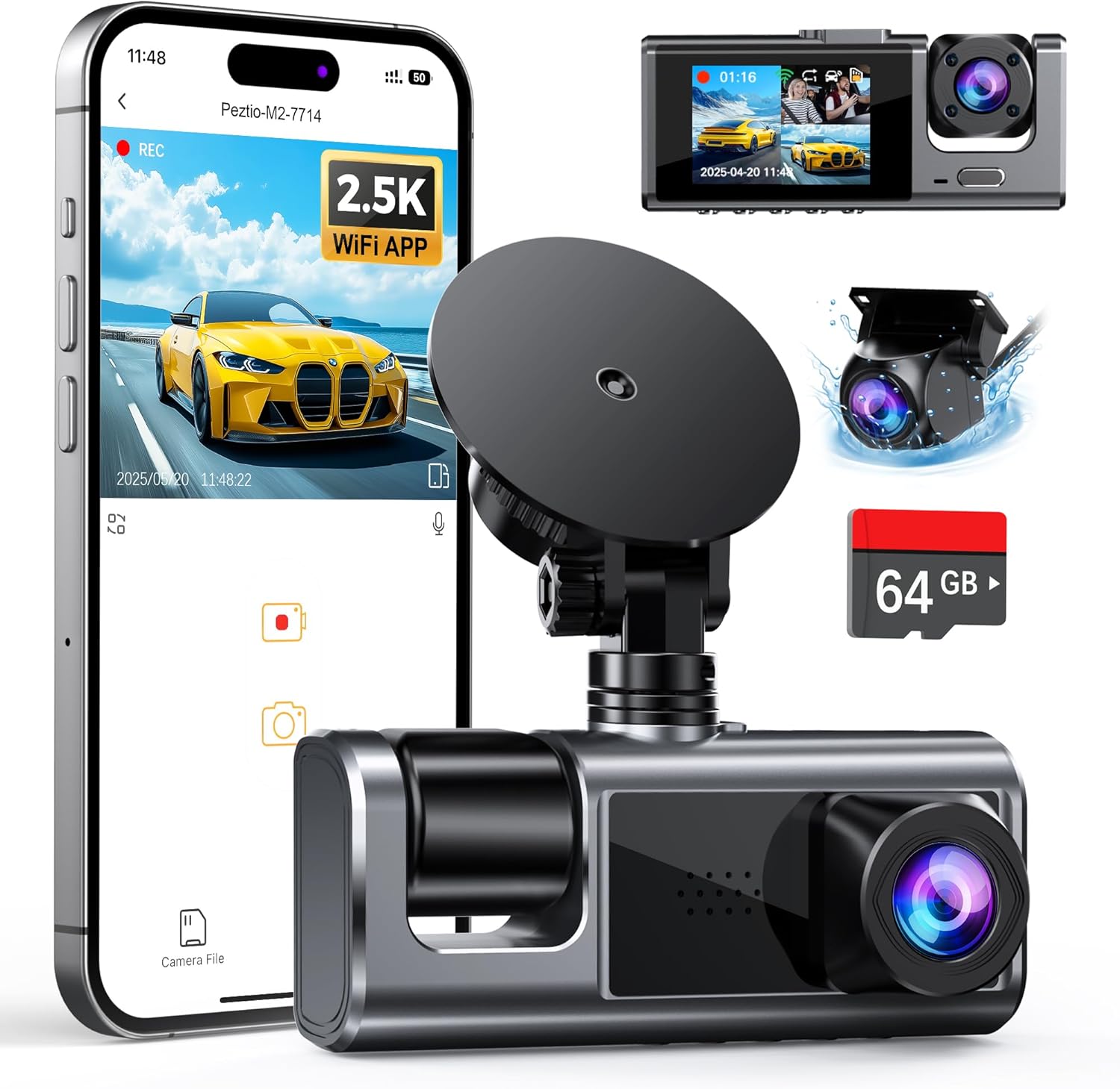
A: Technically yes, but impractical. Dual-lens models already cover front/rear views. Adding extra units creates redundancy without benefit and risks obstructing vision or complicating wiring. One well-placed camera suffices for most needs.
Q: Are dash cams legal everywhere?
A: Generally yes in the U.S., Canada, and Europe. Privacy laws vary—some countries restrict audio recording. Research local regulations before installing, especially regarding two-way audio or public area filming.
Q: How do I clean the lens properly?
A: Use microfiber cloths and isopropyl alcohol (70%+). Avoid paper towels or household cleaners that leave residue. Wipe gently in circular motions. Never spray liquids directly onto the camera.
Q: Can I recover deleted footage?
A: Possibly, but not guaranteed. Once overwritten by new recordings, data erasure is permanent. Regular backups eliminate recovery needs entirely. Treat footage as ephemeral until safely stored elsewhere.
Our Final Recommendations
Best for Budget-Conscious Buyers: Rexing M1W
This compact 1080p dash cam delivers exceptional value at around $65. It includes WDR night vision, G-sensor, loop recording, and parking mode. The sleek design doesn’t block the view, and firmware updates keep it current. Ideal for drivers prioritizing affordability without sacrificing core functionality.
Best Overall Value: Viofo A11 Pro
Priced near $100, the A11 Pro stands out with 2K resolution, superior low-light performance, and reliable hardwiring support. Its intuitive interface and durable build make it a favorite among full-time drivers. Includes GPS, Wi-Fi, and seamless smartphone integration—all within budget.
Best Premium Option: Garmin Dash Cam Mini 2
At $130, this tiny yet powerful device offers 1080p recording, voice control, and automatic update downloads. While lacking GPS or Wi-Fi, its compact size and rugged design suit frequent travelers. Garmin’s reputation for reliability justifies the higher cost for serious professionals.
Best for Beginners: Apeman F770
Starting at $55, the F770 simplifies setup with plug-and-play operation and straightforward menus. Basic features meet essential needs, and positive reviews highlight ease of use. Great for new drivers learning the ropes without complexity overload.
Best for Advanced Users: Blackvue DR750S-2CH
Though exceeding $200, this dual-lens marvel earns inclusion for its unmatched reliability. Front and rear cameras record in sharp 1080p, while cloud connectivity enables remote viewing. Designed for demanding environments, it’s worth the investment for drivers needing bulletproof evidence collection.
Conclusion: Making the Right Choice
Selecting the best budget dash cam for Uber isn’t about chasing flashy specs or the lowest price tag. It’s about striking a balance between affordability, durability, and performance tailored to your driving habits and risk profile. By focusing on proven brands, essential features like G-sensor and parking mode, and reliable storage solutions, you’ll safeguard yourself against false claims, enhance accountability, and gain valuable peace of mind.
Remember, your dash cam is more than a gadget—it’s a shield protecting your livelihood. Take time to research, compare, and choose wisely. Invest in quality today, and reap the rewards tomorrow through reduced stress, stronger credibility, and greater confidence on every ride.
Start your search armed with this knowledge, and soon you’ll be cruising with a device that does more than record—it defends. Safe travels!