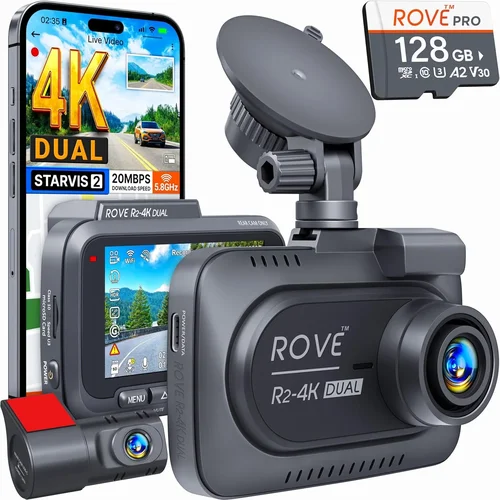
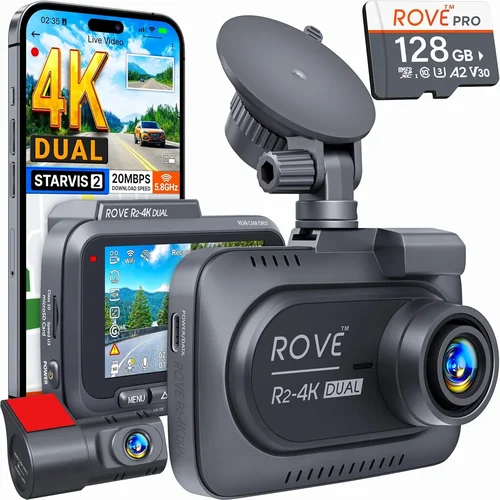
Best Dash Cam Buying Guide for Beginners
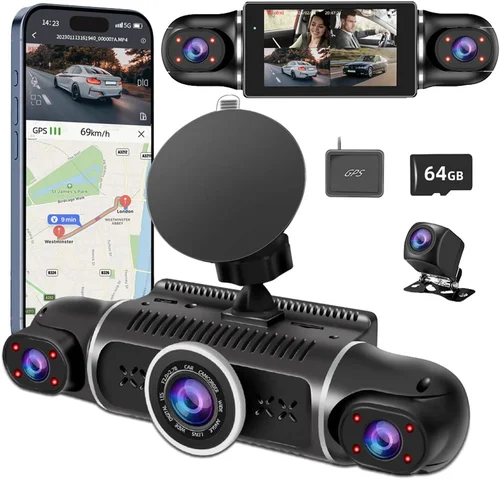
Why every new driver should invest in a dash cam and how to choose the right one for your needs
For new drivers, the road can feel overwhelming. Between learning traffic laws, mastering vehicle controls, and simply getting comfortable behind the wheel, it’s easy to feel unprepared. One of the most valuable tools you can add to your driving toolkit is a dash cam. These small devices record what happens inside and outside your car, offering peace of mind whether you’re navigating busy city streets or quiet country roads. But with so many options on the market, choosing the first dash cam can be daunting. This guide walks you through everything you need to know—from essential features to budget considerations—so you can make an informed decision that fits your lifestyle and driving habits.
You’ll learn how to evaluate performance specs like resolution and field of view, understand the importance of loop recording and parking mode, and discover which brands offer reliable customer support. We’ll also break down common mistakes beginners make when shopping, explain different types of dash cams, and provide expert tips on timing your purchase for the best value. By the end, you’ll have a clear roadmap to selecting a dash cam that protects you, supports your learning process, and gives you confidence every time you get behind the wheel.
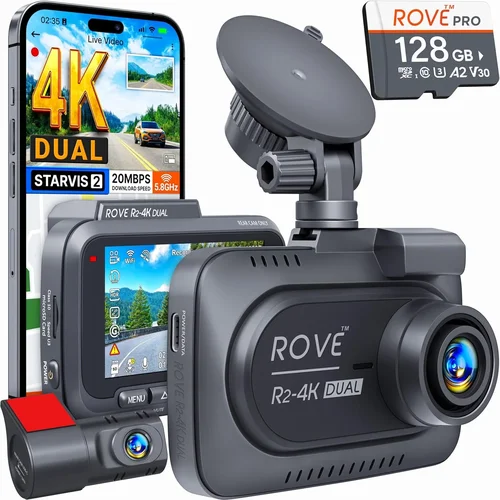
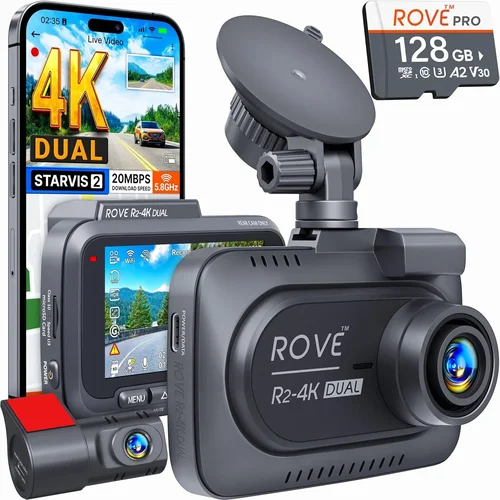
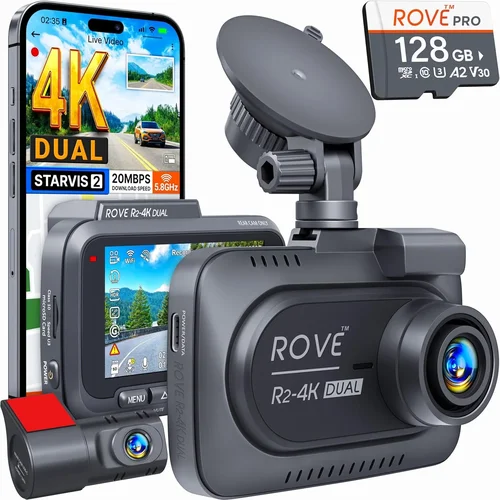
The dash cam market has exploded over the past decade, evolving from simple single-lens cameras into sophisticated multi-function systems. Today’s models come in various formats—front-only units, dual-camera setups that capture both front and rear views, and even 360-degree panoramic systems. Prices range from under $50 to several hundred dollars, making it possible for nearly any driver to find something within their means. However, more expensive doesn’t always mean better, especially if you’re just starting out. The key is matching features to your actual needs rather than chasing every high-end specification. With this comprehensive guide, you’ll avoid buyer’s remorse and pick a model that delivers real-world benefits without unnecessary complexity.

What to Look for When Buying Dash Cams
1. Resolution and Video Quality
Video quality determines how clearly incidents are captured, which is crucial for insurance claims or legal protection. For beginner drivers, aiming for at least 1080p Full HD resolution is recommended—this ensures license plates, road signs, and facial details remain legible even during sudden braking or collision events. Many entry-level models now offer 2K or even 4K recording, but these higher resolutions require larger storage files and faster write speeds. Unless you plan to use cloud backup or have unlimited data, 4K may not be practical for daily use. Look for cameras with HDR (High Dynamic Range) as well; this technology balances bright headlights with dark road scenes, preventing overexposure in nighttime driving situations.
2. Field of View (FOV)
A wide field of view captures more of the road ahead and surrounding areas, giving you better situational awareness. Most dash cams offer between 100° and 170° horizontal FOV. Beginners should prioritize lenses with at least 140° coverage—this helps catch vehicles cutting you off from multiple lanes or cyclists entering your path unexpectedly. Keep in mind that extremely wide angles (over 170°) can distort images at the edges, making distant objects appear smaller than they are. A balanced approach is ideal: enough width to see hazards early, but not so much that image clarity suffers. Some dual-lens models automatically adjust FOV based on speed or lighting conditions, which adds convenience without compromising safety.
3. Storage Capacity and Loop Recording
Dash cams continuously record footage, so you’ll need ample storage space. Most units use microSD cards ranging from 32GB up to 256GB. For daily driving, 64GB–128GB is usually sufficient if you enable loop recording—a feature that overwrites older clips once the card fills up, ensuring you never run out of space. Always buy Class 10 or UHS-I/UHS-II cards for smooth playback and reliable performance. Avoid counterfeit or low-quality memory cards, as they often crash or lose data during critical moments. Some advanced dash cams include built-in cloud storage plans, though these typically require monthly subscriptions and consume cellular data. For beginners, physical microSD cards offer more control and cost savings.
4. Parking Mode and Motion Detection
Parking mode activates your dash cam when your car is turned off, protecting against hit-and-runs or vandalism while parked. Most models detect motion or impact through built-in accelerometers and save triggered events to a protected folder. However, not all parking modes work equally well. Some draw power directly from your car’s battery, which can drain it over time—especially in hot climates where electronics consume more energy. Opt for models with capacitor-based designs instead of hardwired ones, as capacitors handle temperature extremes better and last longer. Also consider whether your dash cam supports time-lapse recording during parked hours, which reduces file sizes while still capturing activity around your vehicle.
5. Ease of Installation and Use
As a new driver, simplicity matters more than advanced settings. Choose a dash cam that mounts easily with suction cups or adhesive strips, requires minimal wiring, and has intuitive menu navigation. Touchscreen interfaces are convenient but can be slippery when wet or gloved; physical buttons offer better tactile feedback. Voice activation or smartphone app integration adds convenience but isn’t essential for beginners. Look for automatic start-up/shutdown features that sync with your ignition cycle, eliminating manual power-ups after long drives. If you’re uncomfortable with DIY installs, some retailers offer professional installation services for an added fee—worth considering if you want a clean, factory-like look.
6. Night Vision Capabilities
Nighttime driving accounts for a significant portion of accidents, yet many dash cams struggle with low-light performance. Seek models equipped with f/1.8 or lower aperture lenses, which let in more light, along with WDR (Wide Dynamic Range) processing. Red light filtering helps prevent glare from brake lights and street lamps, while infrared LEDs (in some rear-facing units) illuminate blind spots after dark. Test video samples from the manufacturer or user reviews showing nighttime footage before purchasing. Remember that no camera performs perfectly in pitch-black conditions, but modern sensors significantly outperform older generations in dim environments.
7. Build Quality and Durability
Your dash cam will face extreme temperatures, vibrations, and potential impacts. Plastic housings must withstand direct sunlight without melting or warping. Check if the lens is scratch-resistant and if the casing meets military-grade shock standards (look for MIL-STD certification). Water resistance ratings (IPX rating) matter too—while dash cams aren’t submerged, rainstorms and snow buildup can damage internal components. Brands known for rugged construction include Garmin, Blackvue, and Thinkware, though even budget-friendly options from reputable retailers often exceed durability expectations. Read return policy details: if your unit fails within the first few months, you want hassle-free replacements.
8. Brand Reputation and Customer Support
New drivers benefit greatly from reliable post-purchase support. Research brand reputation by reading independent review sites, checking warranty terms (typically 1–3 years), and seeing how quickly companies respond to technical issues. Avoid obscure brands with limited online presence or no local service centers. Top-tier manufacturers often provide firmware updates, troubleshooting guides, and responsive email/phone support. Community forums can also reveal real-world reliability—search Reddit threads or automotive enthusiast groups for honest feedback. If your dash cam comes with cloud connectivity or mobile apps, verify compatibility across iOS and Android devices before buying.
9. Smart Features and Connectivity
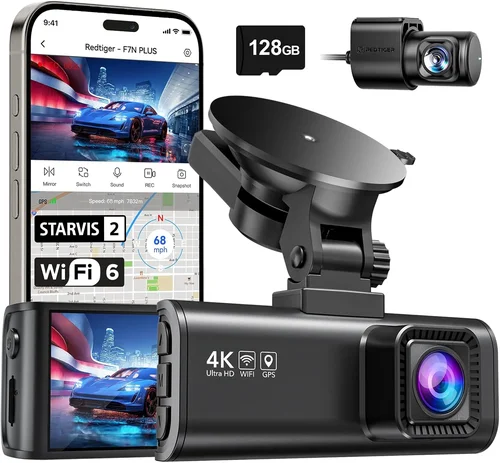
While basic dash cams focus solely on recording, smarter models integrate GPS tracking, Wi-Fi sharing, and smartphone notifications. GPS logs your speed and location, useful for verifying accident timelines. Wi-Fi lets you instantly download clips to your phone via companion apps, ideal for sharing evidence with insurers. Advanced users appreciate features like lane departure warnings or collision alerts, but these aren’t necessary for most beginners. Cloud backup services offer off-site storage but involve recurring fees and privacy concerns. Stick to local storage unless you specifically need remote access or legal-grade audit trails. Overcomplicating your system upfront leads to unused functions and wasted money.
10. Price vs. Value Ratio
Beginner dash cams shouldn’t break the bank, but skimping too much risks poor performance. Expect to spend between $50 and $150 for solid entry-level models that deliver core functionality without gimmicks. Mid-range units ($150–$300) often include dual lenses, superior night vision, and enhanced build quality. Premium options ($300+) suit drivers who demand professional-grade recording, extensive cloud integration, or luxury aesthetics. Evaluate each dollar spent: does it improve safety, reduce stress, or simplify your life? A cheaper camera with frequent malfunctions costs more in replacement fees and lost evidence. Prioritize reliability over bells and whistles until you gain experience with your chosen system.
Different Types of Dash Cams

Common Buying Mistakes to Avoid
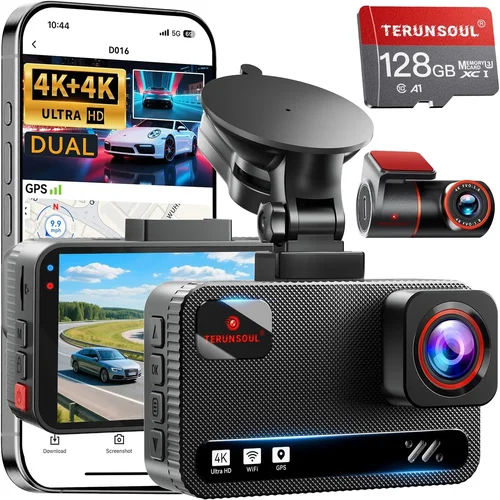
❌ Mistake: Skipping Resolution Checks
Why it’s bad: Purchasing a dash cam below 1080p resolution means losing crucial details like license plates or traffic signs, rendering footage useless during disputes or insurance claims.
What to do instead: Always verify video sample quality before buying. Request screenshots from the seller or watch third-party unboxing videos showing real-world recording.
❌ Mistake: Ignoring Loop Recording Settings
Why it’s bad: Without loop recording enabled, your dash cam stops saving new clips once the storage fills up, erasing potentially vital evidence from recent incidents.
What to do instead: Confirm loop recording is active by default and customize clip duration (typically 1–3 minutes). Shorter clips free up space faster during long trips.
❌ Mistake: Choosing Cheap Memory Cards
Why it’s bad: Low-quality microSD cards fail frequently, corrupt files, or write slowly, causing missed recordings during high-speed events.
What to do instead: Invest in reputable brands like SanDisk Extreme, Samsung EVO Select, or Lexar NM卡. Ensure compatibility with your dash cam’s maximum supported capacity.
❌ Mistake: Overlooking Parking Mode Limitations
Why it’s bad: Some parking modes drain your car battery overnight, leaving you stranded. Others lack motion detection accuracy, missing important events.
What to do instead: Opt for capacitor-powered models or install a separate parking sensor circuit. Test battery draw during extended parkings before relying solely on this feature.
❌ Mistake: Neglecting Firmware Updates
Why it’s bad: Outdated firmware causes bugs, connectivity issues, or reduced performance over time, limiting your dash cam’s lifespan.
What to do instead: Register your device with the manufacturer and enable automatic update notifications. Periodically check the official website for manual downloads.
❌ Mistake: Buying Based Solely on Brand Name
Why it’s bad: Well-known brands sometimes release subpar models alongside flagship products. Marketing hype doesn’t guarantee reliability.
What to do instead: Cross-reference multiple review sources, compare spec sheets side-by-side, and prioritize user-reported experiences over advertising claims.
❌ Mistake: Forgetting About Legal Compliance
Why it’s bad: In some regions, recording audio without consent violates wiretapping laws. Using dash cams improperly can lead to legal trouble.
What to do instead: Research local regulations regarding audio/video recording in vehicles. Disable microphone input if required by law in your area.
Budget Guidelines: How Much Should You Spend?
Entry-Level Dash Cams ($40–$80)
This tier delivers essential functionality at minimal cost. Expect Full HD recording, basic loop recording, and decent daytime visibility. Ideal for occasional drivers or those testing dash cam benefits without major investment. Examples include the Viofo A119 Mini or Apeman C450. Downsides include limited features, weaker night performance, and plastic construction. Still, these models fulfill core purposes reliably.
Mid-Range Dash Cams ($80–$180)
The sweet spot for most beginner drivers. Units here offer improved sensors, wider FOVs, optional rear cameras, and better build quality. Parking mode works consistently, and night vision rivals premium models. Recommended picks include the Nextbase 322GW or Garmin Dash Cam 66W. You’ll gain peace of mind without overspending on unnecessary tech.
Premium Dash Cams ($180–$350)
For drivers who demand excellence, these systems pack 4K recording, cloud connectivity, advanced alerts, and professional-grade durability. Brands like BlackVue, Thinkware, and Owlstone dominate this space. While pricey, they justify costs through longevity, superior evidence quality, and robust support networks. Best reserved for frequent travelers or those with high-risk commutes.
Luxury/Professional Models ($350+)
Top-tier dash cams serve niche markets: fleet managers, rideshare drivers, or legal professionals needing courtroom-ready evidence. Features include dual 4K streams, encrypted storage, GPS logging, and AI-driven incident classification. These aren’t practical for average beginners but illustrate how far the industry has progressed.
Expert Tips for Getting the Best Deal
- Time Your Purchase Strategically: Major retailers like Amazon, Best Buy, and Walmart often discount dash cams during holiday seasons (Black Friday, Prime Day) or back-to-school periods. Sign up for price alerts to catch drops.
- Compare Retailers Carefully: Online stores typically offer broader selections and competitive pricing, but physical outlets allow hands-on testing. Visit electronics superstores to inspect build quality and button layout before ordering online.
- Check Return Policies Religiously: Opt for sellers with 30-day+ return windows and free restocking fees. This buffer lets you test real-world performance without financial penalty if the unit disappoints.
- Verify Warranty Coverage Details: Read fine print—some warranties exclude water damage or accidental drops. International shipping costs may void coverage too. Prefer brands offering mail-in replacements.
- Test Before Committing Long-Term: Borrow a friend’s dash cam or rent one through local automotive clubs. Real-world trials reveal quirks invisible in product descriptions.
- Avoid “Free” Accessories Traps: Some deals bundle cheap cables or flimsy mounts at inflated base prices. Calculate true value by researching standalone accessory costs.
- Leverage Loyalty Programs: Credit card rewards, store points, or cashback portals can offset initial costs. Stack discounts whenever possible.
- Read Extended Review Periods: Wait 2–3 weeks after launch before buying. Early adopters often overlook flaws that surface later; waiting reveals long-term reliability data.

Frequently Asked Questions
Q: Do I really need a dash cam as a new driver?
A: Absolutely. Even experienced drivers benefit from dash cams—they protect against false accusations, document road rage incidents, and provide objective records during insurance claims. For beginners, they accelerate learning by offering unbiased feedback on driving behavior.
Q: Can dash cams record while my car is off?
A: Yes, via parking mode. However, continuous operation drains your battery. Most models enter low-power standby after detecting no movement for hours. Hardwiring avoids battery issues but requires professional installation.
Q: Will a dash cam affect my car insurance?
A: Generally no—dash cams are passive recording devices and don’t influence premiums. In fact, some insurers offer discounts for drivers using telematics programs that incorporate dash cam data.
Q: How do I transfer footage to my computer?
A: Remove the microSD card and insert it into your PC via an adapter, or connect the dash cam directly using USB cable. Companion apps often simplify file management too.
Q: Are dash cams legal everywhere?
A: Mostly yes—video recording is permitted in most countries. However, audio recording may violate privacy laws in places like Germany or Japan. Always research local regulations.
Q: What’s the difference between loop recording and G-sensor locks?
A: Loop recording cycles through saved clips automatically. G-sensors detect sudden impacts and lock nearby footage to prevent deletion. Both preserve critical moments but serve complementary roles.
Q: Can I use my old phone as a dash cam?
A: Technically yes, but dedicated units outperform phones due to stable mounting, optimized sensors, and uninterrupted power supply. Phone apps also drain batteries rapidly and lack durability.
Q: How often should I replace my microSD card?
A: Every 1–2 years under normal use. Wear leveling algorithms distribute writes evenly, but NAND flash memory degrades over time regardless. Monitor write cycles via manufacturer software if available.
Q: Do dash cams interfere with radio signals?
A: Rarely. Modern designs minimize RF emissions, but extremely sensitive equipment might detect minor interference. Positioning away from antennas usually resolves any issues.
Q: Should I hide my dash cam from others?
A: No. Transparency builds trust and discourages confrontational behavior. Hiding cameras may escalate tensions if discovered later. Place them discreetly but visibly near the windshield top center.
Our Final Recommendations
Best for Budget-Conscious Beginners
The Viofo A119 Mini strikes an excellent balance between affordability and capability. It offers 1080p recording, 140° FOV, loop recording, and reliable parking mode—all for under $80. Its compact size fits seamlessly into any dashboard, and user reviews praise consistent performance over months of daily driving.
Best Overall Value Pick
The Nextbase 322GW earns top marks for combining smart features with rugged design. It includes built-in GPS, emergency SOS button, Wi-Fi sharing, and Alexa compatibility—plus crisp 1080p visuals even at night. At around $120, it’s accessible without sacrificing essential protections.
Best Premium Option
For serious drivers, the Garmin Dash Cam 66W delivers premium polish. It boasts voice control, driver fatigue alerts, and seamless smartphone pairing. NightVision technology eliminates glare from headlights, and its anti-glare mount prevents reflections. Priced at $180, it justifies its cost through refined usability.
Best for Dual-Lens Coverage
If rear visibility matters, the Apeman C870 Pro provides dual 1080p lenses with synchronized recording. The front unit captures detailed highway scenes, while the wireless rear camera monitors blind spots. At $160, it’s pricier than single-lens models but offers unmatched completeness.
Best for Tech Enthusiasts
The BlackVue DR970X-2CH caters to advanced users with 4K front/rear recording, cloud connectivity, and intelligent parking detection. Though priced at $350+, it sets the gold standard for evidence quality and remote access—ideal if you’re willing to invest in professional-grade gear.
Conclusion: Making the Right Choice
Selecting your first dash cam doesn’t have to be stressful. Focus on core requirements: clear video, dependable storage, and straightforward operation. Avoid over-engineering your purchase with features you’ll never use. Remember, the best dash cam is the one you’ll actually install, maintain, and rely on daily. Whether you choose a modest entry-level model or a feature-rich premium unit, the goal remains the same—enhancing safety, reducing anxiety, and building confidence on the road. Take time to research, test if possible, and prioritize brands with proven track records. With the right dash cam, every drive becomes safer, smarter, and more secure.