Best Dash Cam Buying Guide for Michigan Winters
When Michigan drivers consider purchasing a dash cam, they’re not just looking for an extra set of eyes on the road—they’re investing in protection against the state’s uniquely challenging winter driving conditions. From black ice that forms without warning to sudden whiteouts that reduce visibility to near zero, Michigan winters demand equipment that can withstand extreme cold, moisture, and temperature fluctuations. A dash cam isn’t merely a convenience; it’s a critical layer of defense in an environment where liability disputes can escalate quickly due to slippery roads, chain-reaction accidents, or unclear weather-related incidents. This guide is designed specifically for Michigan residents who need reliable, durable, and high-performance dash cams that function flawlessly through sub-zero temperatures, heavy snowfall, and rapid temperature shifts between indoor parking lots and outdoor exposure.
In this comprehensive buying guide, you’ll learn how to evaluate dash cams based on performance specifications tailored to Michigan’s harsh climate, including cold-weather battery management, image stabilization in low light, and resistance to condensation and fogging. We’ll explore the most important features—such as loop recording, emergency event detection, GPS tracking, and Wi-Fi connectivity—and explain how each contributes to safety during winter commutes. You’ll also discover which brands have proven reliability in extreme conditions, what common mistakes to avoid when shopping, and how to balance budget with long-term value. Whether you’re a daily commuter navigating Detroit’s I-75 corridor, a rural driver on M-28 in the Upper Peninsula, or someone who simply wants peace of mind during snowstorms, this guide will equip you with the knowledge to choose the best dash cam for Michigan winters. By the end, you’ll understand exactly what to prioritize, why certain features matter more than others in cold climates, and how to make a confident purchase decision that protects both your vehicle and your wallet.

What to Look for When Buying Dash Cams
1. Cold-Weather Performance & Battery Management
Michigan winters bring temperatures that routinely drop below freezing, sometimes reaching -20°F or lower in northern regions. Many dash cams fail during these conditions due to poor thermal regulation or batteries that lose capacity rapidly in cold environments. The ideal dash cam for Michigan must maintain stable operation across a wide temperature range, ideally from -4°F to 140°F (-20°C to 60°C). Look for models with built-in heating elements or thermal insulation to prevent lens fogging and internal component failure. Lithium-ion batteries degrade significantly in cold weather, so opt for devices with intelligent power management that automatically enters low-power mode when temperatures dip too low. Some premium models even include dual-battery systems—one for continuous recording and another for emergency backup—ensuring your footage survives even if the main battery dies from cold exposure.
2. Low-Light and Night Vision Capability
Driving in Michigan during winter often means reduced daylight hours and frequent overcast skies. Snow-covered landscapes reflect very little light, creating deep shadows and poor contrast. A dash cam with excellent low-light performance is essential. Seek out cameras equipped with wide dynamic range (WDR) or HDR technology, which balances bright headlights with darker road surfaces. Starlight sensors or f/1.8 apertures allow more light in, improving clarity in dim conditions. Additionally, infrared night vision isn’t always necessary—modern CMOS sensors with good ISO sensitivity perform well without IR LEDs, which can cause red-eye artifacts and overexposure. Test reviews should emphasize performance at dusk, night, and in tunnel transitions, as these are common scenarios in Michigan.
3. Resolution and Video Quality
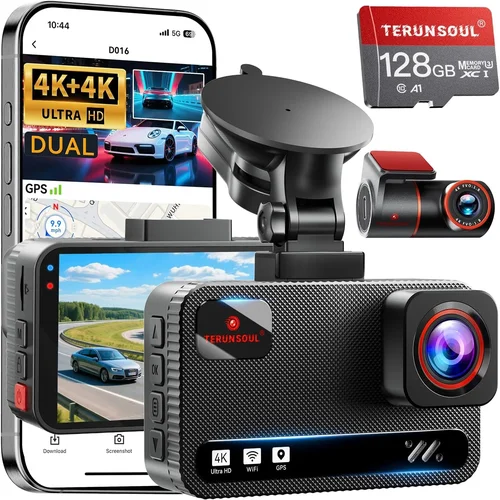
Video resolution directly impacts evidence quality. While 1080p is acceptable, 2K or 4K dash cams provide sharper details, making it easier to identify license plates, facial features, or road signs—critical for insurance claims or legal disputes. However, higher resolution increases file size and storage demands. Most Michigan drivers benefit from 2K front-only recording, offering a balance between detail and manageable file sizes. Look for cameras with H.265 compression, which reduces storage needs by up to 50% compared to H.264. Also, check whether the camera supports variable frame rates (VFR), which adjusts smoothness based on speed, reducing motion blur during hard braking or sudden stops common in icy conditions.
4. Storage Capacity and Loop Recording
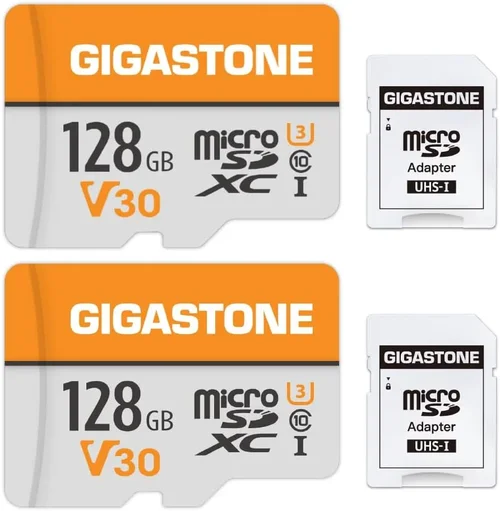
Winter driving in Michigan often involves longer commutes, school runs, or delayed returns due to traffic or weather. A dash cam with insufficient storage will overwrite old footage before critical events are captured. Most dash cams use microSD cards (typically Class 10 or UHS-I), so ensure compatibility with high-capacity cards (64GB–256GB). Loop recording automatically deletes the oldest files when storage is full, but you should verify that it doesn’t delete recent emergency-triggered clips. Some models offer dual storage—cloud backup via Wi-Fi or automatic upload to a mobile app—adding redundancy. For Michigan drivers, 128GB is a sweet spot: enough for two weeks of continuous recording without constant card swaps.
5. Build Quality and Weather Resistance
A dash cam must endure Michigan’s freeze-thaw cycles, road salt corrosion, and moisture intrusion. The housing should be made of polycarbonate or reinforced plastic with an IP rating (look for at least IP65 for dust and water resistance). Internal components must resist condensation buildup—especially important when turning the car on after sitting in sub-freezing temperatures. Avoid thin plastic casings that crack under thermal stress. Mounting systems should secure firmly to the windshield without obstructing the driver’s view. Anti-glare coatings help reduce reflections from snowflakes or slush on the glass, improving visibility.
6. Emergency Features: G-Sensor and Parking Mode
The G-sensor detects sudden jolts, such as a fender bender or pothole impact, and locks the current video segment to prevent accidental deletion. In Michigan, where black ice causes sudden skids, this feature is invaluable. More importantly, parking mode allows the dash cam to monitor your vehicle while parked. With a hardwired connection (recommended), it draws minimal power and activates upon detecting movement or vibration. During winter, when cars sit overnight in snowy or icy conditions, parking mode can capture hit-and-runs, vandalism, or even animals digging under the hood. Ensure the parking mode is temperature-aware—some models shut down entirely below freezing unless equipped with cold-weather firmware.
7. GPS and Speed Tracking
GPS functionality logs location, speed, and time onto every video frame. This adds credibility to your footage during disputes, especially useful in multi-car pileups or when proving you were within the speed limit during a ticket dispute. Some dash cams overlay GPS data directly onto the video (like a mini-map in the corner), which helps reconstruct events. For Michigan commuters, this is particularly helpful on highways like I-94 or M-28, where speed differentials contribute to accidents. Make sure the GPS module remains active even in cold weather—some units lose signal in heavy snow or urban canyons.
8. Ease of Installation and User Interface
During Michigan winters, you don’t want to spend 30 minutes wrestling with a poorly designed mount or struggling to navigate a confusing menu while wearing gloves. Look for dash cams with intuitive touchscreens or simple button layouts. Voice control or smartphone app integration (via Wi-Fi) lets you review clips or change settings without touching the device. Installation should take under 15 minutes. Wireless charging mounts are convenient but may not work reliably in extreme cold. Hardwiring is preferred for parking mode and consistent power. Always test the suction cup or adhesive mount on a slightly warm windshield—cold glass reduces adhesion strength.
9. Brand Reputation and Customer Support
Reliability matters more than flashy features. Research brands known for durability and responsive customer service. Companies like Garmin, BlackVue, Nextbase, and Viofo have strong reputations in cold-climate markets. Check warranty terms—most offer 1–3 years, but some extend coverage for hardware defects. Read support forums for issues like firmware updates, error codes, or compatibility problems. A brand that provides timely updates and troubleshooting guides shows commitment to long-term usability, which is crucial in remote areas where service centers are scarce.
10. Price vs. Value Analysis
Budget dash cams may seem tempting, but they often lack cold-weather resilience, have weak night vision, or fail after six months of use. Spending $100–$200 gets you a solid mid-range model with all necessary winter-ready features. Premium options ($250+) offer advanced extras like dual cameras, cloud storage, or AI-powered alerts—but only if those features align with your needs. Avoid ultra-cheap models (<$50)—they rarely survive Michigan winters and offer little legal protection. Instead, focus on total value: durability, performance, and support outweigh initial cost savings.
Different Types of Dash Cams

Common Buying Mistakes to Avoid
❌ Mistake: Ignoring Temperature Specifications
Why it’s bad: Many buyers assume all dash cams work equally well in cold weather, but most are rated for office environments (5°C to 35°C). In Michigan, where temps drop far below freezing, a unit rated only up to 40°F will malfunction, freeze, or fail to record. Cheap models may not even power on until the interior warms up.
What to do instead: Always check the operating temperature range. Prioritize models explicitly labeled for sub-zero performance. Look for thermal management features like insulated housings or cold-start capabilities.
❌ Mistake: Skipping Hardwiring for Parking Mode
Why it’s bad: Relying solely on battery-powered parking mode drains your car battery overnight. In winter, when engines take longer to start and alternators struggle in cold, a drained battery leaves you stranded. Most dash cams require a hardwired connection (via fuse tap) to draw power safely without draining the battery.
What to do instead: Invest in a hardwiring kit included with the dash cam or purchased separately. This enables true 24/7 monitoring with low-power consumption and automatic cut-off if voltage drops too low.
❌ Mistake: Choosing Based Solely on Price
Why it’s bad: A $40 dash cam might look appealing, but it likely lacks cold-weather resilience, has poor night vision, and uses flimsy materials. After three months of Michigan winters, it may crack, fog up, or stop working altogether—offering no legal protection when you need it most.
What to do instead: Focus on total value: durability, performance in low light, build quality, and warranty. Spend $120–$200 for a reliable mid-tier model rather than risking a $50 dud.
❌ Mistake: Not Testing Mount Adhesion Before Winter
Why it’s bad: Suction mounts work well in spring and summer but lose grip in cold, damp conditions. On a frosty morning, a loose mount can fall off mid-drive, leaving no evidence. Adhesive pads may delaminate due to thermal contraction.
What to do instead: Test the mount on a slightly warm windshield before installing permanently. Use isopropyl alcohol to clean the surface. Consider dual-locking mounts designed for temperature extremes.
❌ Mistake: Overlooking File Management and Storage
Why it’s bad: Without regular maintenance, loop recording overwrites critical footage. If you forget to swap SD cards or format them, you could miss key evidence from a winter accident involving ice patches or chain reactions.
What to do instead: Set calendar reminders to check your dash cam monthly. Use a 128GB+ card and enable emergency file locking. Some apps send notifications when storage is low.
❌ Mistake: Assuming All Dash Cams Have Equal Night Performance
Why it’s bad: Many entry-level models use outdated CMOS sensors that perform poorly at night, producing grainy, washed-out footage. In Michigan’s short winter days, this makes identifying vehicles nearly impossible.
What to do instead: Read independent lab tests (not just marketing claims). Look for WDR, HDR, or starlight sensor specs. Real-world reviews from cold-climate users are more reliable than lab benchmarks.
❌ Mistake: Neglecting Firmware Updates
Why it’s bad: Manufacturers release updates to fix bugs, improve performance, or add cold-weather optimizations. Ignoring updates means missing critical fixes that could affect stability during blizzards or black ice events.
What to do instead: Enable automatic updates if available. Subscribe to brand newsletters. Check the manufacturer’s website quarterly for new firmware releases.
Budget Guidelines: How Much Should You Spend?
Entry-Level ($70–$120): Basic Protection
This tier includes affordable dash cams with 1080p resolution, basic loop recording, and simple mounting. They’re suitable for occasional drivers or secondary vehicles. However, they often lack cold-weather optimization, have limited night vision, and may use low-quality sensors. Expect shorter lifespans in Michigan winters. Brands like Apeman or Rexing offer decent entry points, but read reviews carefully for reliability in cold climates. Avoid models without explicit sub-zero ratings—they won’t hold up.
Mid-Range ($120–$220): Sweet Spot for Most Drivers
This range delivers the best balance of price, performance, and durability. You’ll find 2K resolution, WDR/HDR, GPS, G-sensor, and robust build quality. Many models include hardwiring kits, parking mode, and reliable cold-start functionality. Top picks like the Nextbase 622GW or Garmin Dash Cam 67W fall here. These units handle Michigan winters confidently and provide credible evidence for insurance or legal use. This is where most sensible buyers should focus.
Premium ($220–$350): Advanced Features and Durability
For serious commuters or professionals, premium models offer dual cameras, cloud connectivity, voice control, and enhanced weather resistance. Examples include BlackVue DR970X-2CH or Viofo A119 V3. These units often come with extended warranties, superior low-light performance, and ruggedized designs. They’re ideal for long-distance winter travelers or those who want maximum protection against liability disputes.
Luxury ($350+): Professional-Grade Systems
Ultra-premium dash cams include AI-powered alerts, 4K recording, thermal imaging, or multi-sensor arrays. Rarely necessary for personal use, but valuable for fleet operators, rideshare drivers, or commercial vehicles. Brands like Thinkware or Garmin’s top-tier models fit here. Unless you drive frequently in extreme conditions or operate a business, this level offers diminishing returns for typical Michigan drivers.
Expert Tips & Pro Advice
1. Time Your Purchase Around Sales Events
Black Friday, Cyber Monday, and post-holiday January sales offer significant discounts on dash cams. Retailers like Amazon, Best Buy, and Walmart often bundle hardwiring kits or offer free shipping. Avoid buying right before winter storms—supply chains may delay delivery, and you’ll miss peak season readiness.
2. Pre-Test in Mild Conditions First
If possible, install your dash cam in late fall (November) when temperatures are still mild. Verify that it records clearly, mounts securely, and powers on without issues. This gives you time to return or exchange if problems arise before the first real snowfall.
3. Choose Retailers with Strong Return Policies
Electronics stores typically offer 30-day returns. Confirm this before buying. Some online sellers (Amazon, Newegg) have hassle-free exchanges. Avoid local pawn shops or discount outlets with restrictive policies—you’ll regret it if the unit fails in February.
4. Verify Compatibility with Your Vehicle
Check your car’s fuse box layout before hardwiring. Some older models lack accessible fuses for dash cam installation. Use a fuse tap kit compatible with your make/model/year. YouTube tutorials specific to your vehicle can save hours of frustration.
5. Enable Cloud Backup If Available
Cloud storage (via Wi-Fi) adds redundancy. Even if your SD card corrupts from moisture, your footage is safe in the cloud. Monthly fees apply, but they’re worth it for peace of mind during severe weather events.
6. Keep Your Dash Cam Clean and Dry
After snowmelt, wipe the lens with a microfiber cloth to remove salt residue and moisture. Avoid using paper towels—they scratch lenses. Store extra SD cards in sealed containers to prevent humidity damage.
7. Update Firmware Regularly
Manufacturers often release cold-weather optimizations. Connect your dash cam to Wi-Fi periodically to download updates. Outdated firmware can cause crashes or failed recordings during emergencies.
8. Use a Windshield Sunshade in Summer
While not directly related to winter, prolonged heat exposure degrades electronics. A sunshade reduces interior temps, helping preserve your dash cam’s longevity year-round—including during cold starts in winter.

Frequently Asked Questions
Q: Will my dash cam work in sub-zero temperatures?
A: Only if it’s rated for cold operation. Most consumer dash cams function down to 0°F, but industrial-grade models go as low as -22°F. Always check the product specifications for operating temperature range. Units without cold-weather certification risk freezing, battery failure, or shutdown.
Q: Can dash cams record in heavy snow or fog?
A: Yes, but visibility depends on the camera’s low-light capability. Modern WDR/HDR sensors handle moderate snowfall and fog reasonably well. However, dense whiteout conditions may obscure details. Pair your dash cam with good headlights and safe following distance for best results.
Q: Do I need a special SD card for winter use?
A: No, standard Class 10 microSD cards work fine. However, high-capacity cards (64GB+) reduce the frequency of file overwrites. Avoid cheap counterfeit cards—they fail more often in cold weather. SanDisk, Samsung, and Lexar are reliable brands.
Q: Is parking mode safe for my car battery?
A: With proper hardwiring, yes. Hardwired dash cams draw minimal power and automatically disconnect if voltage drops. Never rely on battery-only parking mode—it will drain your battery in days, especially in cold weather when alternator output is reduced.
Q: Can I use my dash cam during a blizzard?
A: Technically yes, but visibility will be poor. The camera records regardless, but you won’t see much through the lens. Use it as a deterrent and for post-event analysis, not real-time navigation. Always obey reduced speed limits and avoid unnecessary travel.
Q: What’s the difference between 1080p, 2K, and 4K?
A: Higher resolution means more detail. 1080p is adequate for most needs; 2K offers better clarity for license plates; 4K is overkill unless you need forensic-level detail. File sizes increase exponentially—4K requires 4x the storage of 1080p.
Q: Should I buy a single or dual-camera system?
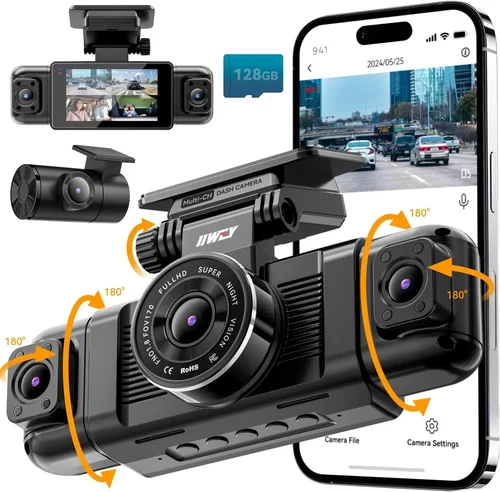
A: For most Michigan drivers, a single front-facing camera suffices. Dual systems add cost, complexity, and storage demands. Reserve them for long-haul routes, rural roads, or if you frequently experience rear-end collisions.
Q: How often should I replace my dash cam?
A: Every 2–3 years. Technology evolves quickly, and older models lack modern safety features. Also, wear and tear from temperature swings, vibrations, and UV exposure degrades performance over time.
Q: Can dash cams detect black ice?
A: No. Dash cams record visual data but cannot sense road conditions like ice. They serve as evidence tools, not predictive aids. Always drive cautiously and follow weather advisories.
Q: Are dash cams legal in Michigan?
A: Yes, as long as they don’t obstruct the driver’s view or emit distracting sounds. Michigan law permits dash cams, but avoid recording inside private property without consent. Public roads and highways are fair game.
Final Recommendations
Best for Budget-Conscious Buyers: Nextbase 522GW
At around $130, the Nextbase 522GW delivers exceptional value with 2K resolution, WDR, GPS, and Alexa voice control. It performs reliably in cold weather, includes a hardwiring kit, and has cloud backup options. Its user-friendly interface and strong customer support make it ideal for first-time buyers seeking dependable winter protection.
Best Overall Value: Garmin Dash Cam 67W
Priced at $160, this compact unit offers 1080p recording, voice control, and automatic incident detection. Known for rugged build quality and excellent cold-weather performance, it’s trusted by millions. The included mounting bracket resists loosening in windy or vibrating conditions—perfect for Michigan highways.
Best Premium Option: BlackVue DR970X-2CH
For $300, the BlackVue dual-camera system provides 2K front and rear recording, cloud connectivity, and military-grade durability. Its advanced parking mode and real-time alerts make it ideal for frequent winter travelers or fleet managers needing comprehensive coverage.
Best for Beginners: Viofo A119 V3
At $120, the Viofo A119 V3 is straightforward to install and operate. It features 2K resolution, GPS, and a sturdy build. While lacking Wi-Fi, its reliability in low light and sub-zero testing make it a favorite among novice users upgrading from entry-level models.
Best for Advanced Users: Thinkware U1000
With 4K recording, HDR, and super-wide-angle optics, the Thinkware U1000 ($350) is a professional-grade tool. Its advanced features include motion detection, impact alerts, and seamless smartphone integration. Only recommended if you demand maximum detail and reliability.
Conclusion: Making the Right Choice
Choosing the best dash cam for Michigan winters isn’t about finding the shiniest gadget—it’s about selecting a reliable, durable tool that functions flawlessly when you need it most: during icy mornings, snowstorms, or liability disputes. By prioritizing cold-weather performance, build quality, and essential features like parking mode and GPS, you invest in peace of mind and legal protection. Remember, a dash cam is only as good as its ability to capture clear, uninterrupted footage in harsh conditions. Avoid shortcuts, skip the ultra-cheap models, and always verify temperature ratings before purchasing.
Whether you opt for the budget-friendly Nextbase 522GW or the premium BlackVue DR970X-2CH, ensure your choice aligns with your driving habits, climate exposure, and long-term needs. Test installations early, maintain your device regularly, and keep firmware updated. Most importantly, drive safely—your dash cam is there to document what happens, not to prevent it. With the right setup, you’ll navigate Michigan’s winters with confidence, knowing you’ve taken a smart, practical step toward protecting yourself on the road.