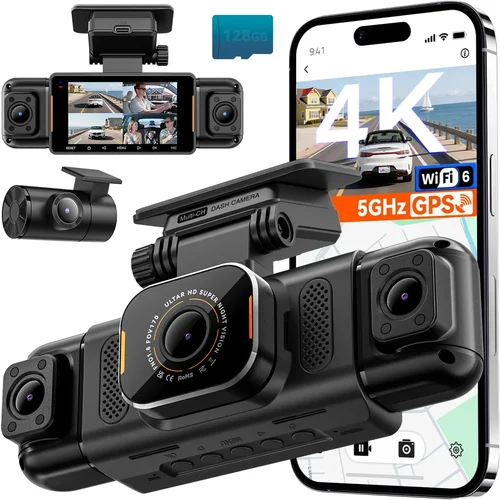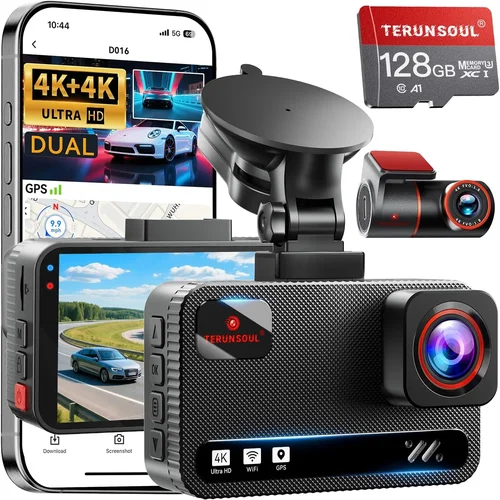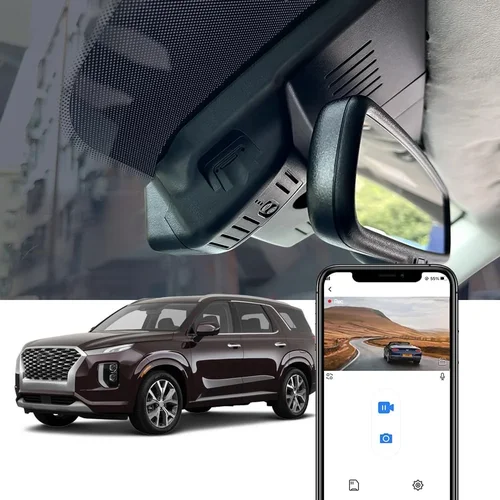
Best Dash Cam for Hyundai Palisade Purchase Guide
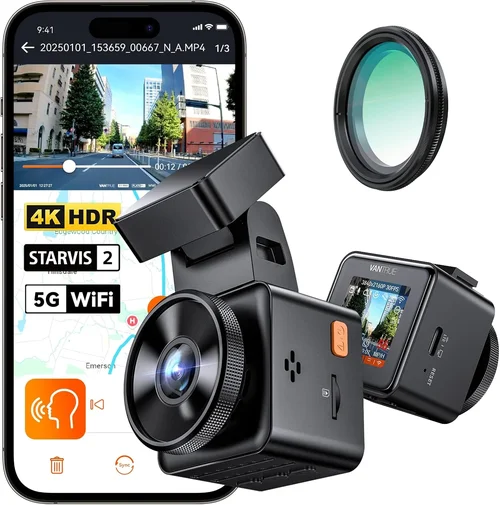
When you’re behind the wheel of a Hyundai Palisade, you’re not just driving a vehicle—you’re managing a mobile command center. Whether it’s your family on a weekend getaway, a business trip across state lines, or simply navigating city traffic with the kids in tow, safety and security are top priorities. That’s where a dash cam becomes more than just an accessory; it transforms into a silent guardian, recording every moment for insurance claims, legal protection, or peace of mind. But with dozens of options flooding the market, choosing the best dash cam for your Hyundai Palisade can feel overwhelming.
This comprehensive guide is designed to cut through the noise and help you make an informed decision tailored specifically to the Hyundai Palisade’s unique cabin layout, power systems, and mounting challenges. You’ll learn how to evaluate critical features like video quality, parking mode, loop recording, and compatibility—without getting lost in technical jargon. By the end of this article, you’ll have a clear roadmap to selecting a dash cam that integrates seamlessly with your Palisade, offers reliable performance in all weather conditions, and delivers value well beyond its initial purchase price.
The dash cam market has evolved dramatically over the past decade. What started as simple single-lens cameras with basic recording capabilities has now become a sophisticated ecosystem of devices featuring GPS tracking, Wi-Fi connectivity, cloud storage, AI-powered alerts, and even dual-channel recording. However, not all dash cams work equally well inside different car models. The Hyundai Palisade, with its sleek interior design, limited dashboard space, and specific wiring requirements, presents both opportunities and challenges for installation and functionality. Understanding these nuances is essential before making any purchase.

What to Look for When Buying Dash Cams
1. Budget & Price Range
Before diving into features and specs, establish your budget. Dash cams range from under $50 for entry-level models to over $400 for premium dual-camera systems with advanced intelligence. For most Hyundai Palisade owners, a mid-range investment of $150–$250 offers the sweet spot between affordability and reliability. This range typically includes 1080p or 2K resolution, built-in G-sensor, loop recording, and sometimes even parking monitoring. Consider not just the upfront cost but also long-term expenses: extra memory cards, replacement parts, or subscription fees for cloud services.
2. Performance Specifications
The heart of any dash cam is its imaging sensor and lens quality. Look for at least 1080p Full HD resolution—anything lower will struggle to capture license plates clearly, especially at night or in low light. Many modern units now offer 2K or even 4K recording, which provides sharper detail and better zoom capability without significantly increasing file sizes. Frame rate matters too: 30fps is standard, but 60fps improves motion clarity during fast driving. Equally important is the camera’s field of view (FOV). A wide-angle lens (130–150 degrees) captures more road ahead and beside you, reducing blind spots. Just be cautious—ultra-wide lenses can introduce distortion near the edges.
3. Build Quality & Durability
The Hyundai Palisade experiences temperature extremes from freezing winters to scorching summers, so your dash cam must withstand those conditions. Opt for models with ruggedized housings, heat-resistant materials, and reliable internal components. Waterproof or water-resistant ratings (IPX4 or higher) ensure functionality during rain or snow. Additionally, consider how securely the device mounts—adhesive mounts may fail if repeatedly removed and reapplied, while suction cup bases might lose grip on curved surfaces common in SUV interiors. Some brands offer proprietary magnetic mounts designed specifically for vehicles like the Palisade.
4. Features & Functionality
Modern dash cams come packed with useful extras. Loop recording automatically overwrites older footage when storage fills up, ensuring continuous operation. G-sensor detects sudden impacts and locks relevant clips to prevent accidental deletion. Parking mode records incidents when your vehicle is unattended, though this requires hardwiring to avoid draining the battery. Other valuable features include:
- Wi-Fi Connectivity: Allows wireless transfer of clips to smartphones via companion apps.
- GPS Logging: Tracks speed, location, and route history—useful for accident reconstruction.
- Voice Commands: Enables hands-free control during drives.
- Time-Lapse Recording: Reduces file size by capturing frames less frequently when parked.
- Night Vision Enhancement: Uses infrared LEDs or improved low-light sensors for clearer nighttime footage.
5. Brand Reputation
Stick with established brands known for quality and customer support. Companies like BlackVue, Garmin, Nextbase, Viofo, and Thinkware have built strong reputations over years of consistent performance and responsive service. These manufacturers often release firmware updates, provide detailed user manuals, and maintain active forums where real owners share installation tips and troubleshooting advice. Avoid obscure brands selling on discount platforms—they may cut corners on materials or software stability, leading to premature failures.
6. Warranty & Support
A solid warranty reflects confidence in product durability. Most reputable dash cam brands offer at least a one-year warranty covering defects in workmanship and materials. Some extend coverage to two or three years, especially for premium models. Check whether the warranty is transferable if you ever sell your Palisade. Also verify what constitutes “normal wear” versus manufacturer defect—cracked screens due to dropping the unit shouldn’t be covered if it results from user mishandling. Customer support responsiveness is equally crucial; test their chat or email channels before purchasing if possible.
7. Size & Portability
The Hyundai Palisade has a relatively compact dashboard compared to larger SUVs, so choose a dash cam that fits comfortably without obstructing your view or interfering with airbags. Compact designs around 2.5–3 inches tall are ideal. If you plan to move the camera between vehicles, look for lightweight, easily detachable units. Some models include optional rear-view camera add-ons that clip onto the existing front unit, offering a complete dual-channel setup without bulky separate housings.
8. User Reviews & Ratings
Real-world feedback reveals hidden flaws and unexpected strengths. Scour Amazon, Best Buy, B&H Photo, and specialty automotive sites for recent reviews. Pay attention to comments about battery life, ease of installation, software usability, and reliability over time. Be wary of overly glowing reviews that sound scripted—authentic buyers usually mention both pros and cons. Filter by verified purchases and check how long ago reviews were posted; technology evolves quickly, and outdated opinions may mislead you.
Different Types of Dash Cams

Common Buying Mistakes to Avoid
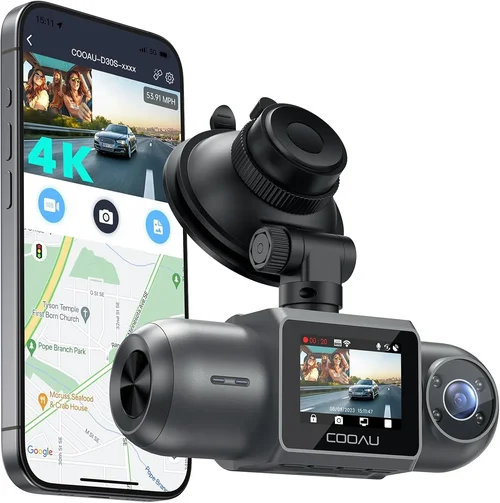
❌ Mistake: Ignoring Compatibility With Your Specific Vehicle Model
Why it’s bad: Many buyers assume universal fit applies to dash cams, but dimensions, mounting points, and power requirements vary. A camera that fits snugly in a sedan might block vents or airbags in an SUV like the Palisade. Additionally, some models require specific fuse taps or OBD ports that aren’t accessible without professional tools.
What to do instead: Always measure your dashboard space beforehand. Consult owner forums or YouTube installers who’ve used the same model in a Palisade. If hardwiring, verify fuse box locations using your owner’s manual or a diagram online.
❌ Mistake: Overlooking Storage Requirements
Why it’s bad: Using slow or incompatible microSD cards leads to dropped frames, corrupted files, or failed recordings. Cheaper cards may also wear out faster under constant write cycles, leaving you with no recent footage when needed most.
What to do instead: Purchase high-endurance Class 10 or U3 rated cards from trusted brands like SanDisk Extreme, Samsung Pro Endurance, or Lexar. Aim for at least 32GB (64GB recommended) to store 2–3 hours of 1080p footage. Format cards regularly via the dash cam itself—not your computer—to maintain optimal performance.
❌ Mistake: Skipping Hardwiring for Parking Mode
Why it’s bad: Relying solely on battery-powered parking mode drains your car’s 12V system over time, potentially killing the battery. Most modern dash cams recommend hardwiring to draw power only when the engine runs or via a low-power circuit that activates after shutdown.
What to do instead: Invest in a quality hardwire kit ($15–$30) that connects to your Palisade’s fuse box using a fuse tap. Choose a circuit tied to ignition or a dedicated accessory feed so the dash cam turns off when you park, preserving battery life.
❌ Mistake: Choosing Based Solely on Resolution Alone
Why it’s bad: Higher megapixels don’t guarantee better image quality. Poor lens coatings, small sensors, or inefficient compression algorithms can result in grainy, washed-out footage despite 4K labels. Without proper low-light handling, 1080p often outperforms 4K in darkness.
What to do instead: Prioritize dynamic range, HDR support, and real-world test footage. Read reviews mentioning night performance specifically. Some brands offer “night vision” modes that boost sensitivity without blowing highlights.
❌ Mistake: Neglecting Software Usability
Why it’s bad: Complex menus or unintuitive interfaces make reviewing footage frustrating, especially in stressful situations like post-collision checks. Clunky apps hinder quick clip transfers or settings adjustments on the go.
What to do instead: Test the companion app on your smartphone before buying. Ensure it supports automatic uploads, gesture controls, and easy playback. Look for models with physical buttons as backup if touchscreens fail in extreme temperatures.
❌ Mistake: Assuming All Brands Offer Equal Reliability
Why it’s bad: Budget brands may use outdated firmware, lack customer support, or source unreliable components. Overheating, screen burn-in, or sudden shutdowns are red flags indicating subpar engineering.
What to do instead: Stick with names recognized in automotive electronics. Cross-reference with independent lab tests or trusted tech reviewers. Avoid products with vague descriptions or excessive marketing hype without substance.
Budget Guidelines: How Much Should You Spend?
Entry-Level ($40 – $80)
This tier suits occasional drivers or those testing dash cam benefits without major investment. Expect basic 1080p recording, loop mode, and motion detection. Limited extras like Wi-Fi or GPS are rare here. While functional, these models often lack robust build quality and may struggle in extreme climates. Ideal if you primarily need documentation for minor incidents or want to dip your toe into dash cam culture before committing further.
Mid-Range ($80 – $200)
The sweet spot for most Hyundai Palisade owners. This category includes reliable performers with solid image quality, durable construction, and essential features like G-sensor, parking mode (when hardwired), and decent night visibility. Brands like Viofo A119 Mini, Nextbase 522GW, and BlackVue DR450GW-2CH fall here. You’ll get peace of mind without overspending on unnecessary AI features.
Premium ($200 – $350)
For enthusiasts or frequent travelers, premium models deliver superior optics, extended warranties, cloud connectivity, and advanced driver aids. Examples include BlackVue Cloud Series, Garmin DriveLuxe 52, and Thinkware F800 Pro. These units often feature dual-channel recording, superior low-light performance, and integration with mobile apps for remote viewing. Perfect if you demand top-tier reliability and enjoy tech perks.
Luxury ($350+)
Ultra-premium dash cams cater to professionals, fleet managers, or those wanting cutting-edge innovation. Features like facial recognition, emergency SOS alerts, encrypted cloud storage, and military-grade durability justify the cost. While overkill for casual use, they represent the pinnacle of automotive surveillance technology.
Expert Tips & Pro Advice
💡 Tip: Time Your Purchase Around Seasonal Sales
Avoid buying during peak shopping seasons unless you need immediate protection. Black Friday, Cyber Monday, and Amazon Prime Day often feature deep discounts on dash cams. Additionally, late summer sees clearance sales on previous-generation models as new releases arrive.
💡 Tip: Verify Installation Feasibility First
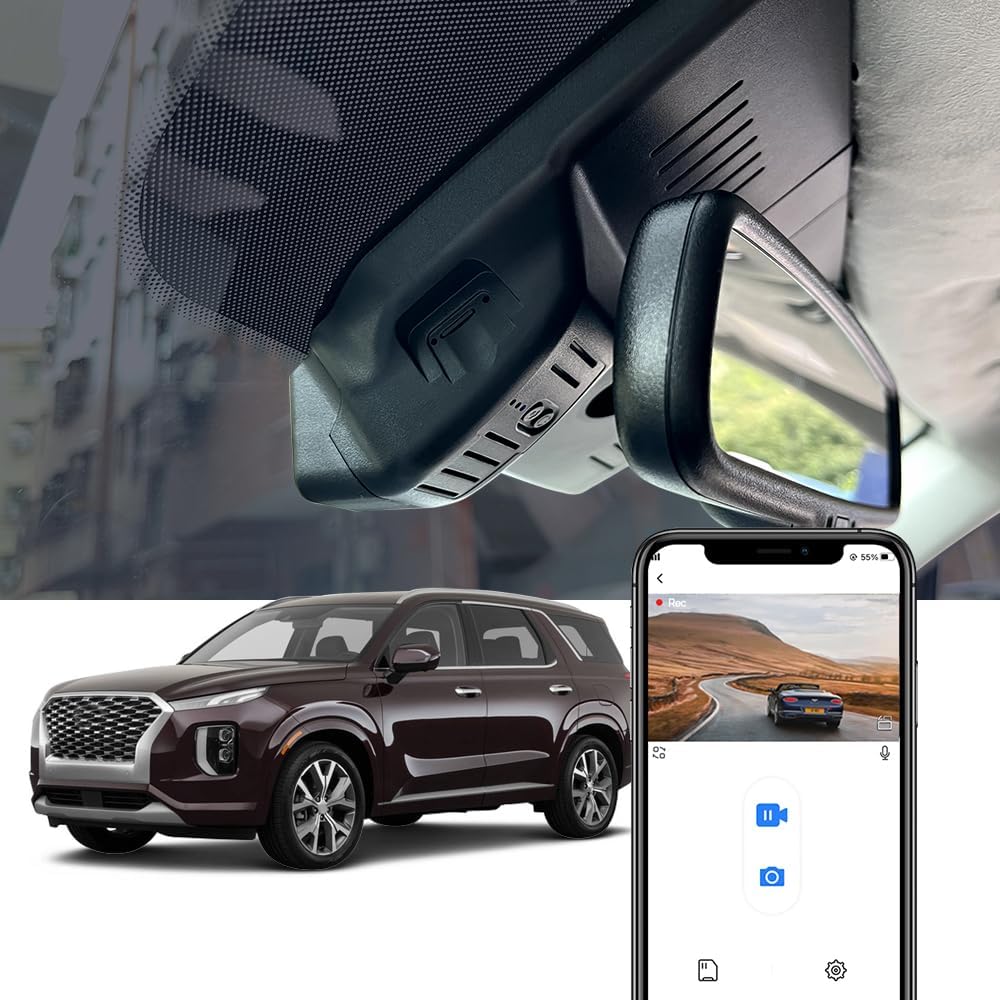
Before ordering, confirm whether your Palisade’s dashboard allows unobstructed mounting. Use a ruler or tape measure to gauge available space near the windshield. If unsure, watch unboxing/installation videos on YouTube filtered for “Hyundai Palisade.”
💡 Tip: Prioritize Hardwiring Over Battery Power
Even if your dash cam claims “parking mode,” hardwiring eliminates battery drain risks. Use a fused tap connected to a switched ignition line so the device powers down completely when the car does—preserving your Palisade’s electrical health.
💡 Tip: Regularly Update Firmware
Manufacturers release updates to fix bugs, improve performance, and add features. Enable automatic updates in settings or manually check monthly. Outdated firmware can cause crashes or compatibility issues with newer phones.
💡 Tip: Keep Spare Memory Cards Handy
Formatting cards removes fragmentation and ensures smooth operation. Carry two identical cards—one in use, one ready—so you never miss critical footage due to full storage. Label them clearly to avoid confusion later.
💡 Tip: Test Before Committing Long-Term
If possible, rent or borrow a friend’s unit to test fit and function in your Palisade. Alternatively, buy from retailers with generous return policies (Amazon, Best Buy, etc.). Return within 30 days if it doesn’t meet expectations.
💡 Tip: Secure Your Dashboard Wires Properly
Use zip ties or adhesive cable clips to route wires along factory pathways. Never drape cords over sharp edges or hot surfaces. Loose cables can rattle, damage insulation, or interfere with controls.
Frequently Asked Questions
Q: Can I install a dash cam myself in my Hyundai Palisade?
A: Yes, most dash cams are designed for DIY installation. Basic models use suction cups or adhesives; advanced ones require hardwiring via fuse taps. Refer to your owner’s manual for fuse box locations. If uncomfortable with electrical work, consult a professional installer—many auto shops offer this service for under $50.
Q: Will a dash cam drain my Palisade’s battery?
A: Only if improperly set up. Battery-powered parking mode drains power continuously. Always hardwire using a fuse tap connected to an ignition-switched circuit. This draws power only when the car runs or briefly after shutdown, preventing overnight drainage.
Q: What resolution should I choose for clear license plate capture?
A: At least 1080p Full HD is recommended. For enhanced detail, especially at highway speeds, 2K or 4K helps. However, prioritize sensor quality and low-light performance over raw resolution alone—some 1080p models outperform 4K counterparts in darkness.
Q: Do I need Wi-Fi if I only drive locally?
A: Not necessarily. Wi-Fi simplifies clip transfers but isn’t essential. If you prefer plugging in a USB cable or removing the SD card, Wi-Fi adds convenience at minimal cost. Consider it only if you value instant sharing or remote viewing capabilities.
Q: How much storage do I actually need?
A: One hour of 1080p footage occupies roughly 1GB. Thus, a 32GB card holds ~30 hours of video. For daily commutes, 32GB suffices if using loop recording. Larger capacities (64GB+) benefit those who rarely access older clips or live stream events.
Q: Are dual-camera systems worth the extra cost?
A: Depends on your needs. Front-only cameras suffice for road incident evidence. Dual systems (front + interior/rear) add value if you frequently transport valuables, have pets/kids prone to messes, or want comprehensive cabin monitoring. Factor in added complexity and potential blind spots.
Q: Can dash cams record while parked?
A: Yes, but only if equipped with parking mode and properly hardwired. Motion-triggered recording begins when vibrations or changes occur (e.g., someone tapping your Palisade). Timelapse modes conserve space by sampling less frequently. Ensure your chosen model supports this feature before relying on it.
Q: Will a dash cam affect my car’s resale value?
A: Generally no negative impact. In fact, documented proof of responsible ownership could appeal to future buyers. Remove all wires before selling and reset the device to factory settings. Mention its presence during test drives to highlight added safety features.
Our Final Recommendations
Best for Budget-Conscious Buyers
The Viofo A119 Mini V2 strikes an excellent balance between price and performance. Priced around $90, it delivers crisp 1080p recording, reliable loop mode, and solid night vision. Its compact size fits most SUV dashboards, including the Palisade. While lacking Wi-Fi or GPS, it excels at core functions without gimmicks. Paired with a 64GB high-endurance card, it offers 24+ hours of storage—ideal for commuters and families alike.
Best Overall Value
For comprehensive protection, the Nextbase 522GW stands out. At approximately $160, it includes 1440p recording, built-in Wi-Fi, Alexa voice control, and emergency SOS button. The inclusion of GPS logging and superior low-light handling makes it a favorite among reviewers. Installation is straightforward, and the app interface is intuitive. Hardwiring enables seamless parking mode, making it a versatile choice for everyday drivers seeking maximum utility.
Best Premium Option
Enthusiasts desiring enterprise-grade reliability should consider the BlackVue DR450GW-2CH. Priced near $300, it offers dual-channel recording (front + interior), cloud connectivity via BlackVue Over-the-Remote, and exceptional image stabilization. The 2K front camera captures stunning detail, while the 1080p cabin view monitors passengers or cargo. Automatic firmware updates and robust build quality justify the investment for those prioritizing longevity and data integrity.
Best for Beginners
Newcomers to dash cams will appreciate the Garmin DriveLuxe 52. Retailing around $180, it combines simplicity with smart features like lane departure warnings and collision alerts. The large 3-inch display is easy to read, and the included mount secures firmly on curved windshields. Preloaded maps and free lifetime traffic updates add practicality beyond mere recording—making it ideal for first-time buyers.
Best for Advanced Users
Pushing boundaries, the Thinkware F800 Pro delivers unmatched versatility. At $220, it boasts superior night vision, super-wide 150-degree FOV, and optional rear camera expansion. The inclusion of time-lapse parking mode and customizable settings appeals to tech-savvy drivers. Though slightly bulkier, its performance in challenging lighting and weather conditions earns praise from seasoned users.
Conclusion: Making the Right Choice
Selecting the best dash cam for your Hyundai Palisade isn’t about chasing the highest spec sheet—it’s about aligning technology with your lifestyle, driving habits, and budget. Whether you’re a parent protecting children, a commuter avoiding insurance disputes, or a road-tripping enthusiast documenting adventures, your ideal dash cam should enhance safety without complicating your routine.
Remember that even the most expensive model fails if poorly installed or incompatible with your vehicle. Prioritize features that match your actual needs: parking mode for urban dwellers, dual cameras for ride-share drivers, or GPS logging for long-haul travelers. Don’t overlook build quality and brand reputation; they predict longevity far better than pixel counts.
Finally, treat your dash cam as part of your overall safety ecosystem. Combine it with seatbelt reminders, distraction-free driving practices, and regular vehicle maintenance for holistic protection. And always keep backups of critical footage—cloud storage or external drives ensure memories survive even if the card fails.
With careful consideration and this guide as your compass, you’ll confidently select a dash cam that serves your Hyundai Palisade faithfully for years. Drive safe, stay vigilant, and let technology work quietly in your favor—because true peace of mind starts behind the wheel.