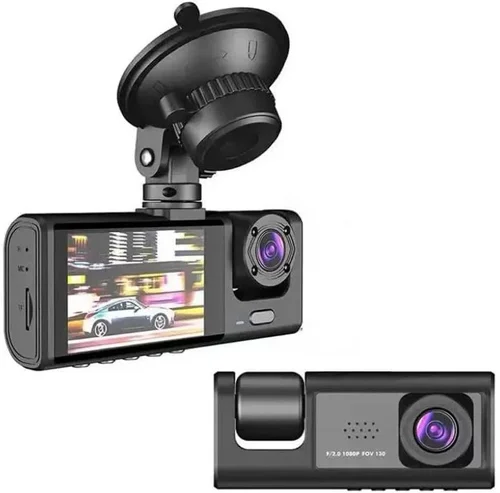
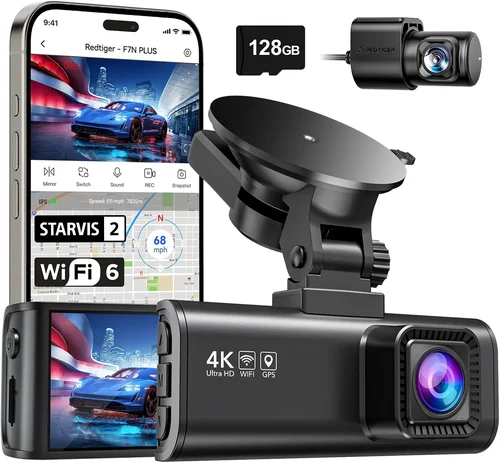
Smart Dash Cam Buying Guide
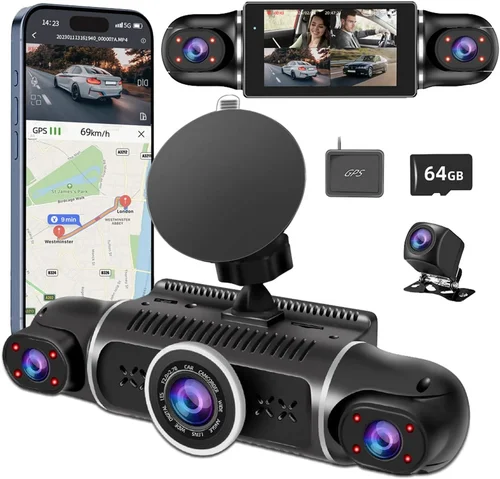
Why choosing the right dash cam matters extends far beyond simply capturing what happens on the road. In an age where liability disputes, insurance claims, and even criminal investigations often hinge on video evidence, having a reliable front and rear view recording system in your vehicle isn’t just convenient—it’s essential for protection, peace of mind, and legal documentation. Whether you’re a daily commuter navigating city traffic, a long-haul trucker covering thousands of miles each month, or a family driver concerned about safety, understanding how to select the optimal dual-camera system can make all the difference.
This comprehensive guide will walk you through every aspect of selecting the best dash cam for both front and rear views. You’ll learn about critical technical specifications like resolution, field of view, and storage capabilities; explore the most important features that separate entry-level models from professional-grade units; understand common pitfalls that many buyers overlook; and discover expert strategies for maximizing value regardless of your budget. By the time you finish reading, you’ll have the knowledge needed to confidently evaluate any model on the market and choose equipment that truly meets your specific needs.
The modern dash cam market has evolved dramatically over the past decade, moving far beyond basic single-lens recorders. Today’s top-tier systems offer advanced parking monitoring, GPS tracking, emergency event detection, cloud connectivity, and intelligent driver assistance features. However, with this expanded functionality comes increased complexity in decision-making. Many consumers find themselves overwhelmed by technical jargon, conflicting feature lists, and price points that seem disconnected from actual performance. This guide cuts through the noise to deliver practical, actionable advice grounded in real-world usage scenarios and expert testing methodologies.

What to Look for When Buying Dash Cams
Budget & Price Range
Before diving into specifications or brand comparisons, establishing your budget framework is crucial. Dash cams range from under $50 for basic single-lens models to over $500 for premium dual-camera systems with advanced features. Entry-level options typically capture 720p footage with narrow fields of view and minimal additional functionality, while mid-range units (around $150-$250) often include dual cameras, 1080p resolution, G-sensor collision detection, and loop recording. Premium systems exceeding $300 frequently offer 4K front recording, superior low-light performance, built-in GPS, Wi-Fi connectivity, and sophisticated parking mode capabilities.
Consider your usage patterns when setting expectations. Occasional drivers might be satisfied with basic models, whereas frequent travelers or commercial vehicle operators benefit significantly from higher-end features. Remember that the cheapest option isn’t always the worst—some budget models perform admirably for their price point—but they rarely match the reliability and longevity of more expensive alternatives. Always allocate at least 15-20% of your total budget for high-quality memory cards, as subpar storage solutions can compromise entire recordings.
Resolution & Video Quality
Video resolution remains one of the most critical factors affecting evidence quality and usability. Most reputable manufacturers now standardize on at least 1080p Full HD resolution for both front and rear cameras. Higher resolutions like 2K (1440p) and 4K provide marginally better detail but require exponentially larger storage files and may reduce overall recording time due to compression demands. For most drivers, 1080p strikes the perfect balance between visual clarity and practical storage requirements.
Beyond raw resolution numbers, several other technical aspects impact actual image quality:
- Sensor Size and Type: Larger sensors generally perform better in low-light conditions and capture more detail across various lighting scenarios
- Frame Rate: Standard 30fps works well for general driving, but 60fps captures smoother motion during rapid maneuvers or emergency braking situations
- Dynamic Range: Essential for handling bright headlights at night or harsh sunlight during daytime driving without washing out highlights or crushing shadows
- Night Vision Capabilities: Look for infrared LEDs or enhanced low-light processing rather than relying solely on resolution numbers
Field of View (FOV)
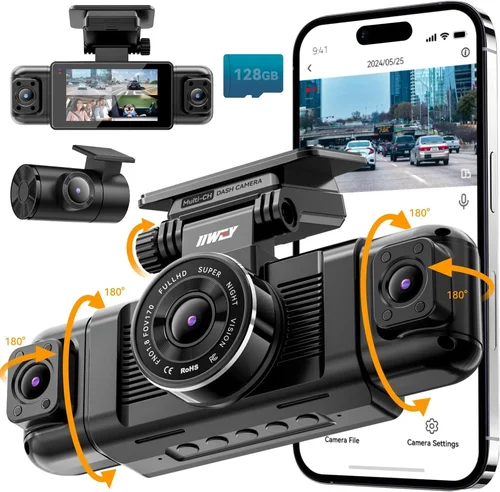
The lens field of view determines how much of the road ahead (or behind) your camera captures simultaneously. Front-facing lenses typically range from 90° to 170°, with wider angles offering greater coverage but potentially introducing fish-eye distortion at edges. Rear cameras usually have slightly narrower fields—around 120°—to focus on vehicles directly behind without excessive overlap. Some manufacturers use multiple lenses or software stitching to achieve wider effective coverage without compromising image geometry.
Aim for front cameras with at least 120° horizontal FOV to ensure adequate lane coverage while maintaining reasonable image proportions. Avoid ultra-wide angles below 100° as they tend to exaggerate distances and make objects appear unnaturally large or small. The sweet spot for most dual-camera systems falls between 120°-150° front and 110°-130° rear coverage.
Storage Solutions & Loop Recording
Dash cams rely entirely on removable microSD cards for storage, which means selecting compatible, high-performance cards is non-negotiable. Class 10 UHS-I or higher cards with A1 or A2 ratings offer optimal speed and reliability. Capacity requirements vary dramatically based on usage: 32GB may suffice for occasional users with short recording intervals, while heavy-duty drivers need 64GB, 128GB, or even 256GB cards to avoid frequent reformatting.
Loop recording automatically overwrites oldest footage when storage fills up, ensuring continuous operation without manual intervention. However, this feature conflicts with emergency event retention unless paired with a G-sensor or similar impact detection system. Most quality dash cams implement intelligent loop recording that preserves triggered events while continuing seamless background recording.
Build Quality & Durability
Rugged construction directly impacts reliability during temperature extremes, vibrations, and accidental drops. Look for shock-resistant casing materials, secure mounting hardware, and weatherproofing against moisture ingress. Temperature tolerance specifications matter greatly—especially for winter climates where dash cams must operate reliably in sub-zero conditions.
Mounting systems should remain stable through sudden stops, potholes, and highway speeds. Adhesive mounts work adequately for most applications, but magnetic or suction cup alternatives offer easier installation and removal. Ensure the chosen mount provides sufficient adjustment range for optimal positioning without obstructing driver visibility.
Features & Functionality
Modern dash cams pack surprisingly sophisticated features beyond basic recording:
- PARKING MODE: Continues monitoring while parked using battery backup or hardwired power, triggering recording upon detecting motion or vibration
- G-SENSOR: Automatically saves footage when sudden deceleration or impact occurs, preventing deletion during loop recording
- GPS LOGGING: Records speed, location, and route data overlayed on video for accident reconstruction or mileage verification
- Wi-Fi & Mobile App Integration: Enables wireless viewing, downloading, and sharing of clips via smartphone apps
- Emergency Backup Battery: Maintains power during brief outages or extended parking surveillance
- Voice Control: Hands-free operation through integrated microphones and speakers
- Advanced Driver Assistance Systems (ADAS): Lane departure warnings, forward collision alerts, and blind spot detection
Brand Reputation & Support
Established brands like Garmin, Blackvue, Thinkware, and Nextbase consistently demonstrate superior build quality, firmware updates, and customer service compared to lesser-known manufacturers. These companies invest heavily in research and development, resulting in more reliable hardware and regular feature enhancements. Smaller brands may offer tempting price points but often lack post-purchase support or long-term reliability.
Check independent review sites, consumer forums, and professional testing organizations for unbiased assessments. Pay particular attention to reported issues like screen malfunctions, card compatibility problems, or inconsistent performance across different vehicle types. Warranty length and terms also serve as indicators of manufacturer confidence in their products.
Size & Portability
Compact designs minimize interior cabin clutter and reduce wind resistance, though smaller form factors sometimes sacrifice heat dissipation or button accessibility. Ultra-slim profiles look sleek but may limit internal component spacing, potentially affecting thermal management during prolonged recording sessions. Consider how frequently you’ll transport the device between vehicles when evaluating size constraints.
User Reviews & Ratings
While online reviews shouldn’t override objective technical analysis, they reveal real-world usage patterns and potential dealbreakers missed during initial research. Focus on verified purchaser comments regarding reliability, ease of use, and unexpected limitations rather than isolated praise or complaints. Manufacturer response to user feedback often indicates commitment to continuous improvement.
Different Types of Dash Cams

Common Buying Mistakes to Avoid
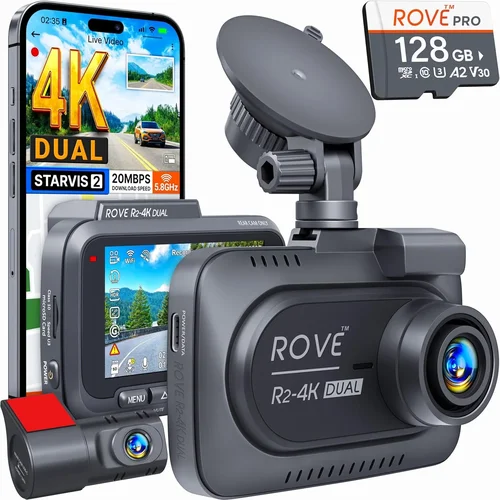
❌ Mistake: Ignoring Storage Requirements
Why it’s bad: Underestimating storage needs leads to frequent reformatting, accidental deletion of important footage, or purchasing incompatible cards that cause recording interruptions. Low-quality memory cards also risk permanent data loss during write cycles.
What to do instead: Calculate your required capacity based on recording duration, resolution, and usage frequency. For 1080p dual-camera systems recording continuously, allow approximately 1 minute of footage per GB. Always purchase cards from reputable manufacturers with proven compatibility.
❌ Mistake: Overlooking Parking Mode Limitations
Why it’s bad: Many budget dash cams claim “parking mode” but fail to maintain consistent recording during extended periods without proper power management or motion detection sensitivity. This renders the feature useless when protecting against hit-and-runs or theft attempts.
What to do instead: Verify whether parking mode requires hardwiring to your vehicle’s electrical system or relies on battery backup. Test motion detection thresholds before committing to long-term parking surveillance.
❌ Mistake: Choosing Based Solely on Resolution Numbers
Why it’s bad: Higher megapixel counts don’t guarantee better real-world performance if other critical components like sensor quality, dynamic range, or compression algorithms are compromised. Some budget models exaggerate resolution specs while delivering subpar video quality.
What to do instead: Prioritize tested video quality over marketing claims. Review sample footage from independent sources and consider frame rate, bitrate, and low-light performance alongside resolution metrics.
❌ Mistake: Neglecting Mounting Stability
Why it’s bad: Loose mounts vibrate excessively during driving, creating blurry footage and potential dashboard damage. Poor positioning obstructs driver visibility or fails to capture adequate road coverage.
What to do instead: Install mounts securely using manufacturer guidelines. Perform vibration tests at highway speeds and adjust positioning for optimal coverage without impeding vision.
❌ Mistake: Assuming All Brands Are Equal
Why it’s bad: Lesser-known manufacturers often cut corners on component sourcing, firmware stability, and post-purchase support. Their products may appear similar on paper but deliver inconsistent reliability over time.
What to do instead: Research brand reputation through third-party reviews and professional testing reports. Consider warranty length and customer service responsiveness before making purchases.
❌ Mistake: Disregarding Software Usability
Why it’s bad: Complex menus, unintuitive controls, or unreliable mobile app connectivity frustrate users and discourage regular usage. Important footage becomes inaccessible when software fails to load or organize properly.
What to do instead: Test interface navigation before buying. Ensure playback, file management, and settings adjustments feel natural and responsive during initial setup.
Budget Guidelines: How Much Should You Spend?
Entry-Level ($30 – $75)
This tier suits occasional drivers who primarily want basic protection without advanced features. Expect 720p-1080p resolution, single-lens or basic dual-camera configurations, limited field of view, and minimal extras like GPS or parking mode. While these models handle everyday driving adequately, they often struggle with low-light performance and lack robust event detection. Memory cards may require frequent replacement, and build quality tends toward plastic components. If your driving involves infrequent trips or urban environments with predictable traffic patterns, entry-level options can provide acceptable value—but don’t expect professional-grade reliability.
Mid-Range ($75 – $150)
The sweet spot for most drivers seeking balanced performance and affordability. Mid-range models deliver reliable 1080p dual-camera recording, decent low-light capabilities, essential smart features like G-sensor and loop recording, and improved build quality. You’ll find reputable brands here offering competitive warranties and consistent firmware updates. This category represents the best value proposition for average drivers who want comprehensive front and rear protection without overspending on unnecessary luxuries. Parking mode functionality becomes viable in this range, though power management may still require attention.
Premium ($150 – $250)
Ideal for frequent commuters, commercial operators, or those prioritizing evidence quality above all else. Premium systems typically feature enhanced sensors, wider dynamic ranges, superior night vision, GPS logging, Wi-Fi connectivity, and robust parking surveillance. Build materials shift toward aluminum or reinforced polymers, and software interfaces become more polished. While exceeding typical consumer budgets, these investments pay dividends through reduced stress during incidents and improved insurance claim outcomes. Consider this range if your driving exposes you to complex traffic scenarios or you regularly travel long distances.
Luxury ($250+)
Reserved for professionals, fleet managers, or enthusiasts demanding cutting-edge technology. Luxury dash cams offer 4K recording, multi-camera setups, AI-powered incident detection, cloud storage integration, and specialized analytics. Advanced features include driver fatigue monitoring, automatic license plate recognition, and real-time alert systems. Construction exceeds automotive standards for extreme temperatures and vibrations. While overkill for casual drivers, these systems represent the pinnacle of dash cam innovation and provide unparalleled peace of mind for high-stakes applications.
Expert Tips for Getting the Best Deal
Timing Your Purchase: Major retailers schedule significant discounts during holiday weekends like Memorial Day, Fourth of July, Black Friday, and Cyber Monday. Additionally, back-to-school seasons and tax refund periods often trigger promotional campaigns. Sign up for email newsletters from major dash cam brands to receive exclusive early access to sales events.
Retailer Selection: Online marketplaces like Amazon offer competitive pricing and fast shipping, but physical electronics stores provide hands-on testing opportunities and immediate technical support. Consider visiting Best Buy, Costco, or local specialty shops to compare models side-by-side before ordering online. Authorized dealer networks ensure genuine products and valid warranties.
Spotting Hidden Deals: Bundle packages frequently include valuable extras like extra batteries, suction mounts, or premium memory cards at discounted rates. Subscribe to price tracking tools like Honey or CamelCamelCamel to monitor historical pricing trends and identify true sale prices versus inflated “discounted” MSRPs.
Warranty Considerations: Extended warranties rarely justify their cost unless purchased immediately with hardware. Instead, focus on manufacturer reputation and standard warranty length. Read fine print regarding coverage exclusions—many policies void warranties for improper installation or third-party accessories.
Return Policies: Electronics retailers typically offer 15-30 day return windows. Test your dash cam thoroughly during this period: verify mounting stability, check video quality in various lighting conditions, confirm feature functionality, and validate software compatibility. Keep original packaging for easy returns.
Testing Before Buying: Request loaner units from local auto parts stores or rental programs whenever possible. Real-world testing reveals issues invisible during brief store demonstrations, such as vibration-induced blur or inadequate parking mode performance.
Installation Verification: Professional installation services cost extra but ensure optimal positioning, secure mounting, and proper wiring—especially important for parking mode and emergency backup battery functionality. DIY installations save money but require patience and basic electrical skills.
Software Updates: Regular firmware updates enhance security, fix bugs, and introduce new features. Enable automatic update notifications and maintain internet connectivity during installation to avoid missing critical improvements.

Frequently Asked Questions
Q: Do I really need a dual-camera dash cam?
A: Absolutely. Front-only cameras leave your vehicle vulnerable to rear-end collisions or backing accidents where only the rear view provides crucial context. Dual-camera systems create comprehensive records showing both approaching threats and your own movements, dramatically improving incident documentation completeness.
Q: What size memory card should I buy?
A: For 1080p dual-camera systems, start with 64GB cards capable of recording 128 minutes continuously. Adjust capacity based on usage: 32GB suits light users, while heavy-duty drivers benefit from 128GB+. Always purchase cards rated A2 or higher for optimal performance and durability.
Q: Can dash cams record while parked?
A: Yes, but effectiveness depends entirely on proper setup. Most models require hardwiring to your vehicle’s electrical system to maintain power during extended periods. Motion-activated parking mode triggers recording when detecting vibrations or movement within range.
Q: Will my dash cam drain my car battery?
A: Modern dash cams consume minimal power—typically 1-2 watts during active recording. With proper hardwiring and parking mode implementation, battery drain becomes negligible. However, improperly wired units or faulty backup batteries can cause noticeable drainage over several days.
Q: How do I know if my dash cam is working correctly?
A: Perform weekly checks: verify file creation timestamps, test G-sensor response through gentle bumps, confirm loop recording operates without gaps, and validate parking mode activation. Cloud-connected models offer remote status monitoring via mobile apps.
Q: Are dash cam recordings admissible in court?
A: Generally yes, provided they meet evidentiary standards for authenticity and chain-of-custody protocols. Courts accept dash cam footage as credible evidence when properly preserved, timestamped, and unaltered. Store original files securely and document retrieval procedures.
Q: Can I install multiple dash cams in one vehicle?
A: Technically possible but legally restricted in many jurisdictions. Additional cameras may violate privacy laws if pointing inward at passengers or capturing private areas. Check local regulations before adding supplementary units beyond front/rear coverage.
Q: Should I format my memory card regularly?
A: Formatting monthly prevents file fragmentation and ensures optimal performance. However, avoid formatting during active recording sessions. Use the dash cam’s built-in formatting tool rather than external computers to prevent corruption.
Q: How long do dash cam batteries last?
A: Internal backup batteries typically sustain 1-3 minutes of recording during power interruptions. External backup packs extend this duration significantly. Replace aging batteries promptly as their capacity diminishes over time.
Q: What’s the difference between 1080p and 4K dash cams?
A: Four times the pixels theoretically improve detail, but practical benefits diminish due to compression artifacts and reduced overall recording time. Unless you require microscopic evidence or plan extensive cropping, 1080p delivers superior value for typical driving scenarios.
Our Final Recommendations
Best for Budget-Conscious Buyers: The Viofo A119 V3 offers exceptional value with reliable 1080p dual-camera recording, robust build quality, and intuitive interface at under $100. Its compact design minimizes interior clutter while delivering consistent performance across diverse lighting conditions. Though lacking advanced features like GPS, it excels at core functionality without sacrificing reliability.
Best Overall Value: The Thinkware U1000 strikes an ideal balance between price and capability with stunning 2K front recording, superior low-light performance, built-in GPS, and comprehensive parking mode functionality. Its aluminum housing withstands harsh environments while maintaining precise video quality essential for insurance claims and legal proceedings.
Best Premium Option: The Garmin Dash Cam 67W represents the gold standard with elegant design, crystal-clear 1080p recording, automatic incident detection, and seamless smartphone integration. Its compact profile and voice control features make daily operation effortless, while cloud backup ensures critical footage remains safe from tampering or accidental deletion.
Best for Beginners: The Rexing V1P Pro provides plug-and-play simplicity with straightforward controls, reliable dual-lens recording, and robust customer support. Its affordable price point removes hesitation for first-time buyers while delivering dependable protection through basic yet effective features.
Best for Advanced Users: The BlackVue DR970GW-2CH offers professional-grade performance with cloud connectivity, superior image stabilization, and customizable settings accessible through sophisticated mobile apps. Fleet operators appreciate its remote management capabilities and detailed analytics, while enthusiasts enjoy granular control over every recording parameter.
Conclusion: Making the Right Choice
Selecting the perfect dash cam for both front and rear views ultimately depends on aligning your unique driving habits, environmental challenges, and financial considerations with available technology. Rather than chasing the highest resolution or most elaborate feature set, focus on core requirements: reliable video quality, durable construction, and intuitive operation. Remember that even modest dual-camera systems offer substantial protection compared to no recording at all, especially when considering insurance premiums and personal liability exposure.
Invest time researching reputable brands, testing interface usability, and verifying real-world performance through independent reviews. Don’t hesitate to upgrade your memory cards or mounting solutions independently—these accessories profoundly impact overall system reliability. Most importantly, install your chosen dash cam thoughtfully and maintain it diligently through regular checks and updates. Consistent usage transforms your investment from mere equipment into an active shield against life’s unpredictable moments on the road.