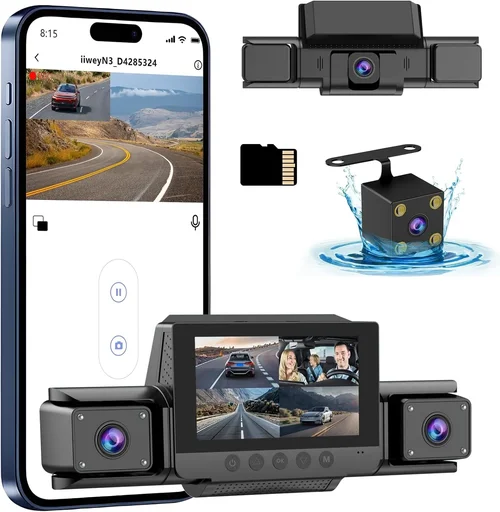
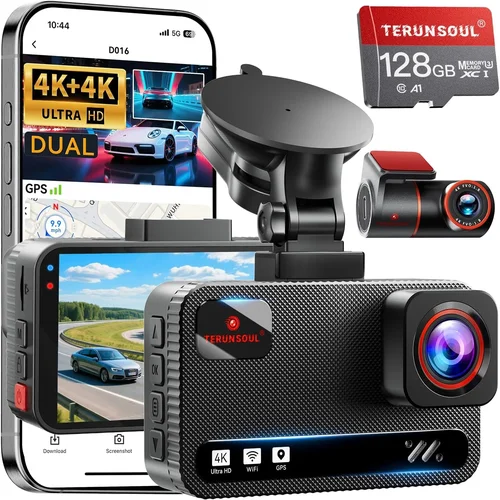
Best Dash Cam for Carriers Buying Guide
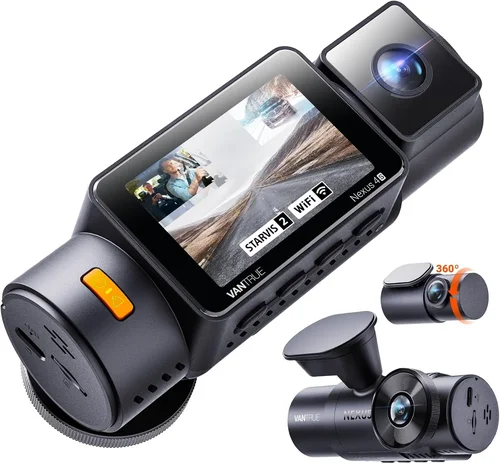
As a professional carrier, your vehicle is more than just transportation equipment—it’s your livelihood, your reputation, and potentially your legal protection. Every mile matters, every decision counts, and having the right dash cam isn’t just convenient; it’s essential for business success. Whether you’re hauling goods across state lines or navigating city streets, a quality dash cam provides crucial evidence in disputes, helps protect against false claims, and offers peace of mind knowing that every moment on the road is being documented.
This comprehensive buying guide will walk you through everything you need to know about selecting the best dash cam for carriers. You’ll learn about the critical features that matter most to professionals, understand how different technologies impact performance, discover common pitfalls to avoid, and get expert recommendations tailored specifically for commercial drivers. By the end of this article, you’ll have all the knowledge necessary to make an informed decision that protects your business interests and enhances your operational efficiency.
The market for dash cams has evolved dramatically over the past decade, with today’s models offering capabilities far beyond simple video recording. Modern dash cams now include advanced safety features, cloud connectivity, driver behavior monitoring, and integration with fleet management systems. However, not all dash cams are created equal, and choosing the wrong one can mean missing crucial evidence or dealing with technical issues that disrupt your schedule. This guide cuts through the marketing hype to focus on what really matters for professional carriers.

What to Look for When Buying Dash Cams
1. Budget & Price Range
Your budget should be determined by your specific needs and operational requirements rather than simply choosing the cheapest option. For professional carriers, investing in quality equipment makes financial sense because dash cams serve as vital business tools that can prevent costly legal disputes and insurance claims. Entry-level dash cams typically range from $50-$150 and offer basic recording functionality but may lack the durability, storage capacity, and advanced features needed for professional use. Mid-range options ($150-$300) provide better build quality, improved night vision, loop recording, and often include GPS tracking—features that significantly enhance their value for commercial applications. Premium dash cams ($300+) deliver professional-grade performance with enhanced image quality, superior low-light capability, robust mounting systems, and sometimes even driver assistance features that can improve safety and reduce liability.
2. Performance Specifications
Performance specifications directly impact the reliability and effectiveness of your dash cam system. Resolution is perhaps the most important factor—look for at least 1080p Full HD recording, though many professionals now prefer 2K or 4K resolution for clearer detail in critical situations. The frame rate matters too: 30fps is standard, but 60fps provides smoother motion capture during rapid events like collisions or sudden stops. Low-light performance is crucial since commercial vehicles operate during both day and night hours; look for cameras with wide dynamic range (WDR), infrared LEDs, or starlight sensors that maintain visibility in challenging lighting conditions. Storage capacity and recording time determine how long footage is retained before being overwritten, which varies based on your driving patterns and local regulations regarding evidence retention.
3. Build Quality & Durability
Professional carriers demand equipment that can withstand the rigors of daily commercial operation. Dash cams must endure extreme temperatures, constant vibration, dust exposure, and potential impacts from road debris. Look for models constructed with metal or high-impact plastic casings rather than flimsy plastic shells that crack easily. The mounting hardware should be sturdy enough to stay secure through bumpy roads and sudden maneuvers. Water resistance ratings (typically IP65 or higher) ensure protection against rain and splashes that are inevitable in professional driving environments. Additionally, consider the operating temperature range—commercial vehicles may face sub-zero winter temperatures or scorching summer heat in certain regions, so choose a dash cam rated for your climate extremes.
4. Features & Functionality
Advanced features can significantly enhance the value of your dash cam investment. Built-in GPS provides location data and speed information that enriches incident documentation. Wi-Fi connectivity allows wireless downloading of footage and remote viewing through smartphone apps, which is particularly useful for fleet managers overseeing multiple vehicles. Emergency recording modes automatically lock critical footage to prevent accidental deletion, while parking mode monitors your vehicle when stationary and records any incidents. Some professional-grade models offer driver behavior monitoring, including harsh braking, acceleration, and cornering detection, which can help identify training opportunities and safety improvements. Cloud storage options enable secure off-site backup of important footage and facilitate easy sharing with insurance companies or legal representatives.
5. Brand Reputation
Established brands with a track record in automotive electronics tend to deliver more reliable products and better customer support. Well-known manufacturers often invest more in research and development, quality control, and customer service infrastructure. Brands like Garmin, BlackVue, Thinkware, Viofo, and Nextbase have built reputations for producing durable, feature-rich dash cams that meet professional standards. These companies typically offer comprehensive warranties, readily available replacement parts, and responsive technical support—critical factors when you’re relying on your dash cam for business protection. While lesser-known brands might offer similar features at lower prices, they often come with higher risks of compatibility issues, poor customer service, and limited warranty coverage.
6. Warranty & Support
A solid warranty and accessible customer support can save you significant time and money down the line. Professional carriers can’t afford extended downtime due to equipment failure or complicated troubleshooting processes. Look for dash cams with at least a two-year warranty covering both hardware defects and software malfunctions. Comprehensive warranty terms that cover accidental damage or environmental stress demonstrate manufacturer confidence in their product quality. Additionally, consider the availability of technical support—phone, email, and live chat options are preferable to automated systems alone. Some brands offer extended warranty programs or premium support packages specifically designed for commercial customers who require immediate assistance during critical situations.
7. Size & Portability
While most dash cams are designed to be discreetly mounted on the windshield, size considerations become important for professional carriers. Smaller units take up less dashboard space and create less visual obstruction, which can be beneficial for drivers who need clear visibility or frequently adjust their seat position. Compact designs also reduce wind noise and airflow disruption, potentially improving fuel efficiency slightly. However, extremely small units might compromise image quality or feature set due to physical constraints. For professional use where every detail matters, you might prefer slightly larger models with better optics and more advanced capabilities, accepting minimal trade-offs in size for superior performance. Consider your specific cab configuration and personal preferences when evaluating size requirements.
8. User Reviews & Ratings
Real-world user experiences provide invaluable insights that specifications alone cannot reveal. Pay attention to consistent patterns in reviews rather than isolated comments—multiple users reporting the same issue (like poor night vision or unreliable GPS) should raise red flags. Professional carriers particularly benefit from reading reviews written by commercial drivers who operate under similar conditions and demands. Look for detailed reviews that discuss real-world performance over extended periods, including durability testing, battery life, and ease of installation and maintenance. Negative reviews mentioning customer service responsiveness or warranty claim processing times are especially telling for business users who depend on reliable equipment.
Different Types of Dash Cams

Common Buying Mistakes to Avoid
❌ Mistake: Choosing Based Solely on Price
Why it’s bad: Opting for the cheapest dash cam available often leads to disappointment and additional costs down the road. Low-priced models frequently cut corners on critical components like sensor quality, storage reliability, and build materials, resulting in poor image quality, frequent failures, and inadequate evidence capture during important incidents.
What to do instead: Calculate the total cost of ownership rather than just the initial purchase price. Consider how much a single incident without adequate evidence could cost your business in legal fees, insurance premiums, and lost revenue. Invest in a quality dash cam that meets your professional needs and will provide reliable service for years.
❌ Mistake: Ignoring Storage Requirements
Why it’s bad: Many carriers underestimate how quickly dash cam storage fills up, especially with high-resolution recording and continuous operation. Without proper storage management, you risk losing critical footage when you need it most—during insurance claims or legal disputes.
What to do instead: Plan your storage strategy carefully. Consider using high-quality microSD cards (minimum 64GB, preferably 128GB or 256GB) that can handle continuous write cycles. Implement regular backup routines or consider cloud storage options for critical footage. Some professional models allow multiple card slots for redundancy.
❌ Mistake: Overlooking Installation and Maintenance
Why it’s bad: Poor installation leads to camera misalignment, reduced field of view, and potential obstructions to your driving visibility. Neglecting routine maintenance results in degraded performance, lens smudges, and eventual hardware failure—all of which compromise the dash cam’s effectiveness when you need it most.
What to do instead: Follow manufacturer installation guidelines precisely, ensuring optimal positioning for maximum coverage without interfering with your view. Schedule regular cleaning of lenses and check connections periodically. Keep spare mounting hardware and microSD cards on hand for quick replacements.
❌ Mistake: Failing to Check Compatibility
Why it’s bad: Assuming all dash cams work with your vehicle or existing systems can cause compatibility issues that render the device useless. Problems often arise with power connections, mounting hardware fitment, or integration with other fleet management systems you might already have installed.
What to do instead: Verify compatibility before purchasing by checking your vehicle’s electrical system requirements, dashboard dimensions, and any existing technology infrastructure. Contact the manufacturer or retailer with specific questions about your vehicle model and setup requirements.
❌ Mistake: Not Understanding Legal Requirements
Why it’s bad: Different states and jurisdictions have varying laws regarding dash cam usage, including restrictions on audio recording, data retention periods, and privacy concerns. Using a dash cam that violates local regulations could result in fines or legal complications.
What to do instead: Research your local laws and regulations before installation. Understand where you can legally place the device, what audio recording rules apply, and how long you must retain footage. Some professional carriers find it helpful to consult with legal counsel familiar with transportation law in their operating areas.
❌ Mistake: Skipping the Testing Phase
Why it’s bad: Installing a dash cam without first testing its performance creates uncertainty about whether it will function properly when needed. You might discover issues like poor night vision, unstable mounting, or inadequate storage only after an incident occurs, leaving you without crucial evidence.
What to do instead: Whenever possible, test the dash cam in your actual vehicle before committing to the purchase. Take it for several drives under various lighting conditions and test all features including emergency recording, GPS functionality, and file management. This real-world testing provides confidence that the system will perform reliably when it matters most.
Budget Guidelines: How Much Should You Spend?
Entry-Level ($50 – $100)
For new carriers starting out or those with limited budgets, entry-level dash cams offer basic functionality at an affordable price point. These models typically provide 1080p recording, loop recording, and simple mounting systems. While they may lack advanced features like GPS, Wi-Fi connectivity, or superior low-light performance, they fulfill the fundamental requirement of documenting your driving activities. Entry-level options are suitable for occasional use or for testing dash cam benefits before making a larger investment. However, be prepared for potential limitations in build quality, storage capacity, and overall reliability compared to more expensive models.
Mid-Range ($100 – $250)
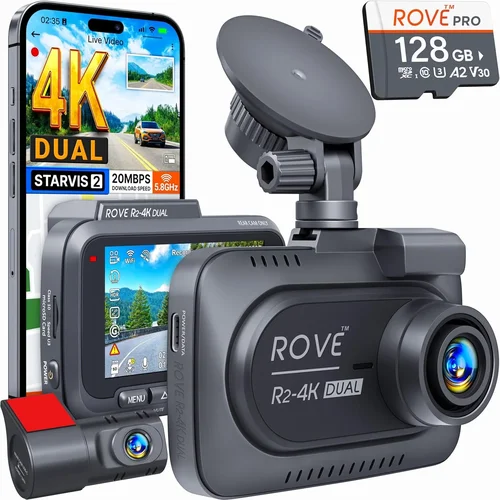
The mid-range category represents the sweet spot for most professional carriers seeking excellent value and robust functionality. These dash cams typically offer 2K or 4K resolution, enhanced night vision capabilities, GPS tracking, Wi-Fi connectivity, and improved build quality. Many models in this price range include dual-camera systems, parking mode, and emergency event recording with automatic file locking. This tier provides professional-grade features without the premium price tag, making it ideal for carriers who need reliable performance and comprehensive documentation capabilities for their daily operations.
Premium ($250 – $500)
Premium dash cams deliver top-tier performance and advanced features designed for serious professionals and fleet operators. These models often include military-grade durability, superior image processing, enhanced driver assistance features, and sophisticated connectivity options. Many premium units offer cloud storage integration, advanced parking surveillance, and comprehensive driver behavior monitoring systems. They typically come with extended warranties, professional installation services, and dedicated customer support tailored to commercial customers. If your business depends heavily on evidence collection, safety monitoring, or fleet management integration, the premium tier provides the reliability and features needed to protect your operations effectively.
Luxury ($500+)
Luxury dash cams represent the pinnacle of automotive recording technology, featuring cutting-edge sensors, AI-powered analysis, and professional-grade construction. These systems often include multiple camera angles, advanced driver assistance systems (ADAS), facial recognition, and sophisticated fleet management integration capabilities. Luxury models may offer specialized features like thermal imaging, 360-degree coverage, or integration with telematics systems. While the price point is substantial, these devices provide unmatched performance for professional carriers operating in high-risk environments or requiring maximum documentation capabilities. Consider luxury options if you frequently transport valuable cargo, operate in challenging conditions, or need the absolute highest level of evidence quality and system reliability.
Expert Tips for Getting the Best Deal
– Time Your Purchase Strategically: Major retailers typically offer significant discounts during holiday seasons like Black Friday, Cyber Monday, or Memorial Day weekend. Additionally, end-of-model-year sales can provide clearance pricing on previous-generation models that still offer excellent performance.
– Compare Retailers Carefully: Online marketplaces like Amazon, Best Buy, and specialized automotive electronics stores often have competitive pricing, while local auto shops may offer installation services and immediate support. Compare not just the base price but also shipping costs, return policies, and warranty terms across different sellers.
– Look for Bundle Deals: Many manufacturers and retailers offer package deals that include additional accessories like extra microSD cards, extended warranties, or mounting kits at discounted rates. These bundles can save you 15-30% compared to purchasing items individually.
– Consider Certified Refurbished Options: Manufacturer-refurbished dash cams often come with full warranties and have been professionally tested and repaired. These units typically cost 20-40% less than new models while maintaining the same performance standards.
– Negotiate Installation Services: If you’re purchasing from an auto shop, ask about installation pricing separately from the unit cost. Professional installation ensures proper mounting and wiring, which is especially important for complex systems with parking mode or hardwiring requirements.
– Verify Warranty Coverage: Always confirm what’s included in the warranty—some manufacturers offer shorter warranty periods for basic features but provide longer coverage for specific components like sensors or storage systems. Extended warranty programs might be worth considering for professional use.
– Test Before Committing: Whenever possible, request to test the dash cam in-store or through a trial period. This allows you to evaluate image quality, ease of use, and compatibility with your vehicle before making a permanent commitment.
– Check Return Policies: Choose retailers with generous return windows (90 days or more) and hassle-free return processes. This gives you time to thoroughly test the device and ensure it meets your specific needs without pressure.
– Join Professional Associations: Some trucking associations and professional organizations offer member discounts on automotive electronics, including dash cams. These group purchasing programs can provide significant savings for qualified members.
– Monitor Seasonal Sales: Beyond major holidays, watch for back-to-school sales, end-of-season clearances, and inventory turnover periods when retailers discount older models to make room for new inventory.

Frequently Asked Questions
Q: What resolution should I look for in a professional dash cam?
A: For professional carriers, we recommend at least 1080p Full HD resolution, though 2K or 4K provides superior detail for critical evidence collection. Higher resolutions capture more detail, which can be crucial for identifying license plates, vehicle details, or facial features during incidents. However, higher resolution also requires more storage space and processing power, so balance image quality with practical storage considerations based on your driving patterns and local regulations regarding evidence retention.
Q: How much storage space do I actually need?
A: Storage requirements depend on your recording resolution, frame rate, and typical driving duration. As a general guideline, plan for at least 64GB of storage for basic 1080p recording, with 128GB or 256GB recommended for higher resolutions or longer daily commutes. Calculate your storage needs by considering that 1 hour of 1080p recording typically uses 1-2GB of space. Professional carriers should implement a regular backup strategy to preserve important footage and manage storage efficiently through loop recording or cloud storage solutions.
Q: Is it legal to record audio with my dash cam?
A: Audio recording laws vary significantly by state and locality. In some states, you can record audio freely, while others have strict consent requirements. Federal law generally prohibits recording conversations without consent, which includes audio from dash cams. To avoid legal complications, we recommend disabling audio recording unless you’re certain it’s permitted in all areas where you operate. Focus on video-only recording for maximum legal protection and evidence collection.
Q: How do I install a dash cam properly?
A: Proper installation begins with selecting the optimal mounting location—typically the upper center of the windshield where it provides maximum field of view without obstructing your driving sightlines. Use the provided adhesive mount or suction cup, ensuring it’s secure and won’t interfere with airbag deployment. Route cables neatly along the windshield edge or dashboard to prevent tripping hazards or interference with controls. For hardwired models, consult a professional installer to ensure proper connection to your vehicle’s electrical system and fuse box.
Q: What should I do if my dash cam stops working?
A: First, check the power source—ensure the microSD card is properly inserted and not corrupted, and verify that all connections are secure. Try restarting the device by disconnecting power temporarily. If problems persist, consult the troubleshooting section in your manual or contact manufacturer support. For professional carriers, having a spare dash cam or temporary backup solution can prevent downtime during critical periods. Document any issues promptly to support warranty claims or technical assistance requests.
Q: Can I use multiple dash cams in the same vehicle?
A: Yes, but it requires careful planning to avoid conflicts and ensure proper synchronization. Dual-camera systems designed specifically for front and rear coverage are available and recommended for comprehensive protection. Adding additional cameras beyond this setup can create power consumption issues, storage management challenges, and potential interference between devices. Professional fleet operators often install multiple cameras per vehicle, but this should be done with compatible systems and proper technical expertise to ensure reliable operation.
Q: How long should I keep dash cam footage?
A: Retention periods vary by jurisdiction and purpose. Generally, keep footage for at least 30 days as a minimum standard, but some states and insurance requirements specify longer periods (up to 90 days or more). Important incident footage should be preserved indefinitely until any legal proceedings conclude. Implement a systematic archiving process that categorizes footage by date, location, and event type to make retrieval efficient when needed for insurance claims, disputes, or safety reviews.
Q: Will a dash cam drain my car battery?
A: Basic dash cams consume minimal power, typically less than 1 amp, which shouldn’t significantly impact your vehicle’s battery life. However, parking mode features can increase power consumption over time. Hardwiring the dash cam directly to your vehicle’s electrical system with a proper fuse tap prevents battery drain issues and provides continuous power. For models with advanced parking surveillance, consider using a battery saver mode or installing a capacitor-based backup system to prevent deep discharge during extended parking periods.
Q: How can I ensure my dash cam survives rough road conditions?
A: Professional-grade dash cams designed for commercial use include reinforced construction, shock-resistant mounting systems, and vibration-dampening features. Choose models with IP65 or higher water resistance ratings, and ensure the mounting hardware is rated for heavy-duty use. Regular maintenance includes checking mount security after long trips and cleaning lenses to maintain image clarity. For extreme conditions, consider additional protective measures like windshield-mounted covers or specialized mounting brackets designed for heavy vibration environments.
Q: What features should I prioritize for fleet management integration?
A: For fleet operations, prioritize dash cams with robust API capabilities, cloud connectivity, and compatibility with existing fleet management platforms. Look for features like centralized monitoring, automated alerts, driver behavior analytics, and seamless data export capabilities. Integration with telematics systems allows for comprehensive vehicle tracking and performance analysis. Professional fleet dash cams often include driver identification, route mapping, and customizable reporting features that provide valuable insights for safety improvement and operational optimization.
Our Final Recommendations
Best for Budget-Conscious Buyers
For carriers starting out or operating on tight budgets, the Viofo A119 v3 offers exceptional value with its 2K resolution, superior night vision, and reliable performance at an affordable price point. This model delivers professional-grade features including GPS tracking, Wi-Fi connectivity, and emergency recording at a fraction of the cost of premium alternatives. Its compact design fits well in most vehicles while providing clear evidence capture for incident documentation and dispute resolution.
Best Overall Value
The BlackVue DR970X-2CH represents the perfect balance of features, reliability, and price for professional carriers. This dual-camera system offers stunning 4K front recording and 2K rear recording, along with advanced parking mode, cloud connectivity, and military-grade durability. BlackVue’s cloud platform provides remote access to footage and real-time monitoring capabilities that are invaluable for fleet management and incident response, making it our top choice for carriers seeking comprehensive protection and operational efficiency.
Best Premium Option
For carriers requiring the absolute highest level of performance and reliability, the Thinkware F800 Pro delivers unmatched features including superior low-light performance, advanced parking surveillance, and robust build quality. With 4K recording, GPS tracking, and comprehensive driver assistance features, this premium model provides exceptional evidence quality and operational insights that justify its higher price point for serious professionals and large fleet operators.
Best for Beginners
New carriers looking for an easy-to-use, dependable dash cam should consider the Nextbase 622GW. This model combines intuitive operation with professional features including 4K recording, emergency SOS button, and Alexa voice control. Its user-friendly interface and reliable performance make it ideal for drivers transitioning from basic recording needs to more advanced commercial requirements without overwhelming complexity.
Best for Advanced Users
Professional carriers and fleet managers needing sophisticated analytics and integration capabilities will appreciate the Garmin Dashcam Pro 56. This advanced system offers 4K recording, advanced driver assistance features, and comprehensive fleet management integration. With its robust construction, superior image stabilization, and compatibility with existing telematics systems, the Dashcam Pro 56 provides the detailed insights and reliability required for complex commercial operations and safety improvement initiatives.
Conclusion: Making the Right Choice
Selecting the best dash cam for carriers involves careful consideration of your specific operational needs, budget constraints, and long-term business goals. Remember that your dash cam serves as both a protective tool and an operational asset—investing wisely in quality equipment pays dividends through reduced liability, improved safety, and enhanced operational efficiency. Prioritize features that align with your primary use cases, whether that’s evidence collection for dispute resolution, fleet management integration, or driver behavior monitoring.
Take time to evaluate your current driving patterns, vehicle specifications, and regulatory requirements before making your decision. Don’t hesitate to consult with other professional carriers, read detailed reviews, and test equipment whenever possible. The initial investment in a quality dash cam will be quickly recouped through prevented losses, reduced insurance premiums, and the peace of mind that comes from knowing your operations are well-protected.
Ultimately, the best dash cam for carriers is the one that fits seamlessly into your workflow while providing reliable performance when it matters most. By focusing on durability, image quality, and feature relevance to your specific needs, you’ll make an investment that supports your business objectives and enhances your professional reputation for years to come.