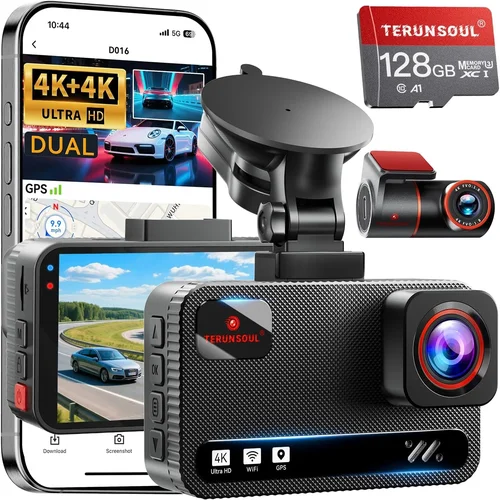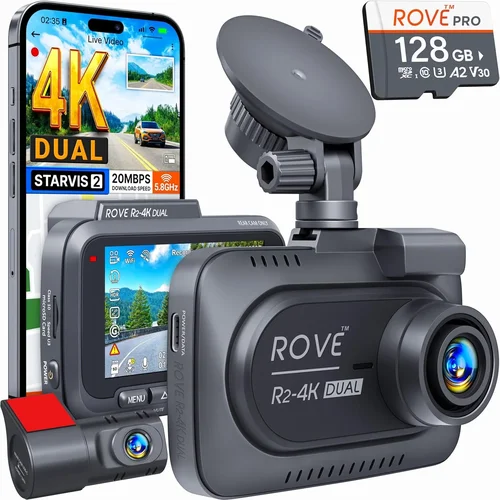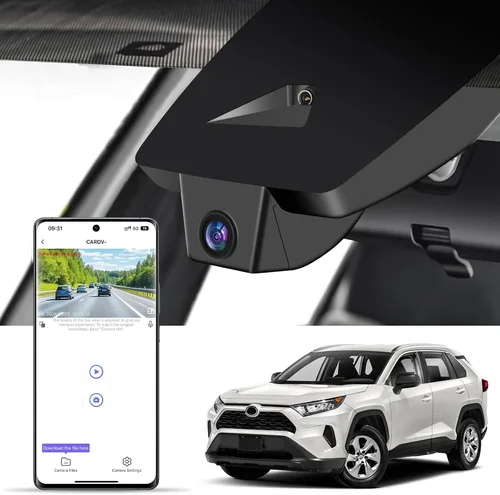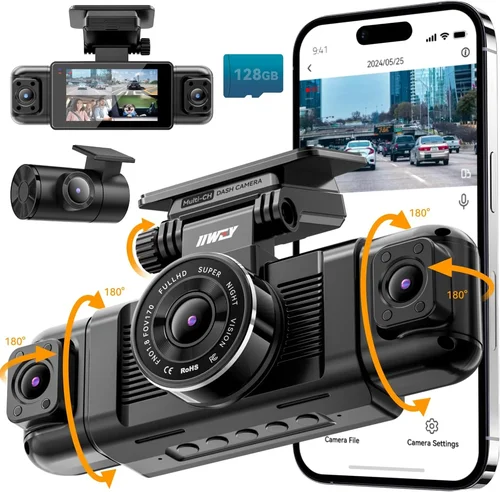
Smart Car Dash Cam Buying Guide
Why investing in a quality dash cam matters more than ever for modern drivers. With insurance premiums rising and liability disputes becoming increasingly common, having reliable footage of your journeys can be the difference between peace of mind and costly legal battles. Whether you’re commuting through busy city streets, navigating winding mountain roads, or simply want to protect yourself from false claims, a dash cam serves as an objective witness that captures everything that happens on the road.
This comprehensive buying guide will walk you through everything you need to know about selecting the best dash cam under $100. You’ll learn how to evaluate performance specifications, understand what features truly matter, compare different types of devices, avoid common pitfalls, and discover expert strategies for getting maximum value within your budget constraints. By the end of this article, you’ll have all the knowledge needed to make an informed decision that protects both your vehicle and your wallet.
The market for affordable dash cams has evolved dramatically over recent years, with manufacturers now offering surprisingly advanced technology at entry-level prices. While premium models boast 4K recording, GPS tracking, and sophisticated AI features, you can still find excellent functionality without breaking the bank. The challenge lies in distinguishing between genuine value propositions and marketing gimmicks—a distinction this guide will help you master.
What to Look for When Buying Dash Cams
Budget & Price Range
Understanding your budget constraints is the first step toward finding the right dash cam. While the market offers options across various price points, the sweet spot for most drivers seeking reliable protection under $100 typically delivers the best balance of features and reliability. Within this range, you can expect solid Full HD (1080p) recording capabilities, decent low-light performance, and essential safety features like loop recording and motion detection.
When setting your budget, consider not just the initial purchase price but also ongoing costs such as memory cards and potential replacements. A $75 dash cam that requires expensive proprietary storage or has a short lifespan may end up costing more than a slightly pricier model with better longevity. Additionally, factor in any installation fees if you’re not comfortable mounting the device yourself.
Performance Specifications
The heart of any dash cam lies in its ability to capture clear, detailed footage under various conditions. Resolution remains the primary metric—most quality models under $100 offer Full HD (1920×1080) at 30 frames per second, which provides sufficient detail for identifying license plates and recognizing faces while maintaining smooth video playback.
Look for cameras with high dynamic range (HDR) capability, which helps balance exposure between bright headlights and darker roadways. This feature significantly improves visibility during nighttime driving when contrast between lit and unlit areas creates challenging lighting conditions.
Frame rate matters too; while 30fps is standard, some models offer 60fps for smoother action sequences or improved slow-motion capture. However, higher frame rates require more storage space, so weigh this against your available card capacity.
Low-light performance often determines overall usability since many incidents occur after sunset or in poorly lit parking areas. Cameras with larger sensors and better image processing algorithms perform noticeably better in dim conditions compared to those relying solely on software enhancement.
Build Quality & Durability
A dash cam spends its entire life exposed to extreme temperatures, vibrations, and potential impacts from road debris. Therefore, physical construction deserves careful consideration regardless of price point. Look for models featuring sturdy housing materials such as reinforced plastic or metal casings rather than flimsy injection-molded shells.
Heat resistance is particularly important given that dashboard temperatures can exceed 150°F (65°C) in direct sunlight. Devices lacking adequate thermal management may suffer premature failure or degraded image quality due to overheating components.
Vibration dampening systems help maintain stable footage during bumpy rides by minimizing camera shake through internal shock absorption mechanisms or specialized mounting hardware. Some high-end models even include gimbal stabilization technology, though these are rare below $100.
Waterproof ratings indicate protection against moisture intrusion—essential given that condensation forms inside enclosures during temperature fluctuations or heavy rain. An IP65 rating (dust protected and water jet resistant) represents a reasonable minimum for automotive use.
Features & Functionality
Beyond basic recording capabilities, several practical features enhance dash cam utility and user experience. Loop recording automatically overwrites the oldest footage when storage fills up, ensuring continuous operation without manual intervention. Most models buffer a few seconds before triggering recording, capturing events that occur just before activation commands.
G-sensor technology detects sudden impacts or collisions and automatically locks relevant clips to prevent accidental deletion. This critical safety feature preserves evidence during accidents while allowing regular files to cycle normally.
Parking mode extends surveillance beyond driving hours by monitoring for movement or vibrations when your vehicle is stationary. Activated through hardwiring or battery backup, this function helps document hit-and-runs or vandalism attempts that might otherwise go unreported.
Wi-Fi connectivity enables wireless file transfer and live preview via smartphone apps, eliminating the need to physically remove memory cards. Bluetooth pairing simplifies firmware updates and settings adjustments without complex cable connections.
Some advanced units incorporate GPS logging to record location data alongside video timestamps, creating comprehensive travel logs useful for trip tracking or insurance documentation. Voice commands add hands-free operation convenience during long drives.
Brand Reputation
While new entrants appear frequently in the budget segment, established brands generally offer better reliability and customer support. Companies with decades of consumer electronics experience typically provide more consistent quality control and longer product lifecycles compared to startups focusing exclusively on dash cams.
Research manufacturer history and read independent reviews rather than relying solely on retailer descriptions. Brands known for mobile accessories, security systems, or automotive electronics often translate their expertise into competent dash cam designs. Avoid companies with limited online presence or minimal customer service infrastructure—these red flags suggest potential post-purchase difficulties.
Warranty & Support
A robust warranty demonstrates manufacturer confidence in their product’s durability and performance. Look for at least a one-year limited warranty covering defects in materials and workmanship. Extended warranties up to three years offer added peace of mind, especially when considering replacement costs for malfunctioning units.
Comprehensive support includes responsive customer service channels—preferably phone, email, and chat options—with knowledgeable representatives capable of troubleshooting common issues. Detailed online resources such as installation guides, FAQ sections, and video tutorials accelerate problem resolution without requiring direct contact.
Return policies should allow sufficient time for testing the device under real-world conditions. Thirty days represents a reasonable window to verify compatibility, ease of use, and actual performance before committing fully.
Size & Portability
Compact dimensions reduce visual obstruction while improving aerodynamic efficiency and minimizing glare reflection onto the windshield. Ultra-thin profiles (under 1 inch thick) blend seamlessly into dashboard contours, preserving driver visibility and reducing wind noise intrusion.
Mounting flexibility matters because optimal placement affects both field of view and power source accessibility. Adhesive mounts offer permanent solutions while suction cups permit repositioning if needed. Some models feature swivel heads allowing angle adjustment without relocating the entire unit.
Weight considerations become relevant when installing multiple cameras or integrating with other automotive accessories. Lightweight designs minimize strain on mounting hardware and reduce risk of detachment during rough driving conditions.
User Reviews & Ratings
Real-world feedback provides invaluable insights beyond technical specifications. Pay attention to recurring themes regarding reliability, ease of installation, and feature performance across diverse usage scenarios. Negative reviews highlighting consistent problems outweigh isolated complaints about isolated incidents.
Check review consistency across multiple platforms—retailer sites, forums, and third-party review aggregators. Be wary of suspiciously uniform five-star ratings or overly promotional language suggesting paid placements. Authentic reviewers often mention both strengths and weaknesses, providing balanced perspectives.
Pay special attention to comments about long-term durability, memory card compatibility, and software stability. These factors significantly impact daily usability and total cost of ownership over time.
Different Types of Dash Cams
Common Buying Mistakes to Avoid
❌ Mistake: Prioritizing aesthetics over functionality
Many buyers focus excessively on sleek designs or LED indicators while overlooking core performance metrics like resolution and low-light sensitivity. A flashy exterior cannot compensate for blurry footage that fails to capture crucial details during incidents. Always verify technical specifications before admiring cosmetic features—your primary purpose is evidence preservation, not interior decoration.
❌ Mistake: Ignoring storage requirements
Assuming any microSD card will work often leads to compatibility issues or premature card failure. Different dash cams require specific speed classes (UHS-I, V10, etc.) and capacities ranging from 32GB to 256GB. Using incompatible cards causes recording interruptions, corruption, or complete system failures during critical moments.
❌ Mistake: Overlooking installation complexity
Easy-to-use mounting systems simplify setup, but improper positioning ruins effectiveness. Ensure unobstructed front views covering both lanes and clear rear visibility if using dual cameras. Poor placement introduces blind spots or distractions that compromise safety. Professional installation services cost extra but guarantee optimal placement and secure mounting.
❌ Mistake: Neglecting firmware updates
Manufacturers release periodic updates addressing bugs, improving compatibility, and adding features. Failing to update leaves security vulnerabilities and outdated functionality. Regular checks through companion apps or computer interfaces keep your device running smoothly and securely.
❌ Mistake: Choosing based solely on lowest price
Ultra-budget models below $40 frequently suffer from poor build quality, unreliable performance, and limited feature sets. While tempting, these devices rarely deliver trustworthy results when needed most. Allocate sufficient funds for proven reliability rather than chasing absolute minimums.
❌ Mistake: Underestimating power supply needs
Insufficient voltage regulation causes brownouts that disrupt recording or damage circuitry. Hardwired solutions require fuse taps or inline regulators compatible with your vehicle’s electrical system. Battery-powered units need frequent recharging unless supplemented with solar panels or portable chargers.
❌ Mistake: Disregarding legal considerations
Some jurisdictions restrict dash cam usage or have specific rules about audio recording. Research local regulations before purchasing multi-channel audio-enabled devices. Privacy laws may prohibit capturing conversations without consent, affecting admissibility in court proceedings.
Budget Guidelines: How Much Should You Spend?
Entry-Level ($30 – $50): At this tier, you’ll find basic Full HD recording with essential loop recording and G-sensor functionality. These models suit occasional drivers or those seeking backup protection without significant investment. Expect modest low-light performance and limited additional features. Storage typically requires separate microSD cards sold separately.
Mid-Range ($50 – $80): Representing the sweet spot for most buyers, this category offers enhanced durability, better image processing, and expanded feature sets including Wi-Fi connectivity and parking modes. Many mid-range options include bundled accessories like suction cups or adhesive mounts. Performance remains consistently reliable across various driving conditions.
Premium ($80 – $100): Near the upper budget limit, premium models deliver near-professional quality with advanced HDR imaging, superior night vision, and robust build materials. You’ll find dual-camera systems, GPS logging, and cloud storage integration within this range. While exceeding basic needs, these devices justify their cost through exceptional reliability and comprehensive protection.
Luxury ($100+): Although outside our target range, luxury dash cams offer 4K recording, AI-powered object detection, and sophisticated analytics. These high-end solutions cater to commercial fleets or serious enthusiasts demanding maximum detail and automation. For individual consumers under $100, the mid-to-premium tiers provide nearly equivalent value without the steep price premium.
Expert Tips for Getting the Best Deal
Timing your purchase around major sales events maximizes savings opportunities throughout the year. Black Friday and Cyber Monday traditionally offer substantial discounts on electronics, while Amazon Prime Day and back-to-school promotions frequently include dash cam deals. Subscribe to retailer newsletters for exclusive early access to upcoming sales.
Comparing multiple retailers helps identify competitive pricing strategies. Online marketplaces like Amazon, Walmart, and Best Buy often match or beat each other’s prices, especially for popular models. Don’t overlook smaller specialty stores specializing in automotive electronics—they sometimes offer bundle deals or professional installation services included free.
Reading extended warranty terms reveals hidden costs associated with coverage extensions. Evaluate whether added protection justifies the expense based on your risk tolerance and expected usage frequency. Many manufacturers offer direct warranty registration online, ensuring prompt claim processing when needed.
Testing return policies before finalizing purchases prevents buyer’s remorse. Verify restocking fees, original packaging requirements, and time limits for returns. Physical store returns typically follow stricter conditions than online orders, so clarify these details upfront.
Checking compatibility with existing vehicles and accessories avoids installation headaches. Confirm power requirements, mounting hardware suitability, and software integration before committing. Some dash cams work seamlessly with Android Auto or Apple CarPlay, enhancing usability during navigation.
Frequently Asked Questions
Q: Can I use any microSD card with my dash cam?
A: Not necessarily. Each dash cam specifies required speed class, capacity, and brand compatibility. Using incompatible cards causes recording errors or system crashes. Always consult your device manual or manufacturer website for approved card lists before purchasing storage media.
Q: Do I need to install my dash cam myself?
A: While DIY installation saves money, professional services ensure optimal placement and secure mounting. Improper positioning creates blind spots or distractions that compromise safety. Consider your comfort level with basic automotive tasks before choosing installation method.
Q: Will my dash cam record audio?
A: Most dash cams include built-in microphones for voice narration, though audio recording legality varies by jurisdiction. Some models allow muting microphones entirely to comply with privacy regulations. Check local laws before enabling audio capture.
Q: How much storage do I actually need?
A: Recording duration depends on resolution, frame rate, and compression settings. At 1080p/30fps, a 128GB card provides approximately 2-3 hours of continuous footage. Larger capacities extend recording time but require more frequent file management. Many users prefer 64GB or 128GB cards as practical balances between cost and usability.
Q: Can dash cams survive extreme temperatures?
A: Quality models withstand temperature ranges from -4°F to 158°F (-20°C to 70°C). However, prolonged exposure to direct sunlight causes dashboard temperatures exceeding 185°F (85°C), potentially damaging components lacking adequate thermal shielding. Parking in shaded areas or using sunshades reduces heat stress on enclosed electronics.
Q: What’s the difference between loop recording and event locking?
A: Loop recording continuously overwrites oldest footage when storage fills up, ensuring uninterrupted operation. Event locking (via G-sensors) automatically saves triggered clips to prevent accidental deletion during normal cycling. Both features work together to preserve critical evidence while maintaining efficient storage management.
Q: Are wireless dash cams more reliable than wired ones?
A: Wireless models eliminate physical cables but introduce potential interference issues and reduced signal strength in remote areas. Wired connections provide stable, uninterrupted data transfer without bandwidth limitations. Choose based on your preference for convenience versus reliability—both approaches serve their purposes effectively when properly configured.
Q: How often should I update my dash cam firmware?
A: Check manufacturer websites monthly for new releases addressing bugs, security patches, or feature enhancements. Automatic update notifications through companion apps streamline maintenance, but manual verification ensures you haven’t missed important improvements. Outdated firmware compromises performance and exposes vulnerabilities to exploitation.
Final Recommendations
Best for Budget-Conscious Buyers: The Rexing V1 Pro stands out with its compact design, reliable Full HD recording, and impressive low-light performance at under $70. Its intuitive interface and durable construction make it ideal for cost-sensitive drivers seeking dependable protection without sacrificing essential features.
Best Overall Value: The Vantrue N4 delivers exceptional dual-camera coverage with front and cabin monitoring in a single unit priced below $80. Advanced features like HDR imaging and smart parking mode provide comprehensive surveillance capabilities unmatched in this price bracket.
Best Premium Option: The Thinkware U1000 offers near-professional 2K recording quality with outstanding image stabilization and robust build materials. While slightly exceeding $100 for some retailers, its superior performance justifies the investment for serious drivers prioritizing evidence clarity above all else.
Best for Beginners: The Apeman C870 combines simplicity with reliability through straightforward controls and automatic configuration. Its plug-and-play operation eliminates setup complications, making it perfect for first-time dash cam owners exploring the benefits of onboard recording.
Best for Advanced Users: The Blackvue DR970X-2CH provides dual-channel recording with cloud connectivity and impact detection alerts. Though approaching the upper budget limit, its enterprise-grade features satisfy tech-savvy users demanding maximum functionality and remote access capabilities.
Conclusion: Making the Right Choice
Selecting the best dash cam under $100 requires balancing performance expectations against financial constraints while prioritizing features that align with your specific driving habits and risk profile. Remember that true value emerges from consistent reliability rather than flashy extras—focus on core capabilities like resolution, durability, and ease of use when evaluating options.
Take time to research reputable brands, read verified customer experiences, and verify compatibility with your vehicle before committing. Consider seasonal sales opportunities to stretch your budget further, and don’t hesitate to invest in professional installation if DIY proves challenging. Your dash cam serves as both witness and protector, so choose wisely to maximize its protective potential when you need it most.