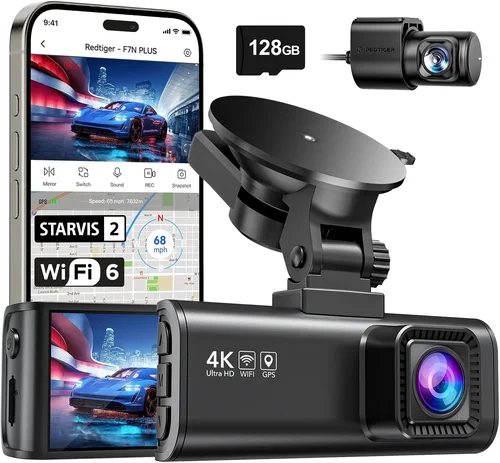
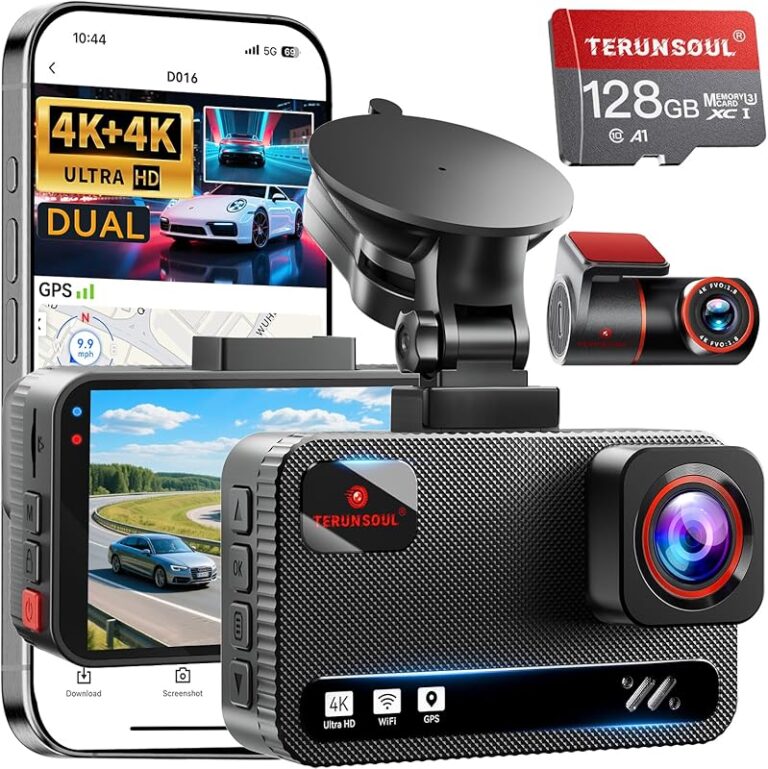
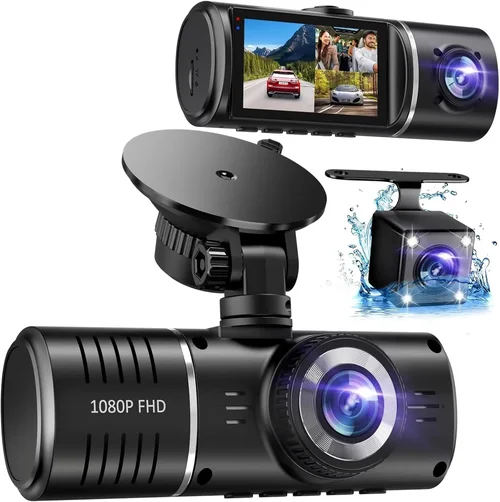
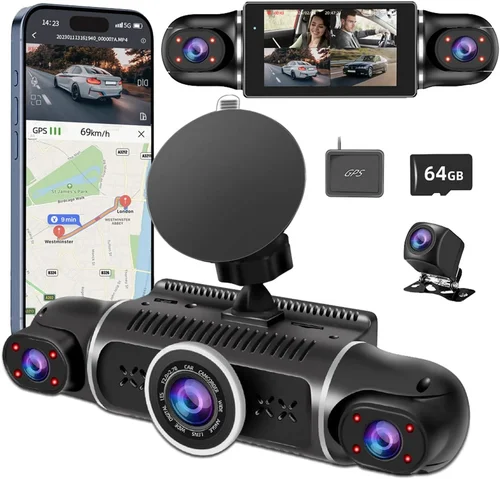
Best Dash Cam Buying Guide
In today’s increasingly complex automotive landscape, protecting yourself from potential disputes and documenting your driving experiences has never been more important. A dash cam isn’t just a gadget—it’s a vital safety tool that can provide crucial evidence in the event of an accident, help resolve insurance claims, or even capture memorable road trips. With the market flooded with options ranging from basic models to advanced AI-powered systems, choosing the right dash cam can feel overwhelming. This comprehensive buying guide will walk you through everything you need to know to make an informed decision that matches your specific needs, budget, and vehicle requirements.
Whether you’re a new driver looking to build confidence behind the wheel, a seasoned commuter wanting peace of mind during daily drives, or someone who simply wants to document their adventures on the open road, understanding the key features and capabilities of different dash cams is essential. We’ll cover everything from video quality specifications to storage solutions, from parking mode functionality to installation considerations. By the end of this guide, you’ll have a clear roadmap for selecting the perfect dash cam that offers reliable performance, user-friendly operation, and long-term value.
The modern dash cam market has evolved dramatically from simple single-camera units to sophisticated multi-sensor systems with advanced driver assistance features. Today’s models offer resolutions up to 4K, GPS tracking, built-in Wi-Fi, cloud connectivity, and intelligent parking monitoring. However, not all dash cams are created equal, and the features that matter most depend entirely on your intended use case. We’ll examine the latest technology trends while keeping practical considerations at the forefront, ensuring you get maximum benefit from your investment without overspending on unnecessary capabilities.
What to Look for When Buying Dash Cams
1. Video Resolution and Quality
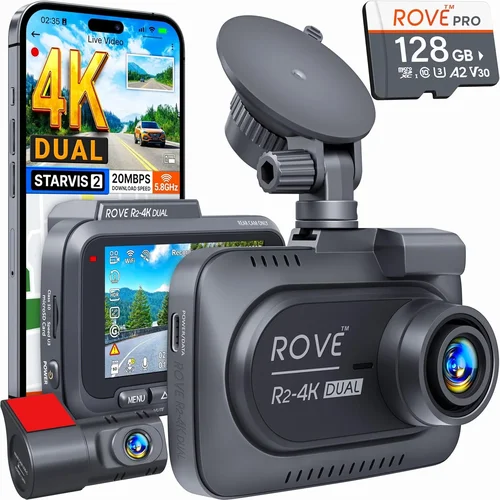
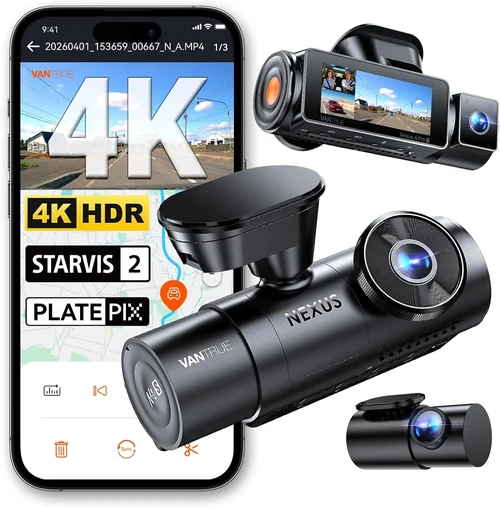
The foundation of any dash cam’s effectiveness lies in its ability to capture clear, detailed footage. Video resolution is typically measured in pixels, with common standards including 1080p (Full HD), 2K, 4K, and emerging 5K+ resolutions. For most drivers, 1080p provides excellent clarity and adequate detail for license plate recognition and general scene documentation. However, if you frequently drive in challenging lighting conditions or need to capture fine details like facial expressions or dashboard symbols, consider models offering 2K or 4K resolution.
Frame rate also plays a crucial role in video quality, with higher frame rates (30fps or 60fps) providing smoother motion and better performance during fast-moving scenarios like highway merges or emergency braking situations. Many advanced models now feature HDR (High Dynamic Range) technology, which helps maintain detail in both bright headlights and dark shadows simultaneously—an essential capability for nighttime driving.
2. Field of View (FOV)
Field of view determines how much of your surroundings the camera can capture at once. A wider FOV means more coverage but may introduce some distortion at the edges, while a narrower FOV provides less coverage but captures more detail in the center. Most dash cams offer between 100-170 degrees horizontally, with 140-150 degrees being a popular sweet spot that balances coverage and image quality.
Consider your typical driving scenarios when evaluating FOV. If you often drive in urban areas with tight intersections or parallel parking situations, a wider angle can be beneficial. For highway driving, a moderate FOV may be sufficient since the primary concern is capturing what’s directly ahead rather than side-to-side coverage.
3. Storage Capacity and Management
Dash cams require storage to record footage, and understanding your options is critical for reliable operation. Most models use microSD cards, with capacities ranging from 32GB to 512GB or more. The choice depends on your recording needs and the dash cam’s compression technology.
Loop recording automatically overwrites older footage when the storage fills up, ensuring continuous operation without manual intervention. Some advanced models offer cloud storage integration, automatically uploading clips to secure online servers—ideal for fleet operators or those who want remote access to their footage.
4. Night Vision Capabilities
Nighttime driving presents unique challenges for dash cams, requiring specialized sensors and processing algorithms. Look for cameras with low-light sensitivity, infrared LEDs, or night vision enhancement technologies. Many high-end models use starlight sensors that perform exceptionally well in near-total darkness.
Additionally, consider whether the dash cam includes features like dynamic range optimization, which adjusts exposure settings automatically based on lighting conditions. This ensures consistent visibility of license plates and road signs regardless of whether you’re approaching headlights or driving away from them.
5. Parking Mode Functionality
Parking mode activates your dash cam when your car is turned off, using the vehicle’s battery to monitor for potential incidents. This feature is invaluable for preventing theft, vandalism, or hit-and-run accidents that might occur while you’re away from your vehicle. Most parking modes use motion detection or impact sensors to trigger recording only when necessary, helping conserve battery life.
Advanced parking mode systems may include time-lapse recording, which records brief intervals to extend battery life while still providing evidence of prolonged disturbances. Some models can draw power directly from your car’s electrical system via hardwiring, eliminating battery drain concerns.
6. Build Quality and Durability
A dash cam faces harsh operating conditions: extreme temperatures, vibrations from rough roads, exposure to sunlight, and potential impacts during accidents. Look for models constructed with durable materials, shock-resistant designs, and weather-sealed components. Metal housings are generally more robust than plastic ones, and tempered glass lenses offer better protection than standard glass.
Consider the mounting system as well—a secure, vibration-dampening mount prevents the camera from bouncing around during bumpy rides or sudden stops. Additionally, check if the device includes temperature resistance ratings, as extreme heat can damage electronics or cause condensation issues.
7. Connectivity and Smart Features
Modern dash cams increasingly offer connectivity options beyond basic recording. Built-in Wi-Fi enables smartphone pairing for easy file transfer and configuration changes through companion apps. Some models feature GPS modules that track location, speed, and route information, adding valuable context to your recordings.
Bluetooth connectivity allows for hands-free calling integration or wireless earbud compatibility in certain models. Cloud services provide automatic backup and remote viewing capabilities, though they often require monthly subscription fees. Voice control features are becoming more common, allowing you to operate the camera without touching the screen while driving.
8. Audio Recording Capabilities
While audio recording provides additional evidence, it’s important to understand the legal implications in your area before enabling this feature. Many jurisdictions have strict laws regarding audio recording, so always check local regulations first.
If audio is important to you, look for dash cams with noise-canceling microphones that focus on traffic sounds while reducing cabin noise. Some advanced models offer dual-channel audio, capturing both interior conversations and exterior environmental sounds for comprehensive documentation.
9. Power Source Options
Understanding your power source options ensures reliable operation without draining your car’s battery. Most dash cams connect directly to your vehicle’s cigarette lighter or USB port. However, if you plan to use parking mode regularly, consider hardwiring the device directly into your car’s electrical system.
Hardwired installations require professional help but eliminate the risk of battery drain and ensure consistent power delivery. Some premium models include built-in capacitors that provide temporary power during brownouts or voltage fluctuations, protecting against data loss during electrical issues.
10. User Interface and Ease of Use
A poorly designed interface can quickly become frustrating, especially when trying to adjust settings while driving. Look for dash cams with intuitive menus, large touchscreens, or physical buttons that are easy to operate in various lighting conditions. Some models feature voice commands or gesture controls for safer operation.
Consider how you’ll access recorded files—some cameras use proprietary software while others work with standard file formats compatible with multiple devices. Quick access to recent clips or incident footage should be straightforward, ideally with dedicated buttons or swipe gestures.
11. Brand Reputation and Support
Choosing a reputable brand significantly reduces the risk of purchasing a defective product or one with poor customer support. Established manufacturers typically offer better warranty coverage, more reliable firmware updates, and responsive technical support. Research customer reviews and forum discussions to gauge real-world reliability and service quality.
Check the length and terms of warranty coverage—most reputable brands offer at least 1-2 years of coverage for hardware defects. Also verify whether replacement parts are readily available, as some cheaper brands may discontinue support after a few years.
12. Size and Installation Considerations
Compact dash cams are easier to conceal and less obtrusive, making them ideal for rental cars or vehicles where aesthetics matter. However, smaller cameras may have limitations in sensor size or processing power compared to larger models. Consider the trade-off between discreetness and performance based on your priorities.
Installation complexity varies by model, with some requiring professional installation while others can be mounted quickly with basic tools. Evaluate whether you’re comfortable with DIY installation or prefer professional help, especially if you need hardwiring or multiple camera setups.
13. Price vs. Value Analysis
While it’s tempting to choose the cheapest option, remember that dash cams serve as crucial evidence devices in legal situations. Investing in a mid-range model with proven reliability often makes more sense than skimping on features that could prove invaluable later. Consider the total cost of ownership, including potential savings from reduced insurance premiums or avoided disputes.
Compare features across price points rather than focusing solely on initial cost. Sometimes spending slightly more upfront provides significantly better performance and peace of mind, ultimately saving money in the long run through improved safety and documentation capabilities.
14. Regulatory Compliance and Privacy
Before purchasing a dash cam with audio recording capabilities, research your local privacy laws carefully. Many countries and states have strict regulations about recording conversations without consent, even in public spaces. Violating these laws can result in serious legal consequences.
Additionally, consider how you’ll store and manage recorded footage responsibly. Ensure your chosen device includes password protection and encryption features to prevent unauthorized access to sensitive recordings containing personal information or private conversations.
15. Software and Firmware Updates
Regular software updates improve performance, fix bugs, and sometimes add new features. Choose dash cams from manufacturers known for consistent update schedules and backward compatibility. Check whether updates require connecting to a computer or can be done wirelessly through your smartphone app.
Firmware updates can address critical issues like improved night vision algorithms, enhanced GPS accuracy, or better compression efficiency that extends recording times. Manufacturers that actively support their products demonstrate commitment to long-term usability and security.
16. Compatibility with Other Vehicle Systems
Some advanced dash cams integrate with your car’s existing systems, such as OBD-II ports for direct power connection or CAN bus interfaces for accessing vehicle data like speed and acceleration. These integrations can enhance recording accuracy and provide richer data for accident reconstruction.
However, compatibility varies significantly by vehicle make and model, so verify whether your dash cam will work properly with your specific car before purchasing. Professional installers often have databases of compatible configurations and can recommend optimal setups.
17. Warranty Terms and Customer Service
Comprehensive warranty coverage provides peace of mind and financial protection against manufacturing defects. Look for warranties that cover both parts and labor, with reasonable claim procedures and responsive customer support channels.
Evaluate the manufacturer’s reputation for honoring warranty claims and providing timely replacements. Read customer service reviews to understand response times and problem resolution effectiveness. Some companies offer extended warranty options or protection plans that cover accidental damage.
18. Environmental Performance
Dash cams must function reliably in diverse climate conditions, from sub-zero temperatures in northern regions to scorching heat in desert climates. Check the operating temperature range specified by the manufacturer—extreme cold can cause battery failure, while excessive heat may damage internal components.
Water resistance ratings are also important, especially for models mounted on windshield corners or exposed to rain. IP ratings indicate dust and water protection levels, with IP67 being suitable for most automotive applications involving occasional splashes or light rain.
19. Battery Life and Power Management
For portable dash cams or those used primarily in rentals, battery life becomes a critical factor. Most built-in batteries last 1-2 hours, sufficient for short commutes or emergency recording when no power source is available. Consider whether the device includes quick-charge capabilities or solar charging options for extended outdoor use.
Power management features like auto-shutdown when the battery drops below a certain threshold prevent complete discharge that could damage the battery permanently. Some models intelligently balance recording quality with power consumption to maximize available runtime.
20. Multi-Camera System Compatibility
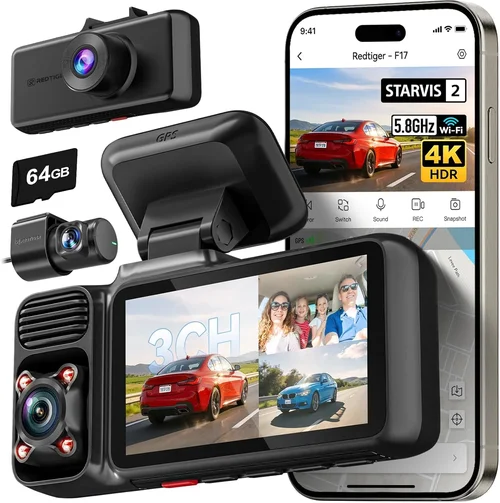
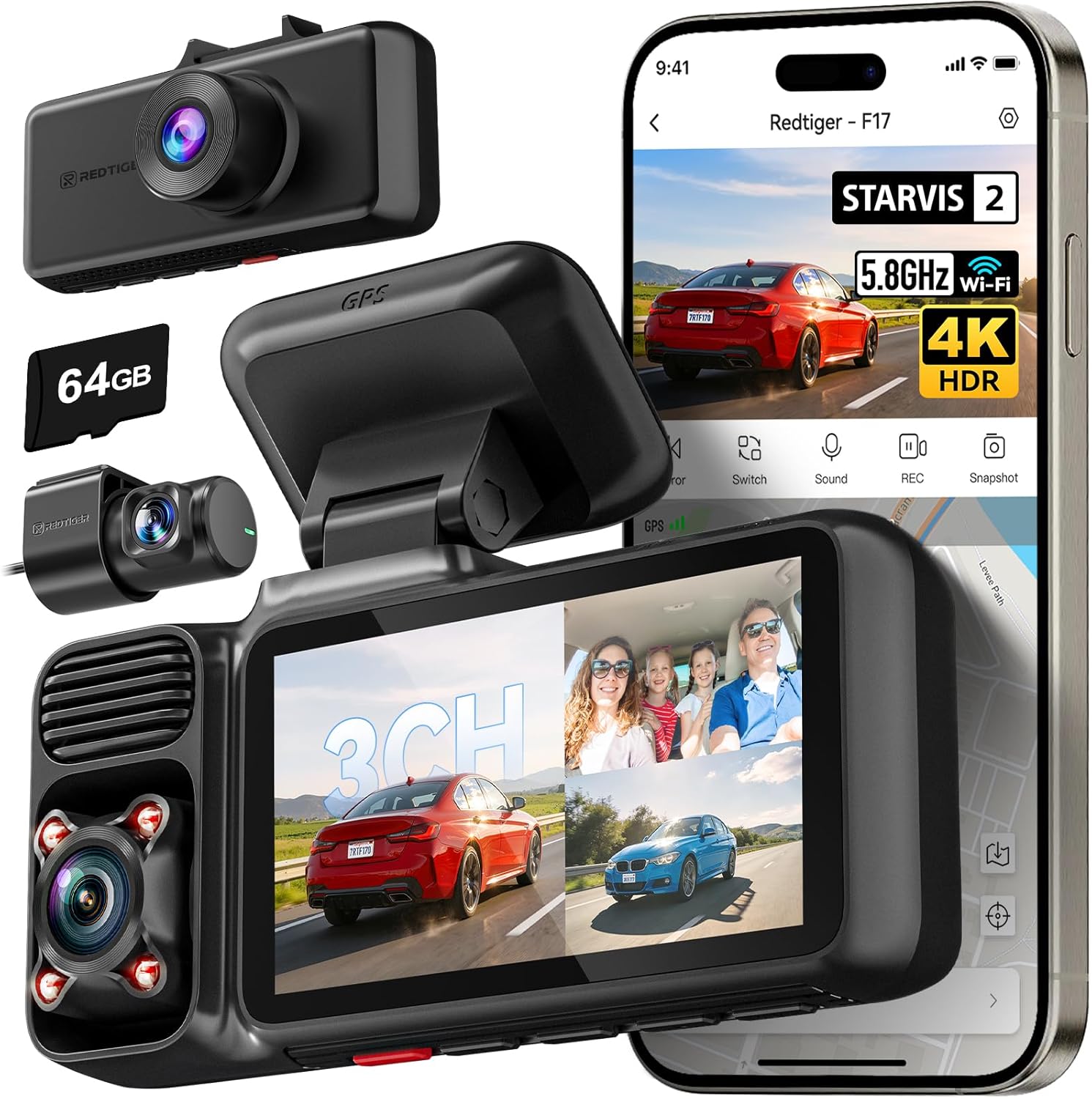
Advanced users may want to expand their setup with additional cameras for comprehensive coverage. Evaluate whether your chosen dash cam supports external camera inputs for rear-view or interior monitoring. Some systems allow seamless integration of multiple cameras with synchronized recording and unified playback software.
Multi-camera setups are particularly valuable for fleet operators, commercial vehicles, or enthusiasts who want to monitor blind spots and passenger interactions simultaneously. Ensure the base unit includes sufficient processing power and storage capacity to handle expanded configurations without performance degradation.
Different Types of Dash Cams

Common Buying Mistakes to Avoid
❌ Mistake: Choosing Based Solely on Lowest Price
Why it’s bad: The cheapest dash cams often cut corners on critical components like image sensors, storage quality, and build materials. These devices may fail during actual use when you need them most, leaving you without crucial evidence. Cheap models also tend to have shorter lifespans, requiring replacement within a year or two.
What to do instead: Focus on value rather than absolute price. Compare features and performance across multiple price points. Read professional reviews and user feedback about reliability and long-term performance. Consider the total cost of ownership, including potential replacement costs and lost evidence if the device fails.
❌ Mistake: Overlooking Parking Mode Requirements
Why it’s bad: Many buyers assume all dash cams have adequate parking mode functionality, but this isn’t always the case. Some inexpensive models either lack parking mode entirely or require expensive accessories like hardwiring kits. Without proper parking surveillance, your vehicle remains vulnerable to theft, vandalism, or hit-and-run incidents while parked.
What to do instead: Verify that your chosen dash cam includes robust parking mode capabilities natively. If the device requires separate accessories for parking mode, factor in those additional costs and installation requirements. Test the parking mode functionality before committing to ensure it meets your needs.
❌ Mistake: Ignoring Local Legal Regulations
Why it’s bad: Audio recording capabilities are illegal or heavily restricted in many jurisdictions due to privacy concerns. Using a dash cam with audio recording in violation of local laws can result in fines, evidence being dismissed in court, or even criminal charges depending on the severity. Some areas require explicit warning stickers when recording audio, which many dash cams don’t accommodate.
What to do instead: Research your state, province, or country’s specific regulations regarding dash cam usage before purchasing. Disable audio recording if required by law, even if your device supports it. Consider models specifically designed for regions with strict privacy laws that emphasize visual-only recording.
❌ Mistake: Skipping Storage Planning
Why it’s bad: Insufficient storage capacity leads to constant loop recording overwriting potentially important footage before you’ve had time to review it. Some dash cams force users to manually manage storage, creating frustration and missed opportunities to capture critical evidence. Without proper storage planning, you might miss important incidents entirely.
What to do instead: Calculate your expected recording duration based on average commute times and typical driving patterns. Choose a dash cam with appropriate native storage or plan for easily accessible microSD card upgrades. Consider models with cloud backup options for automatic evidence preservation, though factor in ongoing subscription costs.
❌ Mistake: Neglecting Installation Complexity
Why it’s bad: Assuming all dash cams are equally easy to install can lead to improper mounting, electrical issues, or voided warranties. Complex installations involving hardwiring or multiple cameras require professional expertise to avoid damaging vehicle wiring or compromising electrical safety. DIY attempts with advanced setups often result in malfunctioning equipment or safety hazards.
What to do instead: Assess your technical comfort level honestly before choosing a complex installation option. Start with simple adhesive mounts and cable management if you’re inexperienced. For hardwiring or professional installations, consult certified technicians familiar with automotive electrical systems and dash cam integration.
❌ Mistake: Overlooking Night Driving Performance
Why it’s bad: Many dash cams perform adequately during daytime hours but struggle significantly at night due to inadequate low-light sensors or poor noise reduction algorithms. During nighttime driving, you’ll need clear visibility of license plates, traffic signals, and potential hazards. Subpar night performance renders the device nearly useless for evening commutes or overnight parking protection.
What to do instead: Prioritize dash cams with proven night vision capabilities before making purchase decisions. Review sample footage captured in low-light conditions from multiple sources. Look for features like HDR, starlight sensors, or dedicated night mode processing that enhance visibility during challenging lighting conditions.
❌ Mistake: Focusing Only on Video Quality
Why it’s bad: While video resolution matters, other factors like GPS tracking, audio quality, and user interface design significantly impact overall usability. High-resolution footage is useless if you can’t easily locate relevant clips or share them with authorities. Poor audio quality or confusing menus create additional stress during stressful situations when you need quick access to evidence.
What to do instead: Balance video quality with practical usability features. Ensure the device includes reliable GPS tracking for route documentation, intuitive controls for emergency recording access, and good audio quality if permitted by local laws. Test the user interface under various lighting conditions to confirm ease of operation while driving.
Budget Guidelines: How Much Should You Spend?
Entry-Level Dash Cams ($50 – $100): The Basics Covered
At this price point, you’ll find functional dash cams that deliver essential recording capabilities without advanced features. These models typically offer 1080p resolution, basic G-sensor for impact detection, and loop recording functionality. While they may lack premium features like GPS, parking mode, or superior night vision, entry-level dash cams provide reliable evidence capture for everyday driving scenarios.
Expect compact designs with simple installation processes, often using adhesive mounts and cigarette lighter power connections. Storage usually relies on included 32GB microSD cards, which may fill up quickly with continuous recording. These dash cams are ideal for budget-conscious buyers, occasional drivers, or those testing dash cam technology before investing in more advanced models.
Mid-Range Dash Cams ($100 – $250): Sweet Spot for Most Buyers
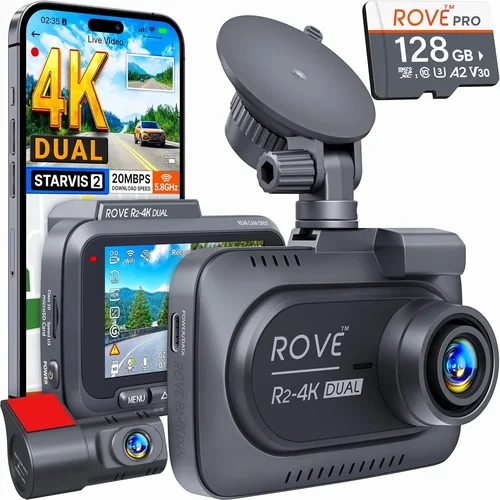
This category represents the optimal balance between features, performance, and value. Mid-range dash cams typically offer 2K or 4K resolution, improved low-light performance, built-in GPS tracking, and reliable parking mode functionality. You’ll find advanced features like HDR imaging, motion detection, and smartphone app integration at this price point.
These models often include better build quality, more durable construction, and longer warranty periods compared to entry-level options. Many mid-range dash cams support dual-channel recording (front and rear cameras), making them excellent choices for families or commercial drivers needing comprehensive coverage. The combination of enhanced video quality and practical features makes this price range the recommended starting point for most consumers.
Premium Dash Cams ($250 – $500): Advanced Features and Performance
High-end dash cams deliver professional-grade recording capabilities with cutting-edge technology. At this tier, you’ll find 4K+ resolutions, superior night vision with starlight sensors, advanced driver assistance features, and robust cloud connectivity options. Premium models often include AI-powered object detection, lane departure warnings, and sophisticated parking monitoring systems.
Build quality reaches industrial standards with military-grade materials, weather sealing, and vibration-resistant designs. Additional features may include wireless charging, voice control, and integration with vehicle diagnostic systems. These dash cams are ideal for enthusiasts, safety-conscious drivers, or professionals who demand the highest quality evidence capture and analysis capabilities.
Luxury Dash Cams ($500+): Top-Tier Technology and Integration
Ultra-premium dash cams represent the pinnacle of automotive technology integration, featuring 5K+ resolutions, AI-driven analytics, and comprehensive vehicle system connectivity. These systems often include multiple high-definition cameras with 360-degree coverage, advanced parking surveillance with time-lapse recording, and sophisticated driver monitoring capabilities.
Luxury models may incorporate facial recognition, fatigue detection, and predictive collision avoidance systems. Cloud-based analytics platforms provide detailed trip reports, driving behavior analysis, and automated evidence categorization. Installation typically requires professional expertise due to complex wiring harnesses and vehicle integration requirements. These systems are primarily targeted at fleet operators, commercial vehicles, and luxury automotive enthusiasts seeking ultimate performance and integration capabilities.
Expert Tips for Getting the Best Deal
1. Time Your Purchase Strategically
Major shopping holidays present exceptional opportunities for dash cam deals. Black Friday and Cyber Monday consistently offer 30-50% discounts on premium models, while back-to-school seasons see clearance sales on older inventory. New model releases typically prompt immediate price reductions on previous-generation dash cams, often exceeding 40% off original pricing.
Consider seasonal timing as well—late spring and early summer often feature promotional campaigns targeting road trip season preparation. Avoid peak holiday periods when prices tend to increase due to higher demand for automotive accessories.
2. Leverage Online vs. In-Store Shopping
Online retailers typically offer broader selection, competitive pricing, and convenient home delivery options. Major electronics retailers like Amazon, Best Buy, and Walmart provide customer reviews, detailed product comparisons, and easy return policies. Online-only brands often cut distribution costs, allowing them to offer superior features at lower prices.
However, physical stores enable hands-on testing before purchase, immediate pickup availability, and face-to-face customer service. Visit authorized dealer locations to inspect build quality, test user interfaces, and verify accessory compatibility before making online purchases.
3. Monitor Price Matching Policies
Many electronics retailers offer price matching guarantees, allowing you to purchase from one store and receive credit for identical items found at lower prices elsewhere. Contact customer service departments directly to inquire about current price matching policies, as they vary significantly between retailers and product categories.
Keep detailed records of competitor pricing, including screenshots, advertisements, and timestamps. Some stores require formal price match requests submitted in writing or through their official channels, while others allow instant price adjustments during checkout.
4. Evaluate Extended Warranty Options Carefully
While extended warranties provide peace of mind, assess their value proposition before purchasing. Basic manufacturer warranties typically cover 1-2 years of hardware defects, while extended plans often add 2-4 years of coverage. Determine whether the additional cost justifies the potential repair expenses for your intended usage frequency.
Avoid automatically accepting bundled warranty packages during checkout—compare standalone extended warranty costs against potential out-of-pocket repair expenses. Consider manufacturer direct extended warranties rather than retailer-specific programs for better long-term support.
5. Understand Return Windows and Policies
Thoroughly review return policies before completing any dash cam purchase. Standard return windows typically range from 30-90 days, with electronic retailers often offering longer periods than brick-and-mortar stores. Confirm restocking fees, condition requirements, and documentation needed for returns.
Test your dash cam immediately upon receipt to identify any manufacturing defects or performance issues within the return window. Keep all original packaging and accessories until you’ve confirmed satisfactory operation to ensure hassle-free returns if necessary.
6. Utilize Professional Installation Services
For complex installations involving hardwiring or multiple cameras, professional installation provides significant benefits over DIY approaches. Certified technicians understand automotive electrical systems, ensuring safe power connections and proper cable routing that won’t interfere with airbags or other safety systems.
Professional installers often provide additional services like interior trim removal for hidden wiring, G-force sensor calibration, and system integration testing. Many retailers offer bundled installation packages with dash cam purchases, providing substantial value compared to separate service fees.
7. Compare Accessory Costs and Compatibility
Factor in additional expenses for essential accessories like extra microSD cards, hardwiring kits, or professional installation fees when calculating total ownership costs. Verify accessory compatibility before purchasing, as some dash cams require proprietary cables or specific memory card brands for optimal performance.
Consider future expansion needs—dual-camera systems require additional rear cameras, while cloud storage subscriptions involve recurring monthly fees. Plan your accessory purchases strategically to minimize compatibility issues and maximize system functionality.
8. Seek Out Refurbished or Open-Box Options
Certified refurbished dash cams from authorized manufacturers provide excellent value while maintaining warranty coverage and quality assurance standards. These units undergo rigorous testing and restoration processes, often coming with full manufacturer warranties comparable to new devices.
Open-box items purchased during return processes may offer additional savings, though inspect thoroughly for signs of use or cosmetic damage. Always verify refurbishment status and warranty coverage before purchasing pre-owned or returned equipment.
9. Join Brand Loyalty Programs and Rewards
Manufacturer loyalty programs often provide exclusive discounts, early access to new products, and special financing options. Sign up for email newsletters and mobile app notifications to receive advance notice of sales events and promotional offers. Accumulate reward points from multiple retailers to redeem toward future dash cam purchases.
Consider credit card rewards programs that offer bonus points on electronics purchases, providing additional value beyond immediate price reductions. Stack multiple discount strategies whenever possible to maximize savings on high-value automotive investments.
10. Consult Professional Reviews Before Deciding
Independent testing laboratories and automotive technology experts provide objective performance comparisons across multiple dash cam models. Review sites like Consumer Reports, Wirecutter, and automotive forums offer detailed analysis of real-world performance, durability testing, and feature comparisons unavailable through manufacturer marketing materials.
Pay particular attention to long-term reliability studies and user-reported issues that may not appear in initial product reviews. Professional reviewers often conduct extensive field testing under varied conditions, providing insights into performance consistency and potential failure points.

Frequently Asked Questions
Q: Do I really need a dash cam, or is it just a luxury item?
A: While dash cams aren’t legally required, they serve as essential protective devices that can significantly impact insurance claims, legal disputes, and personal safety. Studies show dash cam owners experience fewer insurance premium increases and faster claim settlements due to documented evidence. They also deter theft and provide peace of mind during daily commutes, making them valuable investments beyond mere luxury.
Q: What’s the difference between 1080p, 2K, and 4K dash cams, and which should I choose?
A: Resolution differences affect detail capture and storage requirements. 1080p provides adequate clarity for most drivers at lower storage costs. 2K offers improved detail with manageable file sizes, making it an excellent middle ground. 4K delivers maximum detail but requires significantly more storage and processing power. Choose based on your priority—storage efficiency (1080p), balanced performance (2K), or maximum evidence quality (4K).
Q: Can dash cams drain my car battery when parked?
A: Modern dash cams with efficient power management and proper installation rarely cause noticeable battery drain. Parking mode uses motion or impact sensors to activate recording only when needed, minimizing continuous power consumption. Hardwired installations eliminate battery concerns entirely by drawing power directly from your vehicle’s electrical system rather than relying on the battery.
Q: Are dash cams legal everywhere, and what about audio recording?
A: Legality varies significantly by jurisdiction. While visual recording is widely permitted, audio recording faces strict restrictions in many areas due to privacy laws. Always research your local regulations before enabling audio features. Some regions require visible signage indicating audio recording, which many dash cams don’t accommodate. When in doubt, disable audio recording to avoid potential legal complications.
Q: How much storage space do I actually need for my dash cam?
A: Storage requirements depend on recording quality, compression efficiency, and usage patterns. For 1080p recording at standard settings, a 64GB card typically lasts 4-6 hours. 4K recording may require 128GB or larger cards for similar durations due to increased file sizes. Consider your average commute length and parking duration when selecting storage capacity, plus account for emergency footage retention needs.
Q: What’s the best way to install a dash cam without damaging my windshield?
A: Use high-quality adhesive mounts designed specifically for automotive dash cams, avoiding cheap suction cups that lose grip over time. Clean the mounting surface thoroughly with alcohol wipes before application, and ensure the area remains dry during installation. Position cameras away from airbag deployment zones and avoid obstructing driver visibility or critical instrument panel displays.
Q: Can I use my dash cam while driving rental cars?
A: Many rental companies prohibit permanent modifications, but portable dash cams that don’t require hardwiring are generally acceptable. Ensure your chosen model uses adhesive mounting and cigarette lighter power connections rather than permanent installations. Check rental agreement terms regarding electronic devices, and remove the dash cam before returning the vehicle to avoid deposit deductions.
Q: How do I know if my dash cam is working correctly?
A: Perform regular functionality checks by reviewing recent footage through the device’s interface or companion app. Verify that GPS coordinates display accurately during trips, and confirm that impact detection triggers properly during controlled tests. Monitor storage capacity indicators and ensure loop recording operates without interruptions. Schedule periodic firmware updates to maintain optimal performance and security.
Q: What should I do if my dash cam records an incident but I’m unsure how to access the footage?
A: Most dash cams organize footage chronologically or by event type, with emergency recordings often marked by distinctive icons or colors. Consult your user manual for specific retrieval instructions, or use the manufacturer’s companion app for simplified access. If sharing with authorities, contact local police departments for guidance on evidence submission procedures and formatting requirements.
Q: Are there any maintenance requirements for dash cams beyond basic cleaning?
A: Regular lens cleaning with microfiber cloths prevents dirt buildup that degrades image quality. Periodically check and clean ventilation openings to prevent overheating during extended use. Update firmware when manufacturers release improvements, and verify storage card health through the device’s diagnostic tools. Replace aging microSD cards every 2-3 years to maintain reliable recording performance.
Our Final Recommendations
Best for Budget-Conscious Buyers: Viofo A119 V3
The Viofo A119 V3 represents exceptional value at approximately $120, delivering 2K resolution with reliable performance and robust parking mode functionality. This dash cam features a wide 140-degree field of view, impressive night vision capabilities, and straightforward installation process. Its compact design doesn’t compromise on essential features, making it ideal for first-time dash cam owners or those seeking dependable basic protection without premium price tags.
Best Overall Value: Garmin Dash Cam 67W
Priced around $200, the Garmin Dash Cam 67W combines premium build quality with user-friendly operation and comprehensive feature set. This model offers 1080p recording, built-in GPS tracking, voice control capabilities, and automatic incident detection. Known for its reliable performance and excellent customer support, Garmin’s reputation for durability ensures long-term satisfaction. The intuitive interface and seamless smartphone integration make it accessible for drivers of all technical skill levels.
Best Premium Option: BlackVue DR970X-2CH
For discerning drivers seeking professional-grade performance, the BlackVue DR970X-2CH delivers 4K front recording with 2K rear camera support at approximately $400. This advanced system includes cloud connectivity, intelligent parking monitoring, and military-grade durability. BlackVue’s industry-leading reliability and comprehensive warranty coverage justify the investment for drivers who demand maximum protection and evidence quality. The dual-channel setup provides complete coverage for families or commercial vehicles.
Best for Beginners: Thinkware U1000
Starting at $180, the Thinkware U1000 offers an ideal balance of simplicity and advanced features for new dash cam users. This 4K-capable system includes intuitive touchscreen controls, automatic emergency recording, and reliable night vision performance. Thinkware’s reputation for quality and customer service ensures smooth transition into dash cam ownership. The comprehensive user manual and responsive support team make it particularly suitable for those unfamiliar with automotive electronics.
Best for Advanced Users: Nextbase 622GW
At $250, the Nextbase 622GW provides cutting-edge technology with 4K resolution, Alexa voice control, and advanced driver assistance features. This model includes built-in GPS, Wi-Fi connectivity, and sophisticated parking monitoring capabilities. The sleek design and comprehensive app integration appeal to tech-savvy drivers seeking maximum functionality. Nextbase’s commitment to innovation and regular feature updates ensures continued relevance as automotive technology evolves.
Best for Fleet Operators: SAEJ1939-Compatible Commercial Systems
For commercial fleets requiring comprehensive vehicle management, specialized dash cams with SAEJ1939 protocol compatibility offer integrated vehicle diagnostics and performance monitoring. These systems typically range from $800-$2,000 per unit, providing detailed driving analytics, fuel efficiency tracking, and compliance reporting. Professional-grade hardware ensures reliability under demanding operational conditions, while centralized management software enables efficient oversight of multiple vehicles from a single platform.
Best for Luxury Vehicles: Bosch AutoChk Pro Series
Luxury car owners seeking discreet, high-performance dash cams will appreciate the Bosch AutoChk Pro series, available for $600+. These systems feature ultra-compact designs, 4K recording, and seamless integration with premium vehicle systems. The German-engineered build quality and advanced parking assistance features provide exceptional protection without compromising interior aesthetics. Automatic firmware updates and professional installation support ensure optimal performance matching the sophistication of high-end automobiles.
Best for Extreme Conditions: Garmin VIRB X Ultra
Designed for adventure enthusiasts and harsh environments, the Garmin VIRB X Ultra ($350) delivers 4K action camera capabilities with dash cam functionality. This ruggedized device features waterproof housing, extended battery life, and superior stabilization technology. Ideal for off-road driving, extreme weather conditions, or recreational vehicles where traditional dash cams might fail. The versatile mounting options and comprehensive data overlay capabilities make it perfect for capturing both safety evidence and memorable journeys.
Conclusion: Making the Right Choice
Selecting the best dash cam for your car involves careful consideration of multiple factors including your driving habits, budget constraints, and specific safety requirements. Rather than chasing the latest technological advancements or focusing exclusively on lowest-cost options, successful dash cam buyers prioritize their unique needs and evaluate products based on real-world performance and reliability.
Remember that a dash cam serves as your personal witness behind the wheel, capable of providing crucial evidence during accidents, insurance disputes, or traffic violations. This responsibility demands thoughtful selection rather than impulsive purchasing decisions driven by marketing claims or price points alone.
Take time to assess your typical driving scenarios—urban congestion, highway commuting, rural roads, or mixed environments—as each presents distinct challenges for dash cam performance. Consider how frequently you park in high-risk areas, whether you travel extensively, and what level of evidence quality you require for peace of mind or legal protection.
Don’t underestimate the importance of user interface design and ease of operation. During stressful incidents, you’ll need quick access to footage without fumbling through complicated menus or struggling with unclear navigation. Test drive different models if possible, and prioritize devices with responsive controls and logical menu structures.
Finally, invest in proper installation and ongoing maintenance. Whether using adhesive mounts or professional hardwiring, ensure your dash cam remains securely positioned and powered throughout its intended service life. Regular cleaning, storage management, and firmware updates will preserve optimal performance and extend the device’s useful lifespan.
With thousands of dollars potentially at stake in accident scenarios and the invaluable peace of mind that comes with documented evidence, your dash cam selection deserves the same careful attention you give to other critical vehicle safety investments. By following the comprehensive guidelines outlined in this guide, comparing your options systematically, and prioritizing features that align with your specific needs, you’ll make confident decisions that protect both you and your vehicle for years to come.