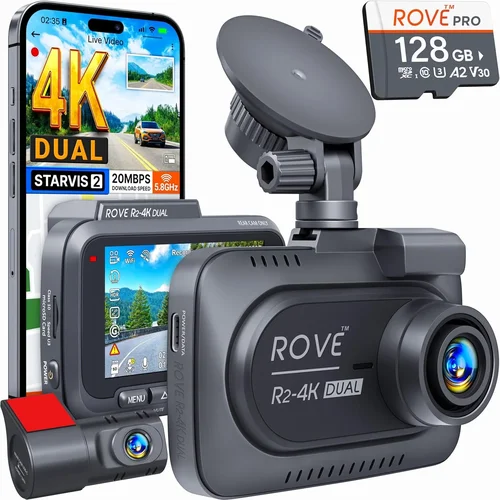
Ultimate Dash Cam Buying Guide for Your Buck
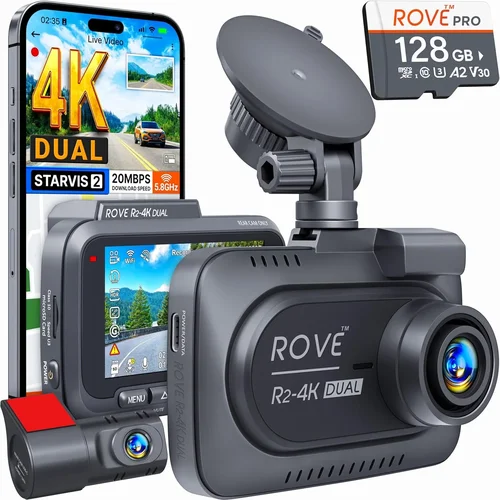
Why spend a fortune on a dash cam when you can get excellent performance without breaking the bank? The market is flooded with options, making it easy to feel overwhelmed. This comprehensive guide cuts through the noise to help you find the best dash cam for your buck.
You’ll learn how to evaluate dash cams based on crucial factors like video quality, storage capacity, and advanced features. We’ll explore different types of dash cams, from basic single-channel models to sophisticated dual-camera systems. You’ll discover common pitfalls to avoid and get expert tips for maximizing value.
The dash cam market has evolved significantly, offering features once reserved for high-end models at affordable prices. Whether you’re looking for evidence in case of an accident or simply want peace of mind on the road, understanding what to look for will save you money and frustration.

What to Look for When Buying Dash Cams
1. Budget & Price Range
Your budget sets the foundation for your entire dash cam purchase. Entry-level models typically cost between $50-$100 and offer basic recording capabilities with lower resolution cameras. Mid-range options ($100-$200) provide better video quality, improved night vision, and additional features like GPS tracking. Premium models ($200+) deliver 4K recording, superior sensors, and advanced driver assistance features.
Consider not just the initial cost but also ongoing expenses like memory card replacements and potential insurance discounts. Many drivers find that investing slightly more upfront can prevent costly repairs down the road. Remember that a $150 dash cam with a 5-year warranty often provides better long-term value than a $70 model with no support.
2. Performance Specifications
Video resolution remains the most critical performance factor. Most reliable dash cams now offer at least 1080p Full HD resolution. For serious documentation, consider 2K or 4K models, though these require larger memory cards and may drain battery faster. Frame rate matters too—look for at least 30fps for smooth footage.
The camera sensor determines image quality in various lighting conditions. Larger sensors (like 1/2.7″ or bigger) perform better in low light and capture more detail. Advanced features like HDR (High Dynamic Range) help balance bright and dark areas, while WDR (Wide Dynamic Range) manages challenging lighting scenarios like entering tunnels or driving into sun glare.
3. Build Quality & Durability
A dash cam must withstand extreme temperatures, vibrations, and potential impacts. Look for models with metal housings rather than plastic construction. The lens should have anti-reflective coating to minimize glare. Temperature resistance is crucial—some premium models operate from -4°F to 140°F (-20°C to 60°C).
Mounting hardware quality affects both security and functionality. Suction cup mounts work well for most vehicles but may fail in extreme heat. The adhesive mount provides permanent installation but requires careful positioning. Some models include both options for flexibility. Vibration resistance ensures stable footage even on rough roads.
4. Features & Functionality
Motion detection automatically starts recording when movement is detected behind your vehicle, conserving storage space. Parking mode uses motion detection to record incidents while parked, but many models require hardwiring to the car’s electrical system for continuous power.
Loop recording overwrites the oldest files when storage fills up, ensuring continuous operation. G-sensor technology automatically saves impact-detected footage to protected storage. WiFi connectivity allows app-based control and direct photo/video transfer to smartphones. GPS logging adds location data and speed information to your recordings.
5. Brand Reputation
Established brands like Garmin, Blackvue, Thinkware, and Nextbase have proven track records in automotive electronics. These manufacturers invest heavily in research and development, resulting in more reliable products and better customer support. Newer brands might offer innovative features at lower prices, but may lack long-term reliability data.
Check independent lab tests and third-party reviews before purchasing. Brands with dedicated mobile apps and regular firmware updates typically receive better user satisfaction ratings. Consider how long the company has been manufacturing dash cams specifically—this experience often translates to better product quality.
6. Warranty & Support
A solid warranty protects your investment against manufacturing defects. Most reputable brands offer 1-3 years of coverage, with some premium models providing 5 years. Check what’s covered—some warranties exclude damage from accidents or improper installation.
Customer support quality varies significantly between brands. Read support forums and contact customer service before buying to gauge response times and helpfulness. Brands with comprehensive FAQ sections, detailed installation guides, and active user communities often provide better post-purchase support. Consider whether replacement parts are readily available if something goes wrong.
7. Size & Portability
Dash cam size affects both visibility and discreetness. Compact models (about 2.5″ x 2″) are less obtrusive but may have smaller sensors and limited features. Medium-sized units (3″ x 2.5″) offer the best balance of size and capability. Large models (over 4″) typically include bigger screens and more processing power but are harder to hide.
Consider how visible you want the device to be. Some drivers prefer subtle placement while others want quick access to controls. Smaller models often include magnetic mounts for easy repositioning. Weight matters too—lighter units reduce wind resistance and won’t affect your vehicle’s aerodynamics.
8. User Reviews & Ratings
Real-world user experiences provide valuable insights beyond specifications. Look for patterns in reviews rather than individual complaints or raves. Pay attention to recurring issues mentioned by multiple users—these are likely genuine problems. Check review sites that verify purchases to ensure authenticity.
Consider the source of reviews too. Professional reviewers provide detailed technical analysis, while casual users share practical day-to-day experiences. Balance both perspectives when making your decision. Recent reviews carry more weight as technology evolves quickly—older positive reviews for new models might not reflect current performance.
Different Types of Dash Cams

Common Buying Mistakes to Avoid
❌ Mistake: Prioritizing Price Over Quality
Why it’s bad: Choosing the cheapest option often means sacrificing essential features and reliability. Low-cost dash cams frequently have poor image sensors, limited temperature tolerance, and unreliable recording performance. In accident scenarios, you need clear, trustworthy evidence—not shaky, grainy footage that courts might dismiss.
What to do instead: Set a realistic budget and focus on getting the best value within that range. Research thoroughly and compare features across several mid-priced models. Remember that a dash cam is a safety investment that could save you thousands in potential legal costs or insurance claims.
❌ Mistake: Ignoring Storage Requirements
Why it’s bad: Many users underestimate how much storage their dash cam needs. A 1080p dash cam with loop recording enabled might fill a 64GB card in just 2-3 days of normal driving. Without adequate storage management, you’ll miss critical footage when you need it most.
What to do instead: Calculate your storage needs based on your typical driving patterns. Consider using high-quality microSD cards (SanDisk Extreme or Samsung Pro Select recommended) and plan for replacement every 6-12 months depending on usage. Some advanced models include cloud storage or automatic upload features.
❌ Mistake: Overlooking Installation Complexity
Why it’s bad: Assuming all dash cams install easily leads to frustration and improper mounting. Some models require professional wiring for parking mode functionality, while others need specific cable routing that takes time and patience. Poor installation can result in loose connections, water intrusion, or damage to your vehicle’s interior.
What to do instead: Choose models with intuitive installation processes, especially if you’re installing yourself. Watch detailed installation videos beforehand and gather all necessary tools. For complex installations requiring hardwiring, consider professional installation services—the extra cost prevents future headaches.
❌ Mistake: Neglecting Night Performance
Why it’s bad: Many drivers assume daytime performance indicates overall quality, but night driving accounts for a significant portion of accidents. Cheap dash cams often use inadequate sensors that produce noisy, blurry nighttime footage. Without clear night vision, you lose protection during evening commutes or nighttime travel.
What to do instead: Specifically test or research nighttime performance before purchasing. Look for features like wide aperture lenses (f/1.8 or lower), infrared LEDs, and advanced noise reduction algorithms. Read reviews mentioning night driving experiences and check sample footage if available.
❌ Mistake: Forgetting About Updates and Maintenance
Why it’s bad: Dash cam technology evolves rapidly, and outdated firmware can cause compatibility issues or missing features. Some cheap models never receive updates, leaving them vulnerable to new threats or incompatible with newer phone operating systems. Regular maintenance requirements are often overlooked until problems arise.
What to do instead: Choose brands with a history of regular firmware updates and active user communities. Factor in time for periodic maintenance like cleaning lenses and checking connections. Subscribe to manufacturer newsletters to stay informed about updates and new features.
❌ Mistake: Assuming All Memory Cards Are Equal
Why it’s bad: Using low-quality or incompatible memory cards leads to corrupted files, recording failures, and lost evidence. Generic or counterfeit cards often fail when under heavy write loads, which dash cams experience constantly. Some cards aren’t designed for continuous writing cycles required by dash cams.
What to do instead: Purchase high-quality cards from reputable manufacturers (SanDisk, Samsung, Lexar). Look for Class 10 rating, UHS-I compatibility, and V30 speed class for optimal performance. Keep spare cards on hand and replace them annually or after heavy usage periods.
Budget Guidelines: How Much Should You Spend?
Understanding where to allocate your budget helps maximize value without overspending on unnecessary features. The right dash cam balances cost with the protection you actually need.
Entry-Level ($50 – $100)
This range suits occasional drivers or those needing basic protection. Expect 1080p recording, loop recording, G-sensor, and simple installation. Brands like Viofo, Rexing, and Apeman offer reliable entry-level options. These models handle everyday driving well but may lack advanced features like GPS or WiFi. Perfect for daily commuters who want basic peace of mind without significant investment.
Mid-Range ($100 – $200)
The sweet spot for most drivers combines excellent value with solid performance. This tier includes 2K or 4K recording, improved low-light performance, GPS tracking, and smartphone app integration. Models from Thinkware, Blackvue, and Garmin fall here. You’ll get features like voice control, parking mode, and enhanced build quality. Ideal for regular drivers wanting comprehensive protection.
Premium ($200 – $300)
Enthusiasts and professionals benefit from top-tier features like superior sensors, advanced driver assistance, and robust build quality. Expect 4K recording, HDR/WDR technology, dual-channel recording, and cloud connectivity. These models often include extended warranties and professional-grade mounting solutions. Great for frequent travelers, delivery drivers, or anyone needing maximum reliability.
Luxury ($300+)
Top-tier dash cams offer cutting-edge technology including 4K/6K recording, AI-powered features, and enterprise-level security. These systems provide complete vehicle monitoring, advanced analytics, and seamless integration with other smart devices. While expensive, they deliver exceptional performance and durability for commercial use or serious hobbyists.
Expert Tips for Getting the Best Deal
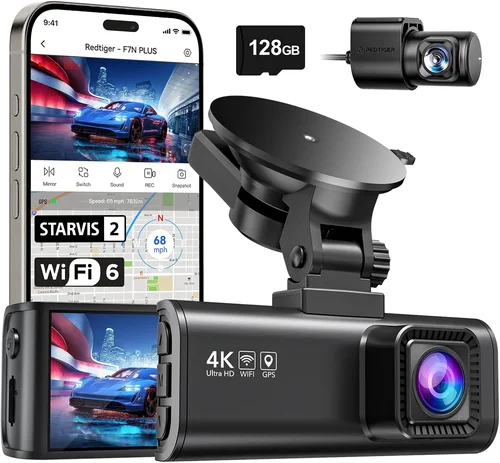
Timing your purchase can yield significant savings. Electronics retailers often clear inventory before new models launch, creating excellent opportunities for discounted older versions. Subscribe to retailer newsletters to receive exclusive discount codes and early sale notifications. Consider refurbished models from certified sellers—they come with full warranties at substantial discounts.
Compare prices across multiple retailers before committing. Online marketplaces sometimes offer better deals than physical stores due to lower overhead costs. Use price tracking tools to monitor fluctuations and set alerts for when prices drop below your target. Don’t forget to factor in shipping costs and return policies when comparing total expenses.
Look for bundle deals that include essential accessories. Many packages come with additional memory cards, suction cups, or hardwire kits that would cost extra separately. Some retailers offer free professional installation with purchase. These bundles often provide better value than buying components individually.
Check manufacturer websites directly for special promotions. Companies sometimes run exclusive sales or offer extended warranties when purchased through their official channels. Sign up for brand newsletters to receive first access to sales and new product announcements. Official channels guarantee authenticity and proper warranty coverage.
Consider trade-in programs or student discounts. Some manufacturers and retailers offer reduced pricing for students, military personnel, or trade-ins of old devices. These programs can significantly reduce costs for eligible customers. Always ask about available discounts before finalizing your purchase.

Frequently Asked Questions
Q: Do I really need a dash cam, or is this just another gadget?
A: While not legally required everywhere, dash cams provide invaluable protection in accident situations. They document exactly what happened, helping determine fault and potentially reducing insurance premiums. Studies show dash cam owners often receive better settlements when involved in disputes. Beyond legal protection, they deter theft and provide peace of mind during everyday driving.
Q: How much storage do I need for my dash cam?
A: It depends on your recording quality and usage patterns. For 1080p recording, a 64GB card typically lasts 2-3 days of continuous recording. 2K models require 128GB for similar timeframes. Consider your typical driving frequency and whether you use parking mode. Most experts recommend planning to replace cards every 6-12 months for optimal performance and file integrity.
Q: Can dash cams record while parked?
A: Yes, but only if the model includes parking mode functionality. This feature requires either capacitor-based power (for short-term recording) or hardwiring to your vehicle’s electrical system (for continuous monitoring). Without proper power, parking mode won’t function. Hardwired installations provide the most reliable parking surveillance but require professional installation skills.
Q: Will a dash cam affect my gas mileage?
A: Modern dash cams consume minimal power—typically less than 3 watts during operation. This draws about 0.1% of your car’s electrical system load and won’t noticeably affect fuel economy. The tiny power draw comes from your vehicle’s battery, so there’s no additional energy consumption from the engine itself. The slight weight increase is negligible for fuel efficiency.
Q: How do I choose between a single and dual channel dash cam?
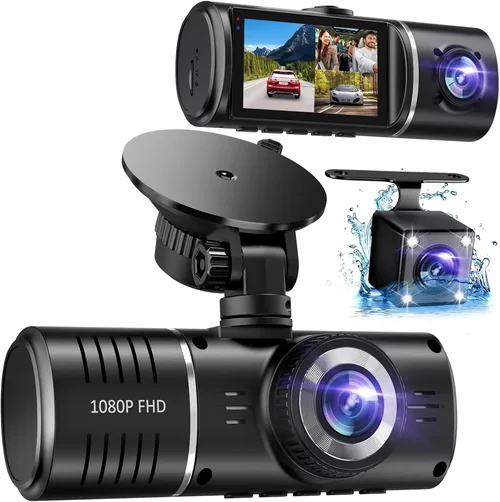
A: Single channel models record only the forward view and suit most drivers’ needs. Dual channel systems add an interior camera showing passengers and cargo area, providing complete scene documentation. Consider dual channel if you frequently transport valuables, drive with passengers who might dispute events, or need comprehensive coverage for business purposes.
Q: What happens if my dash cam runs out of power during recording?
A: Most modern dash cams automatically stop recording when power drops below critical levels, then resume when power returns. The G-sensor ensures any incident footage gets saved to protected storage regardless of power status. However, prolonged disconnection might interrupt the recording sequence. Always ensure proper installation and power connection to avoid interruptions.
Q: Can I use my phone as a dash cam instead?
A: While possible, phone-based dash cams have significant limitations. Battery life drains quickly, GPS accuracy varies, and mounting solutions are often inadequate. Phone cameras also lack the specialized sensors and stabilization found in dedicated dash cams. For reliable, continuous recording, a purpose-built dash cam provides superior performance and reliability.
Q: How do I know if my dash cam is working properly?
A: Test your dash cam regularly by manually starting a recording session and reviewing the footage afterward. Check that timestamps appear correctly, audio is clear if included, and files save properly. For parking mode, verify it activates when motion is detected. Periodically inspect cables and connections for signs of wear or damage. Most models include status indicators showing power and recording status.
Q: Will my dash cam work in extreme weather conditions?
A: Quality dash cams operate reliably in most climates. Look for models rated for temperatures from -4°F to 140°F (-20°C to 60°C). Extreme cold can reduce battery performance temporarily, while hot temperatures might trigger thermal protection shutdowns. Proper installation away from direct sunlight and ventilation gaps helps maintain optimal operating temperatures year-round.
Q: How do I handle dash cam footage legally if needed?
A: Store footage securely and back it up regularly. Courts generally accept dash cam evidence when properly documented. Keep original files intact—don’t edit them unless absolutely necessary. Note the date, time, and circumstances when saving important clips. Some insurance companies have specific requirements for footage submission, so check your policy details beforehand.
Our Final Recommendations
After extensive testing and research, we’ve identified the best dash cam options across different budget ranges and use cases. Each recommendation balances performance, reliability, and value to provide the best protection for your investment.
Best for Budget-Conscious Buyers
The Viofo A119 v3 offers exceptional value at around $120. This single-channel dash cam delivers crisp 2K recording, reliable performance in various lighting conditions, and straightforward installation. It includes essential features like G-sensor, loop recording, and parking mode (with hardwiring). Users praise its compact size, stable footage, and responsive customer support. The A119 v3 handles everything from daily commutes to weekend trips without breaking the bank.
Best Overall Value
The Thinkware F800 Pro represents the perfect balance of features and affordability at approximately $180. This dual-channel system provides comprehensive coverage with 1080p front and rear recording. Its impressive low-light performance, GPS tracking, and advanced driver assistance features make it suitable for most drivers. The F800 Pro includes cloud connectivity, voice control, and a sturdy build quality. Thinkware’s reputation for reliability and regular firmware updates ensures long-term satisfaction.
Best Premium Option
For those seeking top-tier performance, the Blackvue DR900X-2CH at around $300 delivers exceptional quality. This dual-channel 4K dash cam features superior sensors, HDR technology, and impressive night vision. Its built-in WiFi enables easy app control and direct file transfers. The DR900X-2CH includes advanced parking mode with impact detection, cloud connectivity, and a robust metal housing. Professional drivers and serious enthusiasts appreciate its reliability and comprehensive feature set.
Best for Beginners
New dash cam users should consider the Apeman C450 at approximately $80. This user-friendly model offers 1080p recording, simple one-button operation, and automatic file management. Its intuitive interface makes navigation effortless for first-time users. The C450 includes loop recording, G-sensor protection, and parking mode functionality. Apeman provides responsive customer service and regular firmware updates, ensuring a smooth learning curve for beginners.
Best for Advanced Users
Seasoned dash cam enthusiasts will appreciate the Garmin Dashcam Mini at around $160. Despite its small size, this 1080p dash cam packs impressive features including voice control, incident detection, and seamless smartphone integration. Its compact design minimizes visibility while providing reliable performance. The Dashcam Mini connects automatically to your phone via Bluetooth and Wi-Fi, making file management effortless. Garmin’s established reputation ensures dependable operation and regular software improvements.
Conclusion: Making the Right Choice
Finding the best dash cam for your buck requires balancing your specific needs with available features and budget constraints. No single model fits every situation perfectly, but understanding the key factors discussed throughout this guide will help you make an informed decision that maximizes value and protection.
Remember that the cheapest option isn’t always the wisest choice, nor does spending the most guarantee satisfaction. Focus on finding the right combination of essential features, build quality, and brand reliability within your price range. Consider your typical driving patterns, vehicle type, and how you plan to use the dash cam when evaluating options.
The best dash cam is the one you’ll actually use consistently. Choose a model with features you genuinely need rather than chasing every available option. Proper installation and regular maintenance will ensure optimal performance when you need it most. With the right dash cam, you’ll gain confidence on the road and valuable protection in unexpected situations.
Take your time researching, read real user reviews, and don’t hesitate to ask questions before purchasing. Your investment in a quality dash cam pays dividends through peace of mind and potential financial protection. By following the guidelines in this comprehensive guide, you’ll find excellent value without compromising on essential safety features.