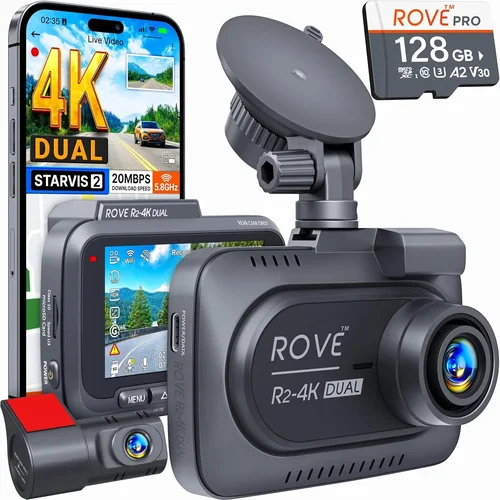
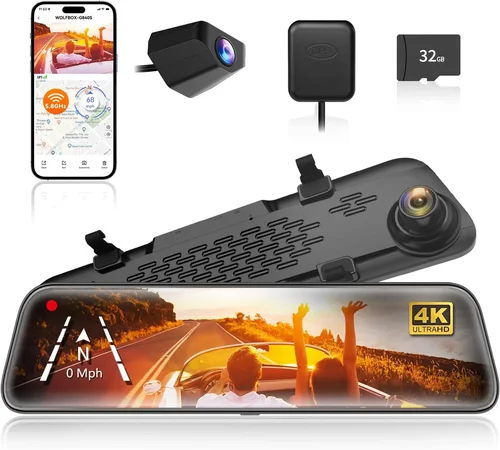
Best Dash Cam with Audio Purchase Guide
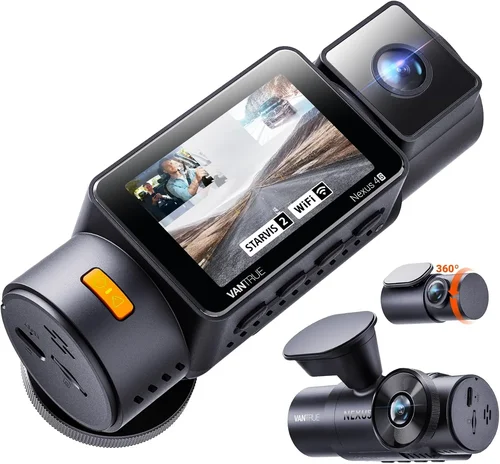
Why investing in a dash cam with audio recording capability is more important than ever for drivers who want comprehensive protection and evidence collection. Modern vehicles generate constant streams of audio through engine noise, road sounds, and conversations inside the cabin—all of which can provide crucial context during traffic incidents or disputes. A dash cam that captures both video and audio creates an immersive, multi-dimensional record that traditional cameras simply cannot match. This guide will walk you through everything you need to know about selecting the best dash cam with audio recording features.
By the end of this comprehensive guide, you’ll understand exactly what to look for when comparing models, how different audio technologies compare, and which specific dash cams offer the best value for your needs. Whether you’re a daily commuter looking for basic protection, a rideshare driver needing professional-grade equipment, or an automotive enthusiast wanting cutting-edge technology, this guide provides the expert knowledge necessary to make an informed decision.
The market for dash cams has evolved dramatically over the past decade, transitioning from simple single-lens devices to sophisticated multi-camera systems with advanced audio capabilities. Today’s top models feature high-resolution sensors, night vision, GPS tracking, cloud connectivity, and crystal-clear audio recording—but finding the right balance between these features requires careful consideration of your specific needs and budget constraints.

What to Look for When Buying Dash Cams
1. Audio Recording Quality
Audio quality should be your primary consideration when selecting a dash cam with audio capabilities. High-quality microphones capture clear conversations, engine sounds, and environmental noises essential for understanding incident context. Look for dash cams featuring dual-channel audio recording—one microphone focused on cabin conversation and another oriented outward to capture external sounds. The microphone sensitivity range typically varies from -36dB to -48dB, with lower numbers indicating better sensitivity.
Consider models with wind noise reduction technology, which eliminates highway roar and other ambient sounds that could obscure critical audio details. Some premium dash cams include built-in noise cancellation algorithms that filter out background noise while preserving voice clarity. Additionally, check whether the device supports adjustable audio gain settings, allowing you to customize recording levels based on your typical driving environment.
2. Video Resolution and Sensor Quality
While audio is crucial, video resolution remains equally important for documenting incidents clearly. Most dash cams today offer at least 1080p Full HD recording, but many premium models now support 2K, 4K, or even 5K resolution. Higher resolutions provide sharper detail for identifying license plates, vehicle colors, and facial features during investigations.
Sensor quality significantly impacts performance, especially in low-light conditions. Look for dash cams equipped with Sony Starvis or STARVIS 2 sensors, known for exceptional low-light performance. These sensors use larger pixels (typically 1.0μm+) and advanced back-illumination technology to capture more light, resulting in clearer nighttime footage. Consider models with HDR (High Dynamic Range) capability, which balances exposure between bright headlights and darker road surfaces.
3. Field of View and Lens Quality
A wide field of view helps capture more of the driving environment, reducing blind spots and ensuring comprehensive coverage. Most dash cams offer between 110° and 170° fields of view, with wider angles providing broader coverage but potentially introducing fisheye distortion. Premium models often feature multiple lenses with overlapping coverage areas, eliminating dead zones around your vehicle.
Lens quality directly affects image clarity and color accuracy. Aspherical glass lenses reduce distortion and chromatic aberration, while multi-coated optics minimize glare and reflections from dashboard surfaces or sunlight. Some high-end dash cams use sapphire glass lenses, which are highly scratch-resistant and maintain optical clarity over time.
4. Storage Capacity and Loop Recording
Dash cams require continuous storage space for loop recording, where new footage automatically overwrites older files when storage reaches capacity. Most models support microSD cards ranging from 32GB to 256GB, with higher capacities allowing longer recording times between card replacements. For optimal performance, choose cards rated UHS-I or UHS-II with minimum write speeds of 20MB/s.
Consider dash cams with built-in cloud storage options or automatic backup capabilities, which upload critical clips to secure online servers when connected to Wi-Fi. This feature protects against accidental deletion and provides off-site evidence preservation. Some models also offer intelligent parking mode that activates when motion is detected, automatically saving relevant footage without consuming excessive storage space.
5. Night Vision and Low-Light Performance
Night driving presents unique challenges for dash cam recording due to limited lighting conditions and glare from headlights. Advanced dash cams incorporate multiple technologies to improve nighttime visibility. WDR (Wide Dynamic Range) technology balances exposure between bright and dark areas, preventing washed-out images from headlight glare.
Look for models with infrared LEDs or night vision enhancement modes that illuminate dark areas without affecting driver visibility. Some premium dash cams feature dual-lens systems with separate night vision capabilities, providing superior low-light performance compared to single-lens alternatives. Additionally, consider devices with automatic exposure adjustment, which adapts to changing lighting conditions throughout your journey.
6. Power Source and Installation Options
Dash cams typically draw power from your vehicle’s cigarette lighter or direct connection to the OBD-II port for constant power during parking mode. OBD-II connections offer the advantage of continuous operation even when the ignition is off, but they may interfere with some vehicle diagnostics systems. Hardwiring kits allow permanent installation with fuse tap connections, providing reliable power and eliminating the need for constant battery drain.
Consider dash cams with built-in batteries for emergency recording during power interruptions, though most experts recommend using hardwired installations for consistent performance. Installation difficulty varies by model, with some requiring professional installation while others feature magnetic mounts or suction cup designs suitable for DIY setups.
7. Connectivity and Smart Features
Modern dash cams offer various connectivity options beyond basic recording capabilities. Wi-Fi-enabled models allow wireless file transfer to smartphones via dedicated apps, making it easy to review and share footage without removing memory cards. Bluetooth connectivity enables hands-free calling and automatic firmware updates in some advanced systems.
GPS functionality provides location data overlay on video recordings, helping establish your exact position during incidents. G-sensor technology automatically detects collisions and locks relevant footage, while parking monitoring features alert you to potential incidents when your vehicle is unattended. Cloud integration offers remote access to recorded footage and real-time alerts for any detected events.
8. Build Quality and Weather Resistance
Durability matters significantly given dash cams’ exposure to extreme temperatures, vibrations, and environmental elements. Look for models with IPX rating certifications indicating dust and water resistance, typically ranging from IPX4 (splash resistant) to IP67 (dust tight and waterproof). Metal housing components provide better heat dissipation and structural integrity compared to plastic alternatives.
Temperature tolerance is crucial since dash cams operate in environments ranging from freezing winter mornings to scorching summer afternoons. Most reliable models function within -20°C to 70°C (-4°F to 158°F) ranges, but premium devices may handle even more extreme conditions. Vibration resistance ensures stable footage despite rough road conditions, while shock-absorbing mounting systems protect internal components from impact damage.
Different Types of Dash Cams

Common Buying Mistakes to Avoid
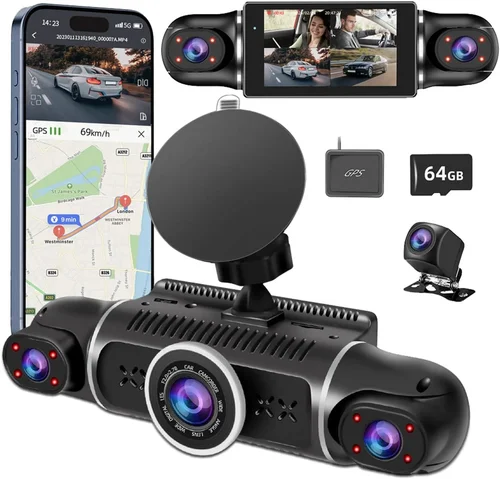
❌ Mistake: Prioritizing Price Over Audio Quality
Why it’s bad: Many buyers focus solely on low prices and overlook critical audio specifications, resulting in recordings that lack clarity during important moments. Cheap dash cams often use inferior microphones that struggle with background noise, wind interference, and distant conversations, rendering the audio feature essentially useless when needed.
What to do instead: Always test audio quality before purchasing, either through reviews or by listening to sample recordings. Look for dash cams with noise reduction technology and adjustable gain settings. Invest in mid-range models ($100-$200) that offer balanced price-to-performance ratios rather than compromising on essential audio capabilities.
❌ Mistake: Ignoring Storage Requirements
Why it’s bad: Failing to account for sufficient storage capacity leads to constant memory card replacements and potential loss of critical footage. Most dash cams require 32GB+ cards, but high-resolution models with audio compression still consume significant space—especially with parking mode active.
What to do instead: Calculate your storage needs based on recording resolution, frame rate, and usage patterns. For 1080p recording, plan for 32GB cards lasting approximately 2 hours; for 4K recording, expect only 30-60 minutes per card. Consider models with cloud backup options to supplement local storage.
❌ Mistake: Overlooking Parking Mode Functionality
Why it’s bad: Skipping dash cams with adequate parking mode features means missing critical evidence of hit-and-runs, vandalism, or unauthorized tampering while your vehicle is unattended. Many budget models either lack parking mode entirely or require constant battery drain that quickly depletes your car’s electrical system.
What to do instead: Choose dash cams with intelligent parking monitoring that activates only when motion or impact is detected, minimizing unnecessary battery consumption. Ensure the model includes proper hardwiring solutions or low-power consumption modes suitable for extended unattended periods.
❌ Mistake: Disregarding Weather and Environmental Factors
Why it’s bad: Operating dash cams in extreme temperatures or harsh weather conditions without proper protection leads to malfunctions, reduced lifespan, and unreliable recordings. Direct sunlight exposure can cause overheating, while freezing temperatures affect battery performance and internal components.
What to do instead: Select models with wide operating temperature ranges (-20°C to 70°C) and IP-rated weather resistance. Consider sunshades or windshield covers to reduce glare and heat buildup, and avoid mounting locations that block air circulation around the device.
❌ Mistake: Neglecting Software and App Compatibility
Why it’s bad: Assuming all dash cams work seamlessly with smartphone apps leads to frustration when transferring footage, reviewing recordings, or accessing advanced features. Many budget models offer limited app functionality or require outdated operating systems, creating compatibility issues.
What to do instead: Verify app requirements before purchasing, ensuring your smartphone meets technical specifications for file transfer, live viewing, and cloud synchronization. Read user reviews specifically about software reliability and update frequency to avoid future compatibility problems.
❌ Mistake: Focusing Only on Video Specifications
Why it’s bad: While video resolution matters, treating audio as secondary results in incomplete evidence collection. During disputes, conversations, or complex accident scenarios, audio provides crucial context that video alone cannot convey—making poor audio quality essentially equivalent to no audio feature at all.
What to do instead: Evaluate both video and audio specifications equally during your research phase. Compare microphone types (omnidirectional vs directional), signal-to-noise ratios, and audio compression formats. Request sample recordings from manufacturers whenever possible to assess actual performance quality.
Budget Guidelines: How Much Should You Spend?
Entry-Level ($60 – $120): Essential Protection
For drivers seeking basic dash cam functionality without breaking the bank, entry-level models offer fundamental recording capabilities at accessible price points. These devices typically feature 1080p resolution, single-lens recording, and basic audio capture suitable for everyday commuting scenarios. While lacking advanced features like GPS tracking or parking mode, entry-level dash cams provide adequate evidence collection for minor incidents and general peace of mind.
When shopping in this range, prioritize audio quality above all else—look for models featuring noise-reduction microphones and adjustable gain controls. Entry-level options usually require manual memory card management and offer limited app functionality, but they serve well for occasional use or as backup units for secondary vehicles. Be wary of extremely cheap options under $50, as these often sacrifice essential reliability and durability features.
Mid-Range ($120 – $250): Balanced Value
The sweet spot for most buyers lies in the mid-range category, offering excellent price-to-performance ratios with comprehensive feature sets. These dash cams typically include 2K or 4K recording capabilities, dual-channel audio with noise cancellation, GPS functionality, and intelligent parking monitoring. Mid-range models also feature improved build quality, better low-light performance, and more reliable app connectivity compared to entry-level alternatives.
This category represents the ideal choice for rideshare drivers, families, and daily commuters who want professional-grade protection without premium pricing. Look for brands with established reputations and positive user reviews, particularly regarding audio clarity and software stability. Mid-range dash cams often include cloud storage options, automatic collision detection, and customizable recording settings that adapt to your specific driving habits.
Premium ($250 – $500): Professional-Grade Performance
For serious users requiring maximum reliability and advanced functionality, premium dash cams deliver industry-leading performance across all aspects of recording and analysis. These devices typically feature multi-lens camera systems, military-grade durability, AI-powered incident detection, and professional audio recording with studio-quality microphones. Premium models often include additional cameras for interior cabin monitoring, enhanced night vision capabilities, and sophisticated parking surveillance features.
Professional drivers, fleet operators, and automotive enthusiasts benefit most from premium dash cams’ comprehensive protection packages. These systems usually offer subscription-based cloud services, advanced analytics, and priority customer support. While the investment is significant, premium dash cams provide unmatched evidence quality and operational reliability for demanding applications where every detail matters.
Luxury ($500+): Cutting-Edge Technology
At the highest price points, luxury dash cams represent technological marvels combining multiple specialized cameras, artificial intelligence, and proprietary audio processing algorithms. These devices often include separate interior/exterior camera modules, thermal imaging capabilities, and integrated safety features like lane departure warnings or automatic emergency braking assistance. Luxury dash cams frequently feature custom-designed sensors, proprietary compression formats, and exclusive software ecosystems.
Luxury options cater primarily to high-end vehicle owners, security professionals, and technology enthusiasts seeking the absolute best performance regardless of cost. While not necessary for typical driving situations, luxury dash cams provide unparalleled recording quality and innovative features that set new industry standards for evidence collection and vehicle safety systems.
Expert Tips for Getting the Best Deal
Timing Your Purchase Strategically
Major shopping seasons offer significant opportunities to save on dash cam purchases. Black Friday and Cyber Monday typically feature 20-40% discounts across most electronics categories, while Amazon Prime Day and other retailer-specific sales provide additional savings. Seasonal transitions also create clearance opportunities—spring and fall often see reduced pricing on winter-specific models as new inventory arrives. Avoid purchasing immediately after major product announcements, as retailers discount existing models to make room for newer releases.
Comparing Retailer Pricing Strategies
Different retailers employ varied pricing strategies that affect final costs. Online-only stores often offer lower base prices but charge higher shipping fees, while big-box retailers may include free installation services that add value. Subscription-based models sometimes appear cheaper initially but prove more expensive long-term when factoring in ongoing service costs. Always compare total ownership expenses, including warranty coverage, potential installation fees, and ongoing subscription costs if applicable.
Identifying Hidden Savings Opportunities
Bundle deals frequently provide better value than individual purchases, especially when combining dash cams with accessories like memory cards, hardwiring kits, or mounting hardware. Manufacturer rebate programs offer substantial savings but require careful attention to terms and expiration dates. Student and military discounts extend savings beyond typical retail promotions, while trade-in programs for old electronics can reduce net costs for upgraded systems.
Evaluating Warranty and Support Coverage
Comprehensive warranties significantly impact long-term value, with premium dash cams typically offering 1-3 year coverage compared to 6-12 months for budget models. Extended warranty options can double or triple protection periods, but carefully assess claim procedures and exclusions before purchasing. Reliable customer support availability affects problem resolution speed, so verify support channels (phone, email, chat) and average response times before committing to any brand.
Understanding Return Policies
Thorough return policies provide confidence during purchase decisions, with most reputable retailers offering 30-90 day return windows. Restocking fees commonly apply to opened electronics, so factor these into your cost calculations. In-store return options eliminate shipping complications and allow immediate testing of installed systems, while mail-in returns require proper packaging to prevent damage during transit.
Testing Before Committing
Whenever possible, test dash cams before purchasing to assess real-world performance. Many retailers allow in-store demonstrations, and online platforms often provide user-generated sample footage for comparison. Focus testing on audio clarity in various environments, touchscreen responsiveness, and overall build quality. Ask sales staff detailed questions about specific features and limitations to ensure the model matches your expectations.
Negotiating with Knowledgeable Staff
Well-informed sales representatives can unlock additional savings beyond advertised prices. Research current market values and competitor pricing before visiting stores, then politely inquire about unadvertised discounts or bundle opportunities. Mentioning competitor offers often triggers matching efforts, while expressing genuine interest in multiple models may prompt staff to highlight lesser-known deals or upcoming promotions.
Monitoring Long-Term Value
Consider total cost of ownership beyond initial purchase price, including replacement parts, software updates, and potential accessory purchases. Some brands offer ecosystem advantages where accessories work seamlessly across multiple models, reducing future upgrade costs. Regular firmware updates indicate manufacturer commitment to improving performance, while modular designs allow easier component replacement rather than full unit disposal.

Frequently Asked Questions
Q: Are dash cam audio recordings legal in my state?
A: Audio recording laws vary significantly by jurisdiction, with some states requiring two-party consent for all conversations while others permit one-party consent. Most states follow the federal “one-party consent” rule, meaning you can record conversations if you’re part of them, but always verify your specific state regulations. Commercial drivers and rideshare operators face additional restrictions, so consult legal resources specific to your profession and location before relying on audio evidence.
Q: How much storage do I need for dash cam audio recording?
A: Storage requirements depend primarily on recording resolution, frame rate, and compression format. At 1080p resolution with standard compression, 32GB cards typically store 2-3 hours of footage including audio. For 4K recording, expect only 30-60 minutes per card due to higher bitrates. Always purchase cards with Class 10 or UHS-I ratings for reliable performance, and consider dual-card slots or cloud backup for critical incident footage that shouldn’t be overwritten automatically.
Q: Can dash cam audio recordings be used as legal evidence?
A: Yes, properly recorded dash cam audio can serve as valuable evidence in legal proceedings, provided recordings meet chain-of-custody requirements and comply with local recording laws. Courts generally accept dash cam evidence if metadata proves authenticity, timestamps align with incident reports, and audio quality remains intelligible. However, some jurisdictions have stricter rules about audio recording admissibility, so always consult legal professionals familiar with traffic court procedures in your area.
Q: Do all dash cams with audio features record both interior and exterior sounds?
A: No, audio recording capabilities vary significantly between models. Single-lens dash cams typically record either interior conversations or exterior sounds, while dual-lens systems often feature stereo audio with separate microphones for each perspective. Some premium models include three-microphone arrays that simultaneously capture cabin dialogue, engine noise, and road sounds for comprehensive context. Always verify microphone placement and recording direction before purchase.
Q: How does wind noise affect dash cam audio quality?
A: Wind noise represents one of the most challenging environmental factors for dash cam microphones, potentially overwhelming critical audio details during highway driving. Effective noise reduction requires specialized microphone placement (typically behind windshield wipers or in recessed positions), acoustic dampening materials, and digital filtering algorithms. Look for dash cams specifically marketed with “wind noise reduction” or similar features, and consider models with adjustable sensitivity settings to balance noise suppression with voice clarity.
Q: What happens if my dash cam loses power during recording?
A: Most modern dash cams include built-in capacitors or small batteries that preserve the final few seconds of footage during power interruption. However, this buffer period is typically limited to 15-30 seconds, meaning longer outages result in complete loss of recent recordings. For maximum protection, install dash cams with proper hardwiring connections that draw power directly from your vehicle’s electrical system, ensuring continuous operation during extended trips or power fluctuations.
Q: Can I edit or enhance dash cam audio recordings?
A: Basic audio editing is possible using consumer-grade software like Audacity, but professional enhancement requires specialized tools and expertise. Noise reduction algorithms can improve clarity but risk distorting original audio characteristics, while compression formats may limit editing flexibility. Remember that altered recordings may compromise their evidentiary value in legal contexts, so always maintain original files without modification when planning to use footage for official purposes.
Q: How do I clean and maintain my dash cam microphone?
A: Microphone maintenance requires gentle care to preserve audio quality without damaging sensitive components. Use compressed air to remove dust from external grilles, and wipe surfaces with slightly damp microfiber cloths—avoiding harsh chemicals that might degrade microphone membranes. Never insert cotton swabs or other objects into microphone openings, and ensure vents remain unobstructed by dashboard decorations or mounting brackets. Regular cleaning prevents gradual performance degradation from accumulated debris.
Q: Will dash cam audio recording drain my car battery?
A: Continuous audio recording during parking mode can contribute to battery drain, especially with older vehicle electrical systems. However, most modern dash cams feature intelligent power management that minimizes consumption through motion-activated recording, low-power standby modes, and automatic shutdown when voltage drops below safe thresholds. Proper installation using hardwiring kits rather than cigarette lighters further reduces battery strain by drawing power directly from the ignition circuit.
Q: Can multiple dash cams be synced for synchronized recording?
A: Synchronization between multiple dash cams is technically possible but rarely implemented in consumer models due to complexity and cost considerations. Professional fleet systems often use GPS timestamp alignment or wired synchronization cables to coordinate recordings, while wireless options require compatible hardware and software ecosystems. For personal vehicles, single-dash cam solutions typically provide sufficient coverage without the added expense of multi-device coordination systems.
Our Final Recommendations
Best for Budget-Conscious Buyers
For those seeking essential dash cam functionality without premium pricing, the Viofo A119 V3 delivers exceptional value with its 2K recording capabilities, reliable audio capture, and robust build quality. This model strikes an excellent balance between affordability and performance, featuring Sony STARVIS sensor technology for improved low-light recording and a wide 140-degree field of view. While lacking some advanced features found in higher-end models, the A119 V3 provides trustworthy protection for everyday driving scenarios with clear audio documentation of incidents.
Best Overall Value
The Garmin Dashcam Mini represents the ideal combination of compact design, professional-grade performance, and user-friendly operation. With its discreet form factor, 1440p recording quality, and crystal-clear audio capture, this dash cam excels in urban environments where space constraints matter. The included Rear Camera accessory transforms it into a complete dual-lens system with synchronized stereo audio recording, while cloud connectivity provides seamless file transfer and backup capabilities. Its intuitive interface and reliable performance make it perfect for drivers who want professional results without complicated setup procedures.
Best Premium Option
The Nextbase 622GW sets new standards for premium dash cam performance with its 4K recording capabilities, superior audio quality, and innovative safety features. This model incorporates advanced driver assistance technology including lane departure warnings, forward collision alerts, and emergency SOS functions, while its dual-channel audio system captures both cabin conversations and external sounds with remarkable clarity. The built-in Alexa integration adds smart assistant functionality, and the 3-inch touchscreen provides responsive navigation through menus and playback controls. For drivers who demand the absolute best in evidence quality and vehicle safety systems, the 622GW delivers uncompromising performance.
Best for Beginners
The Blackvue DR970X-2CH offers an excellent entry point for new dash cam users with its straightforward installation process, reliable operation, and comprehensive feature set. As a dual-lens system, it provides front and rear coverage with synchronized audio recording, while the cloud connectivity options simplify file management and sharing. The mobile app interface is exceptionally user-friendly, guiding new users through setup procedures and providing clear visual feedback for all recording functions. With military-grade durability and consistent performance across various weather conditions, this model builds confidence in dash cam technology without overwhelming complexity.
Best for Advanced Users
The Thinkware U1000 stands out among advanced dash cams with its professional-grade recording specifications, sophisticated audio processing, and extensive customization options. This model features true 4K front camera recording combined with Full HD rear camera footage, all captured with studio-quality audio through its advanced microphone array. Users appreciate the granular control over recording settings, intelligent parking mode configurations, and robust build quality designed for demanding professional applications. The inclusion of cloud connectivity, GPS data logging, and comprehensive event file management makes this dash cam ideal for fleet operators, rideshare drivers, and anyone requiring maximum flexibility and reliability from their recording system.
Conclusion: Making the Right Choice
Selecting the best dash cam with audio capabilities requires thoughtful consideration of your specific needs, driving patterns, and budget constraints. Rather than chasing every available feature, focus on the audio and video qualities that will genuinely serve you during critical moments. Remember that clear, intelligible audio often carries more weight in incident resolution than marginally higher video resolution, especially when conversations and environmental context become vital evidence.
Take time to evaluate microphone placement, noise reduction capabilities, and real-world audio performance through user reviews and sample footage comparisons. Don’t overlook practical considerations like installation complexity, power requirements, and storage management, as these factors directly impact long-term usability and reliability. Most importantly, choose a dash cam that fits comfortably within your budget while delivering the audio quality and recording performance you truly need for peace of mind on the road.
With the right dash cam equipped with reliable audio recording capabilities, you’ll gain invaluable protection and evidence collection tools that serve both everyday driving and unexpected situations alike. Whether you’re a daily commuter, rideshare operator, or family driver, investing in quality dash cam audio technology provides essential layers of security and accountability that go far beyond basic video recording alone.