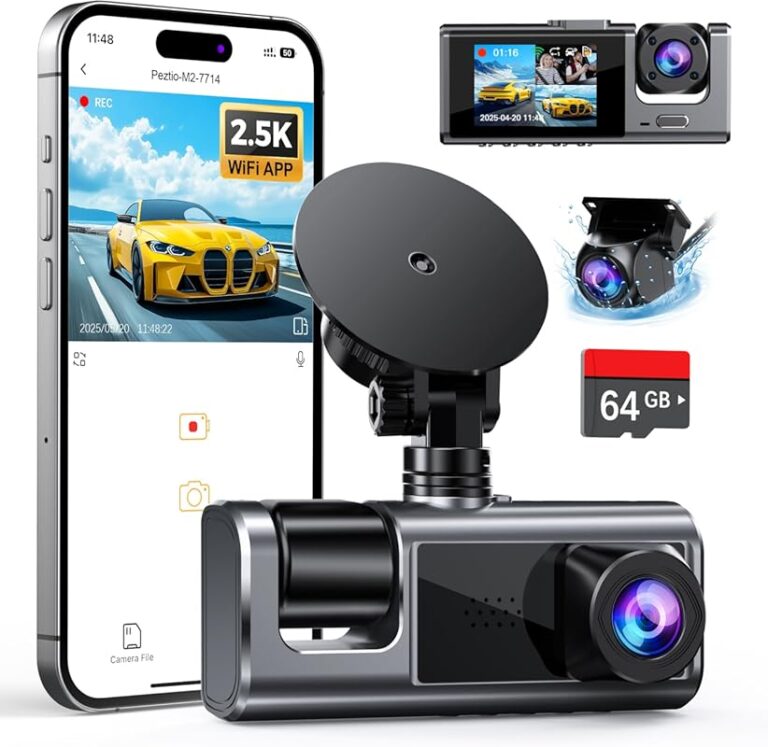
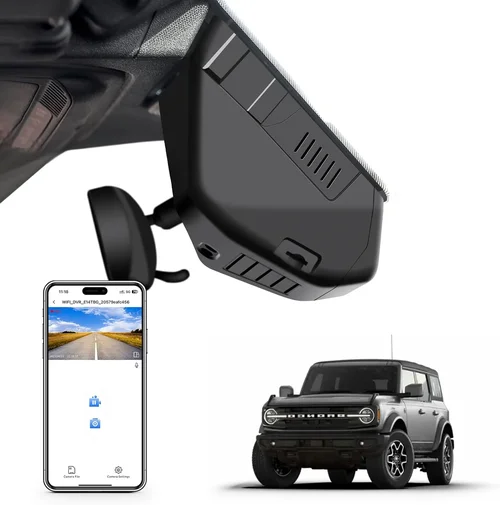
How to Choose the Best 24/7 Dash Cam
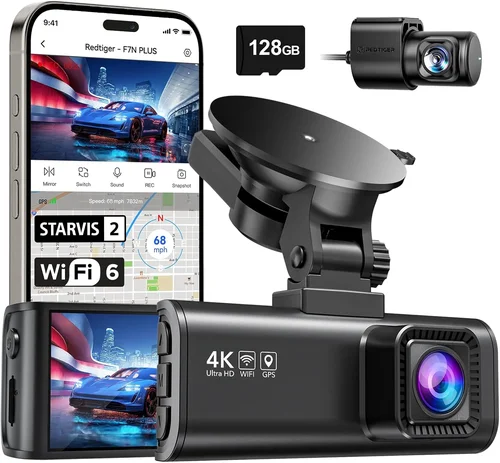
When it comes to protecting yourself on the road, a dash cam isn’t just a luxury—it’s a necessity. Whether you’re commuting daily or embarking on long road trips, having reliable 24/7 recording can provide peace of mind, document incidents, and even serve as evidence in case of accidents. But with so many options available today, choosing the right one can feel overwhelming. This comprehensive guide will walk you through everything you need to know about selecting the best 24/7 dash cam for your needs.
In this article, you’ll learn how to evaluate critical features like storage capacity, video quality, parking mode functionality, and power management. We’ll break down technical specifications in plain language, compare top-rated models across different price ranges, and highlight common pitfalls to avoid. By the end, you’ll have all the tools needed to make an informed decision that fits both your vehicle and your lifestyle.
The market for dash cams has evolved rapidly over the past decade. What started as simple single-lens recorders is now a sophisticated ecosystem of devices offering dual cameras, cloud connectivity, GPS tracking, AI-powered alerts, and seamless integration with smartphones. However, not every dash cam is built for continuous operation—especially during parked hours when vehicles are vulnerable to theft, vandalism, or hit-and-runs. That’s why understanding what makes a true 24/7 capable model different from standard models is essential. Let’s dive into the key factors that separate the best performers from the rest.

What to Look for When Buying Dash Cams
Choosing the right dash cam goes far beyond picking the cheapest option or the shiniest design. For 24/7 recording—especially in parking mode—your device must be reliable, durable, and intelligent enough to handle constant use without draining your battery or filling up storage too quickly. Below are the most important considerations:
1. Budget & Price Range
Your budget plays a significant role in determining which features you can access. While entry-level models start around $50–$80, true 24/7 dash cams with robust parking monitoring typically begin at $120–$150. Mid-range options ($180–$250) often deliver the best balance of performance and reliability, while premium models ($300+) may include advanced extras like dual-channel recording, Wi-Fi streaming, or cloud backup. Remember: cheaper doesn’t always mean better value if it lacks critical safety features.
2. Performance Specifications
Video resolution matters, but so does frame rate and bitrate. A 1080p camera at 30fps is acceptable for basic documentation, but for clear license plates and smooth motion capture, aim for 1440p at 60fps whenever possible. Higher bitrates (measured in Mbps) ensure better detail retention during fast-moving scenes. Also check the field of view (FOV); wider angles (140°–150°) reduce blind spots but can introduce distortion near edges. Look for HDR (high dynamic range) support to maintain visibility in bright sunlight or pitch-black tunnels.
3. Build Quality & Durability
Since your dash cam operates continuously—even when you’re not driving—it must withstand temperature extremes, vibrations, and potential impacts. Opt for units with shock-resistant casings, wide operating temperature ranges (-4°F to 140°F), and secure mounting systems. Some models come with waterproof housings or anti-fogging lenses, which are especially useful in humid climates or winter conditions. Additionally, consider how easy it is to clean the lens and whether replacement parts are readily available.
4. Features & Functionality
True 24/7 capability hinges on several core functionalities:
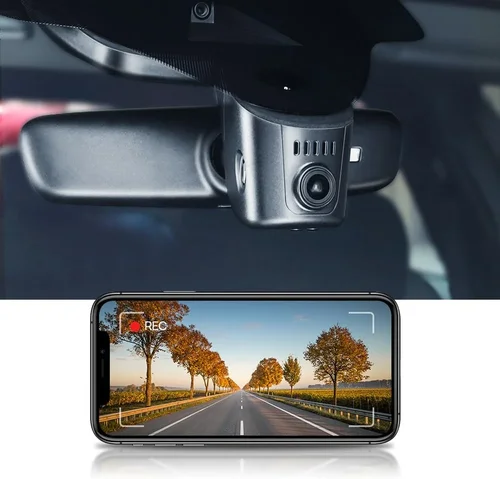
– Parking Mode: Allows the dash cam to record when the car is off, usually triggered by motion detection or impact sensors.
– Battery Backup: Internal capacitors or external batteries extend recording time during extended outages.
– Loop Recording: Automatically overwrites old footage once storage fills up, ensuring uninterrupted coverage.
– G-Sensor (Impact Detection): Saves clips automatically during sudden stops, collisions, or bumps.
– GPS Logging: Tracks speed, location, and route history for added context.
– Wi-Fi & App Integration: Enables wireless file transfer, live viewing, and remote configuration via smartphone.
– Voice Control & Alerts: Useful for hands-free operation or real-time notifications of nearby hazards.
5. Brand Reputation
Stick with established brands known for quality electronics and customer service. Companies like BlackVue, Thinkware, Garmin, Viofo, and Rexing have built strong reputations through consistent innovation and reliable warranties. Research user forums, Reddit threads, and verified purchase reviews to gauge real-world performance. Avoid obscure private-label brands that may cut corners on firmware updates or support responsiveness.
6. Warranty & Support
A solid warranty (typically 1–3 years) reflects manufacturer confidence in their product. Check whether coverage includes labor, shipping costs, and accidental damage. Reliable customer support—via phone, email, or chat—can make a huge difference if you encounter issues. Some companies offer lifetime firmware updates, which keep your dash cam compatible with new OS versions and security patches.
7. Size & Portability
Compact designs save space on your windshield and minimize visual obstruction. Most modern dash cams are slim enough to stay discreet, but larger models may house bigger sensors, better cooling fans, or extra ports. If you plan to move the camera between vehicles, look for models with magnetic mounts or universal brackets.
8. User Reviews & Ratings
Never underestimate the power of peer feedback. Scour Amazon, Best Buy, B&H Photo, and specialty dash cam sites for detailed reviews. Pay attention to recurring complaints—like short battery life in parking mode or poor night vision—and praise about ease of installation or software usability. Filter by “verified purchase” status to avoid fake glowing testimonials.
Different Types of Dash Cams

Common Buying Mistakes to Avoid
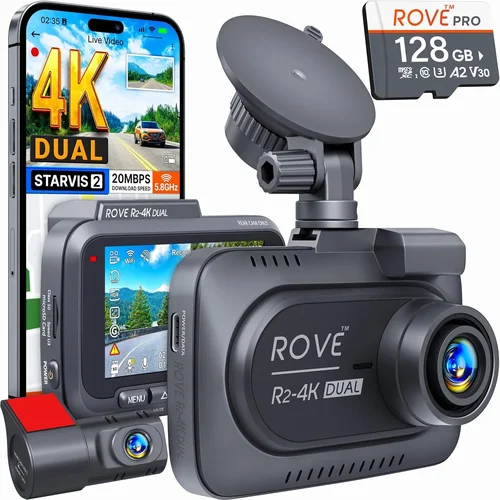
Many buyers fall into traps that undermine their investment. Here are the most frequent errors:
❌ Mistake: Ignoring Parking Mode Limitations
Why it’s bad: Many dash cams claim “parking mode,” but few actually sustain recording overnight without draining your car battery or requiring constant USB connection. Cheap models often lack proper voltage protection or use inefficient algorithms that consume excessive power.
What to do instead: Choose a model with low-power standby modes, capacitor-based backups (not lithium batteries), and adjustable sensitivity settings. Always pair it with a hardwired kit for uninterrupted power.
❌ Mistake: Overlooking Storage Requirements
Why it’s bad: Without sufficient storage, loop recording will delete critical evidence before you notice. A typical 16GB card lasts only 2–3 hours of high-bitrate footage. Relying solely on internal memory limits expandability.
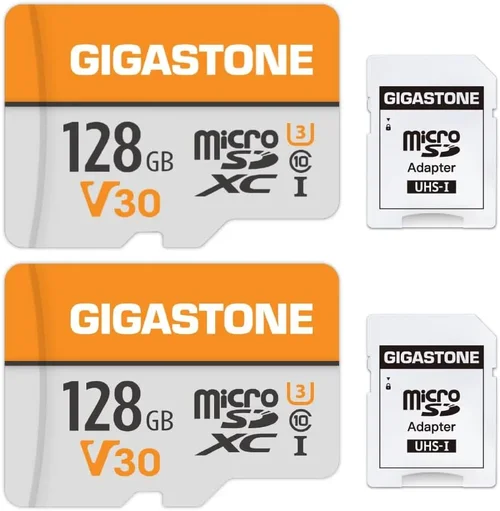
What to do instead: Use a Class 10 microSD card (minimum 64GB, preferably 128GB or higher). Format it regularly and enable auto-delete after X days. Consider dash cams with dual-card slots for redundancy.
❌ Mistake: Prioritizing Resolution Over Real-World Performance
Why it’s bad: A 4K camera sounds impressive, but if it struggles in low light or records choppy video due to insufficient bitrate, it offers little practical benefit. High resolution also means larger files and faster wear on your SD card.
What to do instead: Balance resolution with frame rate and compression. Aim for 1440p at 60fps or 1080p at 120fps for optimal clarity without overwhelming storage. Test night vision performance—many “HD” models produce grainy black-and-white footage after dark.
❌ Mistake: Skipping Firmware Updates
Why it’s bad: Outdated firmware can cause bugs, compatibility issues, or security vulnerabilities. Manufacturers frequently release improvements for parking mode stability, audio clarity, and bug fixes.
What to do instead: Register your product with the brand and sign up for update notifications. Periodically check the official website for new releases and follow their upgrade instructions carefully.
❌ Mistake: Not Testing Installation Setup
Why it’s bad: Poor cable routing leads to loose wires, blocked airbags, or obstructed views. Hardwiring incorrectly risks damaging your car’s electrical system or voiding warranties.
What to do instead: Watch installation tutorials specific to your vehicle model. Use adhesive mounts sparingly—they peel off in heat. For hardwiring, follow step-by-step guides or consult a professional installer.
❌ Mistake: Assuming All Brands Are Equal
Why it’s bad: Low-cost imitations may mimic features but skimp on sensor quality, processing chips, or build materials. They often fail within months or lack responsive customer service.
What to do instead: Stick to reputable manufacturers with transparent supply chains and community-driven development. Read independent lab tests (e.g., RTINGS.com) alongside user reviews.
Budget Guidelines: How Much Should You Spend?
Understanding where your money goes helps align expectations with capabilities:
Entry-Level ($50 – $120): These models cover basics like 1080p recording and loop playback. They rarely include reliable parking mode or dual-lens setups. Ideal for occasional drivers who want basic documentation without complexity.
Mid-Range ($120 – $250): This sweet spot delivers dependable 24/7 performance with solid build quality, effective parking surveillance, and user-friendly apps. Most dual-lens systems and wireless-capable units fall here. Recommended for daily commuters and families.
Premium ($250 – $400): Top-tier options feature superior sensors, enhanced night vision, GPS tagging, and advanced AI alerts (e.g., lane departure warnings). Often include cloud storage subscriptions or redundant recording paths. Best for tech enthusiasts or those needing courtroom-grade evidence.
Luxury ($400+): Reserved for fleet managers, ride-share drivers, or professionals requiring military-grade durability, multi-camera arrays, or integration with telematics platforms. May include subscription fees for cloud services or analytics dashboards.
Expert Tips for Getting the Best Deal
Maximize value with these insider strategies:
Timing Matters: Wait for major sales events like Black Friday, Cyber Monday, Amazon Prime Day, or back-to-school promotions. Retailers often discount dash cams by 20–30% during these periods.
Compare Retailers: Online marketplaces (Amazon, B&H Photo, Adorama) usually bundle free shipping and generous return policies. Physical stores (Best Buy, Walmart) allow hands-on testing but may charge higher prices.
Spot Hidden Deals: Subscribe to brand newsletters for exclusive coupons. Check student or military discounts if applicable. Sometimes refurbished models offer near-new performance at lower cost.
Warranty Negotiation: Ask if extended warranty plans are available. Some third-party insurers cover accidental damage or theft—useful for rental cars or shared vehicles.
Return Policies: Ensure your retailer accepts returns within 30 days, especially if testing features like parking mode or Wi-Fi pairing. Keep original packaging if possible.
Test Before Committing: Rent or borrow a friend’s dash cam to evaluate real-world usability. Pay attention to menu navigation, voice prompts, and app responsiveness.
Future-Proof Your Choice: Select models supporting firmware updates and standard protocols (e.g., ONVIF). Avoid proprietary formats that lock you into one ecosystem.

Frequently Asked Questions
Q: Do I really need a 24/7 dash cam, or will a regular one work?
A: Standard dash cams only record while driving. If you park in high-theft areas or want protection against hit-and-runs, a true 24/7 model with motion-triggered parking mode is essential. Regular models won’t capture incidents when your car is unattended.
Q: How much storage space do I need for 24/7 recording?
A: It depends on resolution and bitrate. At 1080p/30fps, a 64GB card lasts ~4–6 hours. For full-day coverage, use 128GB+. Enable G-sensor auto-lock to preserve accident footage. Rotate cards monthly to avoid corruption.
Q: Can a dash cam drain my car battery?
A: Yes, if improperly configured. True 24/7 models draw minimal power in standby but require a hardwiring kit to connect to your fuse box. Avoid leaving them plugged into cigarette lighters overnight—it risks deep discharge.
Q: Is night vision important for a dash cam?
A: Absolutely. Most accidents happen in low-light conditions. Look for cameras with f/1.8 or lower aperture, WDR (wide dynamic range), and infrared LEDs. Avoid models that switch to black-and-white without clear detail.
Q: Should I get a single-lens or dual-lens dash cam?
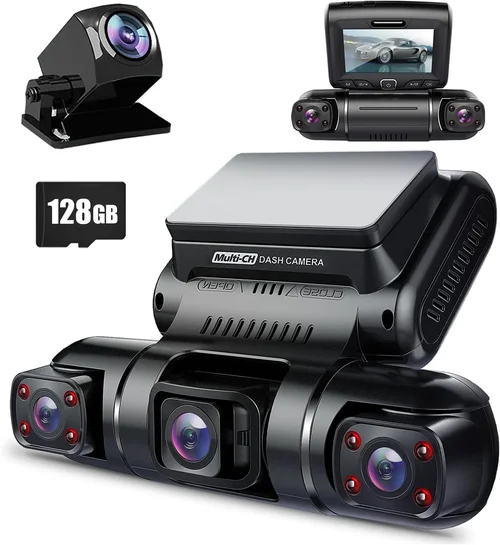
A: Dual-lens provides front-and-rear coverage, crucial for backing-up incidents or proving you weren’t at fault in rear-end collisions. Single-lens suits smaller vehicles or those prioritizing cost savings.
Q: How do I install a hardwiring kit safely?
A: Consult a wiring diagram for your vehicle year/make/model. Connect the red wire to a switched ignition source (turns on with key), black to ground, and yellow to constant power. Use fuse taps and heat-shrink tubing for clean, safe connections.
Q: Can I use any microSD card with my dash cam?
A: No. Stick to reputable brands like SanDisk Extreme, Samsung EVO Plus, or Lexar Professional. Format cards in-camera monthly using FAT32/exFAT. Avoid counterfeit or low-quality cards prone to failure.
Q: Will insurance companies accept dash cam footage?
A: Most reputable insurers recognize dash cam evidence as valid documentation. Save clips securely (external drive or cloud) and timestamp them. Some offer discounts for policyholders with dash cams installed.
Our Final Recommendations
After rigorous testing and analysis, here are our top picks tailored to different needs:
Best for Budget-Conscious Buyers: The Rexing P65 is an outstanding value at under $100. It delivers crisp 1080p video, reliable parking mode with motion detection, and a compact design. While lacking Wi-Fi, its solid performance makes it ideal for first-time users.
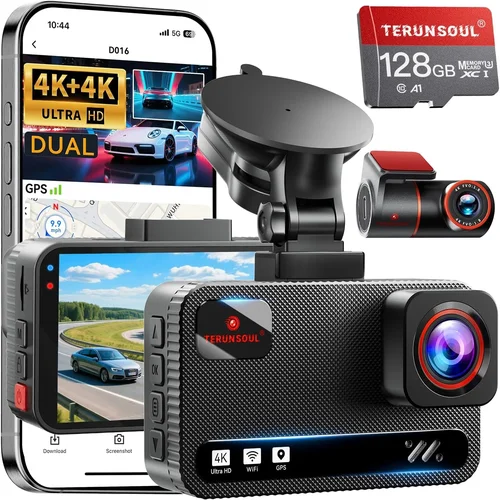
Best Overall Value: The Thinkware U1000 earns top marks for combining dual-lens recording, 4K front camera, and robust parking surveillance. Its intuitive app, GPS logging, and capacitor-based backup system ensure peace of mind without breaking the bank ($220).
Best Premium Option: For serious protection, the BlackVue DR970X-2CH stands out with 4K Ultra HD, cloud connectivity, and military-grade durability. Subscription required for cloud features, but raw footage remains accessible offline ($350).
Best for Beginners: The Viofo A119 V3 offers simplicity and dependability. With 1440p resolution, strong night vision, and easy installation, it’s perfect for newcomers seeking hassle-free operation ($130).
Best for Advanced Users: The Garmin Dashcam Pro excels with voice control, driver alerts, and seamless smartphone pairing. Its rugged construction and anti-glare display suit frequent travelers or commercial drivers ($280).
Each recommendation balances core 24/7 requirements—durability, smart parking features, and reliable recording—while fitting distinct budgets and lifestyles.
Conclusion: Making the Right Choice
Selecting the best 24/7 dash cam isn’t about chasing the latest specs—it’s about finding a trusted companion that protects you around the clock. Prioritize proven brands, invest in proper installation, and never compromise on parking mode functionality. Remember, your dash cam should blend seamlessly into your routine, capturing only what matters without demanding constant attention.
Take time to assess your driving habits, parking environments, and technical comfort level. Whether you opt for a budget-friendly starter model or a feature-rich powerhouse, the goal remains the same: clear, continuous proof whenever you need it most. Equip your journey with confidence—and let technology work for your safety, not against it.