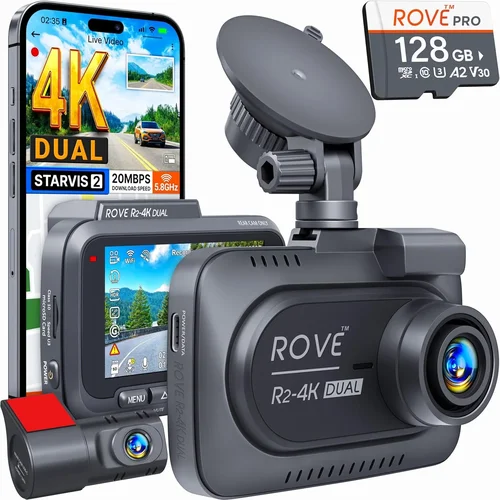
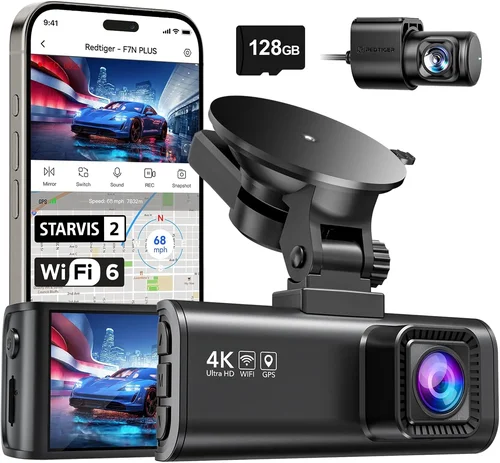
Best Dash Cam Camera Buying Guide
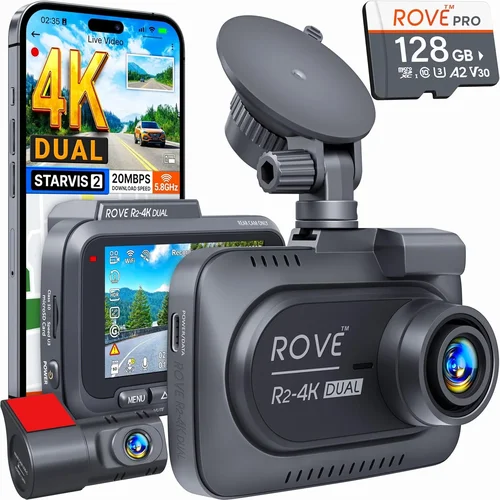
Why this guide matters
Choosing the right dash cam for your car is more than just picking a camera that records video—it’s about making a smart investment in your safety, security, and peace of mind. With thousands of models flooding the market, each boasting different features, resolutions, and price points, it’s easy to feel overwhelmed. A poorly chosen dash cam might not record critical evidence in an accident, fail in extreme temperatures, or drain your car’s battery when you need it most. This comprehensive buying guide cuts through the noise, helping you understand exactly what matters most in a dash cam and how to match those needs with the perfect device.
What readers will learn
By the end of this guide, you’ll have a crystal-clear understanding of dash cam technology, including how resolution, field of view, loop recording, parking mode, and night vision impact real-world performance. You’ll know which brands offer reliable build quality and responsive customer support, how to identify red flags like false advertising claims, and how to budget wisely without sacrificing essential functionality. Whether you’re a daily commuter, a long-haul truck driver, or someone who simply wants to protect themselves from insurance fraud, this guide provides actionable insights tailored to your specific driving habits and vehicle type.
Brief overview of the market
The dash cam industry has exploded over the past decade, evolving from basic single-lens cameras to advanced multi-camera systems with GPS tracking, cloud connectivity, AI-powered alerts, and even facial recognition. Entry-level models now start under $50, offering surprisingly decent 1080p recording, while premium systems can exceed $400 with dual-channel capabilities, 4K recording, and built-in Wi-Fi. Major players include BlackVue, Garmin, Thinkware, Nextbase, and Rexing, each with distinct strengths. The market also includes specialized categories: primary front-facing cams, rearview cams, interior cabin cameras, and even motorcycle-specific units. Understanding these categories helps you select not just a camera, but the right solution for your unique driving environment.

What to Look for When Buying Dash Cams
Budget & Price Range
Your budget should reflect both your needs and expectations. While it’s tempting to go for the cheapest option, remember that dash cams are designed for continuous operation—sometimes for years—in harsh conditions. A $30 camera might save you money upfront but could cost more in the long run due to poor reliability, frequent replacements, or inability to capture clear footage when it matters most. Most reliable entry-level models start around $60–$80, while mid-range options ($100–$200) typically offer better sensors, larger storage capacity, and more robust build quality. Premium models ($200+) often include features like 4K recording, dual cameras, GPS, and cloud connectivity, but only if you truly need those capabilities.
Performance Specifications
Resolution and frame rate determine how clear your recordings will be. For most drivers, 1080p at 30 frames per second (fps) is the sweet spot—it captures enough detail for license plates and road signs while keeping file sizes manageable. However, if you drive frequently on highways or in high-speed situations, consider 1440p or even 4K recording, which provides significantly clearer detail. Frame rates above 30 fps help reduce motion blur during rapid movements. Equally important is the video codec used; H.265 encoding is more efficient than H.264, allowing higher quality at smaller file sizes. Always check the actual recorded footage samples rather than just advertised specs, as sensor quality and image processing play crucial roles in real-world performance.
Build Quality & Durability
A dash cam must withstand extreme temperatures, vibrations, humidity, and direct sunlight. Look for models rated for operating temperatures between -4°F to 140°F (-20°C to 60°C). The housing should be made of polycarbonate or similar impact-resistant materials. Sealed ports prevent moisture intrusion, which is a common cause of failure. Vibration resistance matters because cars experience constant jostling, especially on rough roads. Some premium models use military-grade components or shock-absorbing mounts. Also consider how securely the camera attaches to your windshield—some use suction cups that lose grip over time, while others use adhesive mounts that are harder to remove without residue.
Features & Functionality
Beyond basic recording, modern dash cams offer numerous valuable features:
– Loop Recording: Automatically overwrites old footage when storage is full, ensuring continuous coverage.
– Parking Mode: Uses low-power monitoring to record incidents when your car is parked, though this can drain your battery.
– G-Sensor: Detects sudden impacts and locks footage to prevent accidental deletion.
– GPS Tracking: Logs location, speed, and direction, useful for insurance claims or fleet management.
– Wi-Fi & App Connectivity: Allows easy downloading and sharing of clips via smartphone apps.
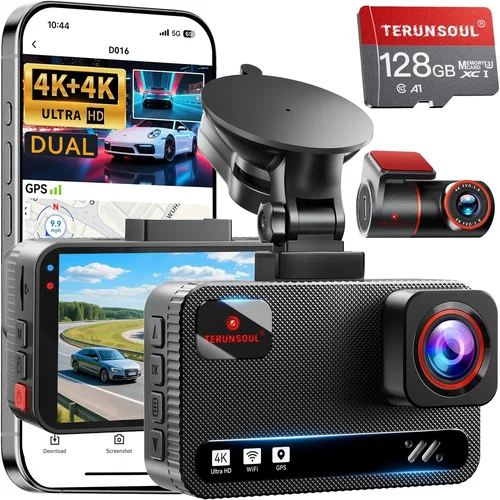
– Dual Channel: Records both front and rear views simultaneously.
– Night Vision: Enhanced low-light performance using wide dynamic range (WDR) or HDR technology.
– Voice Control: Hands-free operation while driving.
– Emergency SOS: Some models include emergency alert systems.
Not all features are necessary—focus on what aligns with your driving patterns and concerns.
Brand Reputation
Stick with established brands that have proven track records. Companies like BlackVue, Garmin, Thinkware, and Nextbase invest heavily in research and development, offer responsive customer service, and provide regular firmware updates. These brands also maintain transparent review policies and don’t engage in aggressive marketing tactics. Avoid unknown “no-name” brands that make exaggerated claims or disappear after selling their products. Check independent review sites, consumer forums, and professional automotive blogs for unbiased assessments. Reliable brands typically offer at least a 1-year warranty and have service centers or authorized repair networks.
Warranty & Support
A solid warranty indicates manufacturer confidence in their product. Look for at least a 1-year warranty covering both parts and labor. Some premium brands offer extended warranties up to 3 years. Customer support responsiveness is equally important—can you get help quickly if something goes wrong? Does the company provide clear troubleshooting guides, replacement procedures, and software updates? Cloud-based models require ongoing subscription services for full functionality, so factor those costs into your decision. Also consider how easy it is to replace accessories like memory cards or power cables, as these wear out over time.
Size & Portability
Compact size reduces visibility to other drivers and minimizes wind resistance. Most dash cams are designed to be discreet—typically no larger than a deck of cards. However, very small models may sacrifice lens quality or cooling efficiency. Consider where you’ll mount it: some prefer lower placement for wider angles, others higher for reduced glare. If you switch vehicles frequently, a portable model with multiple mounting options offers flexibility. Some models come with magnetic mounts for quick transfers between cars, while others use universal brackets compatible with various windshield shapes and sizes.
User Reviews & Ratings
Never rely solely on star ratings—they can be manipulated. Instead, read detailed user reviews focusing on real-world experiences. Pay attention to comments about battery life, ease of installation, software reliability, and customer service interactions. Look for patterns: do multiple users report the same issue? How does the manufacturer respond? Independent YouTube reviewers and automotive specialists often provide more balanced assessments than paid influencers. Also check professional testing results from organizations like Consumer Reports or Wirecutter, which conduct hands-on evaluations across multiple brands and models.
Different Types of Dash Cams

Common Buying Mistakes to Avoid
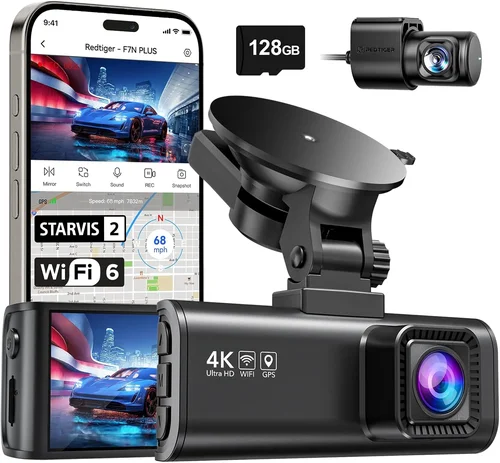
❌ Mistake: Ignoring Storage Requirements
Why it’s bad: Many buyers assume any microSD card will work, but dash cams have specific compatibility requirements. Using incompatible cards leads to recording failures, corrupted files, or even permanent damage to the device. Additionally, insufficient storage capacity means you’ll lose important footage when cards fill up.
What to do instead: Always purchase microSD cards specifically recommended by the manufacturer. For most dash cams, Class 10 UHS-I cards with minimum 32GB capacity are ideal. Consider 64GB or 128GB if you want longer recording times or 4K video. Format the card in the dash cam itself before first use to ensure proper optimization.
❌ Mistake: Overlooking Power Source Issues
Why it’s bad: Poor power management causes several problems: battery drain when parked, failed startups in cold weather, or accidental shutdowns during critical moments. Some cheap models draw excessive current, potentially damaging your car’s electrical system or draining the battery completely overnight.
What to do instead: Choose models with intelligent power management. Look for capacitors instead of batteries for backup power, which last longer and perform better in extreme temperatures. Ensure the dash cam has proper voltage regulation and consider hardwiring kits for permanent installations to avoid battery issues entirely.
❌ Mistake: Choosing Based Solely on Resolution
Why it’s bad: Higher megapixels don’t always mean better video quality. Image processing algorithms, sensor sensitivity, and lens quality matter more than raw resolution numbers. A 1080p camera with excellent WDR (Wide Dynamic Range) will outperform a 4K model with poor low-light performance in real-world driving scenarios.
What to do instead: Focus on overall video quality rather than just resolution specs. Watch sample footage from the manufacturer or trusted reviewers. Prioritize features like HDR, night vision capabilities, and proper exposure control over megapixel counts alone.
❌ Mistake: Neglecting Field of View (FOV)
Why it’s bad: Too narrow an FOV misses important context—like traffic signs or lane markings—while too wide an angle distorts images and makes details blurry at edges. A typical FOV ranges from 110° to 160°, with 140° being a good balance for most drivers.
❌ Mistake: Skipping Firmware Updates
What to do instead: Enable automatic firmware updates if available, or check for updates monthly through the manufacturer’s app or website. Keep your dash cam connected to Wi-Fi when possible to receive timely improvements that enhance reliability and feature set.
❌ Mistake: Assuming All Parking Modes Are Equal
Why it’s bad: Basic parking modes constantly record, draining your battery rapidly. Advanced systems use motion detection or impact sensors to trigger recording only when needed. Some cheaper models consume 100mA+ continuously, while efficient ones use under 20mA with smart triggering.
What to do instead: If you use parking mode, invest in a hardwired kit that connects directly to your fuse box for continuous power without battery drain. Alternatively, choose models with ultra-low power consumption (<15mA) and reliable motion/impact detection algorithms.
❌ Mistake: Not Testing Before Committing
Why it’s bad: Installing a dash cam incorrectly can lead to poor visibility, electrical interference, or improper mounting. Without testing, you won’t know if the recording quality meets expectations, if the audio picks up unwanted noise, or if the interface is intuitive enough for safe use while driving.
What to do instead: Whenever possible, test the unit at home first. Check video quality in daylight and nighttime conditions, verify that buttons are responsive, and practice using features like locking clips or accessing menus. Install during daylight hours so you can adjust positioning easily if needed.
Budget Guidelines: How Much Should You Spend?
Entry-Level ($30 – $80): What to expect
At this price point, you’ll find functional dash cams suitable for basic protection. These models typically offer 1080p recording, 1296p resolution, and essential features like loop recording and G-sensing. Build quality varies significantly—some use plastic housings that scratch easily, while others employ reinforced designs. Battery life is usually limited to 2–3 hours, requiring frequent recharging. Parking mode may be absent or consume excessive battery power. While adequate for casual drivers, these units often lack advanced features like GPS tracking or Wi-Fi connectivity. Brands worth considering include Viofo, Ewent, and certain models from Autel or Z-Edge, but always verify compatibility with your vehicle type.
Mid-Range ($80 – $200): Sweet spot for most buyers
This range represents the best value proposition, offering reliable performance with thoughtful features. Expect 1080p or 1440p recording, robust build quality, and intelligent power management. Most include parking mode with motion detection, GPS logging, and mobile app connectivity. Dual-channel systems become available here, providing rear camera coverage. Brands like Nextbase, Garmin, and Thinkware dominate this segment with proven reliability. You’ll find military-grade temperature resistance, capacitive touch controls, and seamless firmware updates. This tier covers 80% of typical driver needs—whether you’re a daily commuter, rideshare driver, or concerned parent monitoring teen drivers.
Premium ($200 – $400): For enthusiasts and professionals
High-end dash cams deliver exceptional performance with cutting-edge technology. Features include 4K recording, superior low-light sensitivity, advanced driver assistance systems (ADAS), and cloud connectivity. Professional-grade models offer dual 4K channels, thermal imaging, and AI-powered incident detection. Build quality approaches aerospace standards with vibration-dampening mounts and corrosion-resistant materials. Subscription-based services provide remote viewing, automatic cloud backups, and emergency alert systems. While expensive, these systems justify their cost through unparalleled reliability and forensic-quality footage. Ideal for commercial fleets, delivery drivers, or anyone requiring maximum evidence integrity in legal disputes.
Luxury ($400+): Top-tier features
Ultra-premium dash cams represent the pinnacle of automotive recording technology. These include multiple camera arrays, 8K recording capabilities, integrated navigation, and sophisticated analytics. Some incorporate facial recognition, drowsiness detection, and collision avoidance warnings. Military-spec components withstand extreme environments, while proprietary image processing algorithms deliver studio-quality footage. Additional features might include encrypted data storage, satellite connectivity, and integration with vehicle telematics systems. Though rarely necessary for personal use, these systems serve specialized applications like racing teams, law enforcement agencies, or high-net-worth individuals requiring absolute security and evidence preservation.
Expert Tips for Getting the Best Deal
When timing your purchase can significantly impact your savings. Retailers often discount dash cams during holiday seasons like Black Friday, Cyber Monday, and Memorial Day weekend. New model releases typically occur in spring and fall, creating clearance opportunities for previous generations. Sign up for brand newsletters and retailer alerts to catch early-bird discounts and exclusive promotions. Many manufacturers offer student discounts or corporate partnerships that reduce costs substantially.
Consider purchasing from reputable online retailers rather than local electronics stores. Online platforms provide broader selection, competitive pricing, and easier comparison shopping. Amazon, Best Buy, B&H Photo, and specialized automotive retailers like Crutchfield offer generous return policies and customer protection programs. Read return policies carefully—some brands require original packaging for returns, while others accept opened items within 30 days.
Learn to distinguish genuine deals from marketing gimmicks. Be wary of claims like “record in complete darkness” or “see through fog” that sound too good to be true. Realistic expectations based on sensor technology and physics will save disappointment. Compare actual customer footage alongside manufacturer demonstrations to assess real-world performance.
Always verify warranty terms before purchasing. Some warranties cover only manufacturing defects, excluding normal wear and tear or accidental damage. Extended warranty programs might seem valuable but often duplicate existing coverage. Understand what’s included in the base warranty versus additional costs for extended protection.
If possible, test dash cam functionality before committing to a purchase. Many electronics stores allow hands-on testing of video quality, interface usability, and button responsiveness. Practice mounting techniques and check for obstructions in your vehicle’s dashboard layout. Verify that the device doesn’t interfere with airbag deployment zones or obstruct your view of instruments.
For hardwired installations, consult professional installers rather than attempting complex wiring yourself. Improper fuse box connections can damage your vehicle’s electrical system or void warranties. Certified automotive electricians understand proper circuit selection and can ensure clean, secure installations that meet manufacturer specifications.
Consider bundle deals that include accessories like extra memory cards, suction cup replacements, or protective cases. These add minimal cost but prevent future headaches from lost or damaged components. Always carry spare microSD cards—formatting them in the dash cam ensures optimal performance and prevents corruption issues.
Regular maintenance extends dash cam lifespan significantly. Clean the lens weekly with microfiber cloths to prevent smudges and scratches. Periodically check mounting hardware for loosening due to temperature changes or vibrations. Update firmware monthly to benefit from performance improvements and security patches that address known vulnerabilities.

Frequently Asked Questions
Q: Do I really need a dash cam, or will my insurance company cover me anyway?
A: While having insurance is mandatory in most places, a dash cam provides crucial additional protection beyond standard coverage. Insurance companies primarily cover financial losses after accidents occur, but they don’t prevent incidents or provide video evidence that can prove your innocence in disputes. Dash cams protect against insurance fraud, false claims, and hit-and-run scenarios where police reports might be inaccurate. In court proceedings, dash cam footage carries significant weight as objective evidence, often resolving cases that would otherwise depend on conflicting testimonies.
Q: How much storage space do I actually need for my dash cam?
A: Storage requirements depend on resolution, frame rate, and desired recording duration. At 1080p resolution, a 32GB microSD card typically holds 2–3 hours of footage. For 1440p, expect 1–2 hours per 32GB. With 4K recording, storage needs double or triple. Consider your typical commute length and parking duration when selecting capacity. Many experts recommend starting with a 64GB card—it provides adequate storage while costing only slightly more than 32GB. Always format cards in the dash cam itself rather than a computer, as this optimizes file structure for continuous recording cycles.
Q: Can dash cams drain my car battery overnight?
A: Yes, poorly designed dash cams with continuous parking mode can drain batteries significantly. However, quality models use intelligent power management to minimize consumption. Look for devices that consume under 15mA in parking mode and feature motion/impact detection to activate recording only when necessary. Hardwiring solutions connect directly to your vehicle’s fuse box, eliminating battery drain entirely while providing constant power. For occasional parking surveillance, consider models with capacitor-based backup instead of lithium batteries, as they handle temperature extremes better and last longer.
Q: Will a dash cam interfere with my car’s electronics or radio reception?
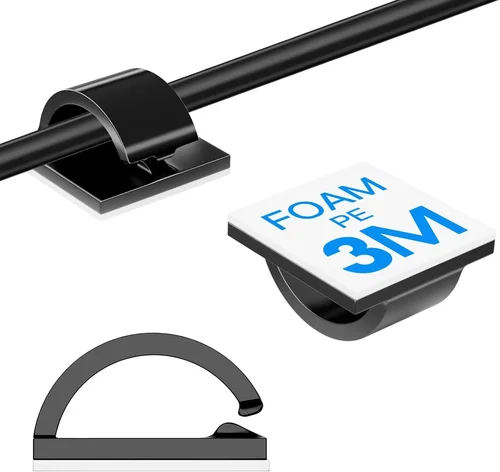
A: Modern dash cams use shielded cables and proper grounding to minimize electromagnetic interference. However, installation quality matters greatly. Poorly routed power cables near sensitive electronics can cause static or signal degradation. Always route cables away from speakers, antennas, and entertainment systems. Use cable ties and routing clips to keep wires organized and separated from other components. If experiencing interference, try repositioning the dash cam slightly or using ferrite cores on power cables to suppress unwanted emissions.
Q: How do I choose between front-only, dual-channel, and multi-camera systems?
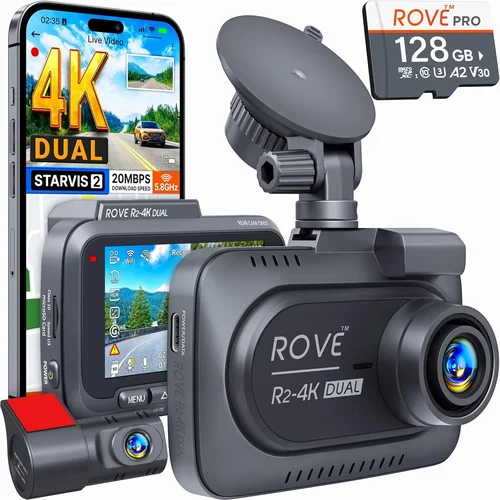
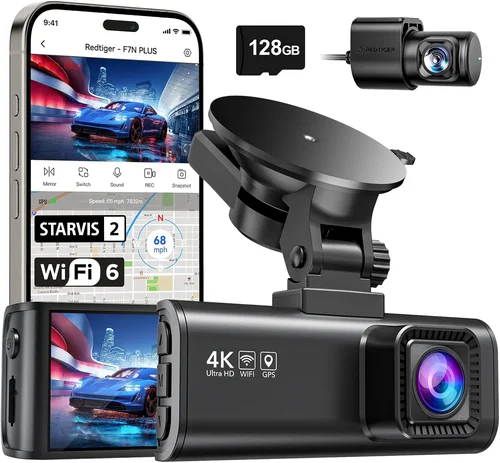
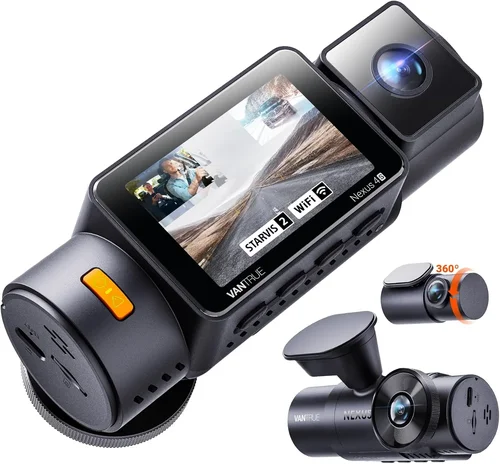
A: Single-lens systems suit most private vehicles where front coverage suffices. Dual-channel systems (front + rear) benefit fleet operators, parents with teen drivers, or those frequently reversing in tight spaces. Multi-camera setups (including interior or 360-degree views) serve commercial fleets, ride-sharing services, or high-risk occupations. Consider your primary concerns: if avoiding rear collisions is critical, prioritize rear cameras. For comprehensive protection, evaluate whether additional cameras justify the cost and complexity. Remember that more cameras mean higher power consumption and storage demands.
Q: Are dash cams legal everywhere, and do police respect their footage?
A: Dash cam usage is generally legal in most countries, though regulations vary. In the United States, recording public roads is permitted unless prohibited by state laws. European Union countries permit recording but restrict audio capture in private areas. Police departments recognize dash cam footage as valuable evidence, particularly for verifying statements, identifying suspects, or confirming accident sequences. However, always disclose dash cam usage during investigations and follow chain-of-custody protocols when submitting footage to authorities. Some jurisdictions require notification that recording is occurring.
Q: What happens if my dash cam stops working during an incident?
A: Redundancy and proper installation mitigate this risk. Hardwired installations provide continuous power regardless of ignition status, ensuring recording continues even if the car shuts off. Capacitor-based backup systems maintain functionality for several minutes after power loss, capturing crucial moments during electrical interruptions. Regular maintenance prevents unexpected failures—clean lenses, check connections, and update firmware monthly. For maximum reliability, combine dash cam usage with smartphone trip loggers as backup recording sources, though this adds complexity and cost.
Q: How do I properly install and mount my dash cam for optimal performance?
A: Start by cleaning your windshield thoroughly to ensure strong adhesion. Position the camera lower on the glass for wider coverage while avoiding obstructions like wipers or rain sensors. Route power cables neatly along factory wire channels using plastic clips to prevent pinching. Connect to a fuse tap supplying constant power (for parking mode) and switched power (for recording while driving). Secure all connections tightly and test functionality before finalizing installation. Professional installers charge $50–$100 but provide peace of mind regarding proper wiring and positioning.
Q: Can I use any microSD card with my dash cam, or are there specific requirements?
A: Dash cams have strict compatibility requirements beyond basic specifications. Use only Class 10 cards with UHS-I interface for reliable performance. Capacity should match your needs—32GB works for short commutes, 64GB+ for daily drivers or those needing longer recording retention. Brand matters: SanDisk, Samsung, and Sony consistently deliver reliable performance in automotive applications. Always format cards in the dash cam itself before first use to optimize file allocation tables. Never mix brands or capacities in multi-camera systems, as this can cause recording conflicts or corruption.
Q: How long should I keep dash cam footage, and what’s the best way to store it?
A: Retention periods depend on your jurisdiction and circumstances. In the US, most states recommend keeping footage for 30–90 days unless involved in incidents. Store videos in multiple locations: keep recent clips on the dash cam’s internal storage, transfer older files to external drives, and maintain cloud backups for critical evidence. Use encrypted cloud storage for sensitive footage and password-protect archives containing identifiable information. Regularly purge outdated files to manage storage efficiently while preserving legally relevant recordings.
Our Final Recommendations
Best for Budget-Conscious Buyers
For those watching their spending without sacrificing essential functionality, the Viofo A119 v3 delivers exceptional value. Priced around $60–$70, it offers 1080p recording, 140° field of view, and reliable performance in extreme temperatures. Its compact design minimizes visibility to other drivers while providing clear footage day and night. The built-in G-sensor automatically locks clips during impacts, and loop recording ensures continuous coverage. Despite its affordability, Viofo maintains rigorous quality control and provides responsive customer support through their US-based team. This model strikes the perfect balance between cost and capability for everyday drivers seeking dependable protection.
Best Overall Value
The Nextbase 622GW represents the gold standard in mid-range dash cams, retailing for approximately $150–$180. It combines 1440p recording with superior low-light performance, thanks to Sony STARVIS sensor technology. Features include emergency SOS, voice control, and Alexa integration—all accessible through a user-friendly interface. The built-in Wi-Fi enables instant clip sharing via the Nextbase app, while GPS logging provides precise location data for insurance claims. What sets this model apart is its robust build quality: tested to withstand temperatures from -4°F to 149°F, it outperforms competitors in durability tests. Fleet operators appreciate its dual camera compatibility, making it versatile for various vehicle types and usage scenarios.
Best Premium Option
For those demanding the ultimate recording experience, the BlackVue DR970X-2CH justifies its $300–$350 price tag with professional-grade features. This dual-channel system captures stunning 4K front footage and 2K rear video simultaneously, utilizing Sony Exmor R CMOS sensors optimized for automotive environments. Cloud connectivity allows remote viewing and live streaming, while advanced parking mode uses motion detection to conserve battery life. The built-in Wi-Fi hotspot enables seamless clip downloads without removing the SD card. BlackVue’s reputation for reliability stems from rigorous testing and transparent firmware development—their community-driven approach ensures rapid bug fixes and feature enhancements. Professional installers swear by its consistent performance across diverse vehicle types and climate conditions.
Best for Beginners
Newcomers to dash cam technology benefit from the Garmin Dashcam Mini, available for $120–$140. Its featherweight design (under 3 ounces) barely registers on your windshield, while the intuitive interface requires no technical knowledge to operate. Automatic exposure adjusts seamlessly between bright sunlight and pitch-black nights, and the built-in GPS tracks your journey without manual input. Garmin’s ecosystem integrates smoothly with other navigation devices, and their customer support is renowned for helpfulness. The included mounting bracket accommodates various windshield angles, and the suction cup maintains grip through temperature fluctuations. Beginners appreciate the straightforward operation—just press record and let it work.
Best for Advanced Users
Power users seeking maximum customization will love the Thinkware F800 Pro, priced at $250–$280. This feature-rich model offers 4K recording, dual cameras, and extensive driver assistance tools including lane departure warnings and forward collision alerts. The built-in microphone captures clear audio, while the optional interior camera provides cabin monitoring. Thinkware’s web portal enables fleet management for multiple vehicles, and their robust firmware updates introduce new features regularly. Advanced settings allow granular control over recording parameters, exposure compensation, and event tagging. Professionals value its forensic-grade footage quality and reliable performance during extended deployments in challenging environments.
Conclusion: Making the Right Choice
Selecting the ideal dash cam involves balancing your specific needs against practical considerations like budget, installation complexity, and ongoing maintenance. Rather than chasing the highest resolution or most expensive features, focus on core requirements: reliable recording in all lighting conditions, robust build quality, and intuitive operation during stressful situations. Remember that dash cams serve as objective witnesses—their effectiveness depends less on technological sophistication than on consistent, trouble-free operation when you need them most.
Prioritize brands with proven track records and responsive customer support, as these relationships prove invaluable when troubleshooting issues or interpreting complex footage. Always test your chosen model before committing to permanent installation, verifying both video quality and usability in your actual driving environment. Regular maintenance—lens cleaning, connection checks, and firmware updates—ensures long-term reliability that matches your initial investment.
Whether you choose an entry-level protector or a premium multi-camera system, the peace of mind that comes from knowing you’re prepared for anything on the road outweighs the initial cost. By aligning your selection with realistic expectations and honest self-assessment of your driving habits, you’ll find a dash cam that serves as a trustworthy companion rather than a forgotten accessory. The best dash cam isn’t necessarily the most expensive one—it’s the one you’ll actually use consistently and trust implicitly when it matters most.