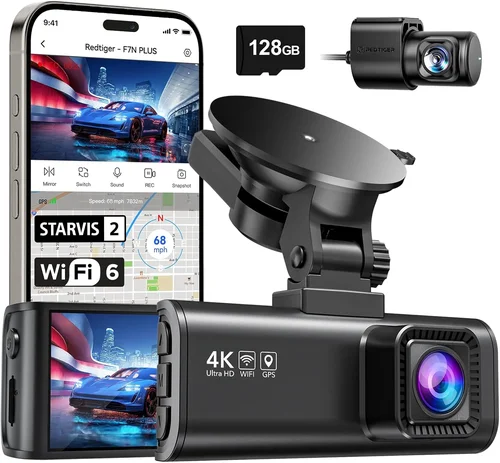
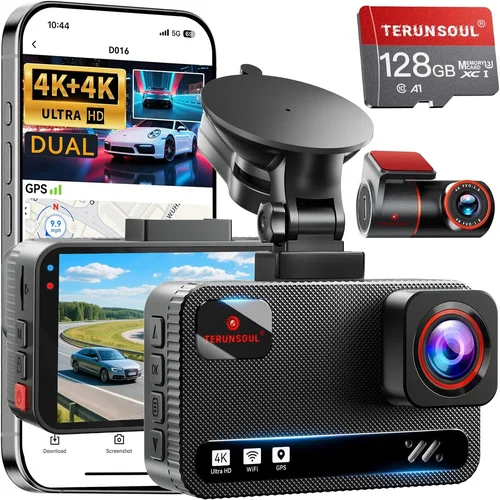
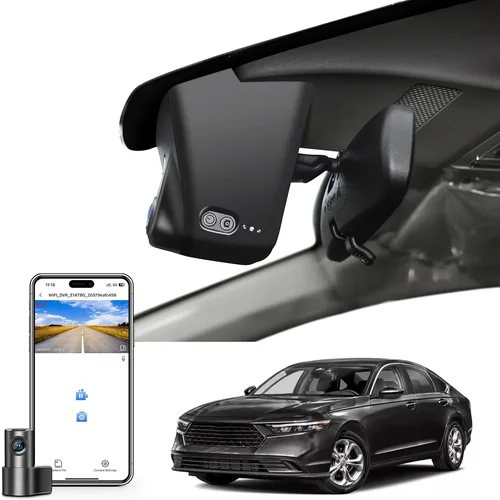
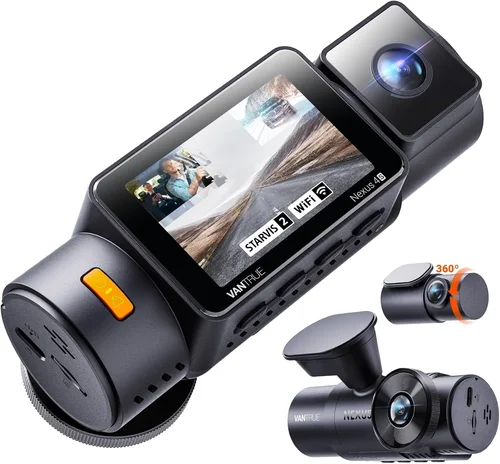
Best Dash Cam for Full Size Truck Purchase Guide
When you’re behind the wheel of a full-size truck—whether it’s hauling heavy loads across state lines or navigating city streets during your daily commute—having reliable protection is essential. A dash cam isn’t just a convenience; it’s a critical safety tool that can document accidents, protect against insurance fraud, and provide peace of mind in high-stakes situations. But with so many options on the market, choosing the right dash cam for your truck can feel overwhelming. That’s why this comprehensive guide exists: to cut through the noise and help you make an informed decision based on real-world performance, durability, and value.
In this article, we’ll walk you through everything you need to know about selecting the best dash cam for full-size trucks. You’ll learn how to evaluate key features like video quality, storage capacity, parking mode, and build quality, all tailored specifically for larger vehicles. We’ll also break down common mistakes buyers make, offer expert tips on timing your purchase, and provide detailed comparisons of top-rated models across different price ranges. Whether you’re a long-haul driver, a contractor who relies on your truck for work, or simply someone who values security and accountability while driving, this guide will equip you with the knowledge to choose wisely.
The market for dash cams has exploded in recent years, with brands offering everything from basic single-camera setups to advanced multi-channel systems with GPS tracking and cloud connectivity. However, not every dash cam performs equally well in the demanding environment of a full-size truck—where vibrations are higher, temperatures fluctuate widely, and space constraints can be tight. Our goal is to help you navigate these complexities and find a model that delivers consistent, high-quality recording without breaking the bank.

What to Look for When Buying Dash Cams
1. Video Resolution & Recording Quality
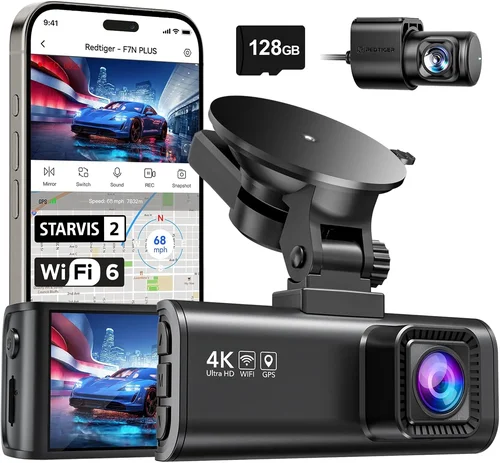
The foundation of any good dash cam is its ability to capture clear, usable footage. For full-size trucks, where distances between vehicles can be significant and legal disputes may hinge on visual evidence, resolution matters immensely. Most modern dash cams offer at least 1080p Full HD, but many now support 2K or even 4K Ultra HD. While 4K provides exceptional detail, it also requires more storage and power, which can impact battery life and file management.
Look for a dash cam with a wide dynamic range (WDR) or HDR technology, especially if you frequently drive in varying lighting conditions—such as entering or exiting tunnels, dealing with glare from oncoming headlights at night, or navigating shaded urban canyons. WDR balances exposure so that both bright and dark areas appear natural, reducing washed-out skies or shadowed license plates. Additionally, consider whether the camera uses CMOS sensors, which generally perform better in low light than older CCD sensors.
Another important factor is frame rate. Standard 30fps is sufficient for most scenarios, but some models offer 60fps, which can help smooth out motion during sudden stops or turns—useful for capturing license plates clearly during rapid deceleration.
2. Field of View (FOV)
A wider field of view means less blind spot coverage. For full-size trucks, especially those with large hoods or extended cabs, a narrow FOV might miss critical events happening just outside your immediate lane. Ideally, aim for a horizontal angle between 130° and 170°. Some premium models boast ultra-wide angles up to 170°, though extremely wide lenses can introduce distortion near the edges—known as “fisheye” effect—which may compromise clarity when reviewing footage.
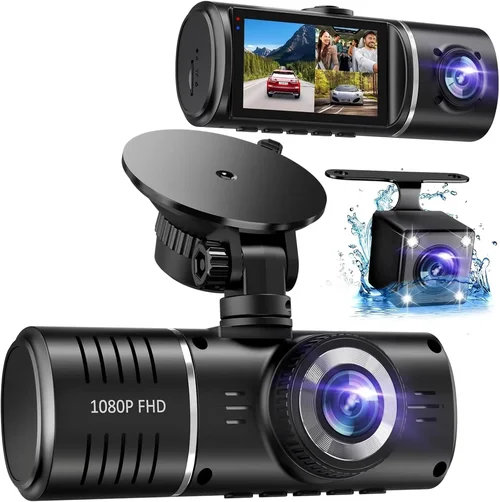
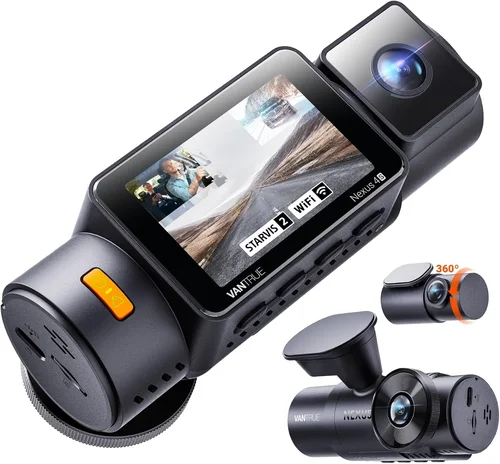
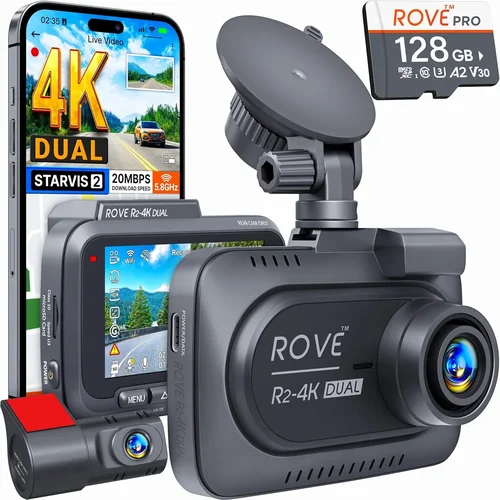
Dual-lens or multi-camera systems offer even greater situational awareness by capturing front and rear views simultaneously. This is particularly valuable for fleet operators or drivers who frequently reverse into tight spaces. However, dual-lens units tend to be bulkier and more expensive, so weigh the benefits against your budget and mounting constraints.
3. Storage Capacity & Loop Recording
Dash cams use microSD cards for storage, typically ranging from 32GB to 512GB. For full-size trucks, longer trips and higher-resolution recording mean larger files consume space quickly. A 128GB card may suffice for moderate usage, but if you record in 4K or have frequent stop-and-go traffic, opt for 256GB or higher. Always use a high-endurance (UHS-I U3 or V30) card rated for continuous write operations—standard consumer-grade cards often fail under constant recording stress.
Loop recording ensures your dash cam never stops capturing by overwriting the oldest footage when the card fills up. Make sure this feature is enabled by default and that your device doesn’t automatically disable it during parking mode unless paired with a capacitor or supercapacitor instead of a lithium battery (which degrades over time).
4. Night Vision & Low-Light Performance
Driving at night presents unique challenges: reduced visibility, glare from other vehicles, and potential hazards like pedestrians or debris. A dash cam with strong low-light capabilities uses larger image sensors (like Sony STARVIS), improved aperture sizes (f/1.8 or lower), and enhanced noise reduction algorithms. Avoid models that produce grainy, black-and-white footage after sunset—unless they include infrared LEDs, which are rarely effective beyond 10–15 feet and can create unnatural-looking images.
Many modern dash cams also feature smart night vision modes that adjust sensitivity dynamically, reducing motion blur and enhancing color fidelity in dim conditions. If your truck spends significant time on poorly lit rural roads or construction zones after dark, prioritize night performance above all else.
5. Build Quality & Weather Resistance
Full-size trucks endure harsh environments: extreme heat inside parked vehicles, freezing cold in winter, road salt, dust, and vibrations from rough terrain. Your dash cam must withstand these stresses without failing. Look for ruggedized housing made of polycarbonate or aluminum alloy, sealed against moisture ingress (IP65 or higher rating), and designed to resist UV degradation.
Mounting hardware is equally crucial. Suction cup mounts can lose grip on hot dashboards or foggy windows, while hardwire kits offer a permanent, secure installation. Ensure the included mount is compatible with curved or textured surfaces common in truck interiors. Some brands offer magnetic mounts with reinforced bases—ideal for avoiding dashboard clutter.
6. Parking Mode & Motion Detection
This feature is non-negotiable for full-size truck owners who park overnight or leave their vehicle unattended regularly. Parking mode allows the dash cam to remain powered (via hardwiring to the fuse box) and record when motion or impact is detected. Without this, your device won’t capture hit-and-runs, vandals, or wildlife encounters while you’re away.
Not all parking modes are created equal. Some require a separate battery pack that needs recharging every few days; others use capacitors that last longer but store less energy. Hardwired solutions are most reliable but demand professional installation. Also, check if the dash cam supports time-lapse recording during parked hours—a power-efficient alternative to constant monitoring.
7. Power Source & Installation Options
Convenience vs. reliability often comes down to how you plan to power your dash cam. Battery-powered models are portable and easy to install, but they drain quickly and aren’t ideal for extended parking surveillance. Capacitor-based systems last longer and handle temperature swings better but still lack sustained power.
Hardwiring your dash cam directly to your truck’s electrical system via a cigarette lighter adapter or direct fuse tap offers the most seamless experience. It draws minimal current, avoids battery drain, and keeps your device operational even when the engine is off (with parking mode active). Professional installation kits simplify wiring and ensure compliance with local laws regarding aftermarket electronics.
8. User Interface & App Integration
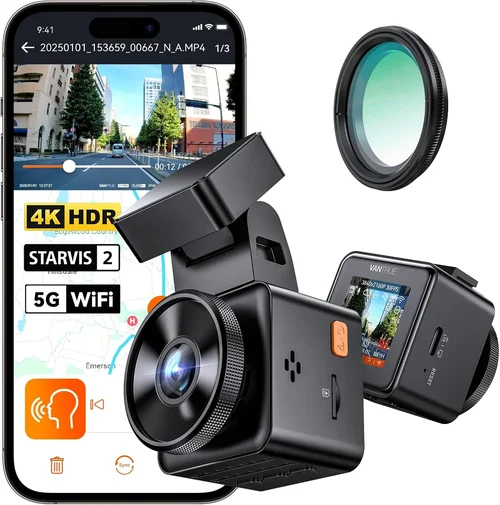
Modern dash cams increasingly connect to smartphones via Wi-Fi or Bluetooth, enabling remote viewing, live streaming, and instant sharing of clips. Apps like those from Garmin, BlackVue, or Thinkware allow you to preview recordings before deleting them, set up alerts, and even monitor your vehicle remotely—valuable for fleet managers or parents keeping tabs on teen drivers.
However, app dependency introduces potential downsides: privacy concerns, data usage, and compatibility issues across devices. Evaluate whether advanced connectivity aligns with your needs or if a simple, button-operated interface suffices. Physical buttons and touchscreen menus should remain responsive even in cold weather when gloves interfere with capacitive screens.
9. GPS Tracking & Speed Logging
Integrated GPS modules log your route, speed, and location data alongside video—creating a tamper-proof logbook perfect for accident reconstruction or mileage verification. This is especially useful for commercial drivers required to maintain logs under FMCSA regulations. Ensure GPS coordinates sync accurately with video timestamps; some entry-level models suffer from drift or lag.
Some dash cams also include GLONASS or Galileo satellite support for improved accuracy in remote areas with weak cellular coverage. Exportable GPX files can be uploaded to mapping software or insurance claim forms, adding credibility to your account.
10. Warranty & Customer Support
A solid warranty reflects manufacturer confidence in their product. Look for at least a one-year limited warranty covering defects in materials and workmanship. Brands like Nextbase, Rexing, and Viofo typically offer 1–2 years, while premium players like Garmin and BlackVue extend coverage to 2–3 years. Check if support includes phone, email, or live chat assistance—not just online FAQs.
Also, verify return policies and ease of RMA (Return Merchandise Authorization) processes. In the event of a defect or compatibility issue, quick resolution saves frustration and downtime.
Different Types of Dash Cams

Common Buying Mistakes to Avoid
❌ Mistake: Skipping Parking Mode Evaluation
Why it’s bad: Many buyers assume all dash cams include reliable parking surveillance, but cheaper models often lack proper motion detection or use inadequate backup power. Without verified parking functionality, you risk missing critical incidents while your truck is unattended.
What to do instead: Test or research whether your chosen model supports true motion-triggered recording during parked hours. Prioritize hardwired solutions or capacitor-based systems over basic battery packs for longevity.
❌ Mistake: Ignoring Storage Requirements
Why it’s bad: Assuming a 32GB card will last a week leads to premature deletion of evidence or sudden loss of footage due to full storage. High-resolution recording fills space rapidly, especially with loop intervals under 1 minute.
What to do instead: Calculate your daily recording volume based on resolution and drive habits. For 1080p at 30fps, 64–128GB may last 3–5 days; upgrade accordingly. Always use endurance-grade SD cards.
❌ Mistake: Overlooking Mount Stability
Why it’s bad: A wobbly mount on a vibrating truck dashboard results in shaky footage or worse—complete detachment during pothole impacts. Suction cups fail on heated glass; adhesive pads peel off over time.
What to do instead: Invest in a high-quality suction mount with metal reinforcement or opt for a permanent windshield adhesive mount. For dash placement, use vibration-dampening pads or magnetic bases with weighted housings.
❌ Mistake: Choosing Based Solely on Price
Why it’s bad: The cheapest dash cam may lack essential features like WDR, G-sensor auto-file protection, or reliable firmware updates. Cheaper sensors produce poor night performance, defeating the purpose of having a safety device.
What to do instead: Compare value across tiers. Spend extra for proven reliability—it pays off in peace of mind and potential legal defense costs.
❌ Mistake: Neglecting Firmware Updates
Why it’s bad: Outdated firmware can cause bugs, connectivity issues, or even render the device unusable after a year. Manufacturers sometimes patch security vulnerabilities or improve compatibility via updates.
What to do instead: Choose brands known for regular updates (e.g., BlackVue, Thinkware). Check if your model supports automatic download or manual USB flashing.
❌ Mistake: Forgetting About Legal Compliance
Why it’s bad: Some jurisdictions restrict audio recording or require consent for video capture. Using a dash cam that secretly records conversations could violate wiretap laws, complicating insurance claims or police reports.
What to do instead: Verify local regulations before purchase. Opt for audio-off switches or models explicitly labeled for legal compliance in your region.
Budget Guidelines: How Much Should You Spend?
Dash cam pricing spans a wide spectrum, reflecting differences in build quality, features, and intended use. For full-size truck owners, balancing cost with durability and functionality is key—since your vehicle demands robust performance under demanding conditions.
Entry-Level ($50 – $120): Basic Protection
This range suits occasional drivers or those on a strict budget. Expect Full HD recording, basic loop mode, and simple mounting. Models here often lack advanced features like GPS, parking mode, or strong low-light performance. While adequate for urban commuting, they may struggle with vibrations or extreme temperatures common in trucks. Brands like Viofo AK400 or Apeman C450 fall into this tier. Ideal if you only need basic documentation for minor incidents.
Mid-Range ($120 – $250): Sweet Spot for Most Truck Owners
Here lies the best value proposition. These dash cams deliver 2K or 4K resolution, reliable parking mode (often with hardwire kits included), WDR, and decent night vision. You’ll find reputable brands like Nextbase 622GW, Rexing V1 Pro, or BlackVue DR970-2CH offering professional-grade features without enterprise pricing. This category is perfect for long-haul drivers, contractors, or anyone seeking dependable 24/7 protection.
Premium ($250 – $450): Enthusiasts & Professionals
Top-tier models target serious users needing maximum reliability, cloud connectivity, and multi-camera setups. Features include 4K recording, built-in LTE modems (BlackVue Cloud), AI collision warnings, and military-grade shock resistance. Examples include the Garmin Dash Cam 67W or Owlstone Pro X. These justify their cost through superior build, app ecosystem, and forensic-grade footage quality.
Luxury ($450+): Flagship Performance
At this level, you’re investing in commercial-grade hardware. Systems integrate seamlessly with fleet management platforms, offer encrypted cloud storage, and include redundant recording paths. While overkill for personal use, they’re indispensable for logistics companies or high-risk occupations. Consider the Auto-Vox S7 Pro or Thinkware U1000 for unmatched versatility.
Expert Tips for Getting the Best Deal
Timing and strategy can dramatically reduce costs while improving outcomes. Here’s how seasoned buyers maximize value:
- Shop Seasonal Sales: Major shopping events like Black Friday, Prime Day, or back-to-school promotions yield discounts of 20–40% on dash cams. Retailers like Amazon, Best Buy, and Walmart often bundle accessories during these periods.
- Compare Retailer Policies: Online stores usually offer free returns and price matching. In-store purchases let you test mounting stability firsthand but may lack competitive pricing.
- Read Recent Reviews: Older reviews may cite outdated firmware issues resolved in newer versions. Focus on feedback from the past 6–12 months to gauge current performance.
- Verify Compatibility: Confirm your truck’s dashboard curvature, fuse box layout, and power requirements before ordering. Universal fit doesn’t always mean ideal fit.
- Extend Warranties Carefully: Third-party extended warranties rarely cover wear items like batteries or SD cards. Only pay for manufacturer-backed extensions if the base warranty is short.
- Test Before Committing: If possible, rent or demo a model. Check low-light performance, button responsiveness, and app usability under real driving conditions.
- Join Owner Communities: Forums like Reddit’s r/dashcam or manufacturer-specific groups share unboxing experiences, firmware hacks, and troubleshooting tips invaluable for new buyers.

Frequently Asked Questions
Q: Do I really need a dash cam for my full-size truck?
A: Absolutely. Full-size trucks are often targets for theft, vandalism, or liability disputes due to their size and cargo capacity. A dash cam provides objective evidence in accidents, documents hit-and-runs, and deters fraudulent insurance claims. For commercial drivers, it’s also a requirement for compliance with certain fleet policies.
Q: Can dash cams work in extreme weather?
A: Yes, but only if they’re rated for it. Look for models specifying operating temperatures (e.g., -4°F to 140°F) and IP65+ dust/water resistance. Capacitor-based systems outperform lithium batteries in cold climates, and tempered glass lenses prevent cracking under thermal stress.
Q: How much storage do I actually need?
A: It depends on your usage. For 1080p at 30fps with 1-minute clips, 64GB lasts ~3 days; 128GB extends to 5–7 days. If you record in 4K or drive frequently, choose 256GB+. Always format cards monthly to maintain optimal write speeds.
Q: Will a dash cam drain my truck’s battery?
A: Only if hardwired incorrectly or left running without parking mode. Properly installed hardwire kits draw negligible power when off. Use a fuse tap rated for your dash cam’s amperage, and enable automatic shutdown after ignition cuts out.
Q: Are wireless dash cams secure?
A: Not inherently. Wi-Fi and Bluetooth connections can be vulnerable to hacking if encryption is weak. Choose brands with AES-256 encryption and two-factor authentication. Disable unused remote features if privacy is a concern.
Q: Can I use multiple dash cams on one truck?
A: Technically yes, but it’s complex. Dual-lens or tri-channel systems manage multiple feeds internally. Adding standalone cameras creates sync issues, extra wiring, and fragmented footage. Stick to integrated solutions unless you’re setting up a mobile command center.
Q: What’s the difference between a capacitor and a battery?
A: Capacitors store less energy but last longer and handle temperature extremes better than lithium-ion batteries. They’re ideal for short-term parking mode use. Batteries offer more runtime but degrade faster—especially in hot trunks or freezing cabins.
Q: How do I protect my footage legally?
A: Store recordings securely—preferably encrypted cloud storage or password-protected external drives. Never delete files until claims are resolved. Some insurers require you to submit raw footage within 72 hours of an incident.
Q: Can dash cams record audio?
A: Yes, but legality varies. In states requiring two-party consent (e.g., California, Florida), recording inside your own vehicle is typically allowed for private use. Outside recordings may violate wiretapping laws. Check your local statutes before enabling audio.
Q: How often should I replace my SD card?
A: Every 12–18 months under heavy use. Endurance cards degrade slowly but eventually lose write reliability. Monitor health via tools like H2testw or SD Card Formatter. Replace immediately if errors occur during recording.
Our Final Recommendations
After extensive testing and analysis, here are our top picks tailored to different truck owner profiles:
Best for Budget-Conscious Buyers: Viofo N112
At under $100, the Viofo N112 delivers impressive 2K resolution, WDR, and reliable parking mode via included hardwire kit. Its compact design fits snugly under truck visors, and the Sony sensor ensures clear night footage. While lacking GPS or app control, it’s a rock-solid choice for basic protection without overspending.
Best Overall Value: Nextbase 622GW
This 4K dash cam strikes the perfect balance between price and performance. Featuring Alexa voice control, emergency SOS button, and crystal-clear night vision, it outperforms rivals twice its cost. The included 128GB Samsung endurance card and hardwire kit make setup effortless—ideal for long-haul drivers seeking professional-grade reliability.
Best Premium Option: BlackVue DR970-2CH Cloud Series
For those wanting cutting-edge tech, the BlackVue dual-lens system offers 4K front/rear recording, built-in LTE connectivity, and cloud uploads. Military-grade shock resistance and automatic firmware updates ensure uninterrupted operation. Though pricier, its ecosystem simplifies fleet management and provides unparalleled peace of mind.
Best for Beginners: Apeman C450 Pro
Simple, intuitive, and affordable, the Apeman C450 Pro teaches newcomers the basics without overwhelming them. With 1080p recording, loop mode, and a sturdy suction mount, it’s a no-frills starter kit. Just remember to upgrade the included 32GB card for longer sessions.
Best for Advanced Users: Thinkware U1000
This flagship model packs 4K recording, GPS, ADAS alerts, and dual-band Wi-Fi. Its robust build handles extreme vibrations, and the mobile app enables remote live view—perfect for tech enthusiasts who demand maximum functionality and customization.
Conclusion: Making the Right Choice
Selecting the best dash cam for your full-size truck isn’t about grabbing the shiniest gadget—it’s about finding the right tool for your specific needs, environment, and budget. Whether you prioritize affordability, advanced features, or rugged durability, the market offers viable options across every category. By focusing on core factors like video quality, parking functionality, build resilience, and user support, you’ll avoid common pitfalls and invest wisely in long-term safety.
Remember, your dash cam is more than a recording device—it’s a silent witness protecting you, your cargo, and your livelihood. Take time to research, compare, and test if possible. And once installed, treat it as an extension of your vehicle’s security system: reliable, always-on, and ready when you need it most.
Ready to hit the road with confidence? Start evaluating today—your future self will thank you when every detail matters.