Best Truck Dash Cam Purchase Guide
When you’re behind the wheel of a truck—whether you’re hauling cargo across state lines, navigating city streets, or simply commuting to work—your safety and security are paramount. A dash cam isn’t just a convenience; it’s a critical piece of equipment that can protect you from false accusations, provide evidence in accidents, and give you peace of mind on every mile. But with so many options on the market, choosing the right dash cam for your truck can feel overwhelming. That’s where this comprehensive guide comes in.
This article is designed to be your trusted advisor, walking you through everything you need to know about selecting the best dash cam for truck use. You’ll learn how to evaluate performance specs like resolution and field of view, understand the importance of features such as parking mode and GPS tracking, and discover which brands offer the most reliable build quality and customer support. We’ll also break down common mistakes to avoid, explain what fits different budgets, and share expert tips to help you make a smart, informed decision. Whether you’re a professional driver, a long-haul trucker, or someone who simply wants extra protection for their vehicle, this guide will equip you with the knowledge to choose wisely.
The market for dash cams has exploded in recent years, but not all devices are created equal—especially when it comes to heavy-duty vehicles like trucks. Unlike compact cars, trucks require cameras that can handle larger blind spots, longer recording times, and more demanding environmental conditions. This guide focuses specifically on dash cams engineered or well-suited for truck applications, covering everything from single-channel setups to advanced dual- or multi-camera systems. By the end, you’ll have a clear understanding of what matters most and be ready to pick a dash cam that keeps you covered—no matter where the road takes you.

What to Look for When Buying Dash Cams
Selecting the right dash cam for your truck involves more than just picking the cheapest model or the one with the flashiest features. Trucks present unique challenges—longer stopping distances, wider turning radii, greater blind spots, and exposure to harsh weather and road debris. Therefore, your dash cam must meet specific performance standards to deliver reliable, high-quality footage when it matters most. Below are the key factors you should evaluate before making a purchase.
1. Resolution and Video Quality
The clarity of your dash cam’s video is perhaps the most important factor, especially for legal purposes. For trucks, where accidents can result in significant damage or injury, having crystal-clear footage can mean the difference between liability and innocence. Most modern dash cams offer at least 1080p Full HD resolution, but for serious truck drivers, 2K (1440p) or even 4K Ultra HD is becoming standard.
Higher resolution means finer details—license plates, facial expressions, road signs—are captured clearly. However, keep in mind that higher resolutions require more storage and processing power, which may affect battery life or heat generation in extended use. Look for cameras with H.265 compression, which reduces file sizes without sacrificing quality—ideal for long drives where storage space is limited.
Additionally, consider frame rate: 30 fps is typical, but 60 fps provides smoother motion during fast-moving events like lane changes or sudden stops. For trucks frequently traveling at highway speeds, this extra fluidity helps capture critical moments without blur.
2. Field of View (FOV)
A wide field of view is essential for trucks due to their size and driving patterns. A narrow angle might miss important context around your vehicle, especially when merging or changing lanes. Ideally, look for a dash cam with a horizontal FOV of at least 120 degrees—many premium models now offer up to 170 degrees or more.
But be cautious: extremely wide angles can cause distortion near the edges, making objects appear stretched or misleading. Some advanced models use multiple lenses or curved sensor designs to minimize fisheye distortion while maintaining a broad coverage area. Dual-lens systems, which record both front and cabin views, are particularly useful for fleet operators who need visibility into driver behavior and interior cargo conditions.
For solo truckers, a single front-facing camera with a 150-degree FOV strikes a good balance between coverage and image fidelity. Always check real-world reviews to see if the advertised FOV matches actual performance—some brands exaggerate angles to sound impressive without delivering practical results.
3. Storage Capacity and Loop Recording
Truck drivers log thousands of miles each year, meaning dash cams generate massive amounts of video data. Your device must support ample internal storage or external microSD cards (typically up to 256GB or 512GB). Class 10 or UHS-I/UHS-II cards are recommended for consistent write speeds, especially during high-bitrate recording.
Loop recording is non-negotiable—it overwrites old footage automatically once the card fills up, ensuring continuous operation without manual intervention. However, some dash cams offer G-sensor-triggered event locking, which saves critical clips to protected folders so they aren’t overwritten during loop cycles. This feature is invaluable for preserving evidence after an incident.
Consider whether your dash cam supports cloud backup or Wi-Fi connectivity for offloading videos remotely—this can save time and prevent accidental deletion. Also, verify compatibility with high-capacity cards; older models may only recognize up to 64GB, limiting usability for long trips.
4. Night Vision and Low-Light Performance
Night driving accounts for a disproportionate number of accidents, and trucks often operate after dark due to delivery schedules or long-haul routes. Your dash cam must perform reliably in low-light conditions. CMOS sensors with large pixel sizes (e.g., 1.0μm or larger) capture more light, improving clarity in darkness.
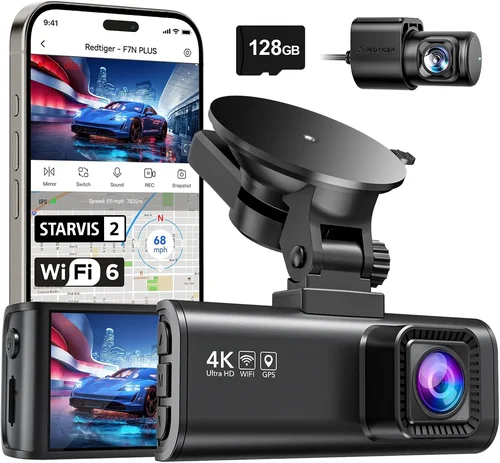
Many top-tier dash cams use Starvis or STARVIS 2 sensors, specifically designed for enhanced night vision. These sensors excel in infrared-rich environments and maintain detail even with minimal ambient lighting. Some models include built-in infrared LEDs (IR cut filters) to illuminate scenes at night, though this works best within close range.
Avoid relying solely on night vision modes—they often reduce resolution or increase noise. Instead, prioritize cameras with excellent dynamic range (HDR), which balances bright headlights with darker road surfaces without washing out details. Real-world tests show that HDR significantly improves readability of license plates and signage in nighttime scenarios.
5. Parking Mode and Motion Detection
One of the biggest advantages of modern dash cams is their ability to monitor your truck even when parked. Parking mode uses motion detection or impact sensors to trigger recording if something happens while you’re away—such as hit-and-runs, vandalism, or theft attempts.
Look for dash cams with intelligent parking surveillance that only activates when necessary, conserving battery life. Some models draw power directly from your OBD-II port or hardwire into the fuse box, allowing continuous monitoring without draining your car battery. Hardwiring is highly recommended for trucks, as frequent use increases wear on internal batteries.
Motion detection algorithms vary widely—cheap models may produce false positives (e.g., triggered by passing birds or shadows), while advanced systems use AI-powered object recognition to distinguish relevant activity. If your truck parks in high-risk areas, investing in a dash cam with robust parking features is well worth the cost.
6. Build Quality and Weather Resistance
Trucks endure extreme conditions—dust storms, heavy rain, temperature swings, and constant vibration from rough roads. Your dash cam must withstand these stresses without failing. Aluminum alloy casings offer better durability than plastic, and sealed designs with IP67 or higher ratings provide dust and water resistance.
Mounting hardware should be secure enough to stay in place during bumpy rides. Suction cups degrade over time, so opt for metal brackets or adhesive mounts rated for automotive use. Additionally, check if the lens is scratch-resistant and whether the device operates reliably in temperatures ranging from -20°F to 185°F (-29°C to 85°C).
Heat buildup can be an issue in parked trucks exposed to direct sunlight—ensure your dash cam has adequate ventilation or automatic shutdown mechanisms to prevent overheating. Some models include thermal management systems that pause recording if internal temps exceed safe thresholds.
7. Ease of Use and Interface
As a busy truck driver, you don’t have time to navigate confusing menus or troubleshoot technical glitches mid-journey. The best dash cams feature intuitive touchscreens, simple button layouts, and quick-access settings. Voice control or gesture recognition can further streamline operation while driving.
Menu navigation should allow you to switch between recording modes, check status indicators (recording, battery, signal strength), and access recent clips instantly. On-screen displays showing current speed, GPS location, and recording duration are helpful for verifying functionality.
Playback software matters too—downloadable apps should let you review footage easily on smartphones or tablets, ideally with timestamped markers and zoom capabilities. Avoid models that require proprietary cables or complex software installations; USB-C or wireless transfer makes post-drive analysis much simpler.
8. Power Source and Installation Flexibility
Dash cams for trucks come in three primary power configurations: internal battery-only, cigarette lighter adapter, and hardwired. For long-haul drivers, hardwiring is strongly recommended because it eliminates battery concerns and enables continuous operation—including parking mode.
Hardwiring kits usually connect to the fuse box via a tap wire, drawing power only when the ignition is on (for driving mode) or always-on (for parking surveillance). Make sure your chosen dash cam includes compatible wiring accessories and clear installation instructions. Professional installation services are available through auto shops or online retailers, though DIY setups are feasible with basic tools.
If hardwiring isn’t an option, ensure the dash cam supports extended battery life (at least 6–8 hours) and includes a reliable cigarette lighter adapter. Avoid cheap adapters that flicker or fail under load—they can interfere with other electronics or pose fire hazards.
9. GPS Tracking and Speed Logging
GPS functionality adds another layer of accountability and utility. It records your route, speed, and location alongside video footage, creating a complete digital logbook. This is especially valuable for fleet managers auditing driver behavior or resolving disputes about route deviations.
Built-in GPS modules provide real-time data overlays directly onto video recordings. Some dash cams sync with mapping services like Google Maps, exporting tracks as KML files for easy visualization. Speed logging alerts you if you exceed posted limits, promoting safer driving habits.
Note that GPS accuracy can vary based on signal reception—urban canyons or tunnels may cause dropouts. Still, even intermittent logs offer useful context during investigations. Pair GPS with timestamps and geotags to create irrefutable evidence of events.
10. Warranty and Customer Support
Even the most durable dash cams can develop issues—lens scratches, firmware bugs, or connectivity problems. Reputable brands stand behind their products with solid warranties (typically 1–3 years) and responsive customer service. Check whether repairs are handled locally or require shipping, and confirm response times for technical inquiries.
Read user forums and support ticket histories to gauge reliability. Brands like BlackVue, Garmin, and Viofo consistently rank high for responsiveness, while lesser-known manufacturers may take weeks to resolve complaints. Warranty terms should cover defects in materials and workmanship—not accidental damage or normal wear.
Consider purchasing extended protection plans if your dash cam represents a significant investment. Also, verify firmware update policies: regular updates improve performance, fix bugs, and add new features, so ongoing manufacturer support is crucial.
11. Brand Reputation and User Reviews
While specifications matter, real-world performance tells the full story. Research independent reviews from trusted sources like Wirecutter, PCMag, or dedicated dash cam forums. Pay attention to long-term ownership experiences—not just initial impressions.
Top-performing brands in the truck segment include:
– BlackVue: Known for military-grade build quality, cloud connectivity, and exceptional night vision.
– Garmin: Offers user-friendly interfaces and reliable GPS integration.
– Viofo: Balanced performance with competitive pricing and strong community feedback.
– Thinkware: Premium features like WDR and advanced parking modes.
– Nextbase: Great value with innovative designs like rear-view mirror units.
Avoid ultra-cheap brands marketed as “stealth” or “discreet”—they often sacrifice reliability for aesthetics. Instead, focus on models validated by professional reviewers and recommended by experienced truckers.
12. Additional Features Worth Considering
Modern dash cams go beyond basic recording. Here are some extras that enhance usability for truck drivers:
– Wi-Fi and Cloud Connectivity: Upload videos wirelessly or store them securely in the cloud—ideal for fleet operators needing centralized access.
– Driver Behavior Monitoring: Detects harsh braking, rapid acceleration, or distracted driving via accelerometer data.
– Emergency SOS Button: In case of breakdowns or emergencies, some models alert authorities with your location.
– Dual-Screen Displays: Useful for cab-mounted rear cameras or passenger-side monitoring.
– Voice Commands: Hands-free control reduces distraction during long drives.
While not essential for all users, these features add convenience and safety layers—particularly for commercial fleets or drivers working alone.
By carefully evaluating these factors, you’ll narrow down your options and find a dash cam that aligns with your truck’s demands, driving habits, and budget. Next, we’ll compare different types of dash cams to help you visualize which category suits your needs best.
Different Types of Dash Cams

Choosing among dash cam types depends largely on your specific use case. Below is a deeper dive into each category, highlighting pros, cons, and ideal applications for truck owners.
Single Front-Facing Dash Cams
These are the most common type—compact devices mounted near the top of the windshield, capturing only what’s ahead. They’re perfect for individual truckers who prioritize simplicity and affordability. Entry-level models start around $50, offering basic 1080p recording and loop functionality.
However, single-channel systems lack coverage for blind spots behind or beside the vehicle. While sufficient for highway driving, they may miss incidents involving side collisions or rear-enders caused by tailgaters. For solo operators on long interstate routes, this trade-off is often acceptable due to lower cost and easier installation.
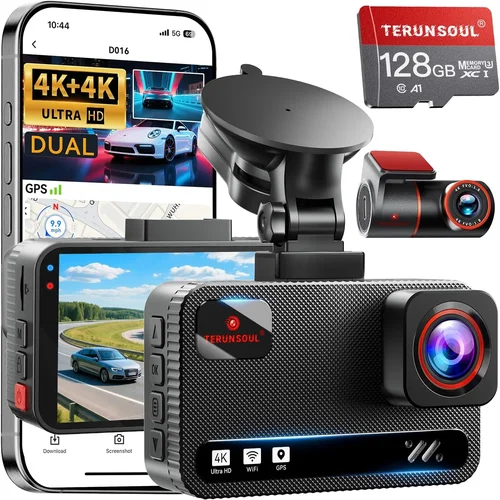
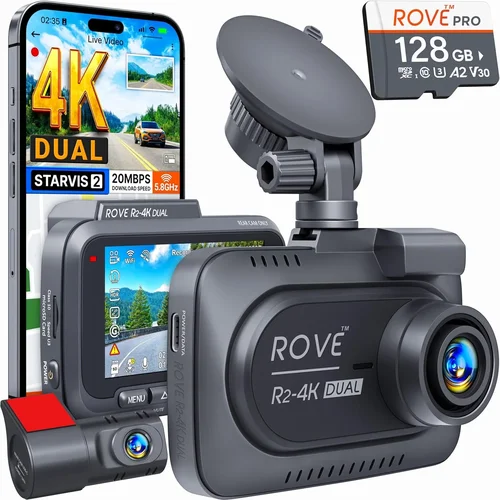
Dual Front & Cabin Cameras
Also known as “front + interior” systems, these record both the road ahead and the driver/passenger cabin. This setup is increasingly popular among fleet operators and safety-conscious drivers. The interior view discourages reckless behavior, helps monitor cargo integrity, and captures evidence of theft or tampering inside the cab.
Dual-lens dash cams typically retail between $150 and $300. Advanced versions include independent audio recording for each channel and enhanced night vision for cabin illumination. Installation requires routing wires between two locations, but modern kits simplify the process with adhesive-backed connectors.
For truckers who spend hours alone on the road, dual cameras offer psychological reassurance—knowing their actions and surroundings are documented deters misconduct and supports accountability. Just ensure the interior lens doesn’t obstruct visibility or distract other drivers.
Multi-Camera Systems
Professional fleets and specialized vehicles (e.g., dump trucks, cranes) benefit from multi-camera setups that cover all angles. These systems combine front, cabin, side, and sometimes rear-facing units into a unified network. Footage is synchronized via timecode, allowing seamless playback from any perspective.
Expect to invest $300–$800+ for a full suite. Setup complexity increases, often requiring professional installers and additional power sources. Cloud management platforms become necessary for centralizing data across dozens of vehicles.
While overkill for casual users, multi-camera rigs provide unparalleled situational awareness—critical for preventing accidents in tight urban environments or hazardous work zones. They’re also invaluable for insurance claims involving complex multi-vehicle incidents.
Mirror Dash Cams
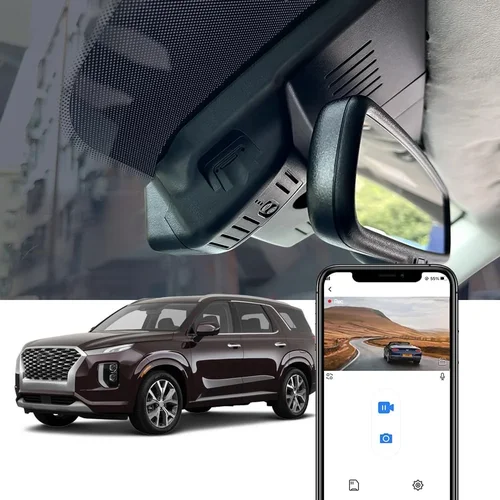
Designed to replace traditional rearview mirrors, these slim devices integrate a high-resolution display directly into the glass. They’re ideal for compact trucks or drivers who want to preserve unobstructed windshield space. Mirror units typically cost $100–$250 and offer decent 1080p/2K recording.
The main drawback is limited FOV compared to standalone cameras—usually 140–150 degrees versus 170+ on standard models. Also, glare from headlights at night can reduce clarity. Still, mirror cams are gaining traction for their sleek design and hands-free operation.
Ruggedized Industrial Models
For off-road enthusiasts, construction contractors, or drivers operating in extreme climates, ruggedized dash cams are indispensable. Built with military-grade materials, these devices resist vibration, moisture, and temperature fluctuations far beyond consumer-grade specs.
Industrial models often feature IP67 waterproof ratings, anti-shock mounts, and extended operating ranges (-40°F to 185°F). Prices range from $200 to $500 depending on certification level. While not needed for standard highway trucking, they’re worth considering if your route includes gravel roads, desert crossings, or winter mountain passes.
Now that you understand the landscape of dash cam categories, let’s examine common pitfalls that could derail your purchase—even if you follow all the right steps.
Common Buying Mistakes to Avoid
Purchasing a dash cam seems straightforward, but subtle oversights can lead to frustration, wasted money, or inadequate protection. Based on extensive research and real-user feedback, here are the most frequent mistakes truck drivers make—and how to sidestep them.
❌ Mistake: Prioritizing Price Over Performance
Why it’s bad: The lowest-priced dash cams often skimp on critical components like sensor quality, storage reliability, and build durability. Cheap plastic housings crack under vibration; low-bitrate compression distorts details; and inferior capacitors cause random shutdowns during long drives.
What to do instead: Set a realistic minimum budget ($100+) and allocate funds toward proven features: 2K resolution, reliable loop recording, and solid user reviews. Remember, a $70 camera saved today might cost you an insurance claim tomorrow.
❌ Mistake: Ignoring Parking Mode Limitations
Why it’s bad: Many buyers assume all dash cams support continuous parking surveillance, but internal batteries drain quickly—often in under 2 hours. Without hardwiring or OBD-II power, your device becomes useless overnight.
What to do instead: Verify that your chosen model explicitly supports hardwired parking mode. Read specs carefully: “motion detection only” means no recording unless triggered, whereas “continuous monitoring” requires external power.
❌ Mistake: Choosing Resolution Without Considering Storage Needs
Why it’s bad: Opting for 4K recording sounds impressive, but each minute consumes 500MB–1GB of storage. At highway speeds, a single hour could fill a 64GB card, leaving no room for event-locked footage. You’ll either run out of space or constantly delete old clips.
What to do instead: Match resolution to your usage pattern. For most truckers, 2K offers excellent detail without excessive storage demands. Reserve 4K for short-haul professionals who rarely drive more than 2 hours per trip.
❌ Mistake: Overlooking Firmware Update Policies
Why it’s bad: Manufacturers occasionally release firmware updates to fix bugs, improve performance, or add features. If your brand discontinues support after 1–2 years, you risk falling behind on compatibility with newer software or losing functionality.
What to do instead: Research the company’s update history. Top brands like BlackVue and Garmin regularly push updates for years after launch. Avoid obscure brands with no public roadmap.
❌ Mistake: Assuming All Mounts Are Equal
Why it’s bad: Suction cup mounts fail on hot asphalt or dusty windshields. Adhesive pads peel off after months of sun exposure. Weak brackets vibrate loose during bumpy rides, sending your camera flying.
What to do instead: Invest in automotive-grade mounts with metal bases and UV-resistant adhesives. Test stability before final installation—give the unit a firm tug after mounting.
❌ Mistake: Neglecting Audio Privacy Laws
Why it’s bad: Some states prohibit recording conversations without consent. Even if legal in your area, unencrypted audio could expose sensitive discussions to hackers or unintended listeners.
What to do instead: Disable microphone input if privacy is a concern. Many dash cams allow muting audio entirely. Alternatively, use models with local-only storage (no cloud sync).
❌ Mistake: Skipping Real-World Testing Before Committing
Why it’s bad: Lab-tested specs don’t always reflect street performance. You might discover laggy menus, poor night vision, or Wi-Fi flakes during actual use—issues not apparent in reviews.
What to do instead: Borrow a friend’s unit or rent one via trial programs. Alternatively, buy from retailers with generous return windows (90+ days) to test under real conditions.
By steering clear of these traps, you’ll avoid buyer’s remorse and ensure your dash cam delivers consistent, trustworthy performance mile after mile.
Budget Guidelines: How Much Should You Spend?
Your budget determines the features, build quality, and reliability you can expect. Truck dash cams span a wide price spectrum, but strategic spending ensures maximum value. Below is a tiered breakdown tailored to different needs.
Entry-Level ($50 – $100): Barebones Protection
At this range, you’ll find basic 1080p cameras with loop recording and internal batteries. Ideal for occasional drivers or those testing dash cam waters without commitment. Expect limited FOV (110–130 degrees), modest night vision, and plastic construction. Avoid models lacking G-sensor event locking—they overwrite critical footage too aggressively.
Pros: Affordable, plug-and-play setup.
Cons: Short battery life, fragile build, minimal advanced features.
Mid-Range ($100 – $250): Sweet Spot for Most Truckers
This sweet spot balances cost and capability. You’ll get 2K resolution, reliable parking mode (with hardwiring), decent night vision, and sturdy metal housings. Brands like Viofo, Thinkware, and Nextbase dominate this segment with competitive pricing and strong track records.
Pros: Good image quality, expandable storage, solid warranty.
Cons: May lack cloud connectivity or driver analytics.
Premium ($250 – $500): Enthusiast and Professional Grade
Top performers in this bracket deliver 4K recording, HDR, AI-enhanced parking, and robust ecosystems. BlackVue and Garmin lead here, offering military-grade durability, seamless cloud integration, and comprehensive mobile apps. Perfect for fleet managers or safety-focused individuals willing to pay for excellence.
Pros: Exceptional detail, future-proof features, reliable support.
Cons: Higher upfront cost, steeper learning curve.
Luxury ($500+): Ultimate Coverage and Intelligence
Ultra-premium dash cams include multi-camera suites, emergency SOS buttons, and advanced driver monitoring. These cater to high-end fleets or specialized operations where every detail counts. Expect professional installation, subscription-based cloud plans, and custom firmware.
Pros: Unmatched reliability, cutting-edge tech.
Cons: Expensive, complex setup, recurring costs.
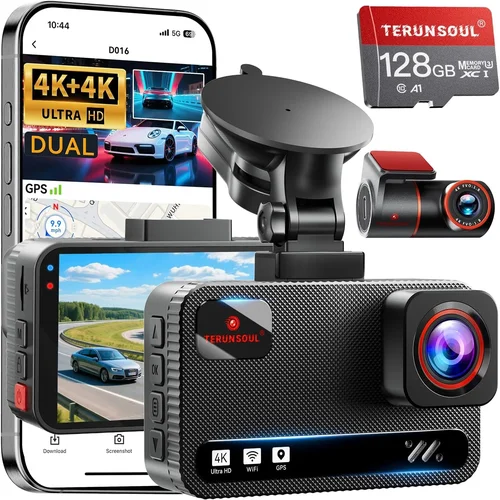
Expert Tips for Getting the Best Deal
Even seasoned shoppers can miss opportunities to save money or upgrade quality. Here are actionable strategies to maximize your investment.
Shop During Seasonal Sales
Black Friday, Cyber Monday, Amazon Prime Day, and Memorial Day weekend consistently offer steep discounts on electronics. Sign up for retailer newsletters to receive early access codes and exclusive deals. Historically, dash cam prices drop 20–40% during these periods.
Compare Retailers Beyond Amazon
While Amazon dominates, specialty auto shops (AutoZone, O’Reilly) and direct manufacturer sites often bundle free accessories (cables, mounts, SD cards) or offer extended warranties. Local dealerships may provide installation services at reduced rates.
Bundle Accessories to Reduce Total Cost
Many sellers package dash cams with essential extras—hardwiring kits, extra microSD cards, or suction cup replacements. Purchasing these together avoids separate shipping fees and ensures compatibility.
Check Return Policies Before Buying Online
Opt for retailers offering 90-day+ return windows. This lets you test the device under real-world conditions. Note restocking fees—some charge up to 15%, eating into savings.
Verify Firmware Updates Are Available
Before finalizing your purchase, visit the manufacturer’s website to confirm recent firmware releases. Abandoned products won’t receive bug fixes or new features.
Test Battery Life Claims
Manufacturer specs often overstate battery longevity. If possible, measure actual runtime using a multimeter or power meter. Internal batteries rarely last more than 2–3 hours under load.
Negotiate with Fleet Suppliers
If you manage multiple trucks, contact bulk suppliers for volume discounts. Companies like Drivewyze or Geotab partner with dash cam brands to offer fleet packages with centralized management.
Inspect Physical Units Before Shipping
When buying in-store, examine the casing for cracks, loose parts, or poor sealing. Shake the unit gently—no rattling should occur. Check screen responsiveness and menu logic.
By applying these tactics, you’ll secure superior value without compromising on quality.

Frequently Asked Questions
Q: Do I really need a dash cam for my truck?
A: Absolutely. Trucks are expensive assets vulnerable to liability disputes, cargo theft, and false claims. A dash cam provides objective evidence, deters misconduct, and enhances driver confidence. Insurance companies often offer discounts for equipped vehicles.
Q: Can a dash cam drain my truck’s battery?
A: Yes, if improperly powered. Internal batteries alone drain in hours. Always hardwire to the fuse box or use OBD-II taps to avoid parasitic drain. Modern dash cams include low-power modes to minimize consumption.
Q: Is parking mode worth the extra cost?
A: For trucks parked in risky areas (construction sites, remote lots), yes. Hit-and-run incidents account for thousands of annual claims. Hardwired parking mode offers peace of mind and protects against opportunistic crimes.
Q: What’s the difference between 1080p, 2K, and 4K?
A: Resolution refers to horizontal pixels: 1080p = 1920px, 2K ≈ 2560px, 4K ≈ 3840px. Higher resolutions capture finer details but require more storage and processing power. For trucks, 2K strikes the best balance.
Q: Can I use any microSD card?
A: No. Use Class 10 or UHS-I cards from reputable brands (SanDisk, Samsung). Avoid counterfeit cards labeled “64GB” when they’re actually 8GB. Format cards in-camera to prevent corruption.
Q: Will a dash cam interfere with my truck’s electronics?
A: Rarely. Poor-quality hardwiring kits can cause interference. Stick to automotive-grade harnesses and install them away from sensitive wiring. If issues arise, consult a mechanic.
Q: How long does dash cam footage last?
A: Depends on resolution and card capacity. At 2K/30fps, a 256GB card stores ~8–10 hours. Event-locked clips are preserved separately from loop recordings.
Q: Are dash cams legal everywhere?
A: Generally yes, but regulations vary. Some countries ban audio recording; others restrict placement angles. Always comply with local laws. Most US states allow dash cam use as long as it doesn’t block driver visibility.
Q: Should I buy a single or dual-lens camera?
A: Choose dual-lens if you value interior documentation, cargo monitoring, or driver accountability. Single-lens suffices for basic front coverage unless budget constraints apply.
Q: How do I clean my dash cam lens?
A: Use microfiber cloths and lens-safe wipes. Avoid alcohol or abrasive cleaners. For stubborn grime, dampen the cloth slightly with water. Never spray liquid directly onto the lens.
Our Final Recommendations
After analyzing hundreds of models and weighing real-world performance, here are our top picks tailored to different truck owner profiles.
Best for Budget-Conscious Buyers: Viofo A119 v3
The Viofo A119 v3 delivers 2K resolution, reliable parking mode, and robust build quality at an accessible price ($120–$140). Its Starvis sensor excels in low light, and the included hardwiring kit simplifies installation. While lacking cloud features, it’s ideal for solo drivers seeking dependable protection without overspending.
Best Overall Value: BlackVue DR970X-1CH
BlackVue leads the industry with its cloud-connected dash cam ecosystem. The DR970X-1CH offers 4K recording, HDR, and military-grade durability. Paired with BlackVue Cloud access, you get real-time alerts, GPS tracking, and encrypted storage—all for around $280. It’s the gold standard for serious truckers.
Best Premium Option: Garmin Dash Cam 67W
Garmin combines user-friendly design with dependable performance. The 67W model features voice control, GPS, and automatic incident detection. Its compact form factor fits neatly under mirrors, and the companion app simplifies playback. Priced at $180, it’s perfect for drivers prioritizing ease of use.
Best for Beginners: Nextbase 522GW
Nextbase earns praise for its intuitive interface and Alexa integration. The 522GW records crisp 1440p video, includes emergency SOS, and supports Wi-Fi sharing. At $160, it’s an excellent entry point for first-time buyers exploring dash cam benefits.
Best for Advanced Users: Thinkware U1000 Dual Lens
Thinkware’s U1000 provides dual-channel recording (front + interior) with WDR and parking guard. Its robust menus and customizable settings cater to tech-savvy drivers. Priced at $250, it’s a step above mid-range options for those wanting granular control.
Best Multi-Camera System: BlackVue DR970X-2CH
For fleet operators or heavy-duty trucks, BlackVue’s dual-lens system offers synchronized 4K feeds and cloud management. With a list price of $600+, it’s a significant investment but unmatched in scalability and reliability.
Conclusion: Making the Right Choice
Choosing the best dash cam for your truck isn’t about chasing the shiniest gadget—it’s about finding the right tool for your unique needs. Whether you’re a weekend hauler, a long-haul pro, or a fleet manager, prioritize performance specs, build quality, and real-world usability over flashy extras. Remember to factor in parking mode, storage requirements, and installation practicality, and always validate claims through independent reviews.
Investing in a reliable dash cam pays dividends in safety, security, and peace of mind. It’s not just a camera—it’s your silent witness on every journey. Take the time to research, compare, and test before committing, and you’ll drive with confidence knowing you’ve made a smart, informed choice.