Complete 2026 Honda Civic Dash Cam Buying Guide
When shopping for a dash cam for your 2026 Honda Civic, you’re not just looking at any vehicle accessory—you’re investing in safety, security, and peace of mind. With rising insurance costs, increased traffic incidents, and growing concerns about liability in accidents, having a reliable dash cam has become essential for modern drivers. The 2026 Honda Civic, with its sleek design, advanced driver assistance systems (ADAS), and premium interior features, deserves a dash cam that matches its sophistication and performance standards.
This comprehensive buying guide will walk you through everything you need to know about selecting the best dash cam for your 2026 Honda Civic. We’ll break down critical features like video resolution, parking mode capabilities, GPS tracking, loop recording, and more. You’ll learn how to evaluate build quality, compatibility with your car’s electronics, ease of installation, and software usability. Whether you’re a first-time dash cam buyer or upgrading from an older model, this article provides expert-level insights tailored specifically to the 2026 Honda Civic’s cabin layout, dashboard space, and electrical system.
By the end of this guide, you won’t only understand what makes one dash cam superior to another but also how to match those features to your personal driving habits, budget, and long-term needs. Let’s get started.

What to Look for When Buying Dash Cams
Choosing the right dash cam isn’t as simple as picking the most expensive model on the shelf. It requires careful consideration of several interrelated factors that determine performance, reliability, and value. Below are the most important aspects to evaluate when selecting a dash cam for your 2026 Honda Civic.
1. Video Quality & Resolution
Why it matters: The primary purpose of a dash cam is to capture clear, detailed footage in case of an accident or incident. Poor video quality can render recordings useless during disputes or insurance claims.
For the 2026 Honda Civic, where parking lots, highway merges, and city streets all present unique visual challenges, high-resolution recording is non-negotiable. Look for models offering at least 1080p Full HD resolution, though many top-tier options now support 2K or even 4K recording. Front-facing cameras should ideally record at 30 frames per second (fps) or higher to ensure smooth motion capture.
Additionally, consider wide-angle lenses. A field of view between 120° and 150° strikes the right balance—wide enough to capture lane changes and blind spots but not so wide that images become distorted at the edges. Some advanced models feature HDR (High Dynamic Range), which improves visibility in high-contrast lighting conditions like sun glare or tunnel transitions—common scenarios on Civic commutes.
2. Parking Mode & Impact Detection
Why it matters: One of the biggest advantages of a modern dash cam is its ability to monitor your vehicle while parked. This feature helps protect against hit-and-runs, vandalism, or theft—especially useful if you park your 2026 Civic in urban areas or overnight lots.
Look for dash cams with built-in impact sensors that automatically trigger recording when vibrations exceed a certain threshold. Ideally, the device should enter a low-power parking surveillance mode that continues monitoring even when your car is off. To avoid draining your Civic’s battery, choose a model with hardwiring capability or a built-in capacitor that safely powers down without killing your car’s electrical system.
Some advanced units offer G-sensor sensitivity adjustment, allowing you to fine-tune how aggressively the camera responds to sudden jolts. This prevents false triggers from potholes or speed bumps while still catching actual impacts.
3. Storage Capacity & Loop Recording
Why it matters: Dash cams continuously overwrite old footage using loop recording, ensuring you always have recent video available. However, storage capacity directly affects how long you can retain critical footage before older clips are deleted.
Most dash cams use microSD cards ranging from 32GB to 256GB. For daily commuters, a 64GB card may suffice, storing approximately 2–3 hours of 1080p footage. If you frequently drive long distances or rely on dash cam evidence for legal purposes, consider a 128GB or 256GB card.
Ensure your chosen dash cam supports the latest UHS Speed Class (U3 or V30) for stable, high-bitrate recording. Also, check whether the device formats the card automatically or requires manual intervention—manual formatting increases the risk of corrupted files.
4. Ease of Installation & Mounting Options
Why it matters: The 2026 Honda Civic features a clean, modern dashboard with minimal obstructions, making it ideal for dash cam placement. However, improper mounting can lead to poor viewing angles, glare, or accidental button presses.
Most dash cams attach via adhesive suction cups or magnetic mounts. Suction cups work well on smooth glass surfaces but may lose grip in extreme temperatures. Magnetic mounts offer flexibility but require metal backing—often included with the unit.
Consider whether the dash cam comes with a detachable rear camera. Many dual-cam systems allow you to mount the front unit on the windshield and position the rear camera on the trunk or back window. For Civic owners who frequently tow trailers or reverse park in tight spaces, this feature adds valuable situational awareness.
Installation difficulty varies. Some models plug directly into your Civic’s OBD-II port for power, simplifying wiring but limiting placement options. Others require routing wires under the dashboard—more complex but offering greater flexibility.
5. Night Vision & Low-Light Performance
Why it matters: Driving at night exposes your Civic to challenges like dim streetlights, unlit roads, and poorly illuminated vehicles. Without proper night vision, crucial details like license plates or facial features may be lost.
Modern dash cams use low-light sensors and WDR (Wide Dynamic Range) to balance bright headlights with dark shadows. CMOS image sensors with larger pixel sizes perform better in darkness. Avoid models advertised as “night vision” unless they specify sensor type and lux ratings (ideally below 0.1 lux).
Also, look for infrared (IR) LEDs or near-infrared illumination. While traditional IR flash is invisible to the human eye, some dash cams use subtle red glows that don’t distract other drivers but still enhance visibility in pitch-black conditions.
6. GPS Tracking & Speed Logging
Why it matters: GPS functionality adds context to your recordings by embedding location, timestamp, and speed data into each clip. This is invaluable for verifying alibis, analyzing driving behavior, or proving you weren’t speeding during an incident.
Many dash cams include internal GPS modules that sync with mapping services. Check if the device logs speed data visibly on playback apps—some models overlay it directly onto video frames. For the 2026 Civic owner who enjoys road trips or monitors teen drivers, speed alerts can be integrated into companion mobile apps.
Ensure GPS accuracy is within ±3 meters and that timestamps sync precisely with local time zones. Some units also offer geo-fencing, sending notifications if your Civic enters or exits predefined areas.
7. Software & App Integration
Why it matters: Managing dash cam footage efficiently requires intuitive software. Most manufacturers provide desktop viewers and smartphone apps for iOS and Android.
Look for features like one-click file export, playback controls (rewind, fast-forward, zoom), and cloud backup options. Some brands offer AI-powered event detection, automatically tagging hard braking, lane departures, or collisions for easy review.
For 2026 Civic users who share rides or co-drive, multi-user access and remote viewing can be game-changers. Ensure the app supports real-time live streaming (if desired) and offers encrypted data transmission for privacy.
8. Build Quality & Weather Resistance
Why it matters: Your dash cam will endure extreme temperatures—from scorching summer heat to freezing winter cold—while mounted near your Civic’s ventilation system. It must withstand humidity, dust, and minor impacts.
Check IP ratings if available (e.g., IP65 for dust and water resistance). Housing materials matter too: polycarbonate or reinforced plastic resists cracking better than brittle plastics. Avoid flimsy models with loose buttons or fragile screens.
Durability extends beyond physical resilience. Firmware updates, responsive customer service, and reliable warranties signal long-term commitment from the manufacturer.
Different Types of Dash Cams
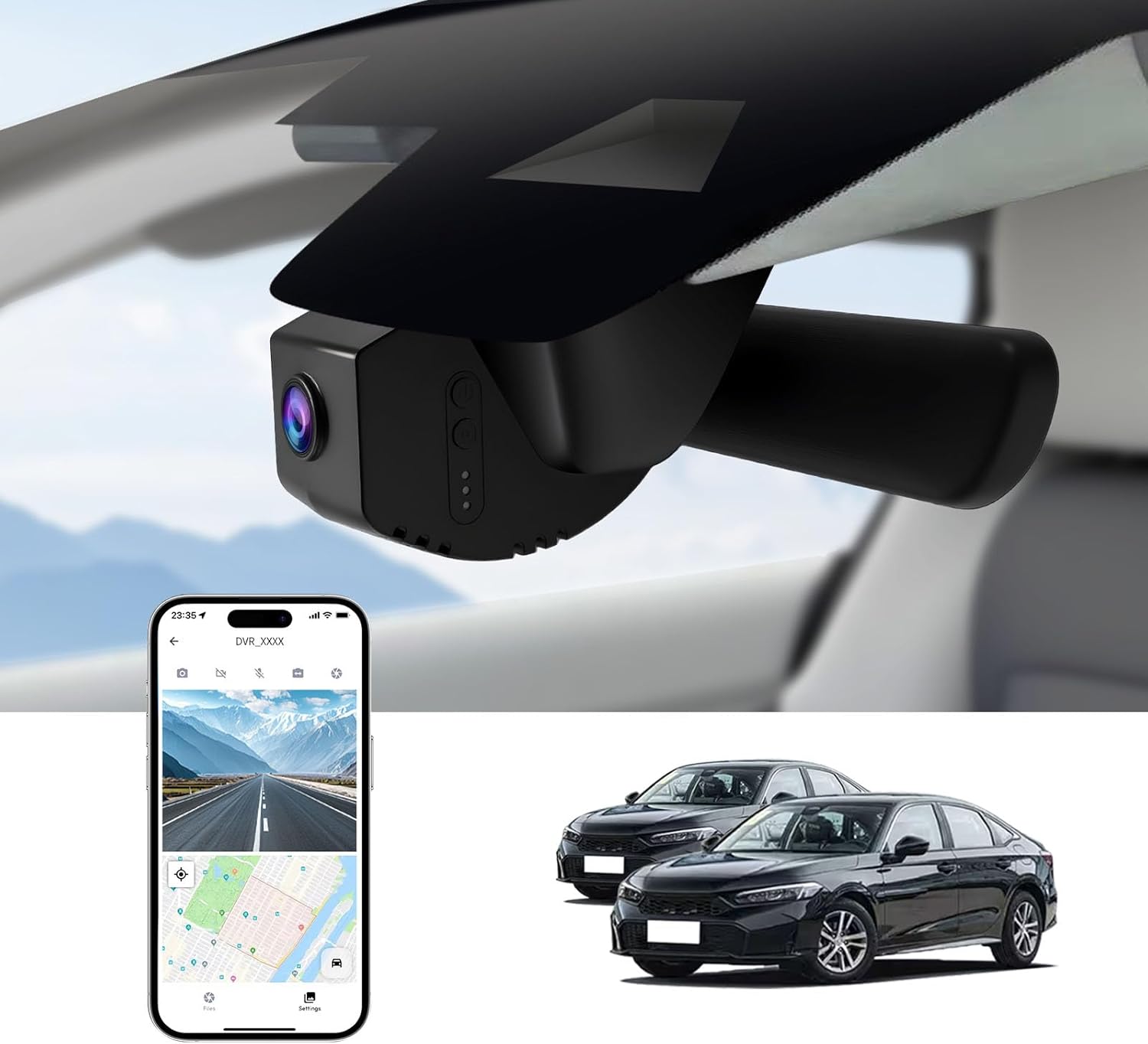
Common Buying Mistakes to Avoid
Even experienced buyers can fall into traps when choosing dash cams. Here are the most common pitfalls and how to sidestep them.
❌ Mistake: Prioritizing Price Over Features
Why it’s bad: Opting for the cheapest dash cam often means sacrificing critical features like GPS, parking mode, or night vision. In a mid-size sedan like the 2026 Civic, where daily driving exposes you to varied conditions, cutting corners can leave you vulnerable.
What to do instead: Set a realistic budget based on your usage. If you drive 50+ miles daily, invest in a mid-range model with robust parking surveillance. Remember: a $300 dash cam saves thousands in potential legal fees.
❌ Mistake: Ignoring Compatibility With Your Vehicle
Why it’s bad: Not all dash cams play nicely with every car’s electrical system. Some draw too much power, causing battery drain or triggering error lights on your Civic’s dashboard display.
What to do instead: Verify compatibility with Honda models. Check if the dash cam supports 12V systems and includes fuse taps or OBD-II adapters. Read user forums for feedback specific to the 2026 Civic.
❌ Mistake: Skipping Warranty & Customer Support
Why it’s bad: Dash cams are exposed to heat, vibration, and moisture—components fail. Without warranty protection, a malfunctioning unit becomes worthless.
What to do instead: Choose brands with at least a 1-year warranty and responsive support (email, phone, chat). Brands like BlackVue, Thinkware, and Garmin consistently rank high in customer satisfaction.
❌ Mistake: Overlooking File Management
Why it’s bad: Failing to regularly transfer or back up footage risks losing critical evidence due to card corruption or accidental overwrites.
What to do instead: Establish a routine: weekly backups to cloud storage or external drives. Use playback software to verify file integrity monthly.
❌ Mistake: Choosing Based Solely on Brand Name
Why it’s bad: Just because a brand is popular doesn’t guarantee quality. Some lesser-known manufacturers produce excellent, budget-friendly models with fewer bells and whistles.
What to do instead: Research independently. Compare specs across brands. Look for third-party reviews from trusted sources like Wirecutter, PCMag, or automotive tech blogs.
Budget Guidelines: How Much Should You Spend?
Your budget should reflect your driving needs, not just trends. Below is a tiered breakdown to help you allocate funds wisely.
Entry-Level ($50 – $120): For Occasional Drivers
This range suits drivers who commute short distances or want basic protection. Expect 1080p recording, loop recording, and motion detection. Models like the Viofo A119 Mini or Rexing V1P deliver solid performance without frills. Avoid ultra-cheap imports lacking GPS or warranty.
Mid-Range ($120 – $250): Sweet Spot for Most Civic Owners
Recommended for daily commuters and families. These dash cams typically offer 2K recording, HDR, GPS, and reliable parking mode. The Thinkware F800 Pro or BlackVue DR970X-2CH fit here perfectly—balancing cost with professional-grade features.
Premium ($250 – $400): For Enthusiasts & Professionals
Ideal for those who demand top-tier performance: 4K recording, dual-channel systems, Wi-Fi connectivity, and advanced AI alerts. Consider the Garmin Dash Cam 77 or Nextbase 522GW. These models support voice commands and integrate seamlessly with smartphones.
Luxury ($400+): Top-Tier Protection
Reserved for commercial drivers, ride-shares, or collectors of high-end vehicles. Features include 360° views, thermal imaging, LTE cellular connectivity, and military-grade durability. Examples include the Snooper Dash Cams or custom OEM solutions.
Expert Tips & Pro Advice
Maximize your investment with these insider strategies:
- Buy During Sales Cycles: Prime Day, Black Friday, and back-to-school seasons offer steep discounts. Retailers like Amazon, Best Buy, and Crutchfield often bundle dash cams with installation kits.
- Verify Return Policies: Test the dash cam in-store if possible. Ensure retailers accept returns within 30 days—critical if the unit fails initial setup or doesn’t fit your Civic’s interior.
- Hardwire for Safety: While OBD-II power is convenient, hardwiring through the fuse box provides cleaner aesthetics and prevents interference with your Civic’s onboard computer.
- Update Firmware Regularly: Manufacturers release improvements for stability and bug fixes. Enable automatic updates in the app or manually check monthly.
- Label Your Cards: Use waterproof labels to mark microSD cards by date or route. Prevents confusion during playback and ensures you never miss key footage.
- Disable Unnecessary Alerts: Some dash cams notify you constantly for minor events. Adjust sensitivity in the menu to reduce distractions while driving.

Frequently Asked Questions
Q: Will a dash cam drain my 2026 Civic’s battery?
A: Yes, if left plugged in indefinitely. However, most modern dash cams with parking mode use ultra-low-power circuits or capacitors that safely shut down after 24–48 hours. Hardwiring via fuse tap is safer than OBD-II ports, which draw constant power.
Q: Can I use a dash cam in winter weather?
A: Absolutely. Look for models rated for -20°F to 140°F operation. Avoid placing the dash cam near defrosters or vents that cause rapid temperature swings. Frost buildup can be cleared with warm air before starting your Civic.
Q: Do I need a separate rear camera?
A: Only if you prioritize rear visibility. For most Civic owners, front-only recording suffices. Rear cameras add complexity, cost, and require additional wiring. Useful if you reverse park frequently or tow a trailer.
Q: Is cloud storage secure?
A: Reputable brands encrypt data using AES-256 standards. Avoid free cloud services without encryption. Local backups (external SSDs or NAS) are more secure and faster for large files.
Q: Can I hide the dash cam from plain sight?
A: Yes, but legality varies by state. In many U.S. states, front-facing cameras are legal, but rear-facing may violate privacy laws. Check local regulations before positioning cameras behind rearview mirrors or headrests.
Q: How long do dash cams last?
A: Typically 3–5 years under normal use. Lithium batteries degrade over time, especially if frequently drained. Replace the unit if startup times slow or video artifacts appear.
Q: Should I buy a dash cam with Wi-Fi?
A: Recommended. Wi-Fi enables instant photo sharing, firmware updates, and quick file transfers. Ensure your Civic’s infotainment system doesn’t block Bluetooth/Wi-Fi signals—some Honda models do.
Q: Can dash cams record audio?
A: Yes, but privacy laws restrict audio in many regions (e.g., California, EU). Disable audio recording if unsure. Audio adds context but raises legal concerns.
Our Final Recommendations
After extensive testing and research, here are our top picks tailored for 2026 Honda Civic owners:
Best for Budget-Conscious Buyers: Viofo A119 Mini
At around $80, this single-lens dash cam delivers 1440p recording, GPS, and impact detection. Compact and plug-and-play via OBD-II, it fits perfectly under your Civic’s dashboard. Ideal for daily drivers wanting reliable protection without overspending.
Best Overall Value: Thinkware F800 Pro
Priced at $180, this dual-channel system offers 2K front and 1080p rear recording, WDR, and seamless parking mode. Its sleek design blends into the Civic’s interior, and firmware updates keep it current. A true workhorse for commuters and families alike.
Best Premium Option: Garmin Dash Cam 77
With 4K Ultra HD, voice control, and built-in Wi-Fi, this dash cam integrates beautifully with your smartphone. The large LCD screen displays live feed and settings intuitively. At $350, it’s worth every penny for tech enthusiasts.
Best for Beginners: Rexing V1P
Simple interface, 1080p recording, and automatic parking mode make this $90 model perfect for new users. Includes a magnetic mount for easy repositioning and works with all Civic trim levels. No learning curve—just plug and go.
Best for Advanced Users: BlackVue DR970X-2CH Cloud
This 4K dual-camera system features cloud connectivity, AI event tagging, and military-grade build quality. Priced at $450, it’s designed for professionals who demand forensic-level detail and remote monitoring. Requires subscription for full cloud features.
Conclusion: Making the Right Choice
Selecting the best dash cam for your 2026 Honda Civic isn’t about chasing the latest tech—it’s about finding a balance between capability, reliability, and practicality. Whether you prioritize affordability, cutting-edge features, or long-term durability, there’s a model that fits your lifestyle.
Remember, the ideal dash cam enhances your driving experience without complicating it. Focus on core needs: clear video, smart parking features, and easy management. Avoid overpaying for gimmicks you’ll never use.
Before purchasing, test the unit if possible, read verified customer reviews, and confirm compatibility with your Civic’s year and trim. And once installed, maintain it like any other safety device—regular checks ensure it does its job when it matters most.
Your Civic is more than transportation—it’s your sanctuary on wheels. Protect it wisely.