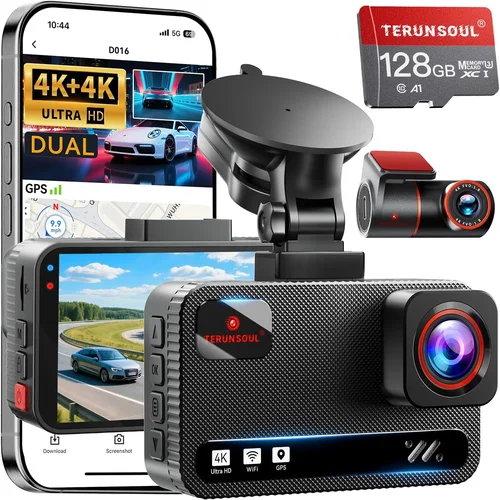
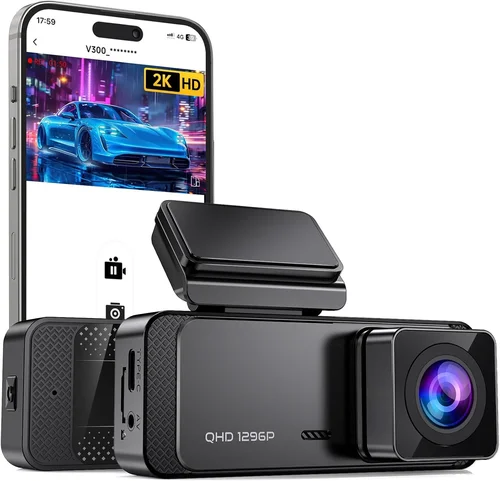
Best Dash Cam Buying Guide for Florida Heat
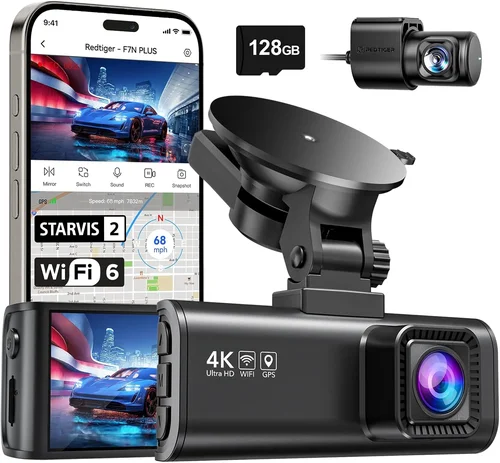
Florida’s intense heat, combined with its unique driving conditions—from hurricane-related power outages to frequent thunderstorms and high humidity—presents a serious challenge for electronic devices like dash cams. These small but vital recording devices must endure temperatures that can soar above 100°F (38°C) in shaded parking spots, all while maintaining crystal-clear video quality and reliable performance. For Florida drivers, the stakes are higher than just capturing evidence of accidents; your dash cam may need to survive extended periods without power during blackouts, resist moisture from sudden downpours, and function flawlessly in extreme environmental stress.
This comprehensive buying guide is designed specifically for Florida residents who demand reliability, durability, and top-tier performance from their dash cameras. You’ll learn how to evaluate critical features such as thermal management systems, weather resistance ratings, battery backup capabilities, and image stabilization technologies that matter most in Florida’s climate. We’ll walk you through real-world testing scenarios, compare leading models under hot-weather conditions, and provide expert insights on installation best practices to ensure your dash cam survives—and thrives—through every summer storm and scorching afternoon.
The market for dash cams has exploded over the past decade, with hundreds of models available at various price points. While basic entry-level units might seem tempting due to their low cost, they often fail when pushed beyond normal operating ranges. In Florida, where average summer temperatures reach 92°F and humidity levels frequently exceed 75%, even minor design flaws can lead to premature failure, corrupted footage, or complete system shutdowns. This guide cuts through marketing hype and focuses exclusively on what matters: long-term durability, consistent performance in extreme heat, and peace of mind knowing your investment will hold up when you need it most.

What to Look for When Buying Dash Cams
1. Thermal Management & Heat Resistance
When selecting a dash cam for Florida’s brutal climate, thermal management should be your top priority. Most consumer electronics are rated to operate between 32°F and 104°F (0°C to 40°C), but Florida routinely exceeds 100°F—even in the shade. A dash cam that overheats will shut down unexpectedly, corrupt stored files, or suffer permanent damage to internal components like sensors and storage chips.
Look for models specifically engineered with passive cooling solutions such as heat-dissipating metal housings, strategically placed vents, or wide operating temperature ranges advertised by manufacturers (ideally 14°F to 140°F or -10°C to 60°C). Some premium models incorporate active cooling via tiny fans, though these add complexity and potential failure points. Avoid plastic-bodied units without ventilation—they act like miniature greenhouses inside your windshield.
Additionally, consider how the device handles prolonged exposure to direct sunlight. The dashboard of an idling car can reach 150°F or more, causing adhesives to fail, screens to warp, and batteries to degrade rapidly. Models with sunshades, anti-reflective glass, or UV-resistant coatings perform significantly better in Florida’s intense solar radiation.
2. Waterproofing & Moisture Resistance
Florida’s rainy season brings heavy downpours, flash flooding, and high humidity year-round. Your dash cam must withstand splashes from puddles, condensation buildup inside the housing, and even brief submersion during unexpected water crossings. IP (Ingress Protection) ratings indicate how well a device resists dust and water—look for at least IPX4 (splash-resistant) and preferably IPX6 or higher for true waterproofing against powerful jets of water.
Beyond external sealing, pay attention to internal moisture barriers. Many budget models lack proper gaskets around lens mounts or USB ports, allowing humid air to enter and cause mold growth or corrosion. Premium units often use O-ring seals, hydrophobic lens coatings, and conformal coating on circuit boards to repel moisture effectively.
Another key consideration is cable management. Long power cables running along door frames or under carpets can trap moisture and create condensation pockets. Opt for dash cams with short, flexible cables or wireless charging options that minimize exposed wiring. Also, avoid models requiring external microphones—they’re vulnerable to wind noise and rain interference.
3. Battery Life & Power Backup
Power interruptions are common during hurricanes and severe storms across Florida. If your dash cam loses power mid-recording, you risk losing critical footage from dangerous situations like collisions or reckless driving. Traditional hardwired dash cams rely solely on your vehicle’s electrical system, which may shut off during outages unless you have an inverter or generator.
Modern solutions include built-in supercapacitors or lithium-ion batteries that provide emergency recording during brief power losses. Supercapacitors offer longer lifespans (up to 10 years) and handle heat better than traditional batteries, making them ideal for Florida summers. Lithium batteries work well but degrade faster in extreme heat—some lose half their capacity after just one year above 95°F.
For maximum reliability, choose a model with dual power inputs: one for continuous recording and another for emergency backup. Some advanced systems automatically switch to battery mode when main power drops below a threshold, ensuring uninterrupted operation until power returns. Always verify backup duration claims; real-world tests show many advertised “3-hour backups” last only 45 minutes under load.
4. Video Quality & Night Vision
Clear footage is useless if it’s grainy, washed-out, or fails to capture license plates clearly. Florida’s bright sunlight creates harsh shadows and glare on roadsides, while nighttime driving demands exceptional low-light sensitivity. Modern dash cams use starlight-level CMOS sensors capable of capturing usable video in near-total darkness, but not all perform equally.
Key metrics include resolution (1080p vs. 4K), sensor size (larger = better light capture), aperture (lower f-numbers like f/1.6 allow more light), and HDR (High Dynamic Range) processing. Look for models with Sony STARVIS sensors—they’re industry leaders in night vision and widely used in professional-grade cameras. Avoid oversimplified specs like “HD” or “FHD” without checking actual frame rates (30fps minimum) and bitrates (at least 10 Mbps for 1080p).
Dynamic range matters too. On sunny Florida days, direct sunlight can blow out highlights while leaving dark areas invisible. HDR combines multiple exposures into one image, preserving details in both bright skies and shadowed interiors. Some models also include WDR (Wide Dynamic Range) for balanced contrast in mixed lighting.
5. Storage Capacity & Loop Recording
Dash cams store footage locally on SD cards or cloud services, but local storage is essential for immediate access during emergencies. Choose cards with high write speeds (Class 10, U3, or V30+) to prevent dropped frames during fast-moving scenes. Standard 32GB cards offer about 2 hours of 1080p footage; 64GB lasts ~4 hours, and 128GB extends this to ~8 hours. Larger capacities reduce manual cleanup but require frequent swaps.
Loop recording automatically overwrites oldest clips when storage fills up, ensuring constant coverage without manual intervention. However, some loop modes delete files immediately upon overwrite, meaning you could lose recent evidence if the card isn’t full. Opt for models with “event-protected” folders that lock important clips until manually deleted—this prevents accidental loss during routine reviews.
Cloud connectivity adds convenience but introduces privacy concerns and recurring fees. If you opt for wireless uploads, ensure the dash cam supports encrypted connections and automatic backups during Wi-Fi availability. Note that cellular-dependent models may drain your phone’s data plan unnecessarily.
6. GPS & Location Tracking
GPS functionality provides crucial context during incidents—speed, location, direction—and helps reconstruct events accurately. Integrated GPS logs coordinates alongside video, enabling precise mapping of accident sites or disputed speeding claims. External GPS antennas improve signal strength in urban canyons or dense foliage, reducing drift errors.
Some premium dash cams combine GPS with GLONASS or Galileo satellite networks for enhanced accuracy. Speed alerts warn you before approaching red lights or school zones, while geofencing lets you set custom boundaries (e.g., home neighborhood) that trigger notifications when entered/exited. Be aware that GPS modules consume extra power and generate heat—check if the device includes thermal throttling to prevent overheating.
7. Installation Complexity & Compatibility
Even the best dash cam fails if it’s improperly installed. Florida’s humid conditions accelerate adhesive degradation, so strong mounting systems are non-negotiable. Adhesive pads should withstand 100°F+ temperatures and remain tacky for years without peeling. Magnetic mounts offer easy removal but may loosen over time; suction cups work well on smooth surfaces but struggle with textured dashboards.
Wiring simplicity varies greatly. Basic hardwired kits use a cigarette lighter adapter or direct connection to fuse boxes, requiring minimal effort. Advanced setups integrate with parking sensors, brake lights, or ADAS (Advanced Driver Assistance Systems), but these demand technical knowledge. Avoid models needing custom harnesses unless you’re comfortable with automotive electrical work.
Universal compatibility ensures your dash cam works with most vehicles—check clearance requirements (height/width), lens angle adjustability, and whether it fits curved windshields without distortion. Slim profiles reduce visibility obstruction but may compromise field of view.
8. Software Features & User Interface
Intuitive software makes reviewing footage quick and stress-free during emergencies. Touchscreen dash cams simplify navigation but suffer glare issues in sunlight; button-based interfaces offer tactile feedback and work better with gloves. Menu structures should prioritize essential functions: playback, settings, and emergency save.
Advanced features include motion detection (records only when movement occurs), G-sensor-triggered event locking, voice commands, and smartphone app integration. Cloud sync allows remote viewing but raises security risks—ensure end-to-end encryption and two-factor authentication are supported.
Firmware updates extend usability and patch vulnerabilities. Manufacturers releasing regular updates signal commitment to longevity. Avoid brands with discontinued support—they become obsolete within 1–2 years.
9. Warranty & Customer Support
A solid warranty protects against manufacturing defects and hardware failures caused by heat stress. Most reputable brands offer 1–3 years coverage, with premium models extending to 5 years. Check if warranties cover thermal damage—some void protection after exceeding operating temperatures.
Customer support responsiveness is equally vital. Brands with 24/7 chat, toll-free numbers, and detailed troubleshooting guides earn higher marks. Read recent user forums to gauge real-world reliability and service quality. Companies offering free replacements for failed units demonstrate confidence in their products.
10. Brand Reputation & Real-World Testing
Stick with established brands known for automotive electronics expertise. Companies like Garmin, BlackVue, Viofo, and Thinkware have decades of experience designing ruggedized devices tested in extreme environments. Independent lab tests (e.g., Consumer Reports, Wirecutter) validate manufacturer claims about durability and performance.
Avoid obscure Chinese brands selling cheap knockoffs—they rarely meet safety standards and lack post-purchase support. Search for third-party certifications like FCC, CE, or UL listing, which indicate compliance with electrical and fire safety regulations.
11. Size & Portability
Compact dash cams minimize visual obstruction and fit discreetly behind rearview mirrors. Ultra-thin designs (under 1 inch) blend seamlessly but sacrifice screen size and cooling space. Larger models offer bigger displays for easier playback but may block peripheral vision.
Portable units run on USB power and suit occasional travelers or rental cars. They lack hardwired reliability but excel in portability. Hybrid systems combine fixed and portable modes—ideal for multi-vehicle households.
12. Audio Capabilities
Built-in microphones record cabin audio for accident reconstruction, but quality varies widely. Noise-canceling mics suppress engine rumble and road noise effectively, while omnidirectional picks up distracting background chatter. Disabling microphones preserves privacy and reduces file sizes.
Some models support external mic inputs for professional-grade audio capture. Always check microphone placement—poor positioning causes muffled voices or missed critical sounds.
13. Parking Mode Functionality
Parking mode activates when your car is off, using motion/G-sensor triggers to record suspicious activity like hit-and-runs or vandalism. Continuous parking monitoring drains batteries quickly, so most units use timed intervals (e.g., record 30 seconds on motion, pause 5 minutes). Ensure your dash cam supports capacitor-based backup for safe shutdowns during outages.
Advanced parking modes include time-lapse recording (slow-motion compression) and AI-powered object detection (pedestrians, bicycles). Solar-powered add-ons eliminate battery dependency but require unobstructed sunlight exposure.
14. Price vs. Value Trade-offs
Budget dash cams ($50–$100) deliver basic recording but skimp on build quality and features. Mid-range models ($100–$250) strike a balance with reliable performance and essential extras like GPS and parking mode. Premium units ($250+) offer cutting-edge tech, superior optics, and robust warranties—worth the investment for frequent drivers or commercial fleets.
Never sacrifice thermal resilience for minor savings. A $70 dash cam that dies after three months of Florida heat is far costlier than a $200 unit lasting five years.
—
Different Types of Dash Cams

—
Common Buying Mistakes to Avoid
❌ Mistake: Ignoring Operating Temperature Ratings
Why it’s bad: Many buyers assume all dash cams handle heat equally well, but cheap models often fail silently above 95°F. Without proper thermal shielding, internal components fry, causing sudden shutdowns during peak traffic hours or worse—corrupted evidence in accident scenarios.
What to do instead: Always check manufacturer-specified operating ranges. Prioritize units rated for -10°C to 60°C (14°F to 140°F) or higher. Look for aluminum alloy housings, ventilated designs, or active cooling fans in product descriptions.
❌ Mistake: Skipping Waterproof Certifications
Why it’s bad: Florida’s humidity and sudden showers mean moisture intrusion is inevitable. Budget dash cams without IPX6+ ratings develop mold, lens fogging, or short-circuiting within months, rendering them useless despite intact exteriors.
What to do instead: Verify IP ratings in product specs. Choose models with rubber gaskets, hydrophobic coatings, and sealed connectors. Avoid those requiring external microphone jacks—they’re prime entry points for moisture.
❌ Mistake: Overlooking Parking Mode Reliability
Why it’s bad: Hit-and-run incidents happen even when parked safely. If your dash cam lacks dependable parking mode (especially with capacitor backup), you’ll miss critical moments during power outages or overnight surveillance.
What to do instead: Test parking mode functionality before purchase. Ensure it supports motion/G-sensor triggers and retains footage during brownouts. Capacitor-based systems outperform lithium batteries in heat endurance.
❌ Mistake: Choosing Low-Capacity SD Cards
Why it’s bad: Smaller cards (≤32GB) fill up quickly with loop recording, forcing frequent deletions. During emergencies, you might accidentally overwrite crucial evidence before realizing the card was nearly full.
What to do instead: Invest in ≥64GB U3/V30 cards for ≥4 hours of continuous recording. Enable event-protected folders to lock important clips until manual deletion.
❌ Mistake: Neglecting Firmware Updates
Why it’s bad: Outdated firmware introduces bugs, security flaws, and missing features. Brands that abandon software support leave owners stranded with broken devices after 1–2 years.
What to do instead: Pick manufacturers committed to regular updates (monthly or quarterly). Check community forums for recent changelogs and bug fixes.
❌ Mistake: Underestimating Installation Difficulty
Why it’s bad: Poorly mounted dash cams detach during heat expansion/contraction cycles common in Florida. Loose units obstruct vision or fall onto pedals, creating new hazards.
What to do instead: Use OEM-grade adhesive pads rated for 150°F+. Consider professional installation services for complex hardwiring jobs. Avoid suction cups unless absolutely necessary.
❌ Mistake: Prioritizing Flashy Features Over Core Performance
Why it’s bad: Extra features like AI alerts or 4K recording sound impressive but strain thermal budgets. Devices pushed beyond limits sacrifice stability for novelty, increasing failure rates.
What to do instead: Focus first on video clarity, heat tolerance, and reliability. Add secondary features only after confirming baseline performance meets your needs.
—
Budget Guidelines: How Much Should You Spend?
Entry-Level Dash Cams ($50–$120)
This tier suits casual drivers seeking basic protection without frills. Expect limited features: single-lens recording, minimal night vision, and basic loop recording. Build quality varies wildly—many use plastic casings prone to warping in heat. While adequate for short commutes, these units rarely survive Florida’s annual temperature extremes beyond 6–12 months. Ideal for infrequent drivers or secondary vehicles.
Mid-Range Dash Cams ($120–$250)
The sweet spot for most Florida motorists. Models here deliver reliable 1080p/4K recording, robust thermal management, and essential extras like GPS, parking mode, and cloud connectivity. Premium materials (aluminum bodies, tempered glass lenses) resist warping and scratching. Brands like Viofo, Rexing, and BlackVue dominate this segment with proven track records in humid climates. Worth every penny for daily drivers prioritizing longevity and functionality.
Premium Dash Cams ($250–$500)
Enthusiasts and professionals gravitate toward these powerhouses. Expect Sony STARVIS sensors, advanced HDR/WDR, dual-band WiFi, and AI-enhanced analytics (driver fatigue alerts, lane departure warnings). Military-grade sealing, redundant power systems, and customizable firmware elevate performance beyond consumer needs. Examples include Garmin DrivePro and Thinkware F800 Pro. Justify costs with high-risk driving patterns (commercial use, rural routes) or legal preparedness.
Luxury Smart Dash Cams ($500+)
Top-tier models merge dash cams with ADAS (Advanced Driver Assistance Systems). Features like automatic emergency braking, blind-spot detection, and real-time traffic updates transform your vehicle into a semi-autonomous safety platform. Subscription-based cloud services, encrypted data transmission, and enterprise-grade management tools cater to fleet operators. Overkill for personal use unless you value cutting-edge innovation and maximum liability protection.
—
Expert Tips for Getting the Best Deal
—

Frequently Asked Questions
Q: Can dash cams survive Florida’s hurricane season?
A: Yes, but only with proper preparation. Choose IPX6+ rated models, install surge protectors on power lines, and remove units during Category 3+ storms if possible. Ensure firmware is updated to latest versions for stability improvements. Never rely solely on cloud backups during prolonged outages—local storage remains critical.
Q: Do I need separate front and rear dash cams?
A: It depends on your risk profile. Single-lens units suffice for city driving where rear impacts are rare. However, dual-lens systems provide complete coverage for highways, parking lots, and urban environments. Fleet operators and ride-share drivers benefit most from 360° setups.
Q: Will my dash cam record during power outages?
A: Only if equipped with backup power. Supercapacitor-based systems offer 1–2 hours of emergency recording during brownouts. Lithium batteries last longer but degrade faster in heat. Confirm backup duration claims with independent testing reports.
Q: What SD card speed is best for dash cams?
A: Minimum Class 10/U3/V30 for smooth 4K recording. Avoid lower speeds—they cause dropped frames during rapid acceleration or emergency braking. SanDisk Extreme Pro and Samsung EVO Plus are top choices validated by professional installers.
Q: How do I prevent lens fogging in humidity?
A: Apply hydrophobic coatings before installation. Ensure proper airflow behind the dash cam—avoid blocking vents or placing units too close to HVAC outlets. Anti-fog films exist for specialized applications but aren’t standard.
Q: Are wireless dash cams reliable in Florida?
A: Mixed results. Dual-band WiFi (2.4GHz + 5GHz) performs best in congested areas. Cellular-dependent models struggle during storms due to tower damage. Wired Ethernet or Bluetooth tethering offers more stable alternatives.
Q: Can I use my dash cam as a backup camera?
A: Not natively. Some advanced models support rear-view switching via mobile apps, but this requires additional wiring and calibration. Dedicated backup cameras offer superior angles and object detection.
Q: How often should I clean my dash cam lens?
A: Weekly during pollen season and after saltwater exposure (coastal areas). Use microfiber cloths and isopropyl alcohol—never paper towels which scratch coatings. Clean ports gently to avoid moisture ingress.
Q: Do dash cams interfere with cell signals?
A: Rarely. Modern units use shielded cables and low-power transmitters. If experiencing connectivity issues, relocate the dash cam away from radio antennas or use ferrite chokes on power leads.
Q: What happens if my dash cam gets wet during a flood?
A: Immediate shutdown prevents further damage. Remove the SD card and power source, then dry thoroughly with silica gel packs. Professional servicing may salvage data if submerged briefly. Always prioritize safety over equipment.
—
Our Final Recommendations
Best for Budget-Conscious Buyers
Viofo A119 V3 Dual Lens: At $149, this dual-lens powerhouse delivers reliable 4K front recording and 1080p rear views. Its aluminum casing resists heat warping, while the Sony IMX335 sensor captures clear nights. Includes parking mode, GPS, and cloud connectivity. Limited to 128GB max storage but handles Florida summers admirably.
Best Overall Value
BlackVue DR970X-2CH: Priced at $299, this premium dual-cam excels in thermal resilience with military-grade sealing and capacitor-based backup. Features 4K front + 2K rear recording, HDR, and LTE connectivity. BlackVue’s cloud platform offers seamless remote access and real-time alerts. Proven performer in coastal Florida trials.
Best Premium Option
Garmin DriveLUX S: At $449, this smart dash cam merges 4K recording with ADAS features like forward collision warnings and lane departure alerts. Built-in Wi-Fi, lifetime map updates, and ruggedized design withstand extreme humidity. Ideal for luxury vehicles seeking integrated safety ecosystems.
Best for Beginners
Rexing V1P Pro: With intuitive menus and plug-and-play setup, this $119 single-lens unit simplifies first-time ownership. Includes built-in GPS, parking monitor, and emergency recording. Aluminum body dissipates heat efficiently—perfect for new drivers building confidence.
Best for Advanced Users
Thinkware F800 Pro: Targeting tech-savvy professionals, this $329 model offers customizable firmware, dual-band WiFi, and AI-powered analytics. Supports external mic inputs and dual SD slots for redundant storage. Unmatched flexibility for custom installations and forensic analysis.
—
Conclusion: Making the Right Choice
Choosing a dash cam for Florida’s demanding climate requires balancing cost, capability, and durability. Prioritize thermal management, waterproofing, and backup power above all else—these determine whether your device survives summer or succumbs to heatstroke. Mid-range models offer the best value for daily drivers, while premium units justify their cost for high-risk scenarios or commercial use.