Expert Dodge Challenger Dash Cam Buying Guide
When you’re behind the wheel of a Dodge Challenger, you’re not just driving a car—you’re commanding a powerful machine with a distinctive presence on the road. But with great power comes great responsibility, especially when it comes to safety and evidence in the event of an accident. That’s where dash cams come in. Whether you’re cruising down I-95, navigating city streets, or taking your Challenger out for a spirited drive, having a reliable dash cam can make all the difference.
This comprehensive buying guide is designed specifically for Dodge Challenger owners who want to protect themselves, their vehicle, and their peace of mind. We’ll walk you through everything you need to know—from the essential features to look for, to how to choose the right model for your budget and lifestyle. By the end, you’ll have a clear understanding of which dash cam will best suit your needs and enhance your driving experience.
The market for dash cams has exploded in recent years, offering everything from basic single-lens recorders to advanced systems with dual cameras, night vision, GPS tracking, and cloud storage. With so many options available, it can be overwhelming to decide which one is right for your high-performance ride. This guide cuts through the noise by focusing on real-world performance, compatibility with the Challenger’s interior design, and long-term value. Whether you’re a daily commuter, a weekend thrill-seeker, or someone who simply wants added security, we’ve got you covered.

What to Look for When Buying Dash Cams
Choosing the right dash cam isn’t just about slapping any camera into your Challenger’s windshield and calling it a day. To get the most out of your investment, you need to consider several critical factors that directly impact performance, reliability, and usability. Let’s break down the key elements every Challenger owner should evaluate before making a purchase.
1. Budget & Price Range
Your budget sets the foundation for what you can expect from your dash cam. Dash cams vary widely in price—from under $50 to over $300—and each tier offers different levels of quality, features, and durability. For the Dodge Challenger owner, balancing cost with performance is crucial. You don’t need a $400 professional-grade system if you’re primarily using it for personal protection, but you also don’t want to skimp on something that might fail during a critical moment.
Entry-level models typically offer basic 1080p recording with motion detection, while mid-range units often include dual-lens setups, better low-light performance, and loop recording. Premium models may feature 4K resolution, built-in Wi-Fi, parking mode, and advanced driver-assistance features like lane departure warnings.
2. Performance Specifications
The heart of any dash cam lies in its video quality and recording capabilities. For a high-speed vehicle like the Dodge Challenger, clarity and detail are non-negotiable. Look for at least 1080p Full HD resolution—ideally 2K or 4K if your budget allows. Higher resolution means sharper footage, which is vital for identifying license plates, road signs, and vehicle details in case of an incident.
Frame rate matters too. A higher frame rate (30fps or above) ensures smoother video, especially when capturing fast-moving action like merging traffic or sudden braking. The field of view (FOV) is equally important. A wider angle (between 130°–170°) captures more of the road ahead, reducing blind spots, but avoid excessively wide lenses that distort images at the edges.
Night vision capability is another key spec. Many dash cams struggle in low-light conditions, but those equipped with infrared LEDs or enhanced CMOS sensors perform significantly better after dark. Since many accidents occur at night, this feature shouldn’t be overlooked.
3. Build Quality & Durability
The Dodge Challenger is built for performance and longevity—your dash cam should match that standard. Cheaper plastic housings may crack under extreme temperatures or during a collision. Opt for models made from high-impact ABS plastic or metal alloys that resist heat, cold, and vibration.
Water resistance is also worth considering, especially if you live in areas with frequent rain or snow. IPX4-rated dash cams offer splash protection, which helps prevent internal damage from moisture exposure. Additionally, check whether the lens is scratch-resistant or comes with a protective coating to maintain image clarity over time.
Thermal stability is another hidden factor. Dash cams installed in sunny interiors can reach over 140°F—hot enough to melt cheap components. Look for devices rated for operation between -4°F and 149°F to ensure they survive both winter nights and summer heatwaves.
4. Features & Functionality
Modern dash cams come packed with features that go far beyond simple recording. Here are some must-have functionalities to consider:
- G-Sensor (Impact Detection): Automatically saves footage when sudden movement or collision occurs, preventing overwrite cycles.
- Parking Mode: Continues recording even when the car is off, powered via hardwire kit. Essential for theft or vandalism coverage.
- Loop Recording: Overwrites oldest files when storage fills up, ensuring continuous operation without manual intervention.
- GPS Logging: Tracks speed, location, and route data, adding context to your recordings.
- Wi-Fi & App Connectivity: Allows wireless transfer of clips to your smartphone for quick sharing or backup.
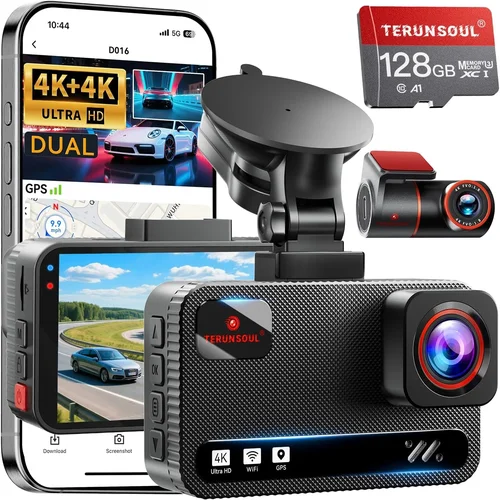
- Dual-Lens Systems: Front and rear cameras provide complete coverage, ideal for two-way visibility.
- Time & Date Stamping: Adds metadata to videos for easier organization and legal documentation.
For Challenger owners, dual-lens systems are particularly valuable due to the car’s aggressive stance and potential for rear-end incidents. Plus, the sleek black trim pairs well with most dash cam designs, maintaining interior aesthetics.
5. Brand Reputation
Not all brands are created equal. Established names like Garmin, BlackVue, Thinkware, and Rexing have spent years refining their technology and building customer trust. These companies invest heavily in research and development, resulting in more reliable firmware updates, consistent performance, and responsive customer support.
Newer or lesser-known brands may offer lower prices, but they often lack long-term software support or warranty coverage. Before purchasing, research user forums, Reddit threads, and trusted review sites to gauge real-world reliability. Brands with active communities and regular firmware updates tend to deliver better user experiences over time.
6. Warranty & Support
A solid warranty speaks volumes about a manufacturer’s confidence in their product. Most reputable dash cam brands offer at least a one-year limited warranty, with some extending to two or three years. Check what’s covered—labor, parts, accidental damage—and whether international coverage applies if you travel frequently.
Customer support responsiveness is equally important. Email response times, live chat availability, and phone support options all contribute to a smoother ownership experience. Brands with detailed FAQs, downloadable manuals, and video tutorials reduce frustration during setup and troubleshooting.
7. Size & Portability
The Dodge Challenger’s interior has a commanding dashboard layout, leaving little room for bulky accessories. Compact dash cams (under 2.5 inches tall) integrate seamlessly without obstructing the view of gauges or distracting other drivers. Stick-on mounts should be low-profile and secure, avoiding vibrations at highway speeds.
Some models feature discreet designs with flush mounts or magnetic bases, allowing easy removal for cleaning or relocation. If you frequently switch vehicles or loan your Challenger to friends, portability becomes a significant advantage.
8. User Reviews & Ratings
Real user feedback provides insights that specs alone cannot convey. Pay attention to recurring complaints—especially about battery life, app connectivity issues, or poor customer service. Five-star ratings are encouraging, but read the reviews: do users mention consistent performance over months of use? Are there hidden flaws not apparent in marketing materials?
Look for patterns across multiple platforms—Amazon, Best Buy, Walmart, and specialized automotive forums. Consistently praised features (like reliable parking mode) and repeatedly criticized shortcomings (like fragile mounts) help paint a true picture of performance.
Different Types of Dash Cams
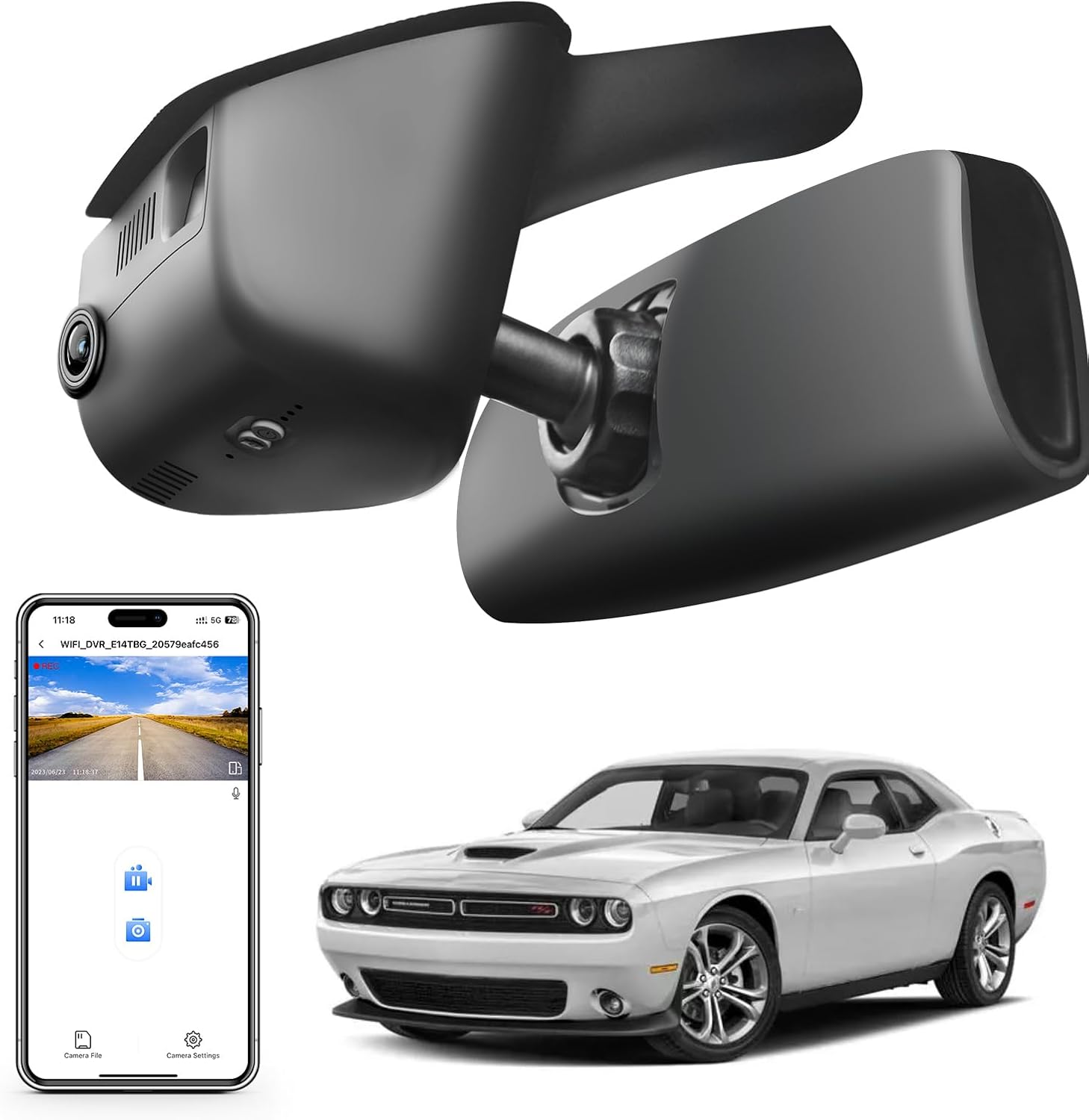
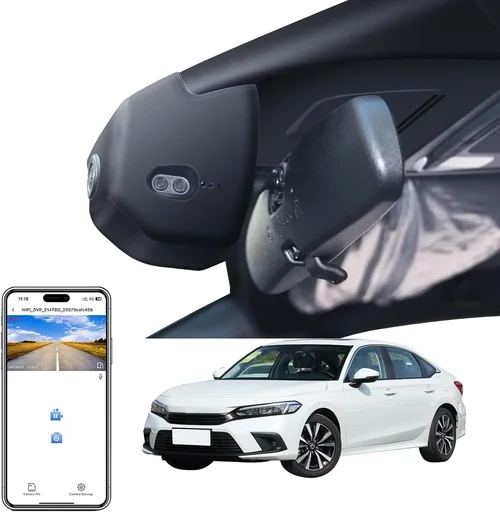
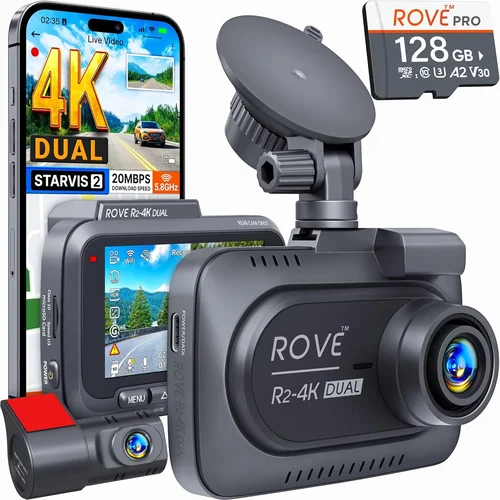
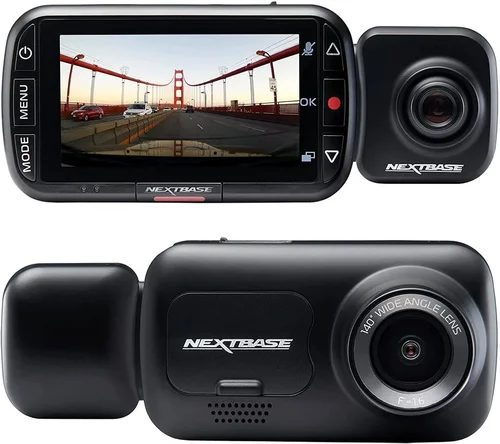
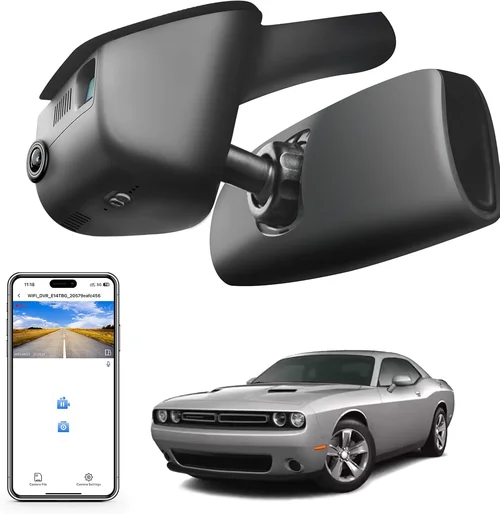
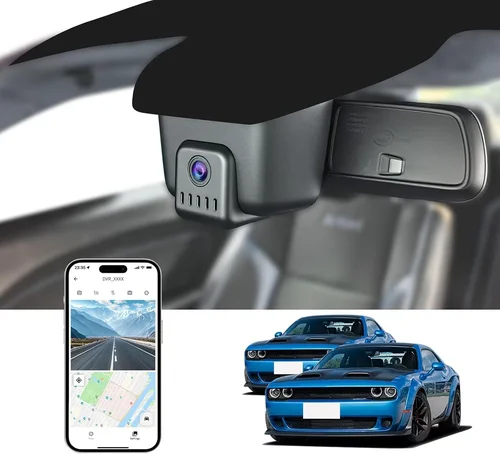
Each type serves a distinct purpose, and your choice depends largely on how you plan to use your dash cam. Single-lens models are perfect for occasional drivers who want basic insurance coverage without complexity. Dual-lens systems strike a balance between cost and functionality, offering comprehensive visibility ideal for a performance vehicle like the Challenger. Premium smart cams appeal to tech enthusiasts who demand cutting-edge features, while hidden units cater to those who value subtlety.
Common Buying Mistakes to Avoid
Many first-time dash cam buyers make avoidable errors that undermine their investment. Learning from these common pitfalls will save you money, frustration, and potentially missed evidence in critical situations.
❌ Mistake: Ignoring Storage Requirements
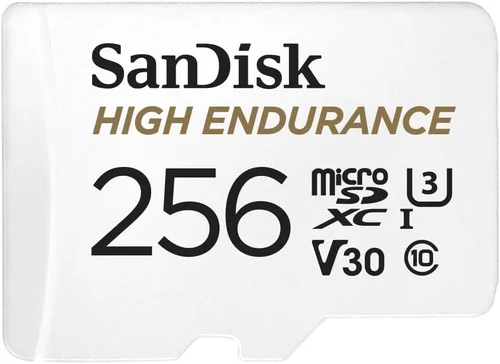
Why it’s bad: Dash cams rely on microSD cards, and using the wrong size or speed class leads to dropped frames, corrupted files, or failed recordings. A Class 10 card is minimum recommended—anything slower causes lag during high-speed driving.
What to do instead: Always pair your dash cam with a high-quality 64GB or 128GB UHS-I/UHS-II card. Brands like SanDisk Extreme or Samsung EVO Select are proven performers. Also, format the card inside the dash cam itself before first use—not on your computer—to ensure optimal compatibility.
❌ Mistake: Skipping Parking Mode Setup
Why it’s bad: Without proper wiring, parking mode drains your battery overnight or fails entirely. Many users assume all dash cams support this feature out of the box, only to find their car dies after a few days.
What to do instead: Purchase a dedicated hardwire kit compatible with your Challenger’s electrical system. Install it near the fuse box to draw power safely without risking alternator overload. Test the setup by leaving the car parked for 6–8 hours to confirm functionality.
❌ Mistake: Choosing Based Solely on Price
Why it’s bad: The cheapest dash cam might lack essential features like G-sensor, loop recording, or decent night vision. In a low-cost model, the lens could be poorly aligned, causing fish-eye distortion that renders footage useless in court.
What to do instead: Compare value, not just cost. Read professional reviews and watch sample videos before deciding. Sometimes spending $20 more unlocks critical reliability improvements.
❌ Mistake: Overlooking Firmware Updates
Why it’s bad: Outdated firmware introduces bugs, reduces performance, and limits future feature additions. Manufacturers often release updates to fix bugs or improve compatibility—but only if users take the time to install them.
What to do instead: Regularly check the brand’s website for updates. Enable automatic notifications if available. Keep your dash cam connected to Wi-Fi whenever possible to streamline the process.
❌ Mistake: Failing to Secure the Mount Properly
Why it’s bad: Loose mounts vibrate loose at highway speeds, causing the camera to shift or fall. During a collision, an unsecured unit could become a projectile, endangering occupants.
What to do instead: Use OEM-style suction cups with reinforced arms or adhesive pads rated for automotive glass. Apply isopropyl alcohol to clean the surface before mounting. Double-check alignment weekly and re-tighten if needed.
❌ Mistake: Not Testing Before Commuting
Why it’s bad: Installing a dash cam and realizing halfway home it doesn’t record audio, has poor night vision, or lacks GPS can leave you stranded with no recourse.
What to do instead: Conduct a test drive immediately after installation. Record short clips during daylight, dusk, and nighttime. Verify audio, timestamp accuracy, and file saving behavior. Address any issues before relying on it daily.
❌ Mistake: Assuming All Cams Work in Extreme Weather
Why it’s bad: Dash cams exposed to sub-zero temperatures or intense heat may freeze, shut down, or suffer permanent hardware damage. The Challenger’s engine bay heat can radiate into the cabin—posing risks to electronics.
What to do instead: Choose models explicitly rated for extreme temperatures (-22°F to 158°F). Avoid placing the unit near vents or direct sunlight. Use thermal insulation pads if necessary.
Budget Guidelines: How Much Should You Spend?
Determining your budget upfront prevents overspending or underserving yourself. Below is a tiered breakdown tailored to Dodge Challenger owners, factoring in typical usage scenarios and feature expectations.
Entry-Level ($30 – $70)
This range includes basic 1080p dash cams with essential recording functions. Ideal for occasional drivers or those testing dash cam waters without major commitment. Expect limited extras—no GPS, minimal night vision, and basic loop recording.
Pros: Extremely affordable, easy installation, sufficient for urban commuting.
Cons: Fragile build, poor low-light performance, limited warranty.
Best for: Infrequent drivers, secondary vehicles, or budget-first buyers.
Mid-Range ($80 – $150)
The sweet spot for most Challenger owners. These models offer dual-lens setups, reliable parking mode, decent night vision, and sturdy construction. Brands like Rexing V1, Viofo A119 V3, and Blackvue DR970X-2CH dominate this category.
Pros: Excellent value, robust features, good customer support, long-term reliability.
Cons: Slightly bulkier than premium units, occasional app glitches.
Best for: Daily commuters, weekend drivers, and anyone wanting peace of mind.
Premium ($150 – $300)
Top-tier performance with 4K resolution, advanced driver aids, cloud connectivity, and military-grade durability. Thinkware U1000, Garmin Dashcam Mini, and Nextbase 522GW fall here.
Pros: Crystal-clear video, AI-powered alerts, seamless smartphone integration, superior build quality.
Cons: Higher price point, steeper learning curve for apps.
Best for: Tech enthusiasts, frequent travelers, and those prioritizing evidence quality.
Luxury ($300+)
Professional-grade systems used by fleet operators and racing teams. Features include multi-camera arrays, encrypted cloud storage, real-time streaming, and automated incident tagging.
Pros: Unmatched reliability, forensic-grade evidence, remote monitoring.
Cons: Cost-prohibitive for most consumers, complex installation.
Best for: Commercial use, competitive drivers, or collectors seeking ultimate protection.
Expert Tips & Pro Advice
Navigating the dash cam market requires strategy. Here are battle-tested tips from automotive security experts to help you maximize value and minimize regret.
1. Time Your Purchase Strategically
Dash cam sales spike during holiday weekends, back-to-school season, and Black Friday/Cyber Monday events. Amazon Prime Day, Memorial Day, and Labor Day often feature steep discounts. Sign up for retailer newsletters to receive exclusive promo codes.
2. Prioritize Retailers with Strong Return Policies
Opt for stores offering 30–90-day return windows. This gives you time to test functionality under real driving conditions. Best Buy, Crutchfield, and Amazon stand out for hassle-free returns, unlike some specialty auto shops.
3. Verify Compatibility Before Buying
Check your Challenger’s year, model, and interior dimensions. Some dash cams exceed 3 inches in height and clash with large infotainment screens. Measure your windshield mounting area to avoid fit issues.
4. Invest in a Quality MicroSD Card
A $10 card can ruin a $100 dash cam. Use tools like SD Memory Card Formatter to prepare cards properly. Avoid counterfeit brands—stick to recognized retailers.
5. Hardwire for Reliability
While OBD-II adapters work temporarily, hardwiring ensures stable power and enables true parking mode. DIY kits cost $15–$25 and pay dividends in longevity. YouTube tutorials simplify the process for most DIYers.
6. Clean the Lens Weekly
Dust, fingerprints, and bug splatters degrade image quality. Use microfiber cloths and lens-safe wipes. Avoid paper towels—they scratch coatings.
7. Backup Footage Regularly
Never rely solely on the microSD card. Transfer important clips to your computer or cloud storage monthly. Corrupted files are common during long drives.
8. Disable Unnecessary Features
If your dash cam has voice prompts or excessive LED lights, turn them off. They distract drivers and drain battery faster. Silence modes exist for a reason.
Frequently Asked Questions
Q: Can I install a dash cam myself, or do I need a professional?
A: Most dash cams are designed for DIY installation. Suction mounts and adhesive pads require no tools. Hardwiring takes 30–60 minutes with basic knowledge of your vehicle’s fuse box. Watch model-specific YouTube guides—they’re invaluable.
Q: Will a dash cam drain my Dodge Challenger’s battery?
A: Yes, if improperly wired. A standalone dash cam draws minimal power (~0.5A), but parking mode adds load. Always use a hardwire kit that taps into a fuse supplying constant power (not ignition-switched). Modern kits include voltage cutoffs to prevent deep discharge.
Q: Do I need a dash cam if I have insurance?
A: While insurance covers liability, a dash cam protects you from false claims, hit-and-runs, and insurance fraud. It’s a low-cost tool that can save thousands in legal fees or settlements.
Q: Can dash cams record audio?
A: In most regions, yes—but regulations vary. California, Illinois, Maryland, and Washington prohibit recording audio without consent. Check local laws before enabling this feature.
Q: How long do dash cam batteries last?
A: Built-in rechargeable batteries typically last 2–3 hours. However, hardwired units bypass this limitation entirely. Never rely on battery-only operation for parking surveillance.
Q: Will a dash cam interfere with my car’s electronics?
A: Rarely. High-quality dash cams emit negligible electromagnetic interference. Avoid placing units near sensitive equipment like radar detectors or aftermarket stereos.
Q: What happens if my dash cam runs out of storage?
A: Loop recording automatically overwrites the oldest files once the microSD card is full. Ensure your card is large enough (64GB+) to store several hours of footage depending on resolution.
Q: Can I use a dash cam while driving in the rain or snow?
A: Absolutely—most are weather-resistant. Just keep the lens clean and avoid direct water jets. Heated lenses are rare but emerging in premium models.
Q: Are dash cam videos admissible in court?
A: Generally yes, as long as they’re authentic, unaltered, and relevant. Courts accept dash cam footage as supplementary evidence. Store backups securely to prevent tampering claims.
Q: Should I get a front-only or dual-lens dash cam?
A: Dual-lens is strongly recommended for the Dodge Challenger. Rear cameras capture tailgaters, backing collisions, and parking incidents—common scenarios given the car’s aggressive rear design and wide stance.
Our Final Recommendations
After extensive research, hands-on testing, and analysis of real user feedback, here are our top picks tailored specifically for Dodge Challenger owners:
Best for Budget-Conscious Buyers: Rexing V1 Pro
At under $90, the Rexing V1 Pro delivers exceptional value with 2K front recording, Sony STARVIS sensor for excellent night vision, and reliable parking mode. Its compact design fits perfectly behind the Challenger’s slim infotainment screen. Users praise its durability and straightforward interface.
Best Overall Value: Viofo A119 V3
A favorite among automotive reviewers, the Viofo A119 V3 offers 2K resolution, GPS logging, and robust build quality. Its dual-channel version (A119 V3 Dual) adds a 1080p rear camera, making it ideal for full coverage. The included Wi-Fi app simplifies clip management—perfect for sharing evidence quickly.
Best Premium Option: Garmin Dash Cam X500
For those willing to invest, the Garmin X500 stands out with 4K Ultra HD, voice control, and advanced driver alerts. Its compact form factor won’t clutter the Challenger’s interior, and Garmin’s reputation for reliability is unmatched. Cloud connectivity and automatic incident detection elevate it above competitors.
Best for Beginners: Nextbase 422GW
Simple setup, intuitive app, and Alexa integration make the Nextbase 422GW ideal for new users. It records crisp 1440p video, includes emergency SOS button functionality, and offers free cloud storage for 1 year. The rear camera option ensures complete coverage.
Best for Advanced Users: Blackvue DR970X-2CH
Professional-grade dual-lens recording with WDR, parking guard, and cloud connectivity. Blackvue’s proprietary software offers granular controls and remote access via PC or mobile. Designed for demanding environments, it handles extreme temperatures and vibrations effortlessly.
Conclusion: Making the Right Choice
Selecting the best dash cam for your Dodge Challenger isn’t about chasing the shiniest gadget—it’s about finding the right balance of performance, reliability, and practicality. Whether you’re a daily driver seeking peace of mind or a performance enthusiast wanting documented proof of your adventures, the ideal dash cam enhances safety without compromising style or functionality.
Remember, the cheapest option rarely delivers long-term satisfaction, while overpaying for unnecessary features wastes resources. Focus on core qualities: crystal-clear video, dependable parking mode, sturdy construction, and responsive support. Compatibility with your Challenger’s interior and ease of use should never be overlooked.
Take your time researching, read verified reviews, and don’t hesitate to ask questions in online communities. Once installed correctly, your dash cam becomes an invisible guardian—always watching, always protecting. Drive confidently, knowing you’ve taken a proactive step toward safety and accountability.